

The Advanced Item Details Extension by VTExperts for vTiger CRM allows showing additional information related to products in Quotes, Invoices, Sales Orders, and Purchase Orders. It allows the user to automatically pull any extra details, descriptions, checkboxes, dates, or custom fields from the Product/Service records and display them right alongside the item line. The fields the user displays can be completely customized for every module (Quotes, Invoices, Purchase orders, and Sales orders). Moreover, it uses a Rich Text Editor, using which the user can design and format the layout of the item details section.
Configuration
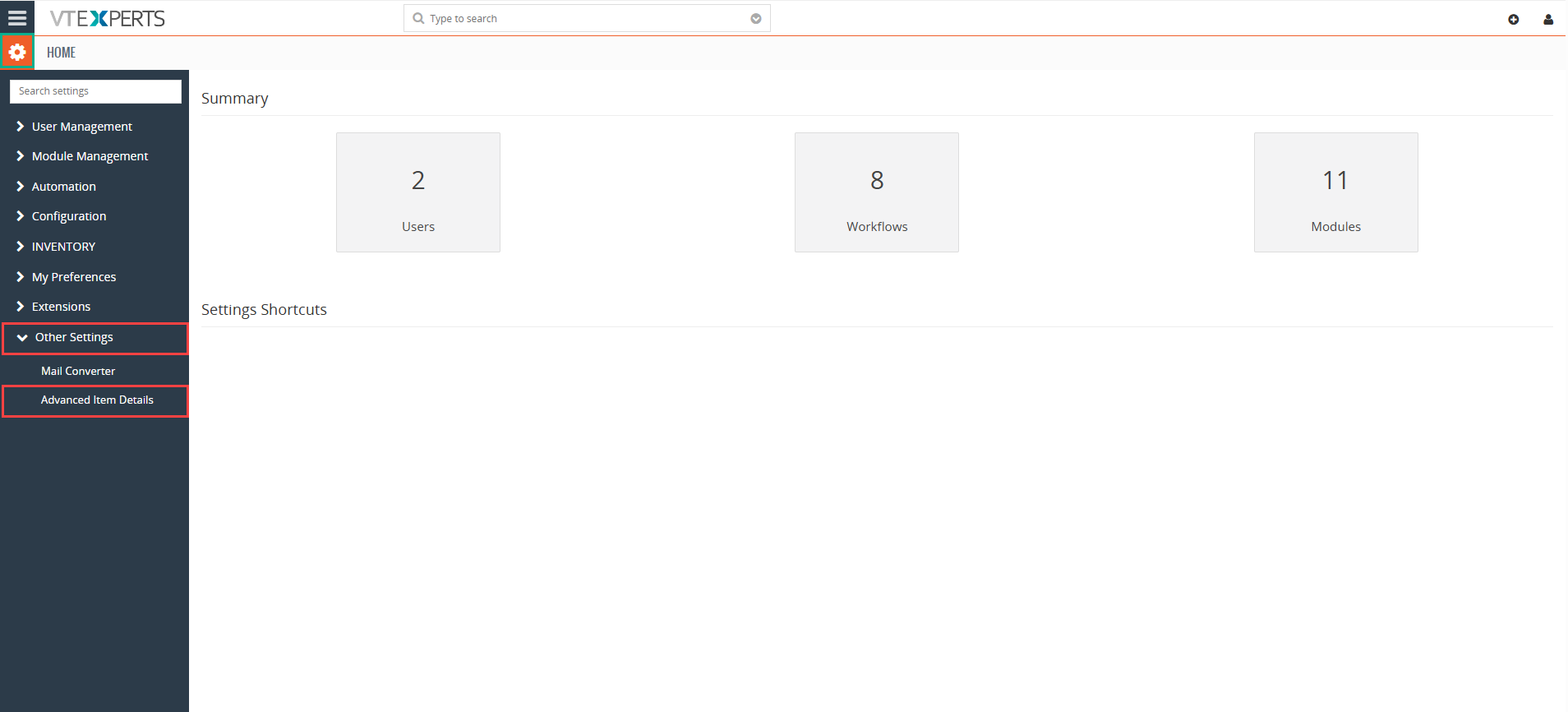
Step 1 : Go to Advanced Item Details settings
Settings > CRM settings > Other Settings > Advanced Item Details
Step 2: Select Module
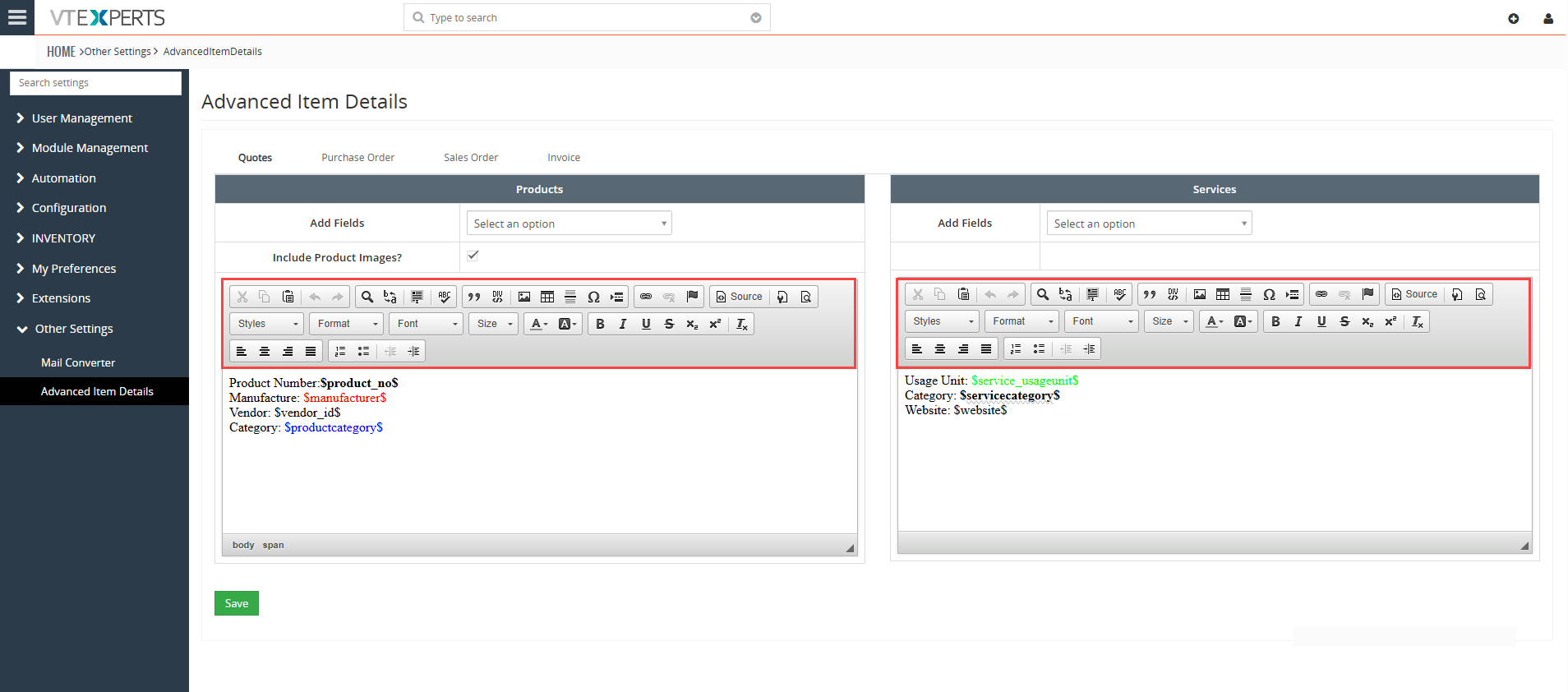
Select the module Quotes, Purchase Orders, Sales Order, Invoices.

Step 3: Add Item Detail fields
– User editor to add fields: Select the fields from the “Add Fields” drop-down menu. It will show all the fields available in the Product/Service module

– Include Product Images: Enabling this check box will start showing product images in the item details as well

– Add text as per your requirement: User can mention field label’s or other text here as per requirement

– Change formatting using Rich Text Editor
How it works
Once you create a new Quote, SO, PO or Invoice, additional information will start displaying
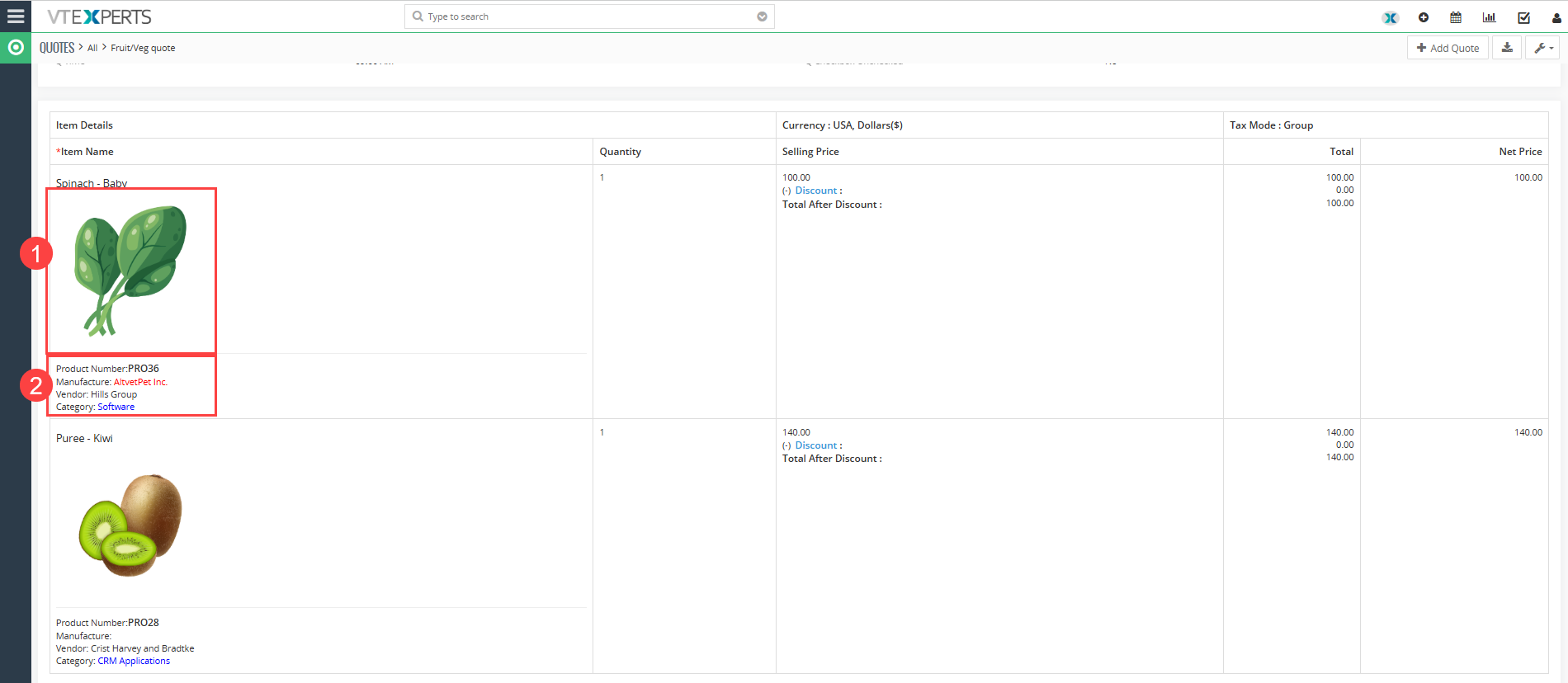
- Product Image starts to show up in the item details
- Additional item details like Product Number, Manufacturer, Vendor, Category etc. start appearing in the item details section