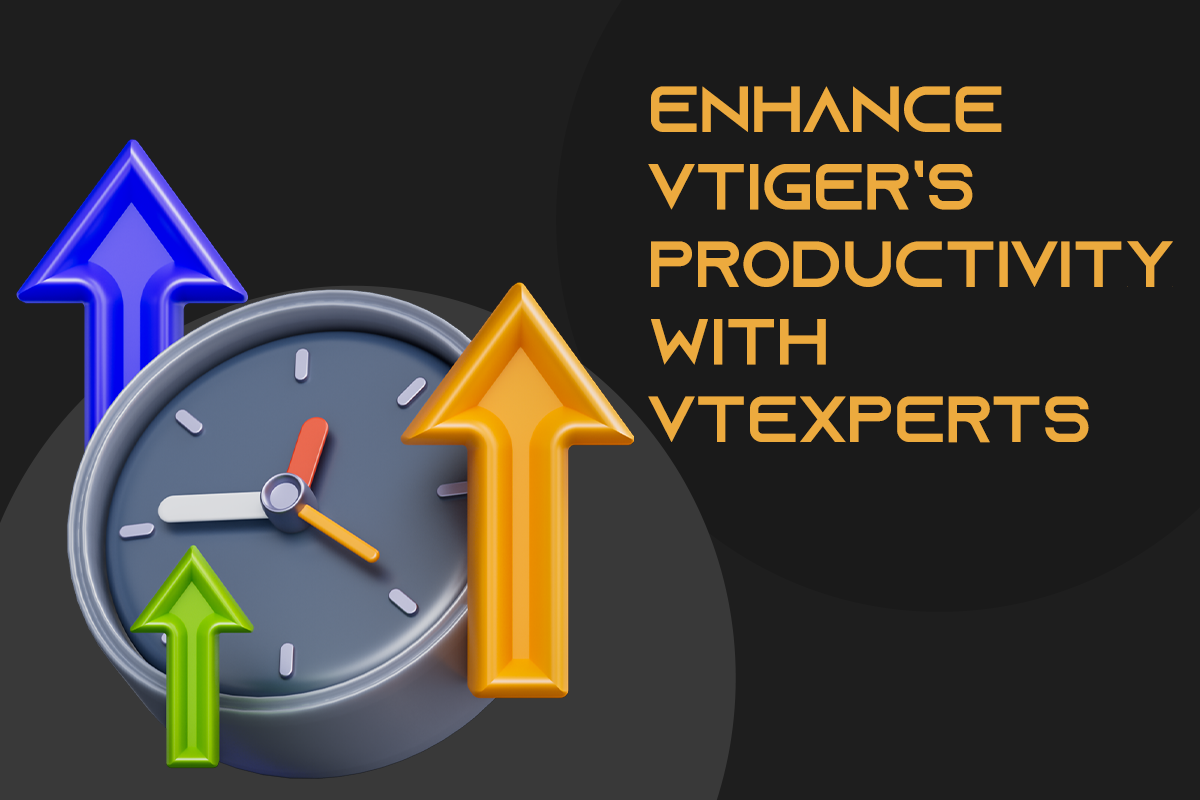
Productivity is an important aspect of any organization or individual. It allows measuring the work efficiency within a designated timeframe to achieve the maximum possible output. In this article, we will check how can you enhance Vtiger productivity with VTExperts. We live in an era where digital productivity is a booming concept. Let’s get ourselves familiarized with digital productivity tools first.
Digital Productivity tools
Digital productivity refers to the deployment of digital tools and technologies to improve a team’s efficiency and efficacy in fulfilling tasks and achieving goals. This involves leveraging technology to streamline workflows, automate repetitive tasks, facilitate remote collaboration, and access information and resources more efficiently. By realizing the potential of digital tools, individuals and organizations can optimize processes, minimize resource utilization, and achieve their goals with increased productivity. Moreover, digital productivity tools are cost-effective and easy to use.
You can also check Productivityist, if you want to explore the concept of productivity in detail.
All CRM systems provide some kind of digital productivity tool. The implementation of productivity tools can enhance the efficiency and effectiveness of both individuals and organizations, thereby enabling them to attain their objectives at a faster pace and with reduced stress levels.
Benefits of using Productivity tools
- Improved efficiency: The usage of productivity tools can assist in simplifying their work processes, diminishing the duration spent on monotonous tasks, and enhancing overall efficiency.
- Data Management: Productivity tools help in simplifying work processes. They diminish the duration spent on monotonous tasks and enhance overall efficiency.
- Time management: By facilitating effective time management, productivity tools can enable employees to meet deadlines and work towards their objectives in a prompt manner.
- Accountability: They help managers to monitor progress and ensure accountability among team members for their assigned tasks and deadlines.
- Increased flexibility: Digital productivity tools can be accessed from anywhere with an internet connection. Therefore, they enable individuals to work remotely and provide greater flexibility.
- Cost saving: productivity tools often require minimal investment and can lead to cost savings by streamlining the processes.
Productivity tools in vTiger CRM
All CRM systems include productivity tools that can help organizations improve their efficiency and effectiveness in managing customer relationships. The same is the case with vTiger CRM as well. Here are some of the productivity tools features in vtiger CRM system by default.
- Projects: Create and assign projects to the users. You can also configure milestones for the team members. Moreover, you also configure Gantt charts for the projects, so you can get a visual glimpse of the project’s progress.
- Tasks: Projects can further be divided into project tasks, which can be assigned to different users. Users can track the project task progress.
- Inventory management: Vtiger CRM also provides features for generating invoices, quotes, sales orders, and purchase orders. Moreover, you can also manage vendors, build price books, etc.
- Contact management: Vtiger CRM provides a great contact management tool. It allows to store and organize customer contact information, such as names, phone numbers, and email addresses.
Enhance Vtiger’s productivity with VTExperts
Are you looking to take your Vtiger CRM productivity to the next level? VTExperts got you covered. As a leading provider of Vtiger CRM customization and development services, VTExperts offers a range of productivity tools that can help you optimize your workflows, automate repetitive tasks, and streamline your business processes. Whether you’re looking to enhance collaboration, improve time management, or gain deeper insights into your business performance, VTExperts has the tools and expertise you need to succeed. Let’s check how can you enhance Vtiger productivity with VTExperts
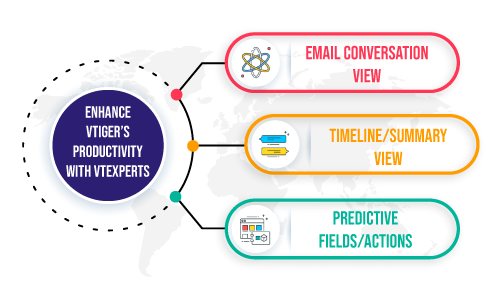
Following are some of the features VTExperts productivity tools.
 1. Email conversation view
The VTiger Email/Conversation View extension revamps the simple email list by transforming it into a conversation view that is easy to read. With this extension, email messages are displayed directly on the list, eliminating the need to open each email to see its response. Furthermore, the extension distinguishes between emails from customers and VTiger users by highlighting the background and adding divider borders
Following are some of the key features of the Email conversation view extension
- Supports all modules with an Email list
- Integrates with standard VTiger email module
- Displays emails in a conversation view
- Includes Smart Preview (Only show the reply instead of the entire email)
- Add it as a widget on the summary view
- Customizable options (limit X chars, configure cut-off variables, remove line breaks)
- Module Manager Compatible
Check extension Here
2. Timeline/Summary View
The VTiger Record Timeline/Summary extension aims to enhance record visibility by providing a comprehensive timeline view. Through this feature, users can easily track any communication, including emails, calls, and comments, as well as record updates
Following are some of the key features of the timeline/summary view extension
- Supports all Standard and Custom Modules
- Converts existing Touchpoints section into the complete timeline
- Rolls up Information from 3 levels deep (relationship)
- Built-in shortcut to preview/open related records
- Last but not least. it is Module Manager Compatible
Check extension Here
3. Predictive Fields/Actions
This extension learns from user actions and predicts the next most common value, streamlining the record-updating process. Furthermore, with its user-friendly interface, updating records can be done with just one click. Moreover. predicted values appear as clickable bubbles, providing users with four options to select from and allowing them to set the value with a single click.
Following are some of the key features of predictive fields extension
- Self Learning (analyzes historical updates and suggests best option)
- Supports Edit/Detail/Summary Views
- Supports Text, Date, and Picklist fields
- Configurable (On create/edit only, if empty, if older than X days)
- Finally, it supports all standard and custom VTiger modules (including Activity popup)
Check extension Here
You can also check the Sales intelligence tools offered by VTExperts Here