Employee contract management can become difficult when organizations have different contractual frameworks, employee-specific terms, multiple agreements for the same employee, and different contract versions
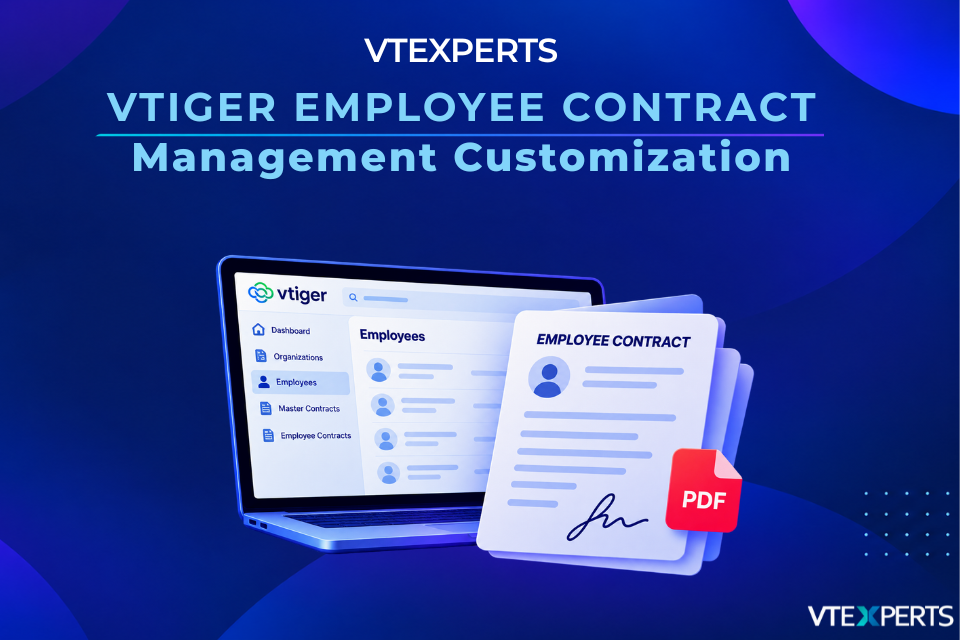
To address these requirements, VTExperts customized Vtiger CRM by creating three custom modules Employees, Master Contracts, and Employee Contracts and connecting them with the existing Clients/Organizations module. The solution also dynamically populates contractual content based on selected terms and generates the completed contract as a PDF.
Why Customize Vtiger CRM for Employee Contract Management?
A standard employee record is not always enough to manage employment agreements.
An employee may have multiple contracts over time, and each agreement can have its own working hours, remuneration, benefits, pension, overtime, absence, termination terms, and other conditions.
Rather than keeping all of this information on a single employee record, the customization separates employee information from information that belongs to a specific agreement. It also introduces a Master Contract layer for reusable contractual terms.
The result is a structure where:
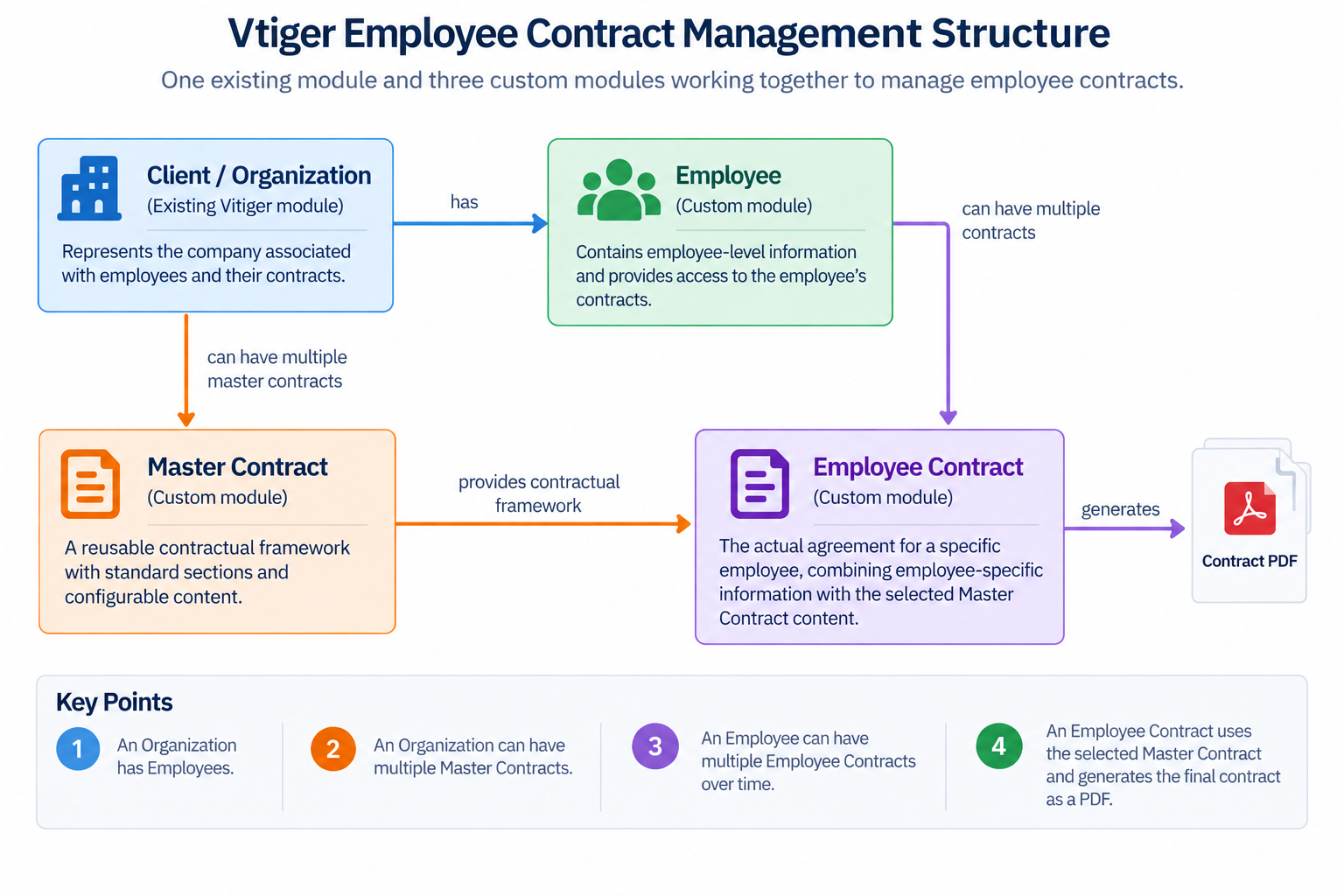 The Master Contract provides the standard contractual framework, while the Employee Contract holds the information and terms applicable to a particular employee and agreement.
Four-Module Contract Structure
The solution combines the existing Clients/Organizations module with three custom-built modules. Each serves a different purpose.
Client / Organization
The existing Client or Organization module represents the company associated with employees and their contracts.
Master Contracts can be created and managed for multiple organizations within the same Vtiger CRM environment. Each organization can maintain its own contractual frameworks, while a Master Contract can also be reused across organizations when the same terms apply.
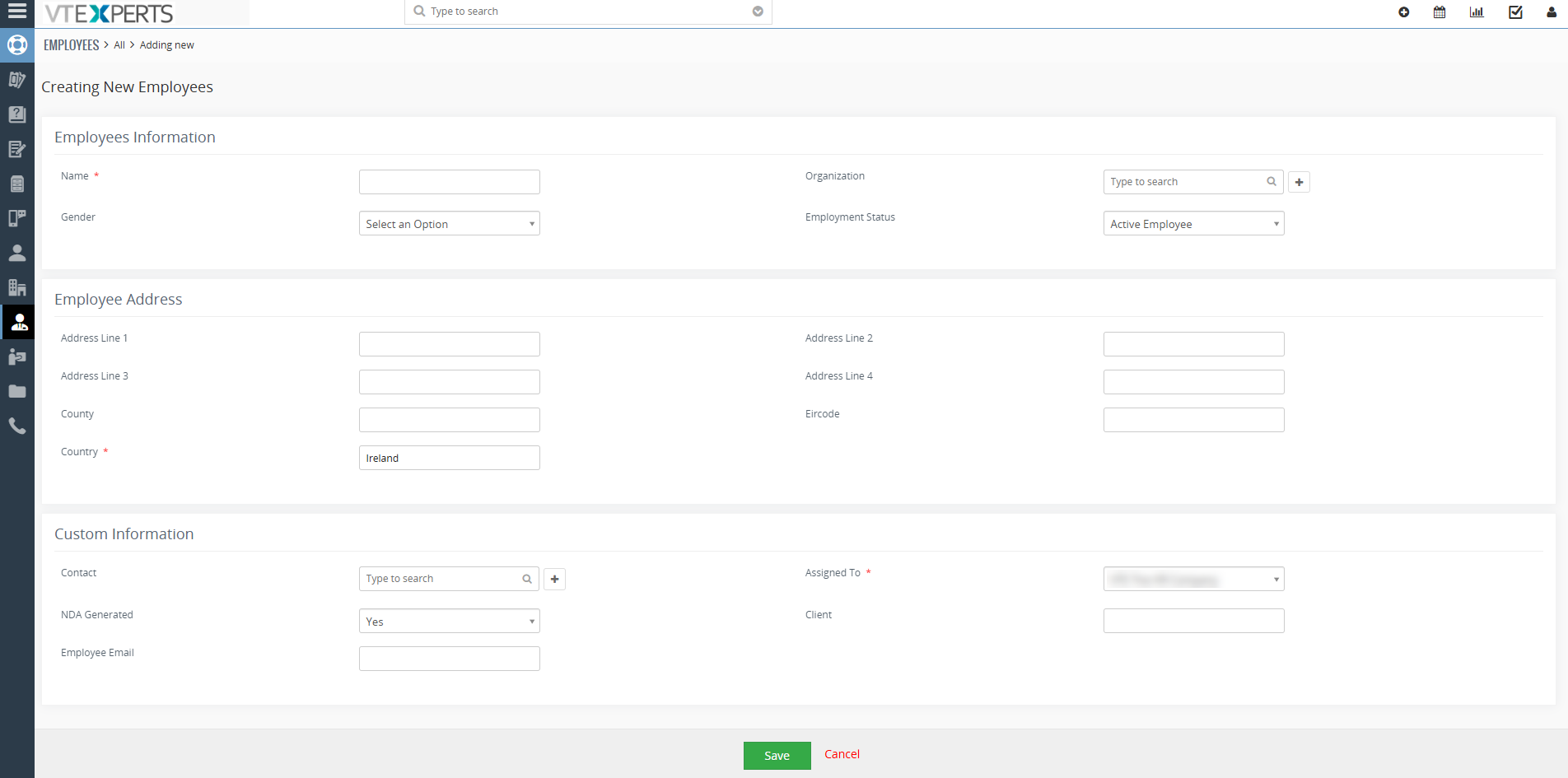
Employee
Employee is a custom-built module that contains employee-level information and provides access to the employee’s contracts.
An employee can have multiple contracts over time, so each contract is maintained as a separate Employee Contract rather than combining all contract information into one employee record.
Master Contract
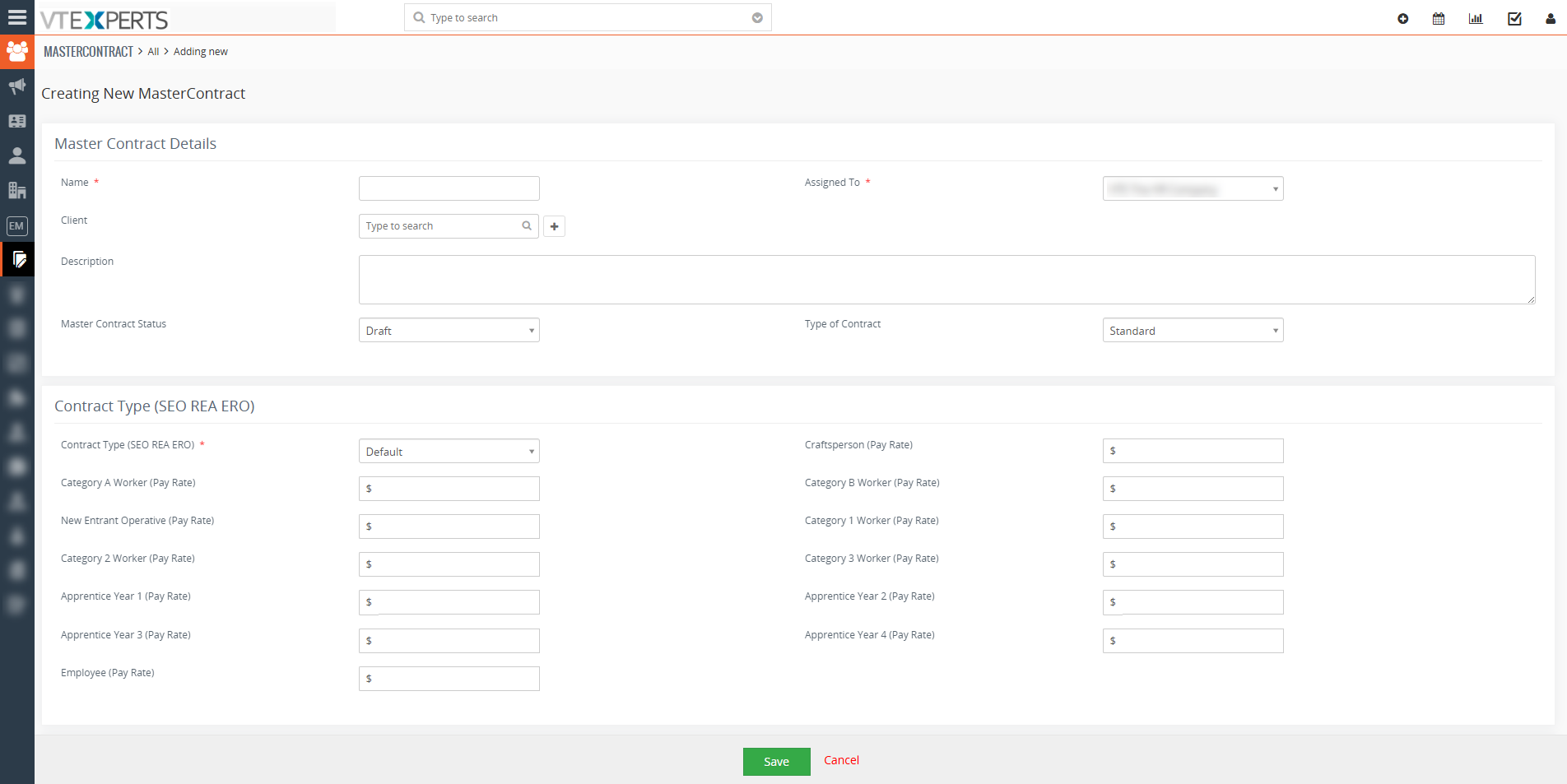
Master Contract is a custom-built module that acts as a reusable contractual framework.
It contains the standard contractual sections and configurable content that can be applied when an Employee Contract is created.
Multiple Master Contracts can be maintained when different organizations, teams, functions, or employment arrangements require different terms. Different versions can also be maintained when contractual frameworks are updated.
Employee Contract
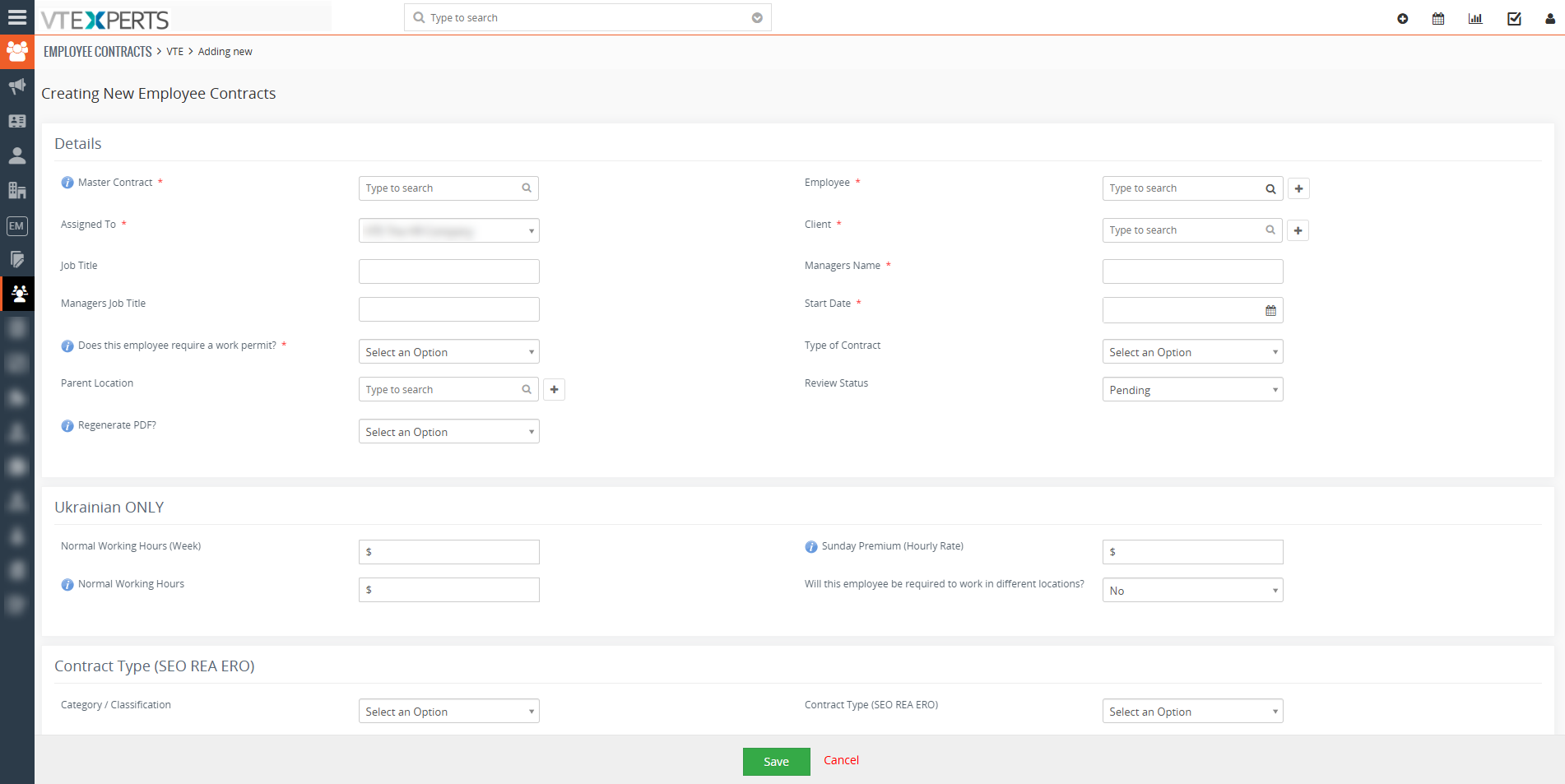
Employee Contract is a custom-built module representing the actual agreement for a specific employee.
It combines employee-specific information with the applicable Master Contract content. Information that belongs specifically to an individual agreement is maintained at the Employee Contract level.
This keeps each agreement separate while maintaining its connection to the employee and the applicable Master Contract.
How Master Contracts Drive Employee Contracts
The Master Contract eliminates the need to recreate standard contractual wording for every employee.
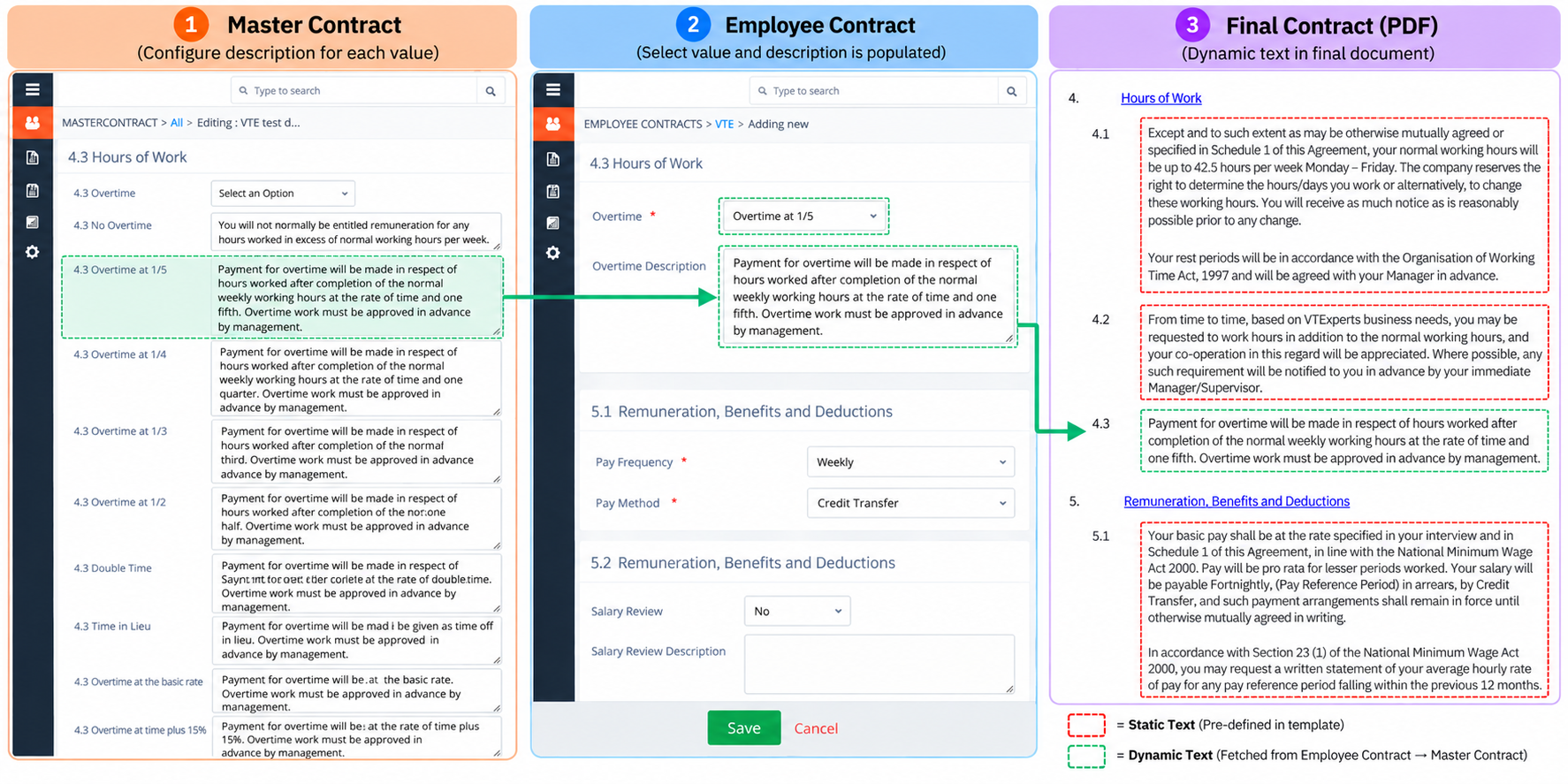
When creating an Employee Contract, the user selects the applicable Master Contract and enters the employee-specific information. The configured Master Contract content can then be populated based on the values selected in the Employee Contract.
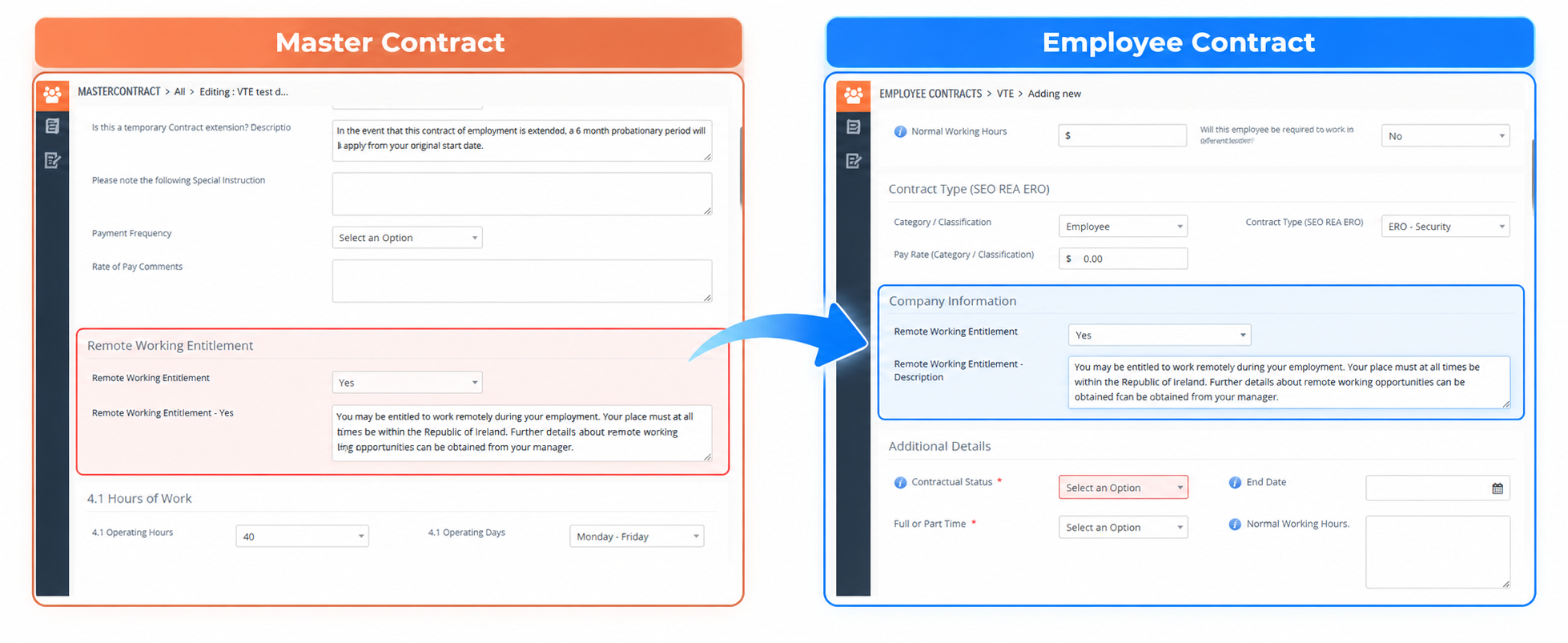 For example, an Remote Working Entitlement field may contain:
Yes / No
A contractual description can be configured in the Master Contract for each option.
If the user selects Remote Working Entitlement= Yes in the Employee Contract, the corresponding description configured for that value is automatically populated.
The user can still modify the populated text if the individual agreement requires a variation.
The final content is then included in the generated contract PDF.
Configurable Contractual Fields
The same approach can be used for different employment conditions.
For example, an overtime field can contain options such as:
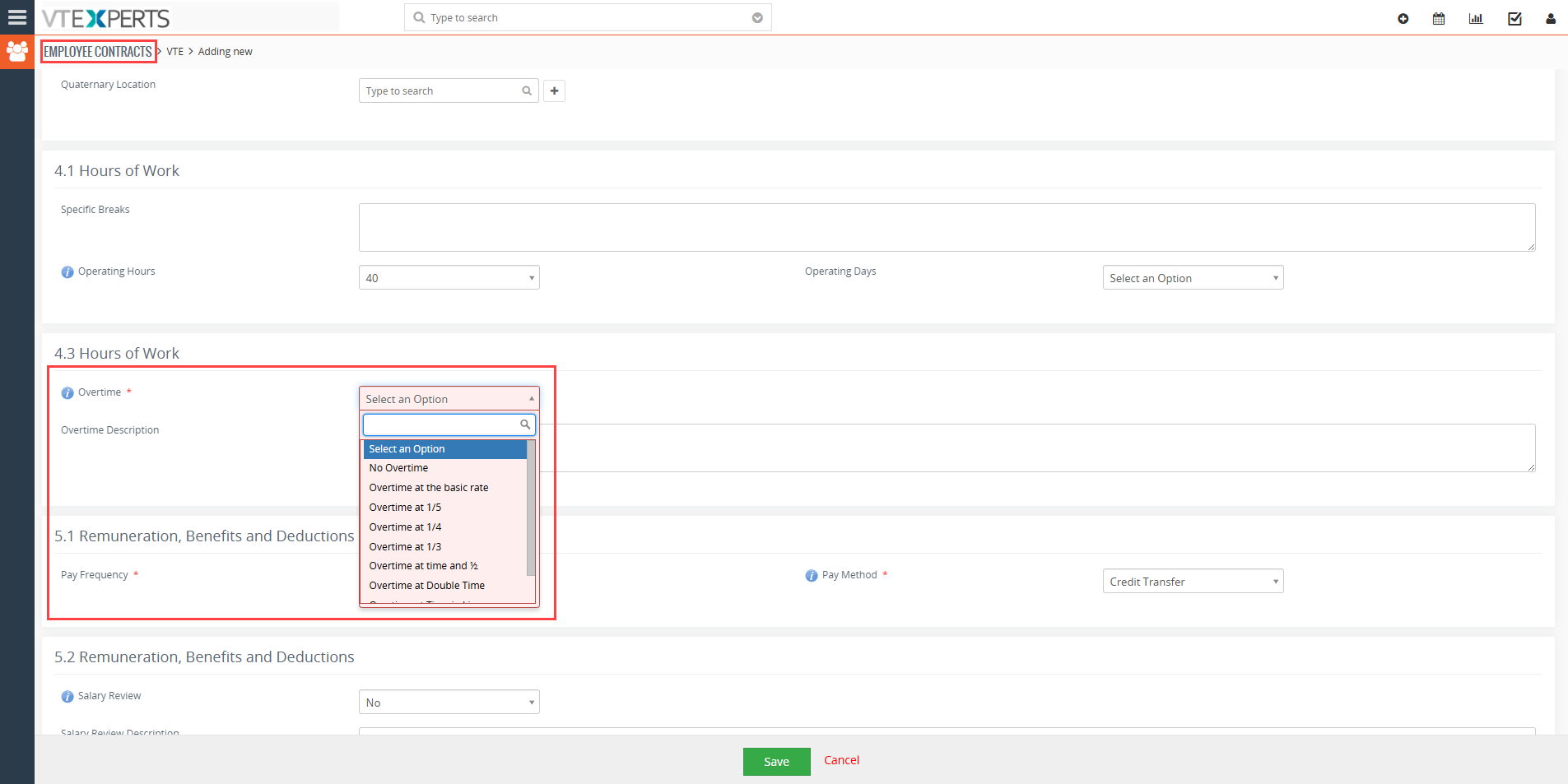
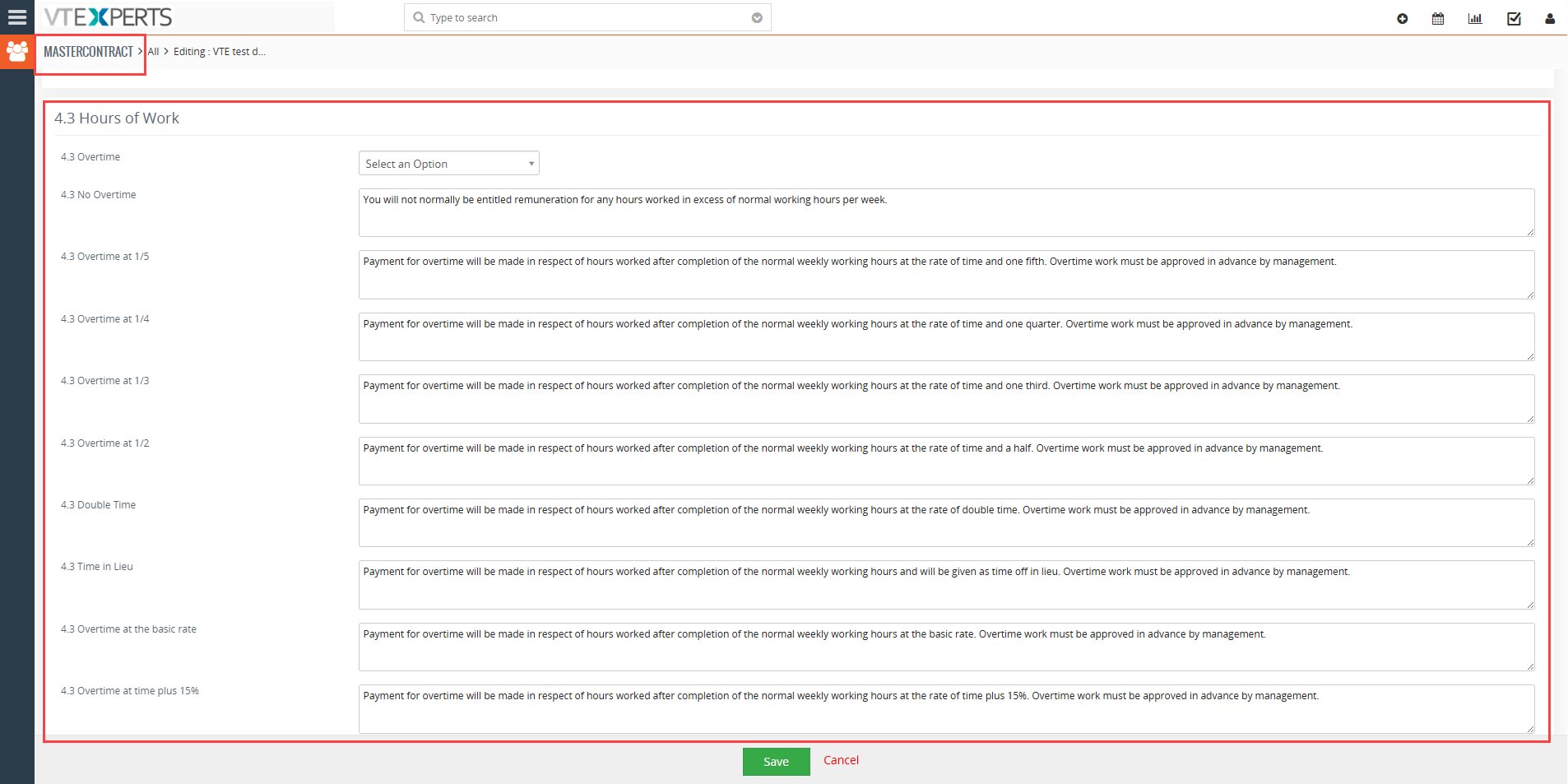
Each option can have its own contractual description configured in the Master Contract.
When an option is selected in the Employee Contract, the corresponding contractual wording is automatically populated into the agreement.
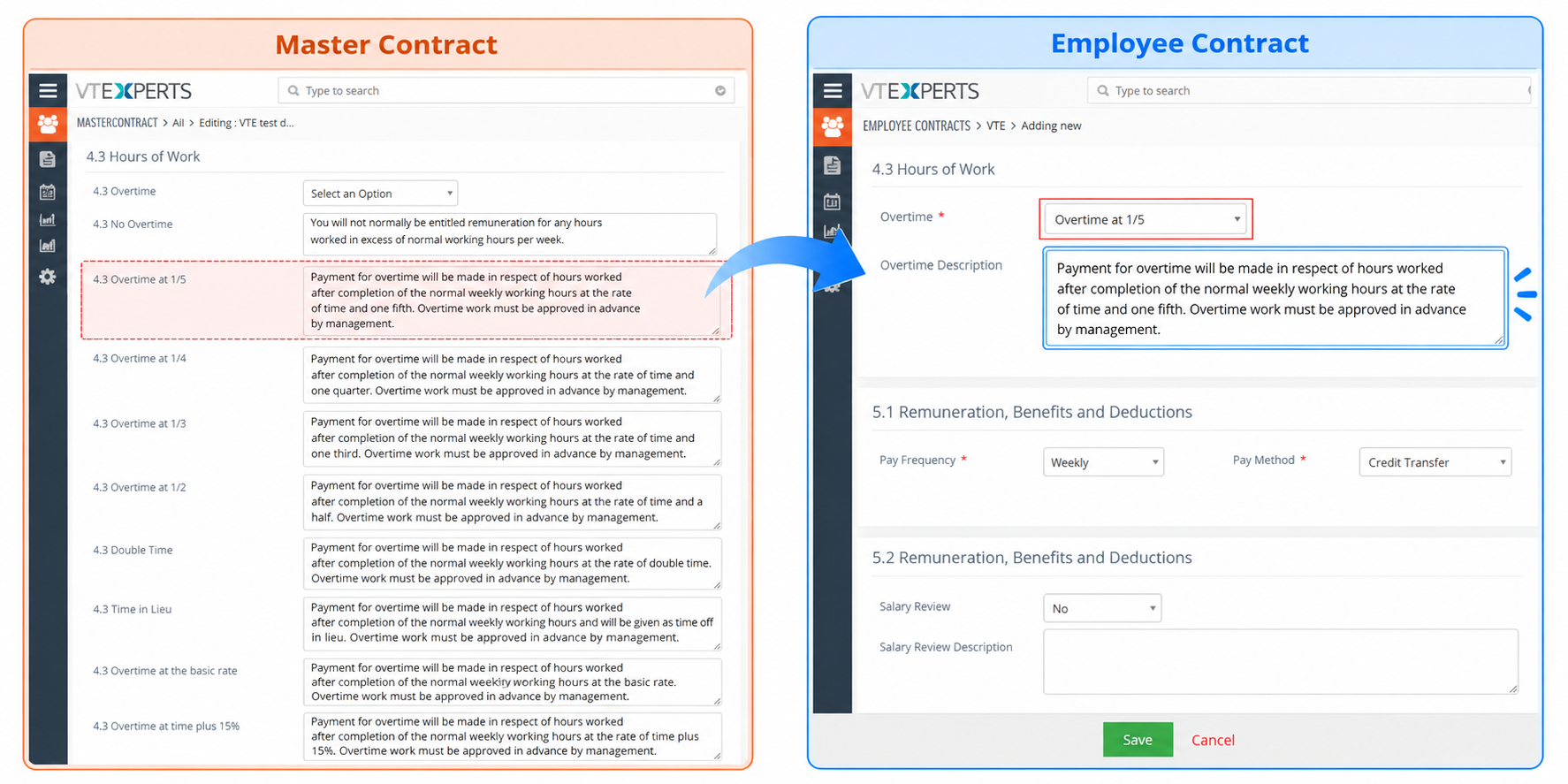 Users therefore do not have to manually find and copy the appropriate contractual clause for each employee.
The same approach can be used for other contractual fields, including salary review conditions, initial periods, benefits, and other employment terms.
Customization in Action: Creating an Employee Contract
The customization brings the Master Contract, organization, employee, and contract-specific information together when a new Employee Contract is created.
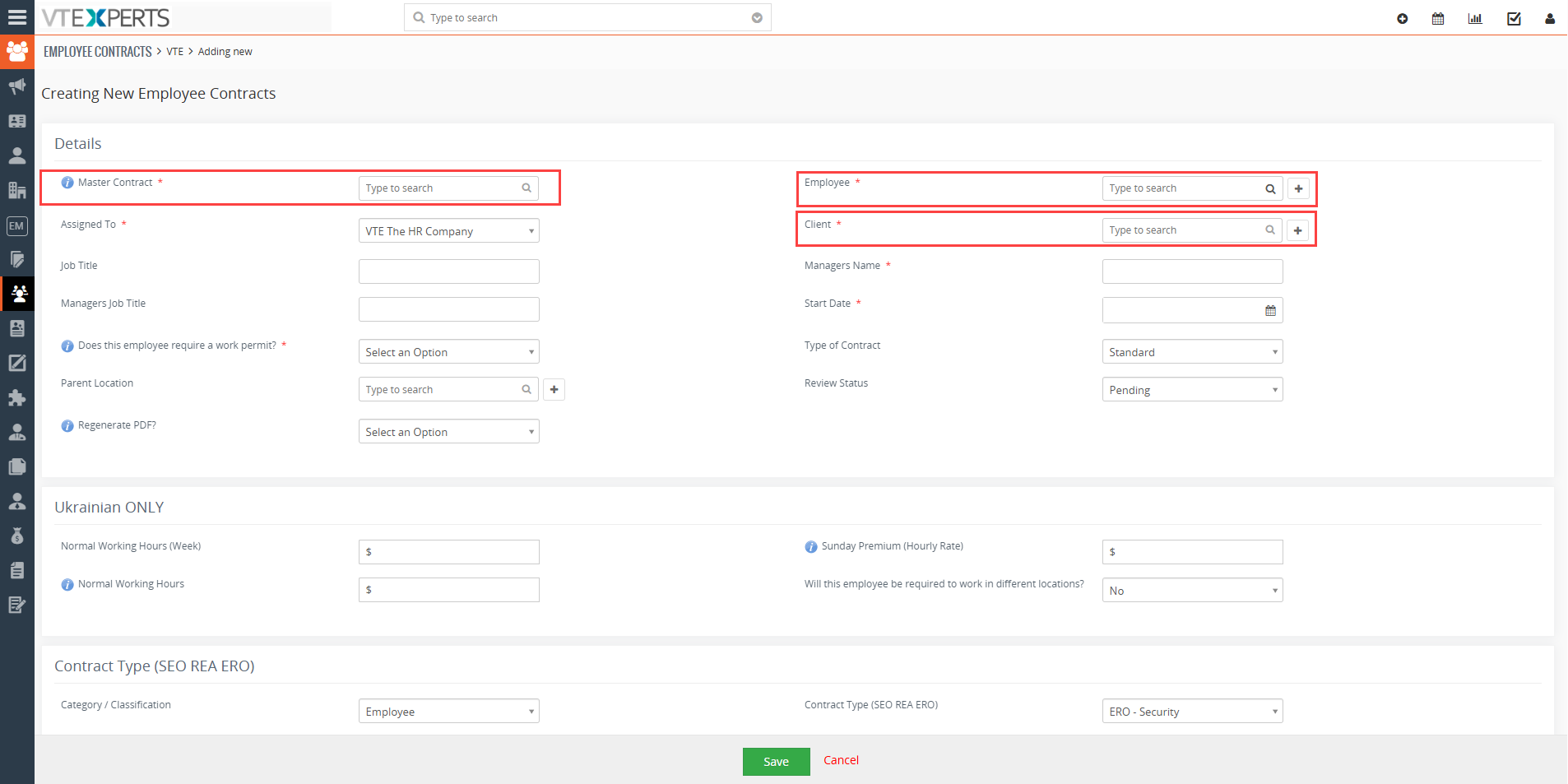 When the user starts creating an Employee Contract, the applicable Master Contract is selected first. This determines the contractual framework and template from which the Employee Contract is built.
- The user then selects the Organization for which the contract is being created and the Employee who will receive the agreement.
Once these records are selected, the Employee Contract fields can be completed. The configured Master Contract provides the corresponding contractual content based on the values selected in the Employee Contract.
For example, selecting a particular option in a contractual field can automatically populate the corresponding description configured in the Master Contract. The user can review the populated information and make changes where required.
Once all required information has been completed, the Employee Contract record is saved.
From Employee Contract record to Contract PDF
After the Employee Contract is saved, the Document Designer is used to generate the final contract.
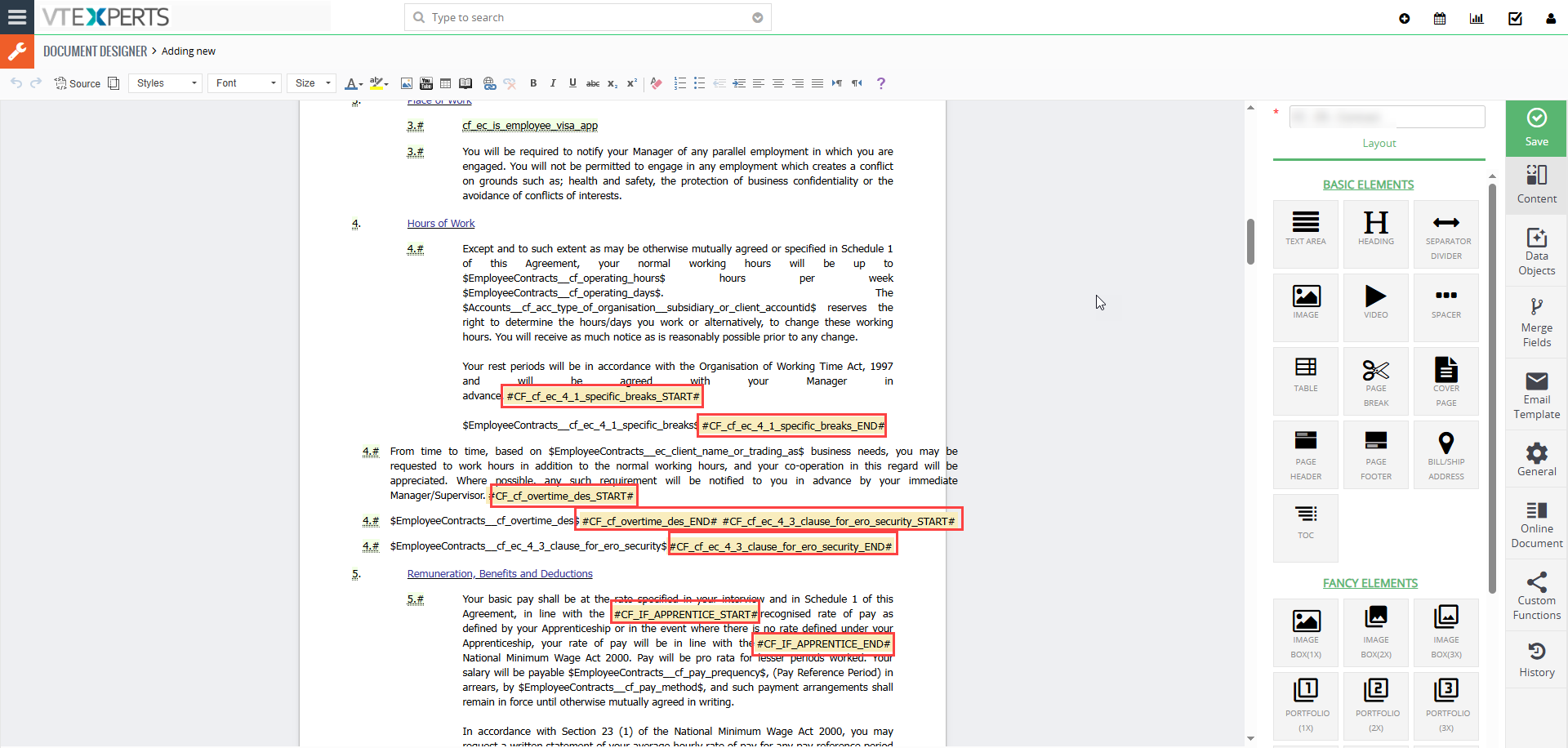 The Employee Contract template in Document Designer contains the static text and fixed structure of the contract.
- The fields populated in the Employee Contract are inserted as dynamic text within that template (highlighted in red in the template)
This means the final PDF combines:
Static Contract Template + Dynamic Employee Contract Data = Final Contract PDF
For example, employee details and contractual information entered or populated in the Employee Contract are dynamically inserted into their corresponding locations in the Document Designer template when the PDF is generated.
This creates a direct connection between the structured data stored in Vtiger CRM and the final employee contract document.
 The customization also extends to the Advanced Customer Portal, enabling users to generate employee contracts directly from the portal. For more information about the portal functionality, contact us.
Managing Contract Versions
Employment terms can change over time, so different versions of a contractual framework may need to be maintained.
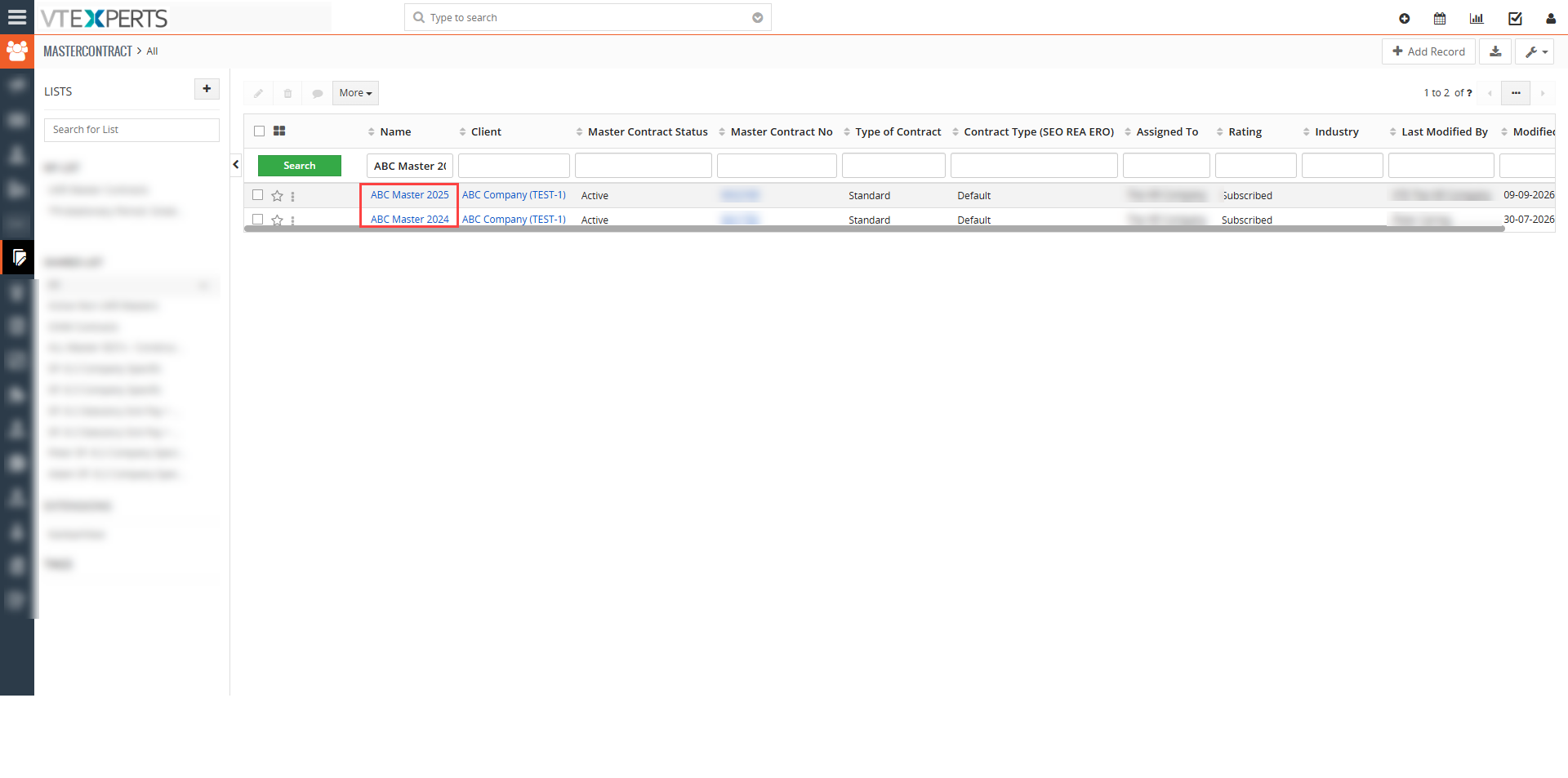
The customization allows different Master Contract versions to be maintained and associated with Employee Contracts as applicable. This helps identify which contractual framework applies to an agreement when newer versions are introduced.
Benefits of the Customized Employee Contract Management Solution
The customization provides several practical benefits:
- Separate contract records: Employees can have multiple agreements without combining their information into a single record.
- Reusable contractual terms: Master Contracts provide a common framework that can be reused where applicable.
- Organization-specific management: Multiple organizations can maintain their own contractual frameworks within the same Vtiger environment.
- Dynamic contractual content: Selected field values can determine which contractual wording is populated.
- Employee-level flexibility: Users can modify automatically populated content when an individual agreement requires a variation.
- Contract version management: Different Master Contract versions can be maintained and associated with applicable agreements.
- Contract document generation: Employee Contract data can be used to produce the final contract PDF.
Customizing Vtiger CRM for Employee Contract Management
This project shows how Vtiger CRM can be extended when standard CRM records and fields do not fully support a business requirement.
VTExperts created three custom modules and connected them with the existing Clients/Organizations module, then added configurable contractual content, Master Contract versions, Employee Contracts, and PDF generation.
The result is a customized employee contract management solution in Vtiger CRM that gives organizations a structured way to manage reusable contractual terms and employee-specific agreements.
If your organization has an employee contract management requirement that does not fit Vtiger’s standard functionality, VTExperts can customize Vtiger CRM around your specific requirements.
Need a custom Vtiger CRM custom solution? Contact us Here to discuss your requirements with the VTExperts team.