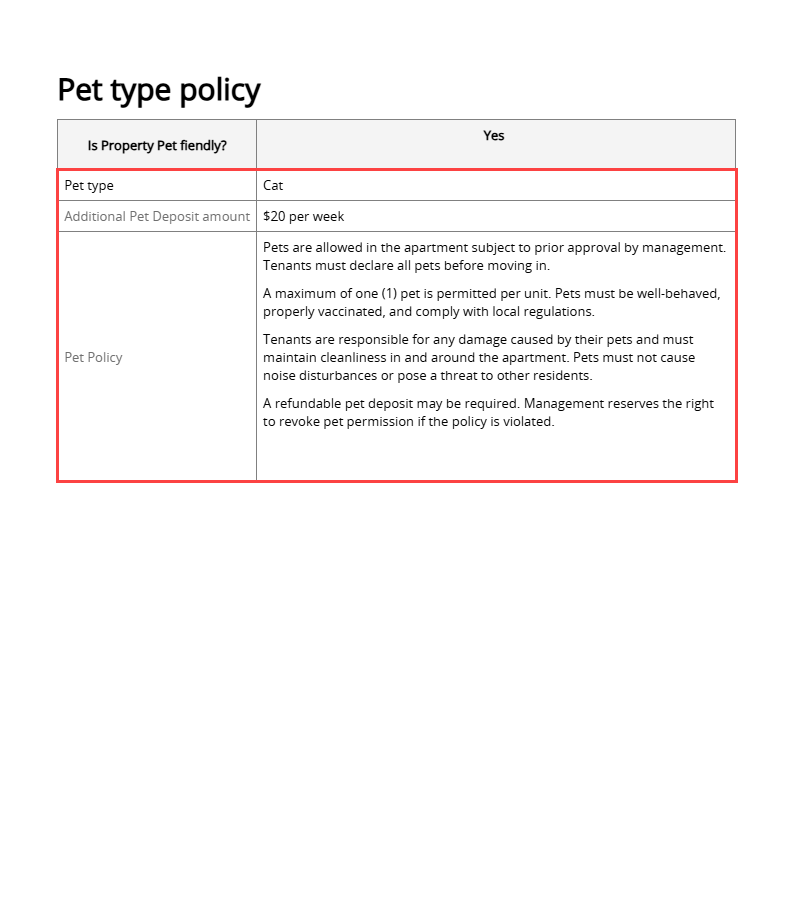
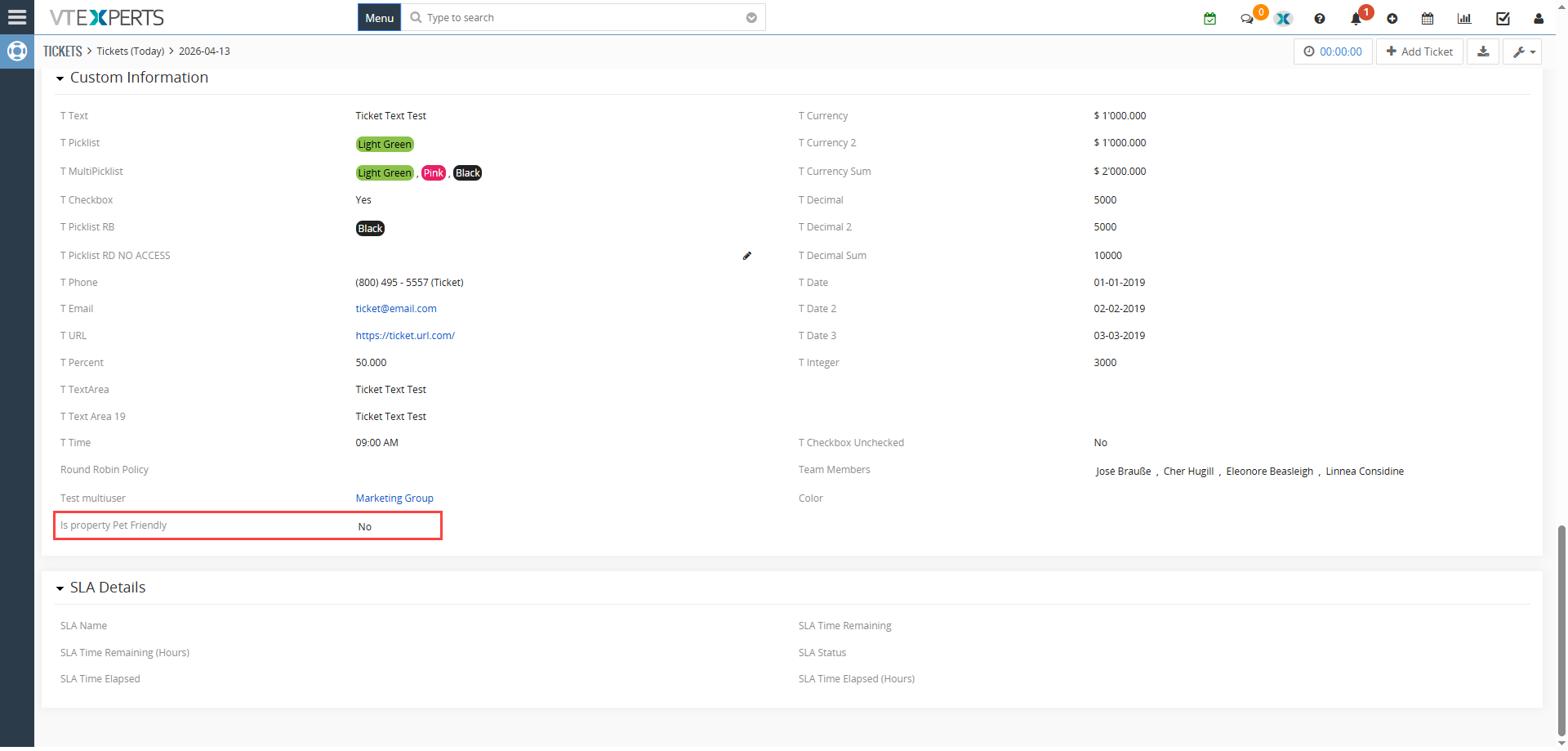
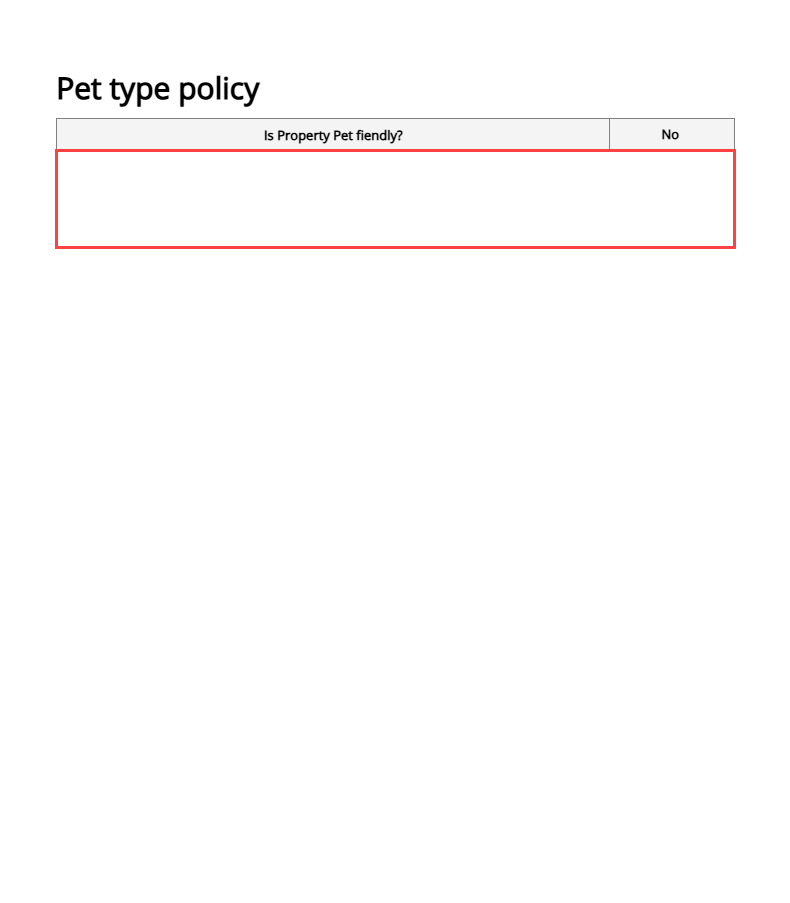
When Pet Policy is set to “No”, it hides the information block placed between the conditional identifier tags
We have all been there: you are about to send a contract or an agreement, but it is filled with “N/A” markers and empty sections that do not apply to the client. It looks messy, feels impersonal, and a bit unprofessional.
In Vtiger CRM (Open Source), the “one-size-fits-all” template is a thing of the past. Thanks to VTExperts’ Document Designer, you can now use Conditional Logic to make your templates “smart.” Instead of maintaining a dozen different files, you use one Master Template that automatically hides or shows fields based on your CRM data.
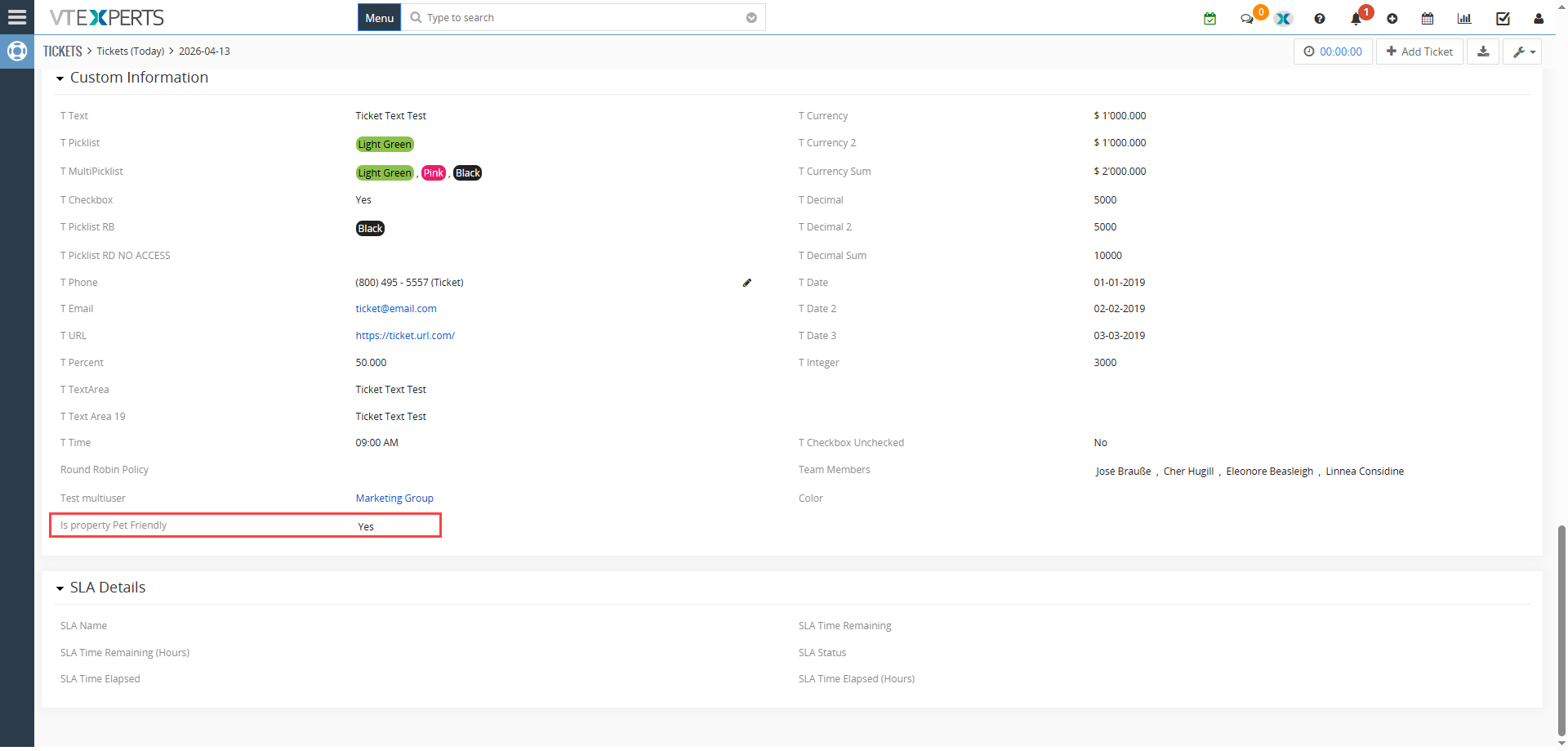
Imagine you are managing properties. Not every tenant has a pet, so why should every lease include pet addendum?
With a simple conditional logic on picklist field “Is Property Pet Friendly?” in your CRM, the Document Designer takes over:
- If Yes: The “Pet Policy” section—complete with pet types, deposit amounts, and specific rules—instantly appears in the generated PDF.
- If No: The entire section vanishes. The document layout shifts up naturally, leaving no awkward white space or “N/A” placeholders.
How to Set It Up (Step-by-Step)
Configuring this logic is surprisingly straightforward. Here is how you can do it right from the Document Designer interface:
1. Define Your Rule
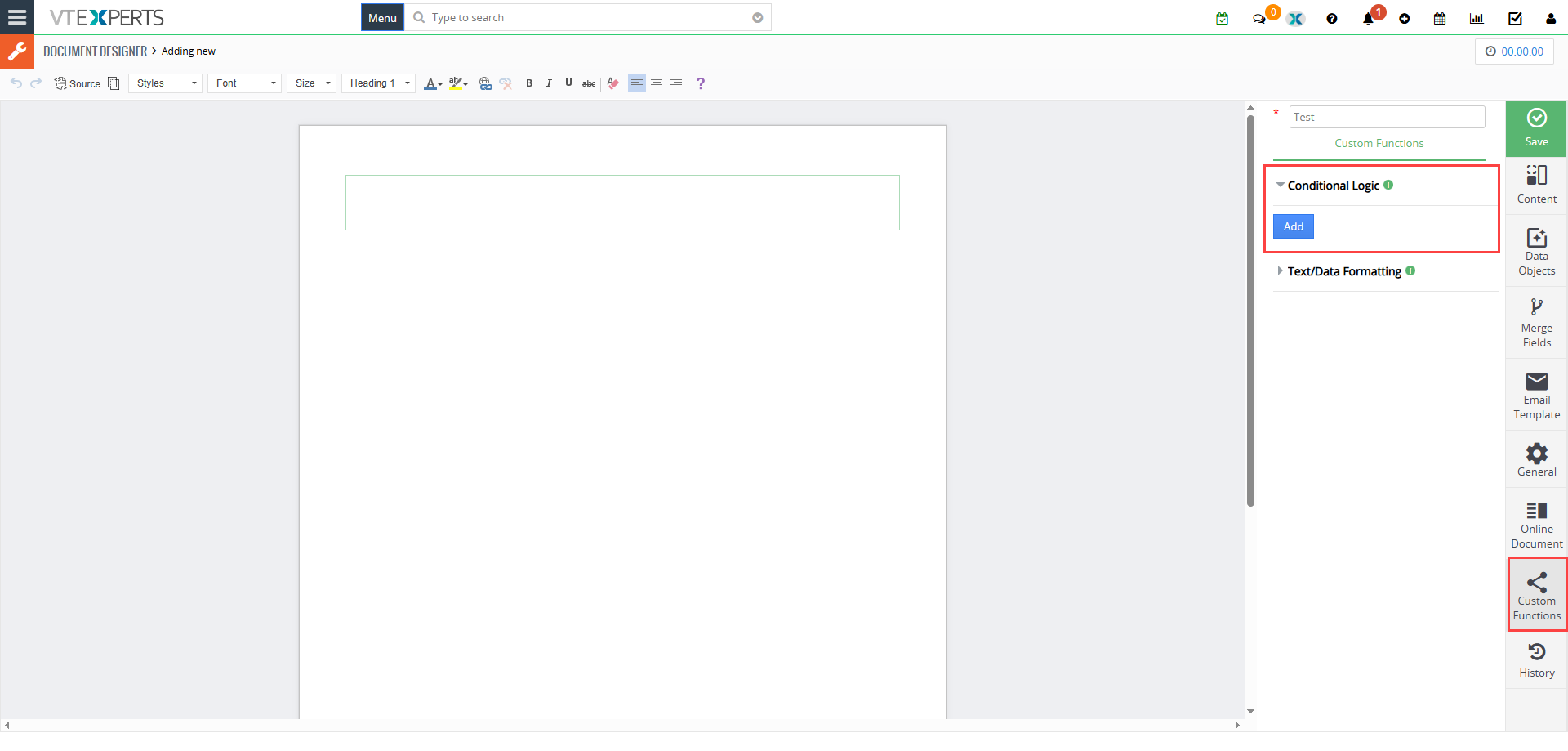 Head over to the Conditional Logic tab in the sidebar and click “Add.”
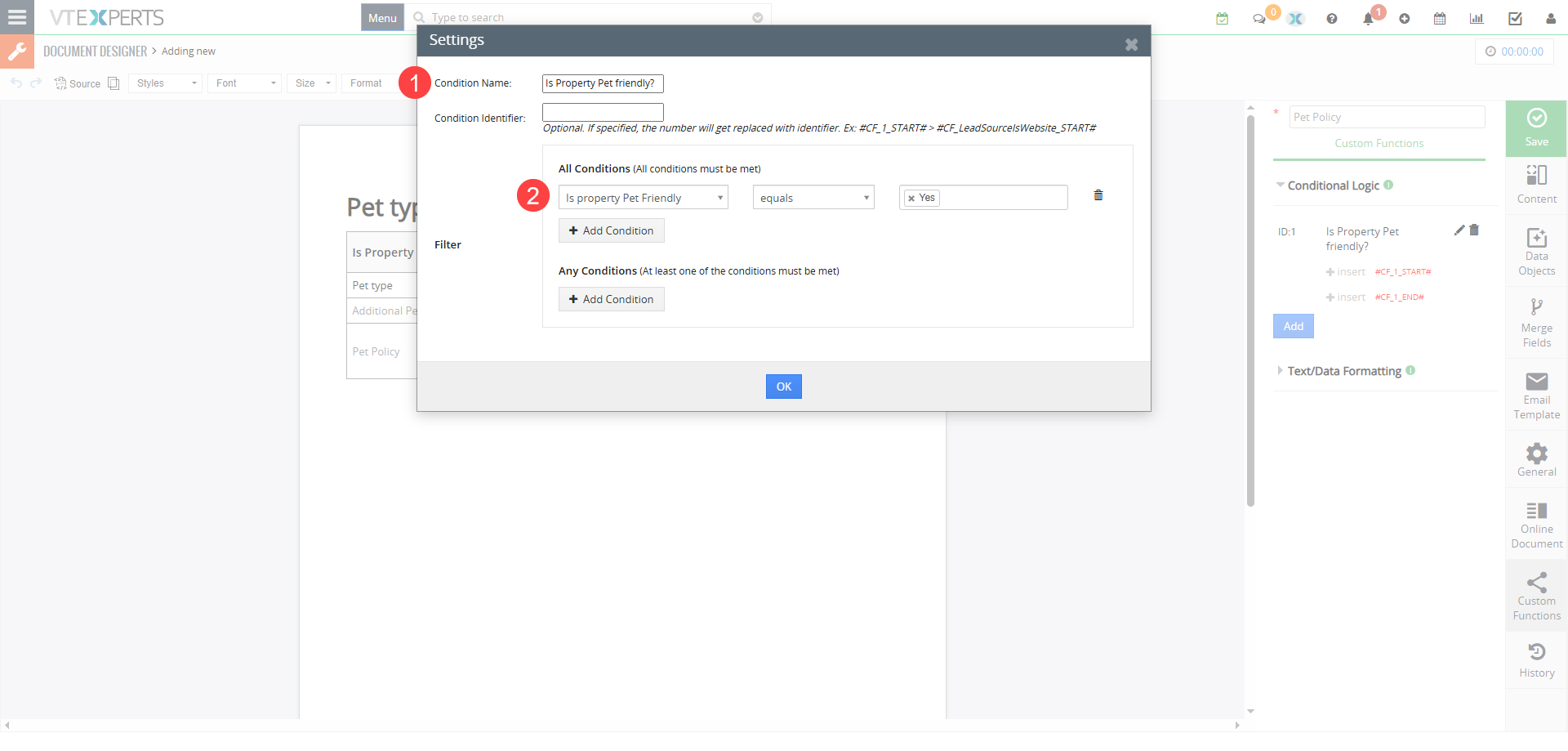 Give it a Name: Use something clear, like Is Property Pet Friendly?
- Set the Condition/Filter: Use the standard Vtiger filter interface. For example: Pet Policy = Yes. It will define when the condition is true and related data should be shown.
- Save: Once saved, the extension generates a unique Condition Identifier (like #C1_START# and #C1_END#).
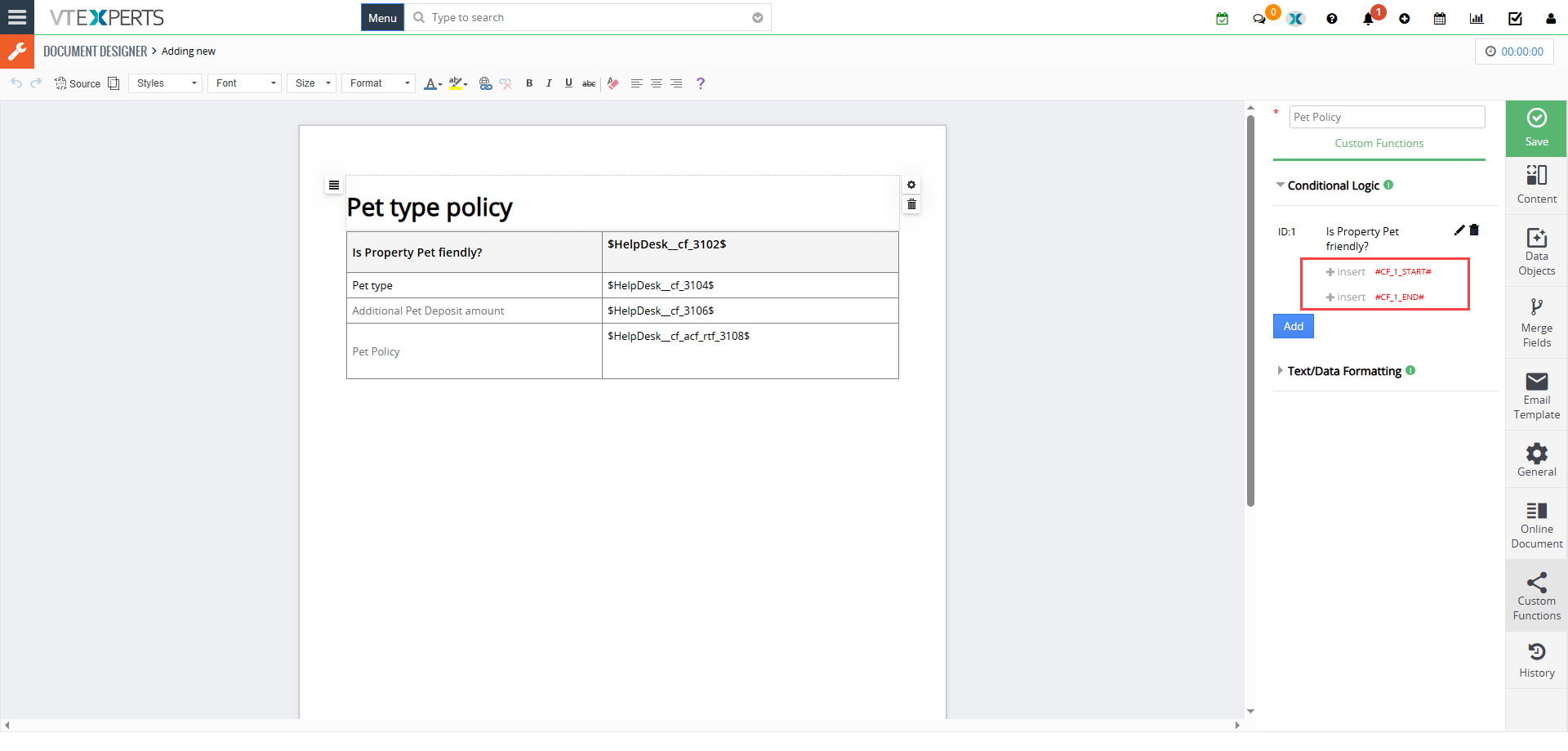
2. “Wrap” Your Content
Now, go to your document editor.
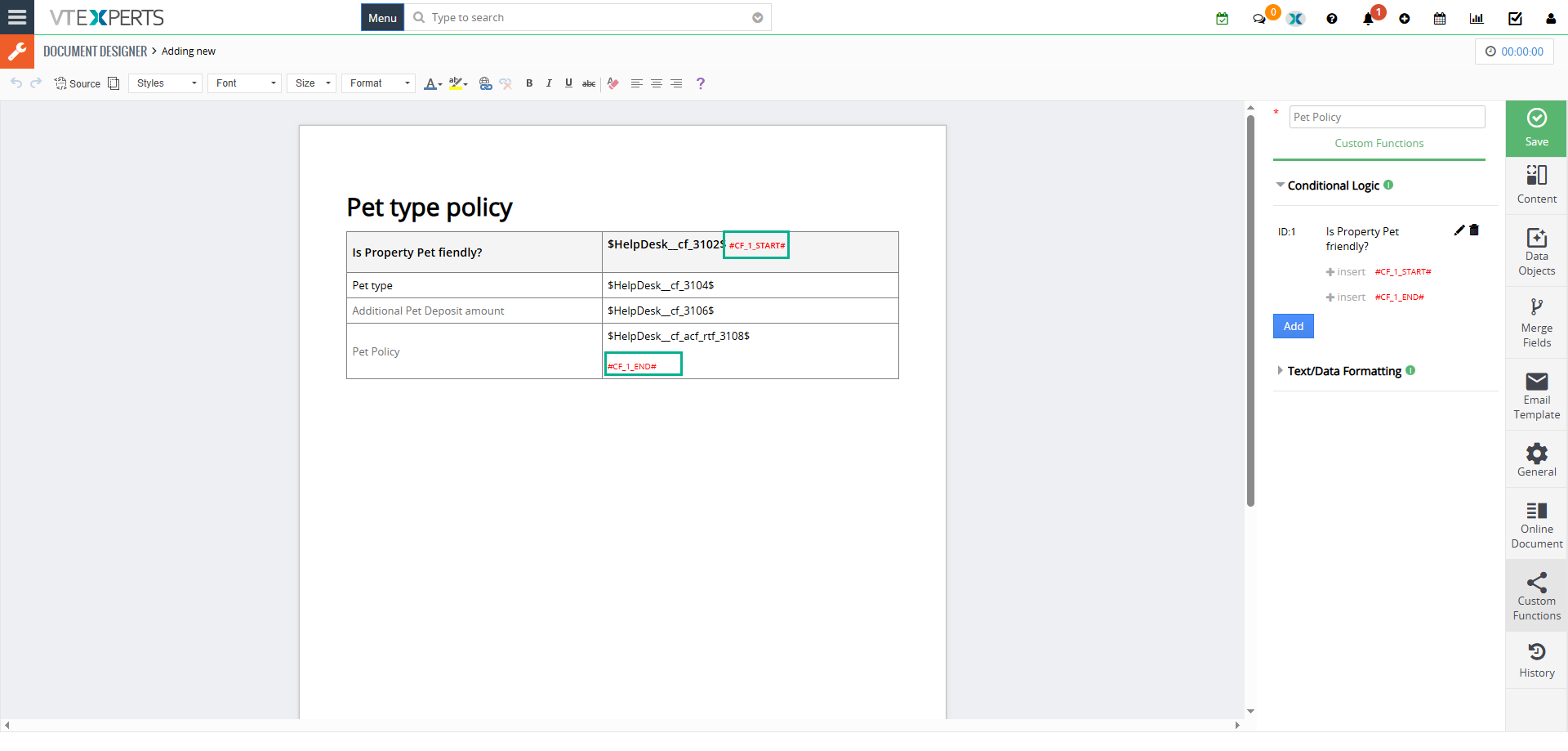
- Find the row, table, or paragraph you want to control.
- Place the #C1_START# tag at the beginning and the #C1_END# tag at the end.
- The Magic: Anything sitting between those two tags is now “conditional.” It only exists if your CRM record says it should.
3. Generate & Validate
When you are ready, click Export to PDF/Email from the record. The extension does a “real-time check” of your data. If the condition is not met, it strips that entire block of content away before the file is even created. What your client sees is a perfectly tailored, clean document.
Example
Highlighted part in the image will only be shown when pet policy is set to “Yes”
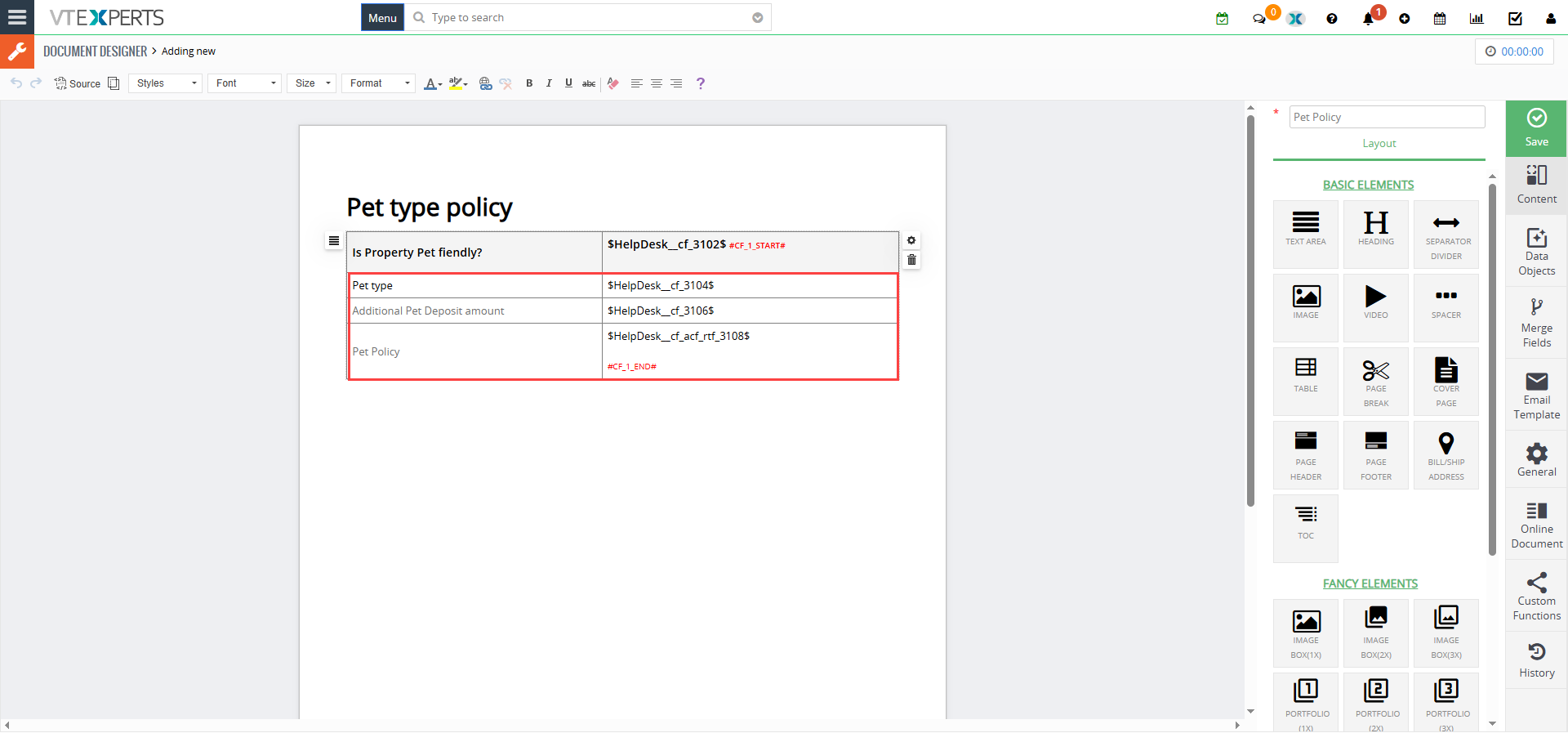
When Pet Policy is set to “Yes”, it shows the information block placed between the conditional identifier tags
[/vc_column_text]
Why This is a Game-Changer for Vtiger Users
• Template management: Stop managing 50 different versions of the same contract. Manage one master file that handles every scenario.
• Accuracy: Ensure that high-risk legal clauses or specific pricing tables are only included when the data triggers them.
• Better Experience: Your clients get a concise document that feels specifically prepared for them, not a generic form.
Check complete Document Designers guide Here