Workflows play a vital role in sending automated emails. In this article we will look at Troubleshooting Email Workflows in VTiger
What is Email Workflow?
An automated email is sent when a specific condition is met. Email will be only sent if a specified email is fulfilled.
When the condition is met the email will not be sent right-away, in fact it will be added in a queue and will be sent once the VTiger cron-job is executed
A Basic Example how to set a simple Email Workflow.
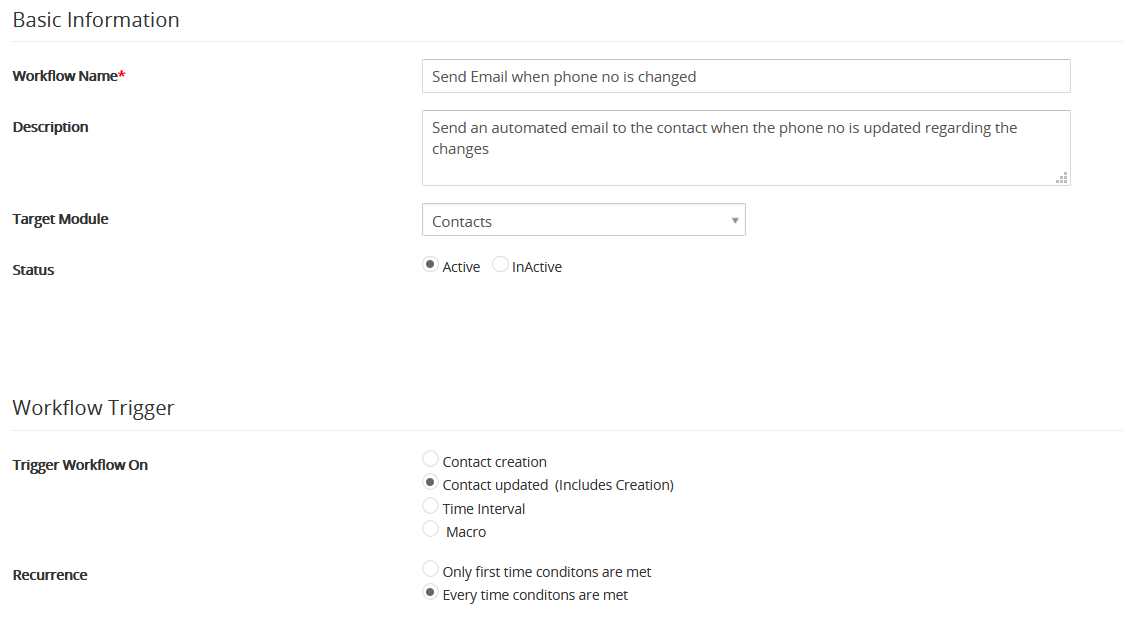
We are setting a simple email workflow, it will send an email to the respective contact email id whenever the phone no is changed or updated.
- Following are the basic details regarding the workflow we are going to set up and when will it trigger
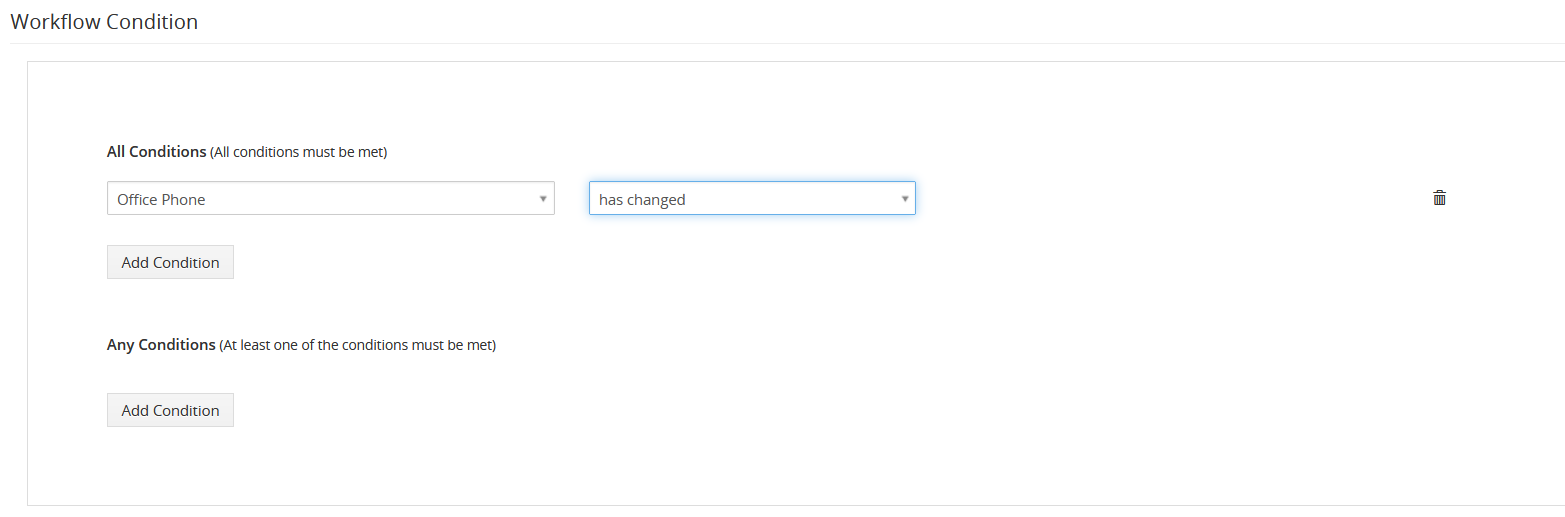
- Following is the condition i.e. When Office phone is changed
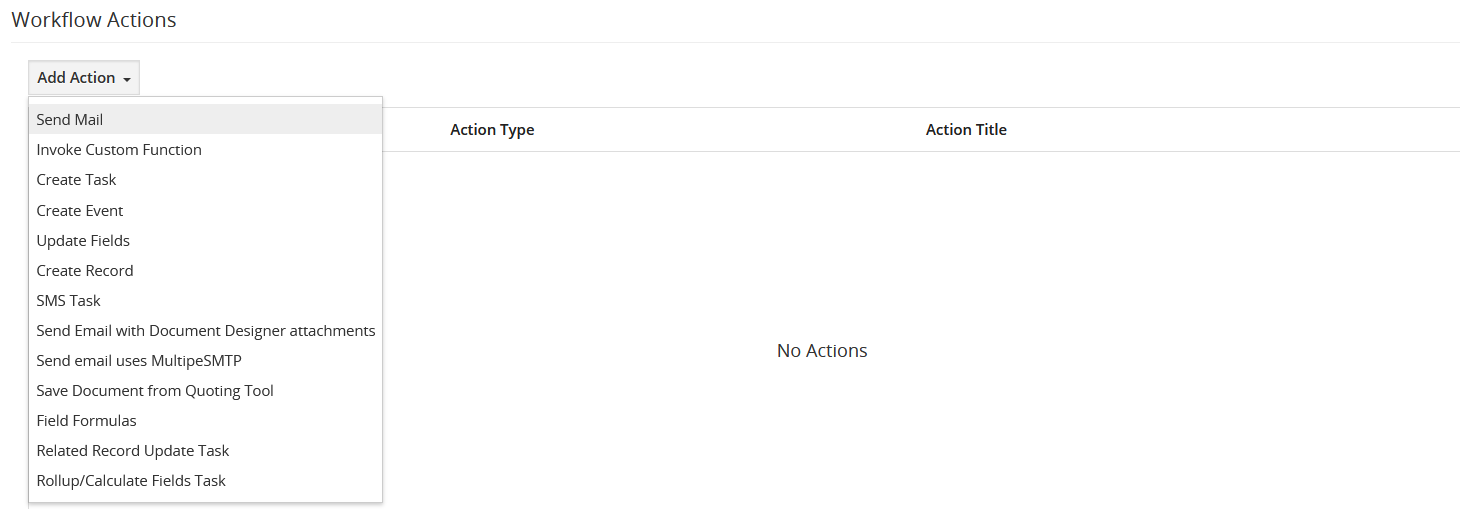
- Following is the action that will be executed when the condition is fulfilled. In add action drop down menu select Send Mail
- Following is the email body and the details of email id to which email will be sent
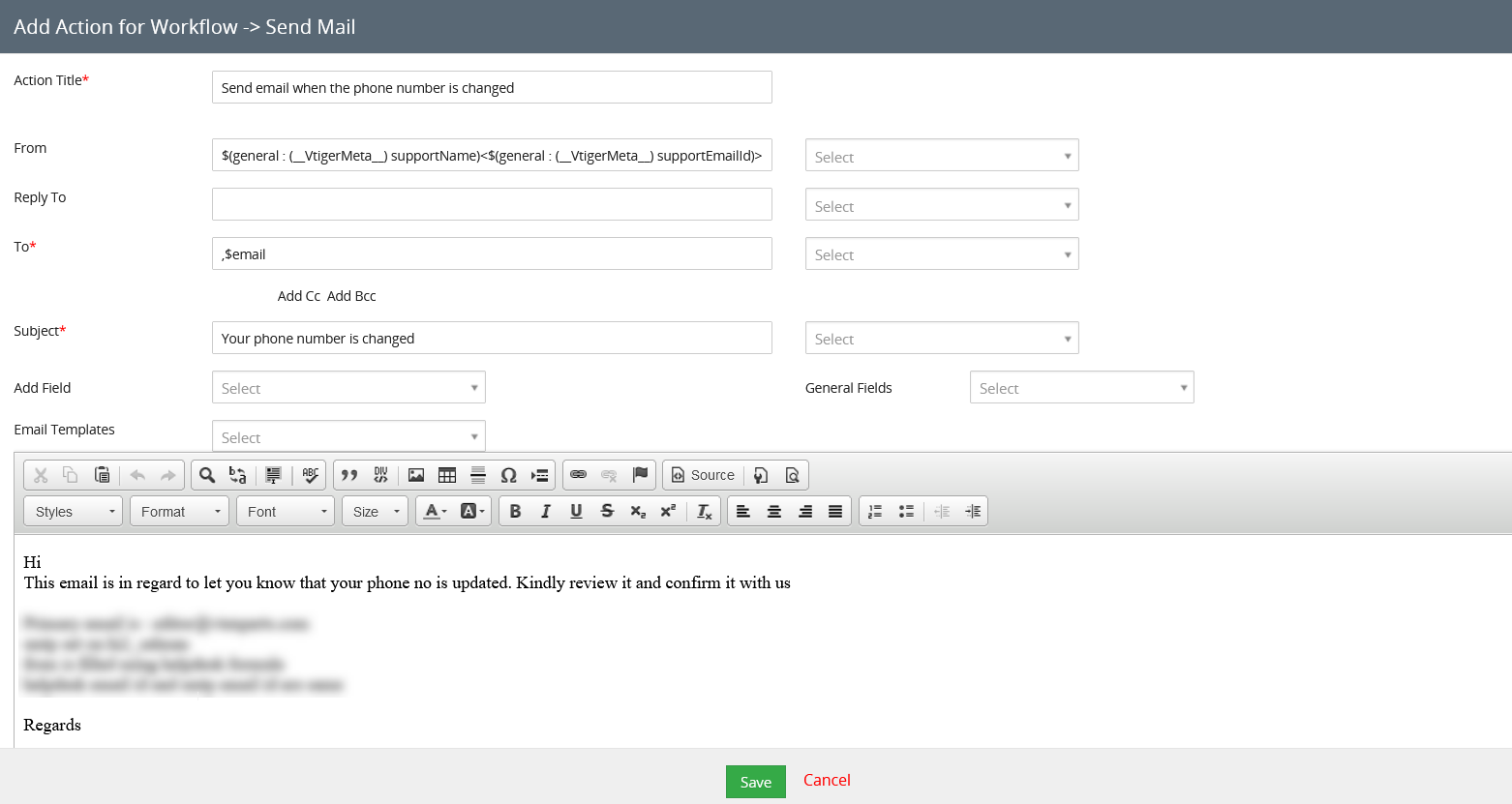
Some common issues while sending the emails
1. Special Characters in TO and From field of email
If the From and To email contains some special characters or are invalid then the email will not be send. Receiver will not get any email and there will no error message or error log generated for such issues.
2. Email Queue
When a workflow is executed the email is not sent immediately. In-fact the email is added into a queue and is sent when the con job runs. So, it will take some time for the recipient to receive the email and is effected by the time configured on the cron job
3. Use of Comma
If you want to send an email to more then one user then make sure to separate both the addresses with a comma (,). If you separate both the email addresses using a semicolon (;) then it will break and will not generate email and receiver will not receive any email. The highlighted in green is the correct format and the format highlighted in red is incorrect. No error messages will be generated for this problem

4. SMTP not configured
Not configuring the SMTP is another very common reason of mails not being sent when the workflows are executed. So, in order to send automated emails through workflows make sure that the SMTP is configured and working
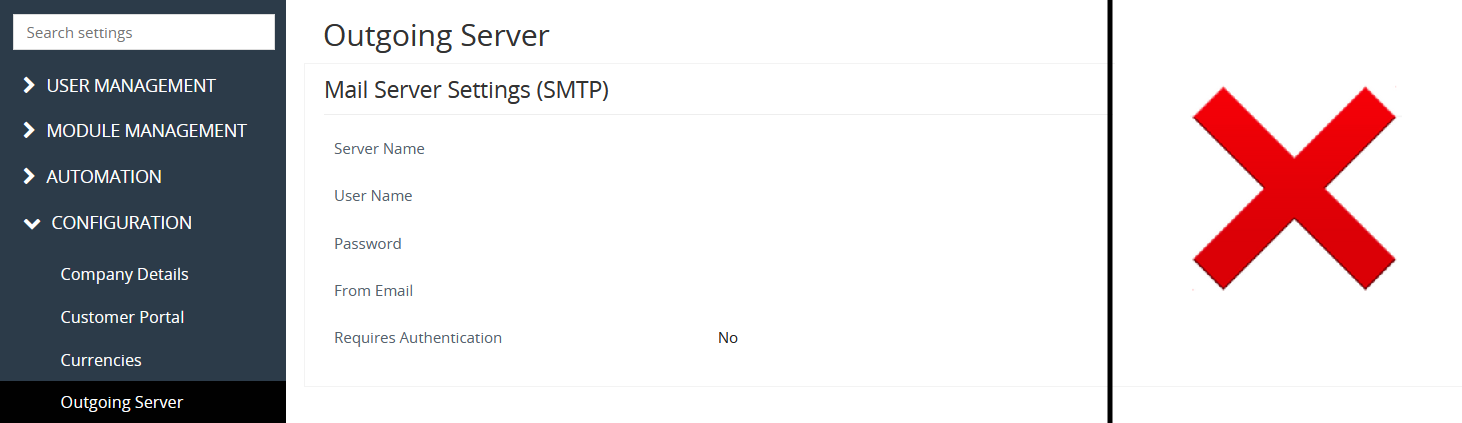
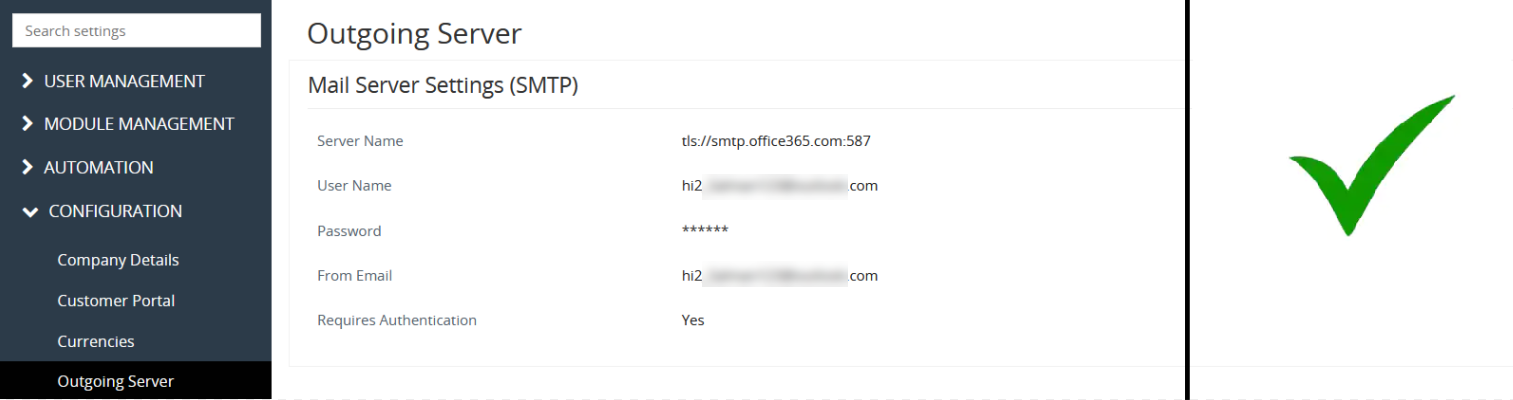
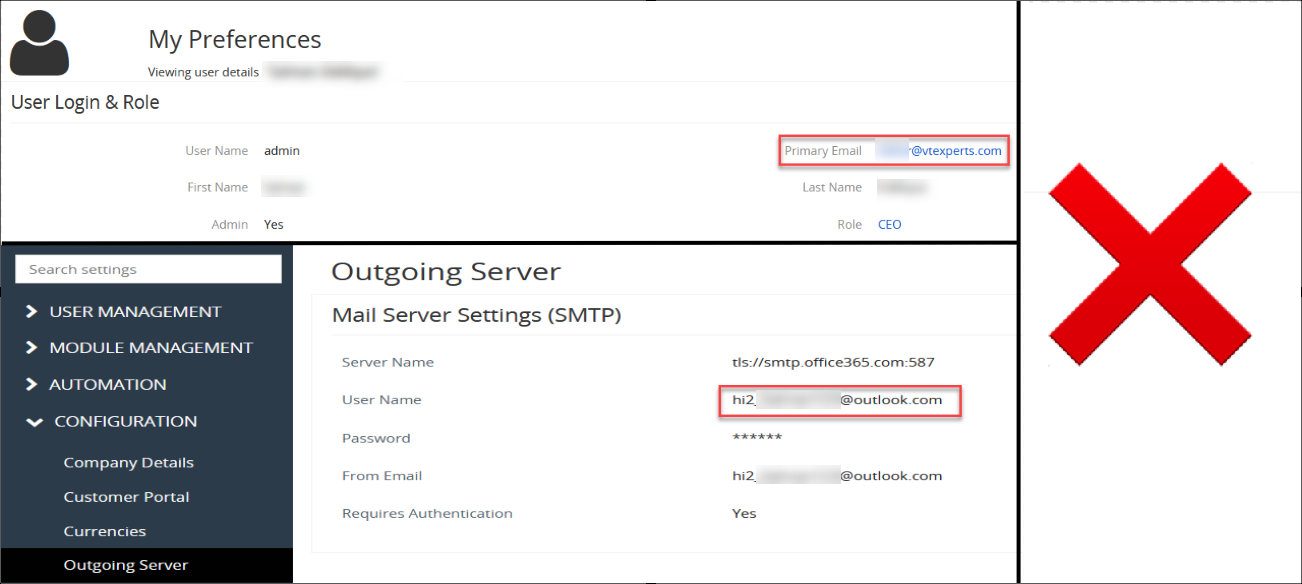
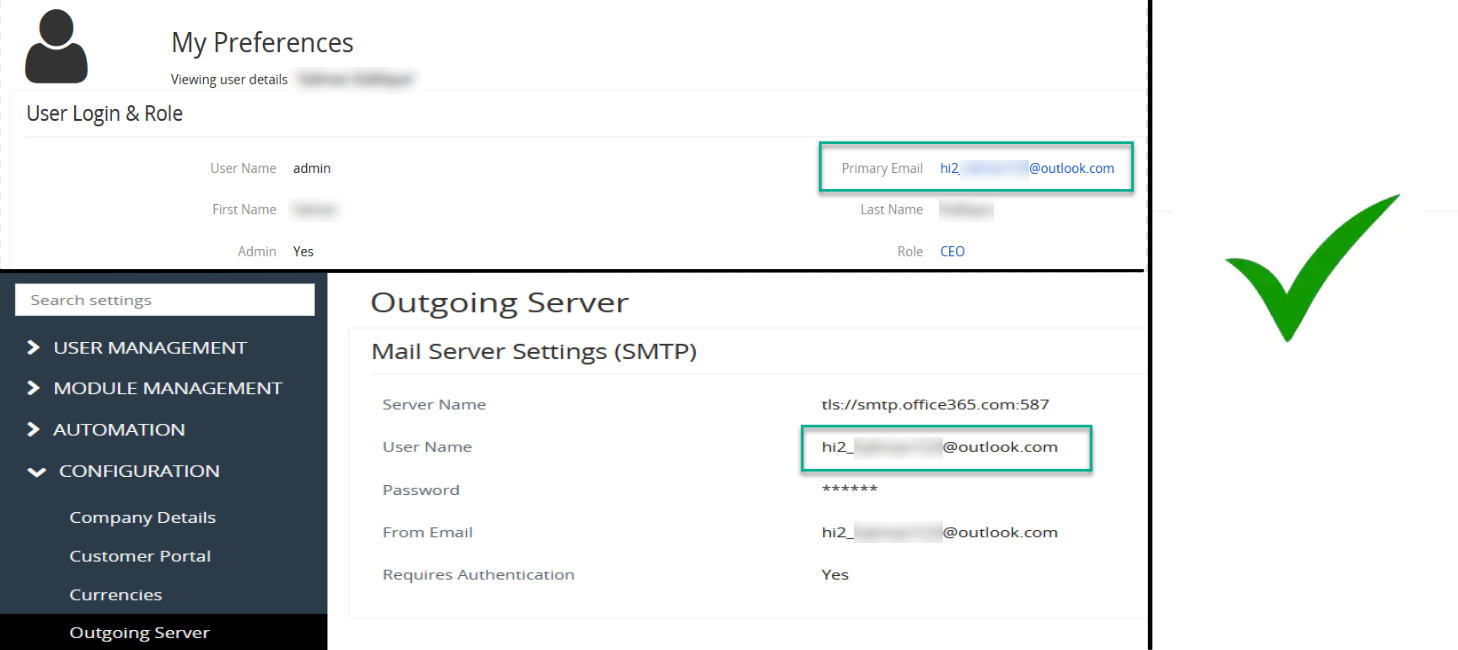
5. SMTP and Admin profile email mismatch
Sometimes, automated email workflows fail to send emails when there is a mismatch in email configured in SMTP and the admin profile email I.D.
6. Workflows sending Emails to all the members of a group
If you assign a record to a group and you have to send email to Assigned to of that record, then email workflow will send email to all the members of that group. For example their is a group named Team selling
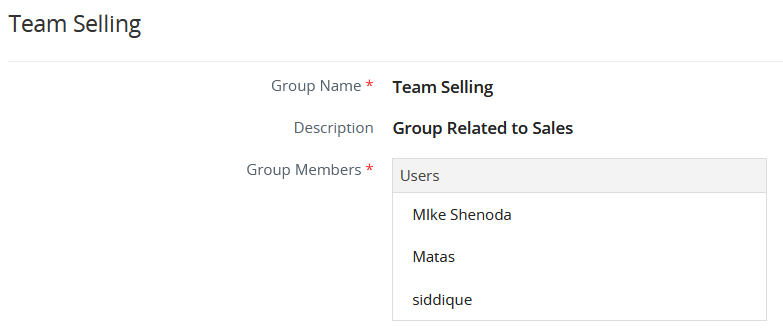
- A test contact named Rob Greenway is assigned to the Team selling

while setting workflow for an email you set the assigned to (primary email) in the for field of email body, then workflow will send email to all the participants of that group
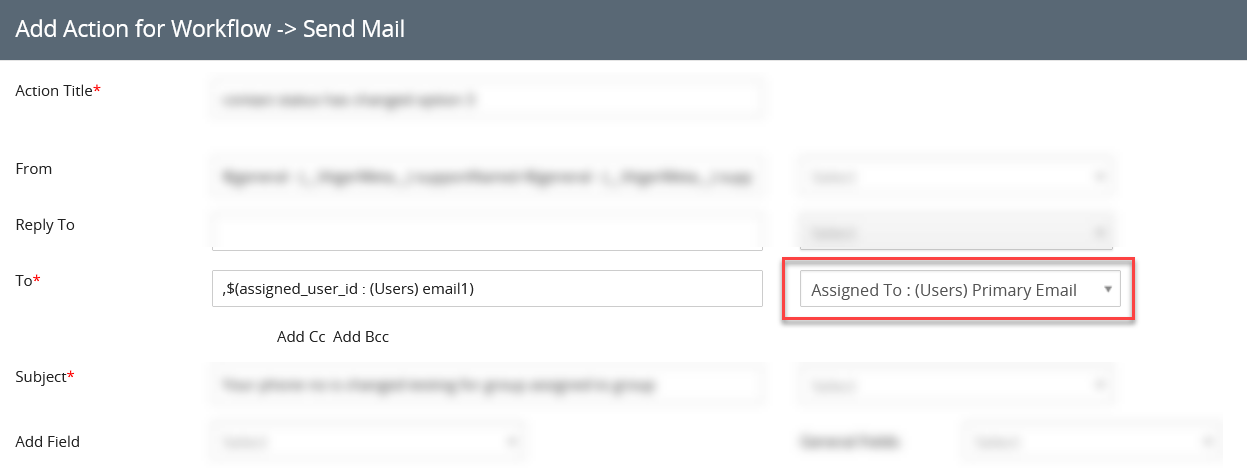
So, be very carefull while configuring automated email workflows where the recipient is a member of a group
7. Helpdesk troubleshoot
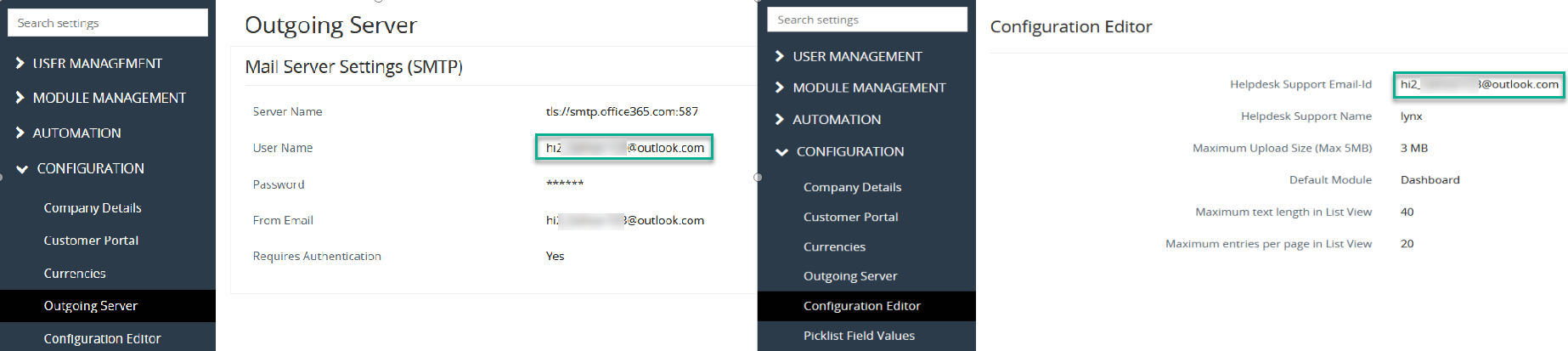
Never leave the From Email empty. In worst case scenario choose the Help desk Support Email id.
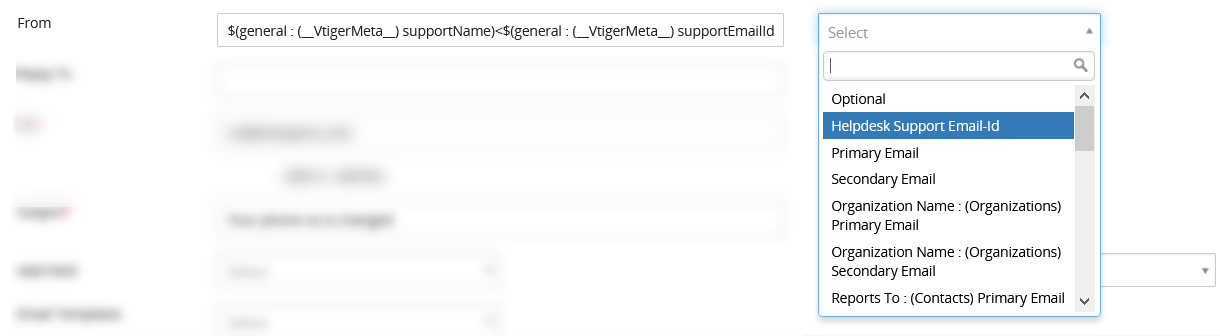
But for this to work make sure that you have provided information in Configuration Editor. If configuration editor is empty then mails will not be sent. Helpdesk support Email-id will use information specified in configuration editor. The email I.D provided in the Helpdesk support Email I.D should match the Outgoing server ID
8. Cron Job
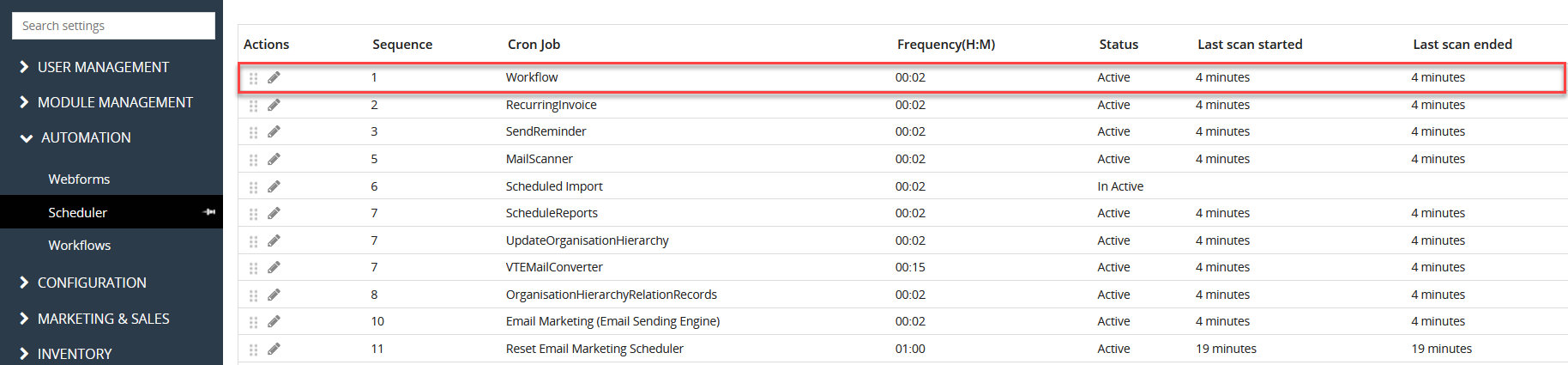
Some customers report that their emails are not going out or some certain emails fail to be sent upon workflow execution. A very common reason behind this problem is that the Cron jobs are either not running in timely manner or they are not configured at all. Check wheather the Cron jobs are configured or not. To check it go to the Scheduler. Check for the Workflow in the scheduler and check if there is any value in last scan ended, usually it should be less then 15 minutes. It shows when was the last time Cron job was run for the Workflows. If you see that the cron jobs are running and are running for more than a minute and still email is not going out then it is a problem with the workflow
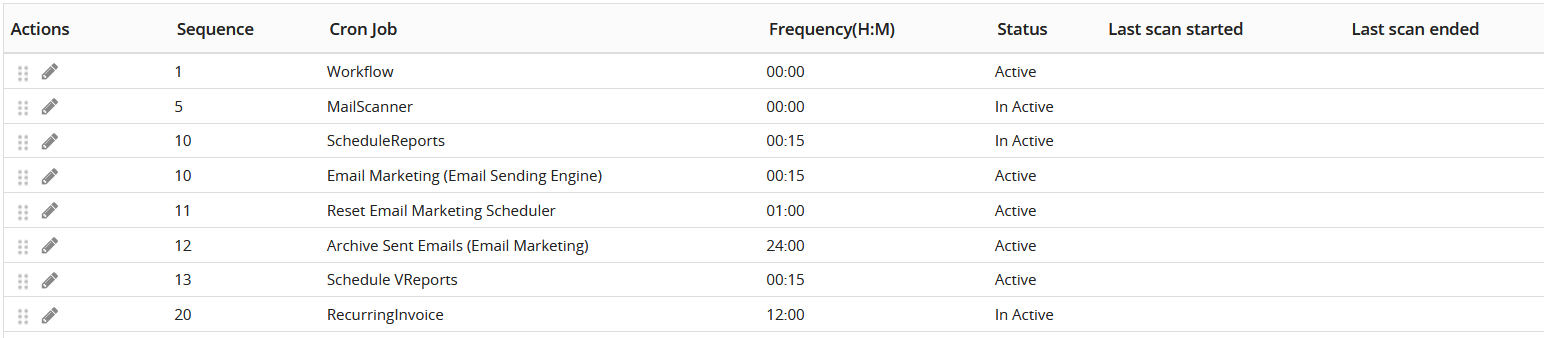
if the cron job is not configured the scheduler will look like the image provided below
9. Sending Email through VTiger manually
- The email will not be sent manually through the sent email button on a module, if the cron jobs are not functional?
We will take an instance where cron jobs are not configured to check this issue
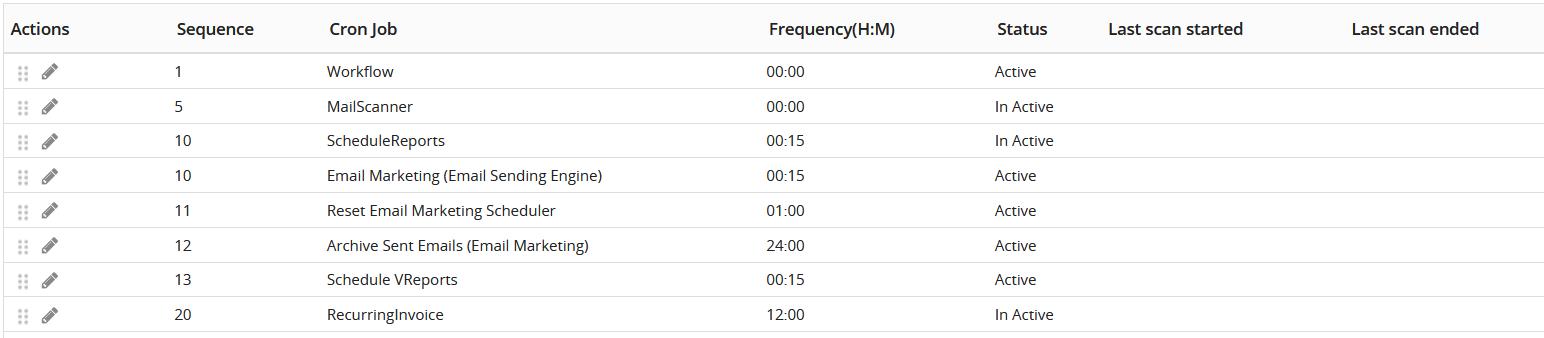
then we tried to send the email through sent email button on a module, it failed to send the email.
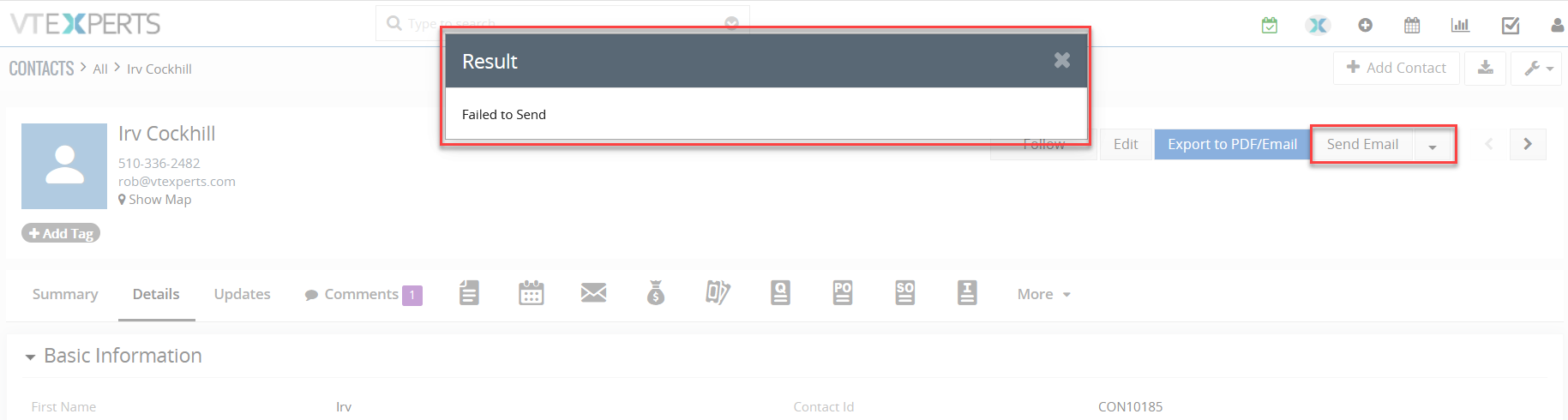
After that just to troubleshoot, outgoing server is set-up
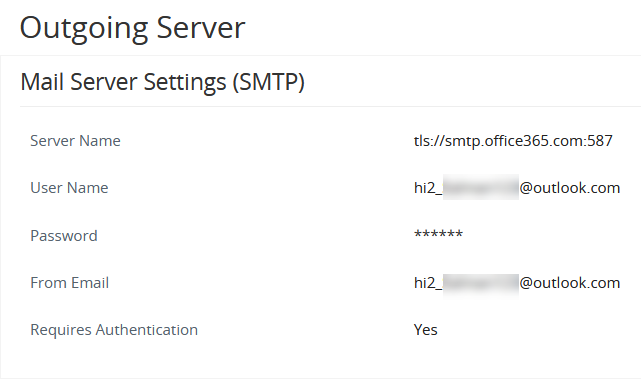
Once the outgoing server is set, mail was sent successfully
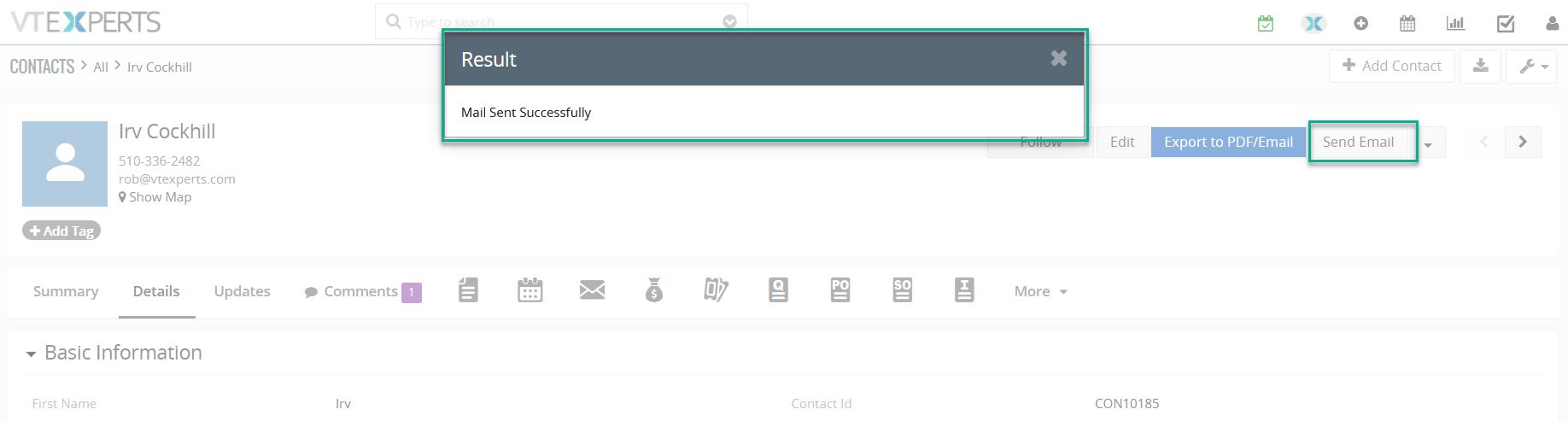
The reason behind the issue of emails not being sent manually is most probably caused by not setting up the outgoing server rather then faulty or non-configured cron jobs
10. Email Workflows always use admin user
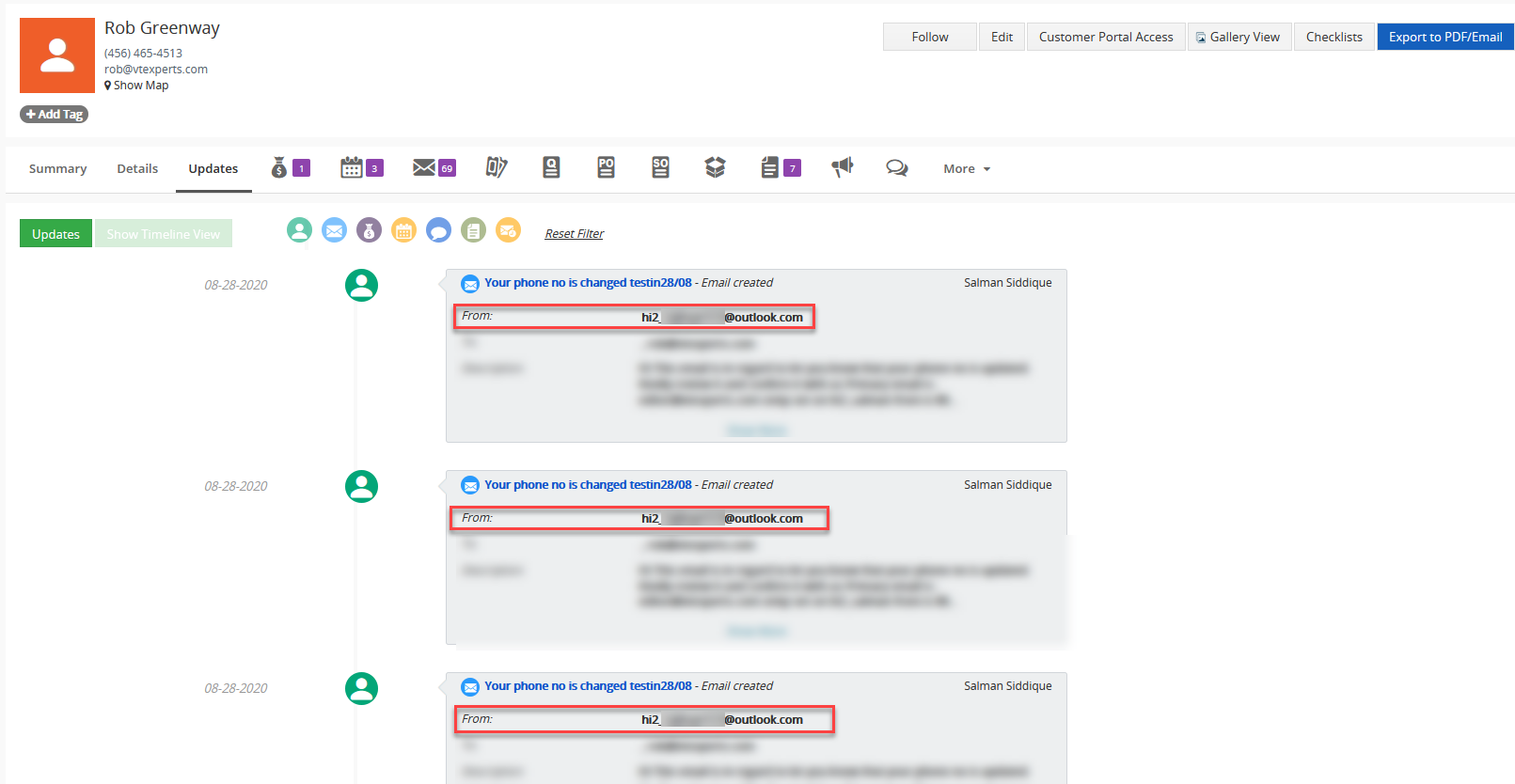
When email is sent through the email workflow, it is sent from the admin user. For example a workflow is set up by a user A, and when it trigger the workflow. The email will be sent through the admin user instead of the user A. This is the reason that when you will check the updates part of that record upon which workflow is executed you will see all the emails from the Admin rather then the user A. The reason behind using the Admin user is that it has all the permissions.
11. No record for failed email sending attempts
In VTiger no solid mechanism exists in regard to the email logging. Their is no record that tells which emails are sent, which are failed and which are still in queue. Currently you can only check the emails that are being sent successfully and it can be checked through email history. If an attempt to send an email is failed, then their exists no data to confirm weather the attempt is failed or succeeded.
12. Ion Cube
Ion cube is used to protect scripts written in php by encoding and decoding it. it is used to tackle data theft and for increasing the security. It is used to decrypt the encoded modules and extensions. Workflows that involve the use of encrypted modules and extensions, only work if the ion cube loader is installed on the server.
Next Article: Advance Customer Portal by VTExperts