Create Block That Only Shows Open Tickets In VTiger 7
Related Blocks & Lists enabling a display of related records on the Detail, Create, and Edit Views. Intuitive configuration panel allows system administrators to configure which modules (Related Lists) will be displayed on the Detail/Edit Views.
How to Create Block that Only Shows Open Tickets
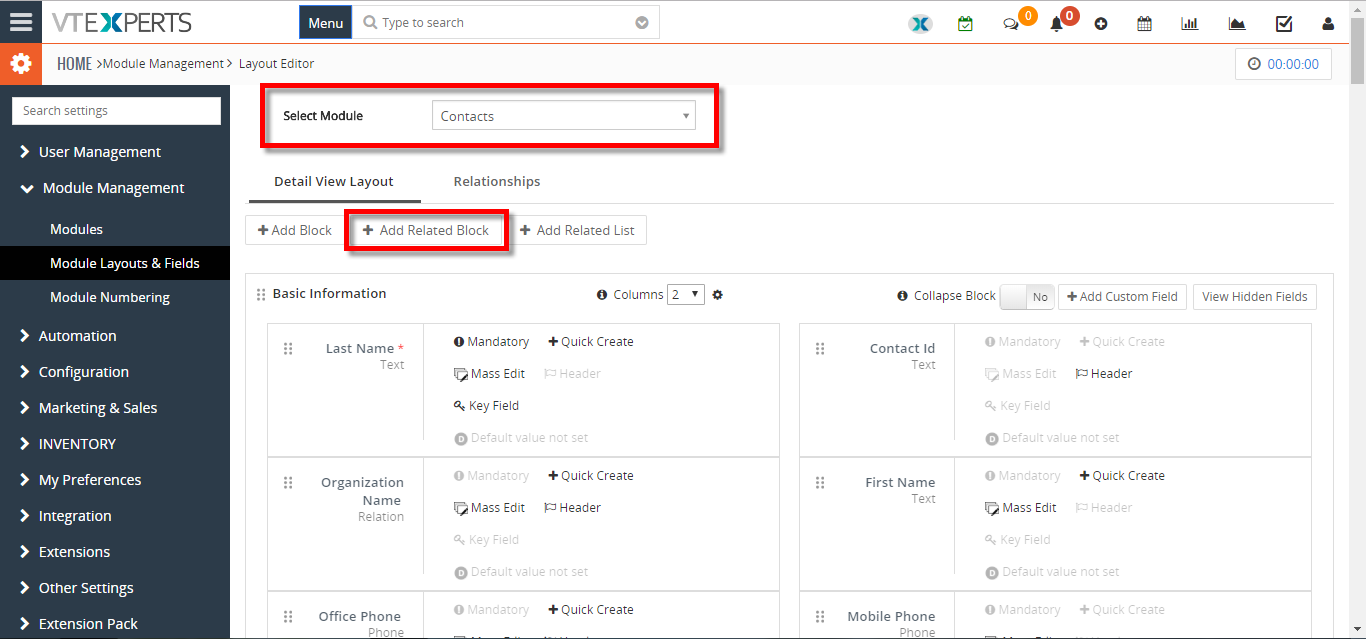
- Go to the Menu >> Settings >> CRM Settings >> Module Management >> Module Layouts and Fields. Here Select the module and click on the “Add Related Block” button.
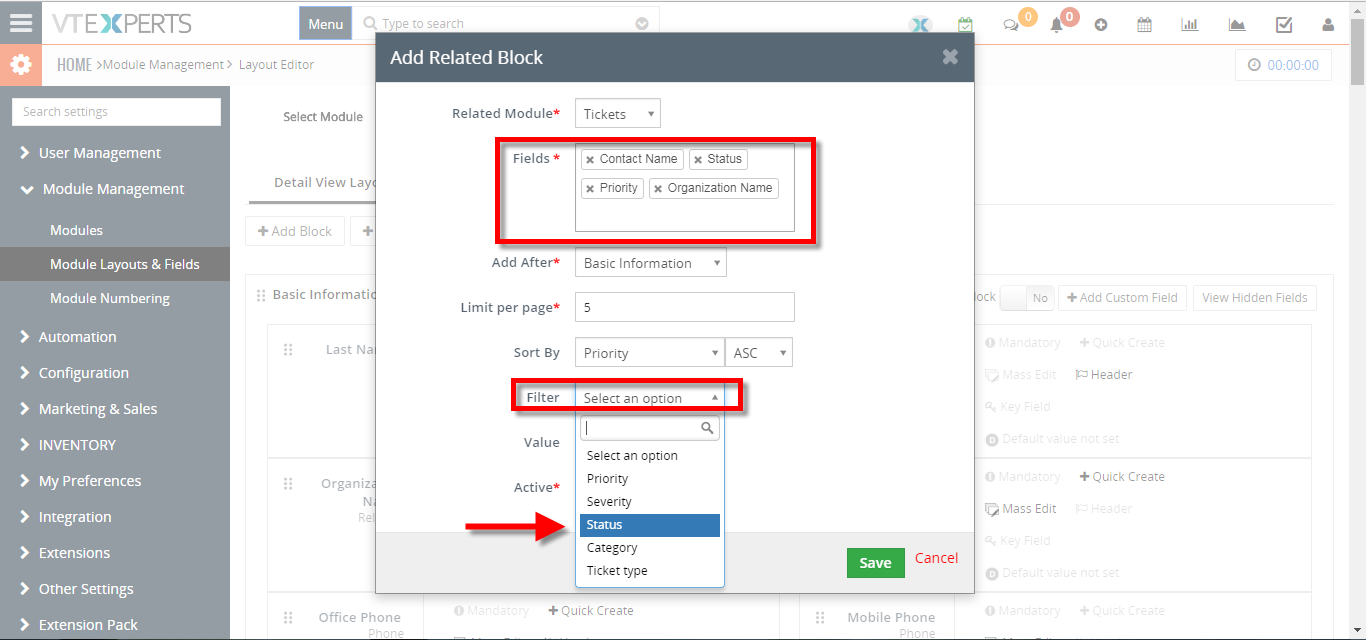
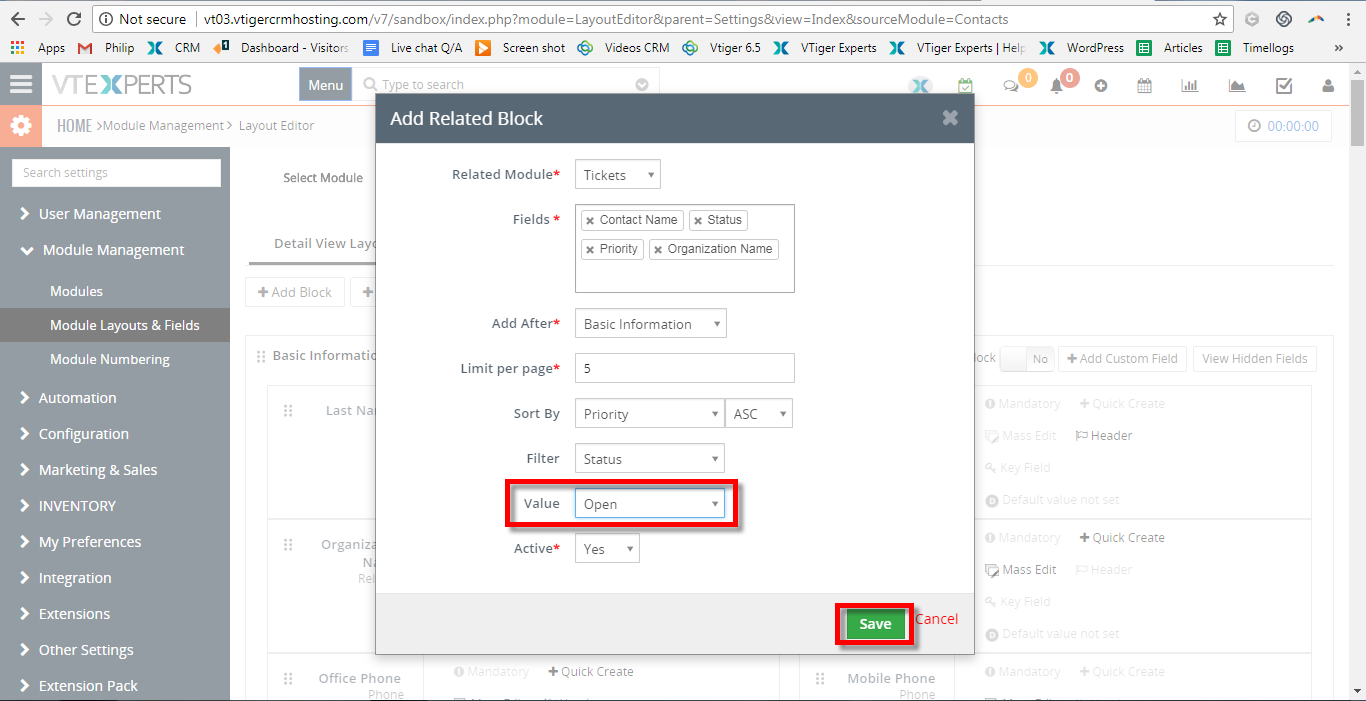
- Select the Related Module and its Fields. Select the Filter Field and its value.
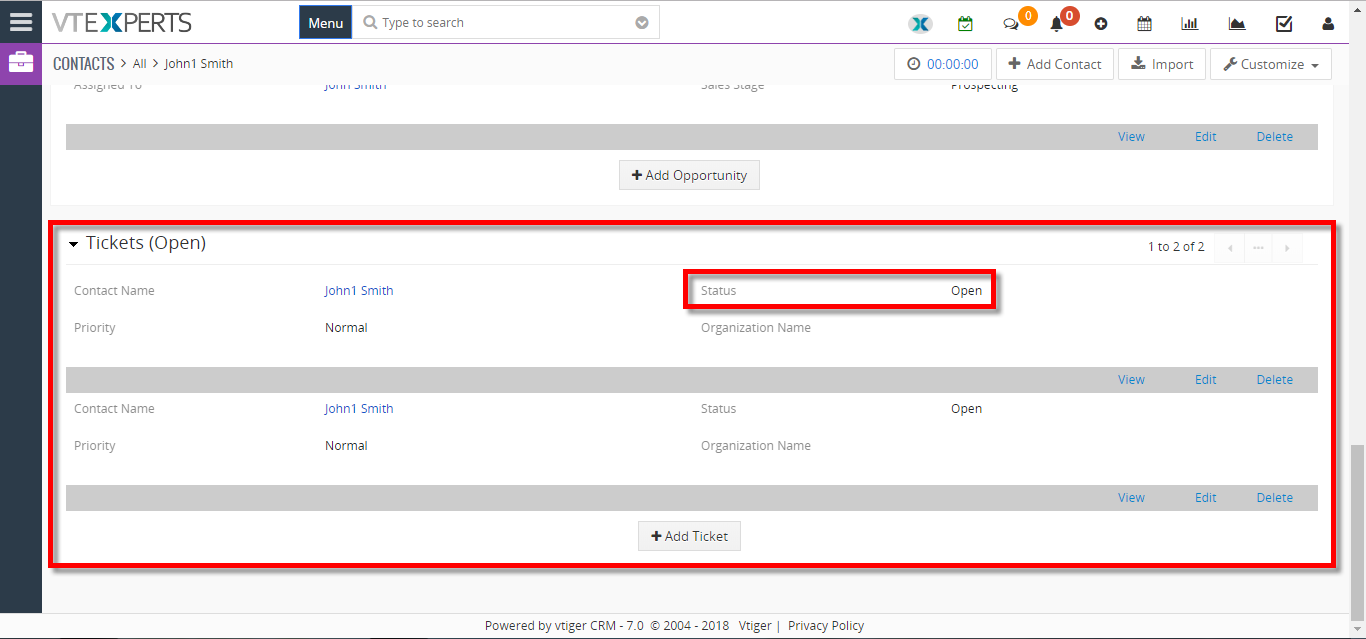
- Here you can see the Related Block in the Contacts Detail View. You can also Add New Tickets form this Related Block.
For further help, contact us on [email protected]. We’ll be glad to be of service.