VTiger Proposal & Document Designer is the ultimate tool for document automation. It an easy to use template builder to design professional PDFs and online documents. It’s mostly used for elaborate proposals, quotes, invoices, sales and purchase orders. In addition, it has built in electronic signature and allows to merge fields from any module/record onto the generated document.
VTiger Document Designer and PDF Maker + Digital Signature 2.0
Compatible with All Standard & Custom VTiger Modules
Extension is compatible with Invoices, Quotes, Sales Orders, Purchase Orders, Tickets, Opportunities, Contacts, Leads and all the other standard or custom VTiger modules.
Supports Email/Export to PDF
Send Document via online link or export to PDF/Attach to the email.
Includes 10 Ready to use Templates
Use any of our available templates to get started.
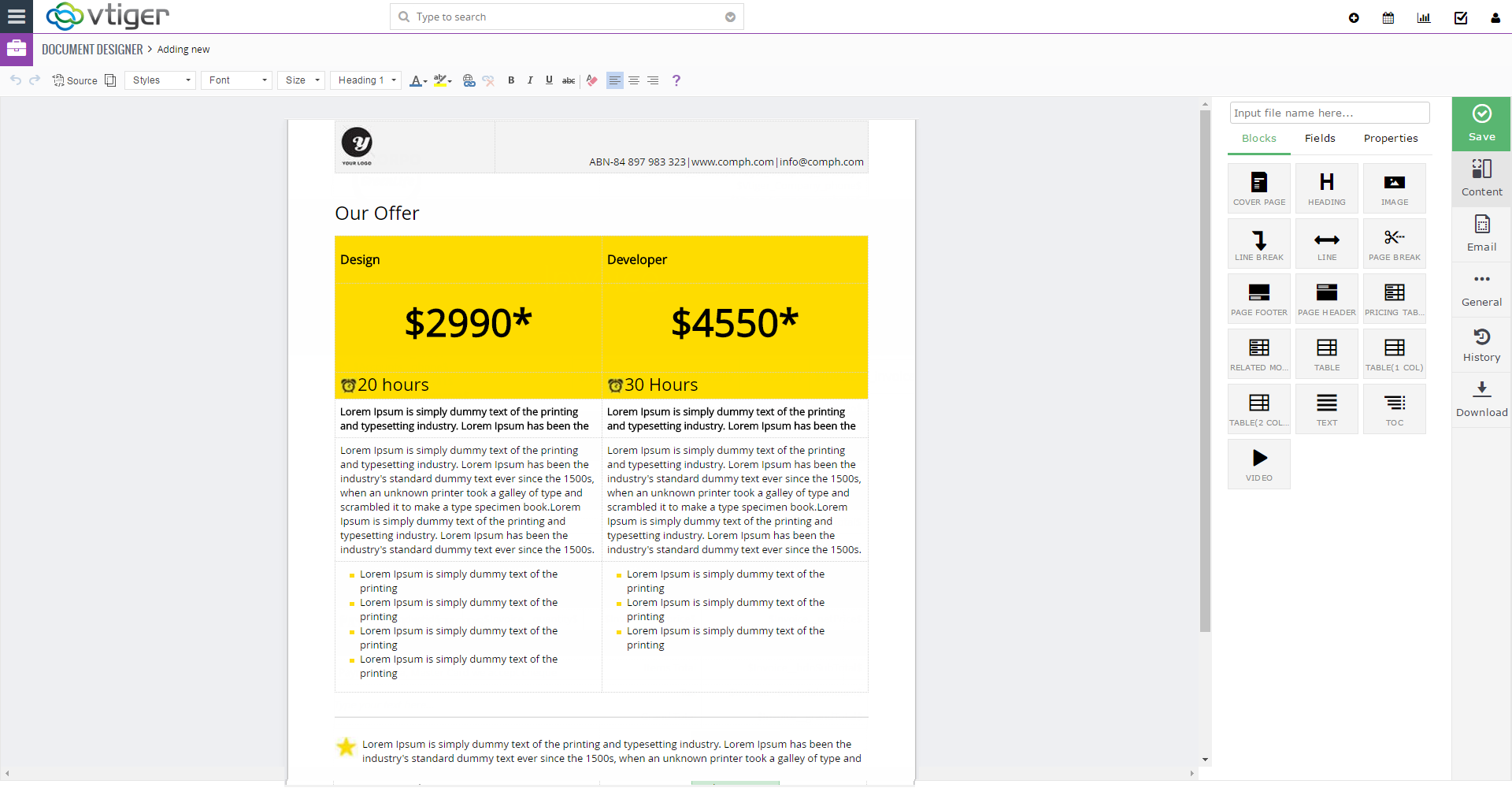
Easy to use Template Builder
Comprehensive template builder with ability to add text blocks, related record blocks, pricing tables, add images/videos, tables, interactive fields, signature pads, customize background image, buttons(accept/decline) & much more.
Includes Digital/Electronic Signature
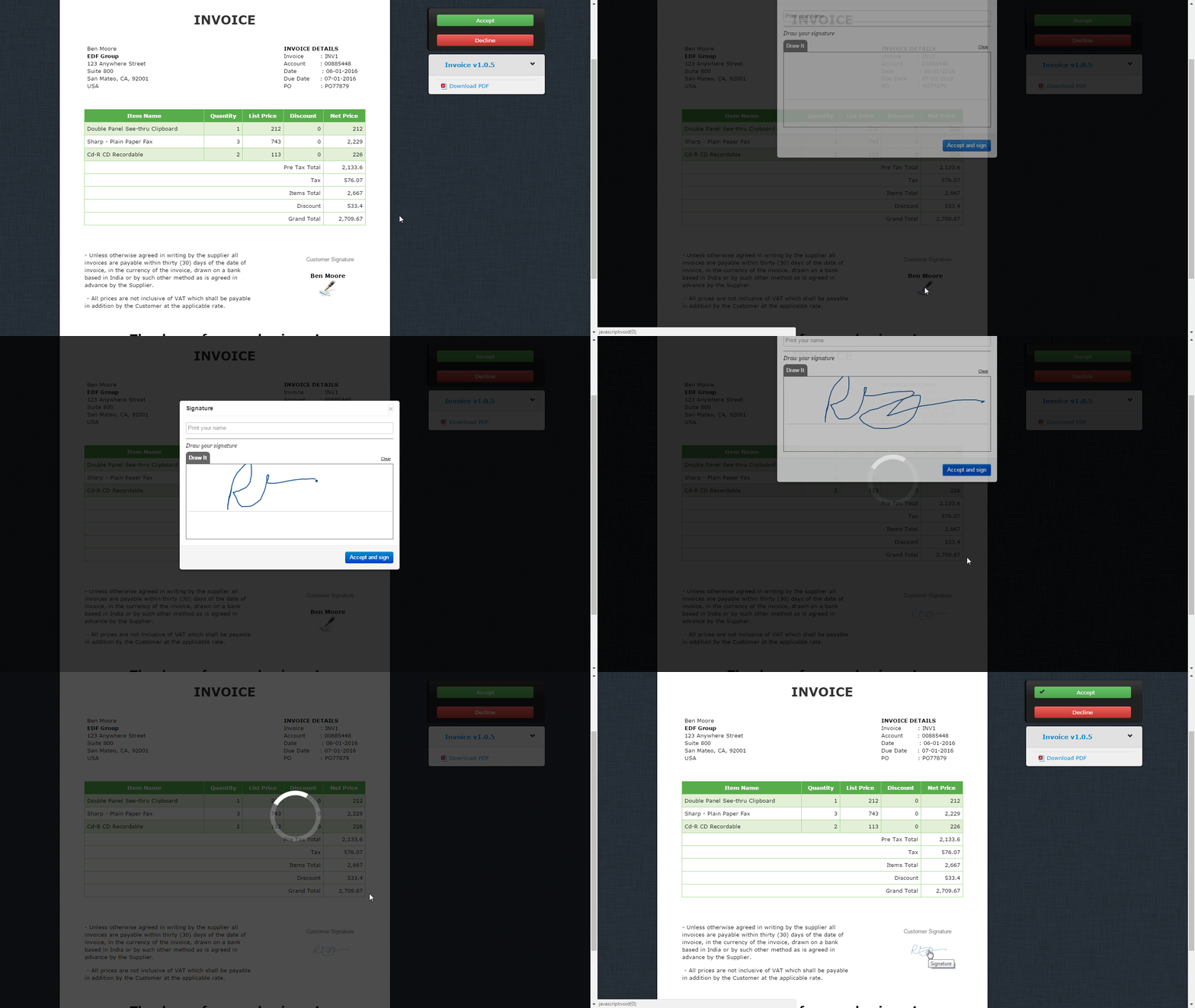
Built in option to request digital/electronic signature. The recipient can sign the document/proposal/invoice on the fly. Signed document copy is immediately saved in the CRM.
View Documents/Proposals Online (Interactive document)
With Online Proposal systems you can track and analyze your Clients actions online, have them sign/decline and return your proposal immediately online and even some offer a quick link to get your payment process started. Using an online proposal system is a quick way to immediately cut down your internal time and boost your efforts and effectiveness simultaneously.
Online Forms/Webforms (Interactive Forms to Update Information Back to VTiger)
Create interactive forms that can be used to update information back to VTiger. Create forms to request contact information update, additional ticket details, address & much more. Forms are completely customizable (supports all modules and fields).
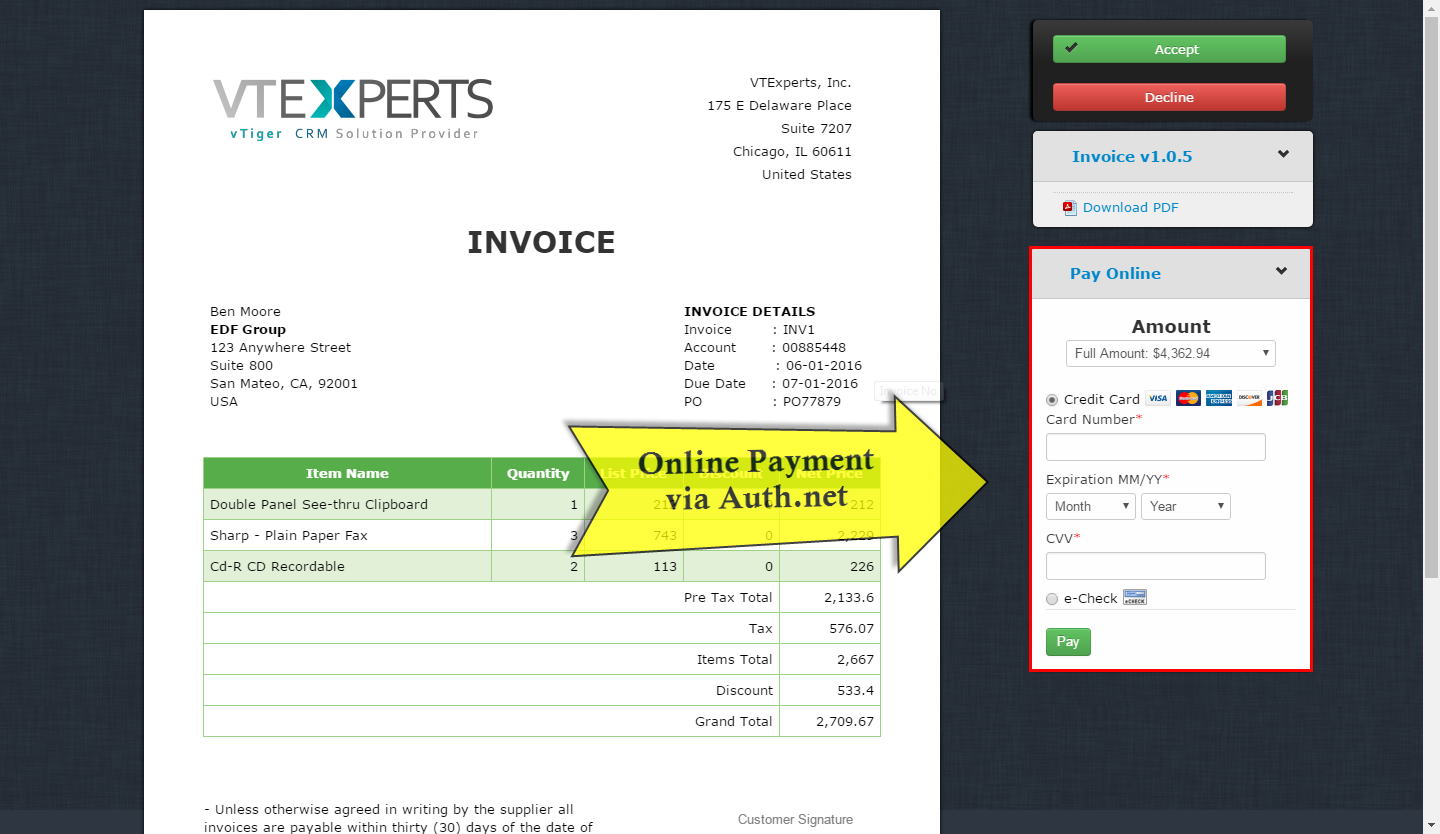
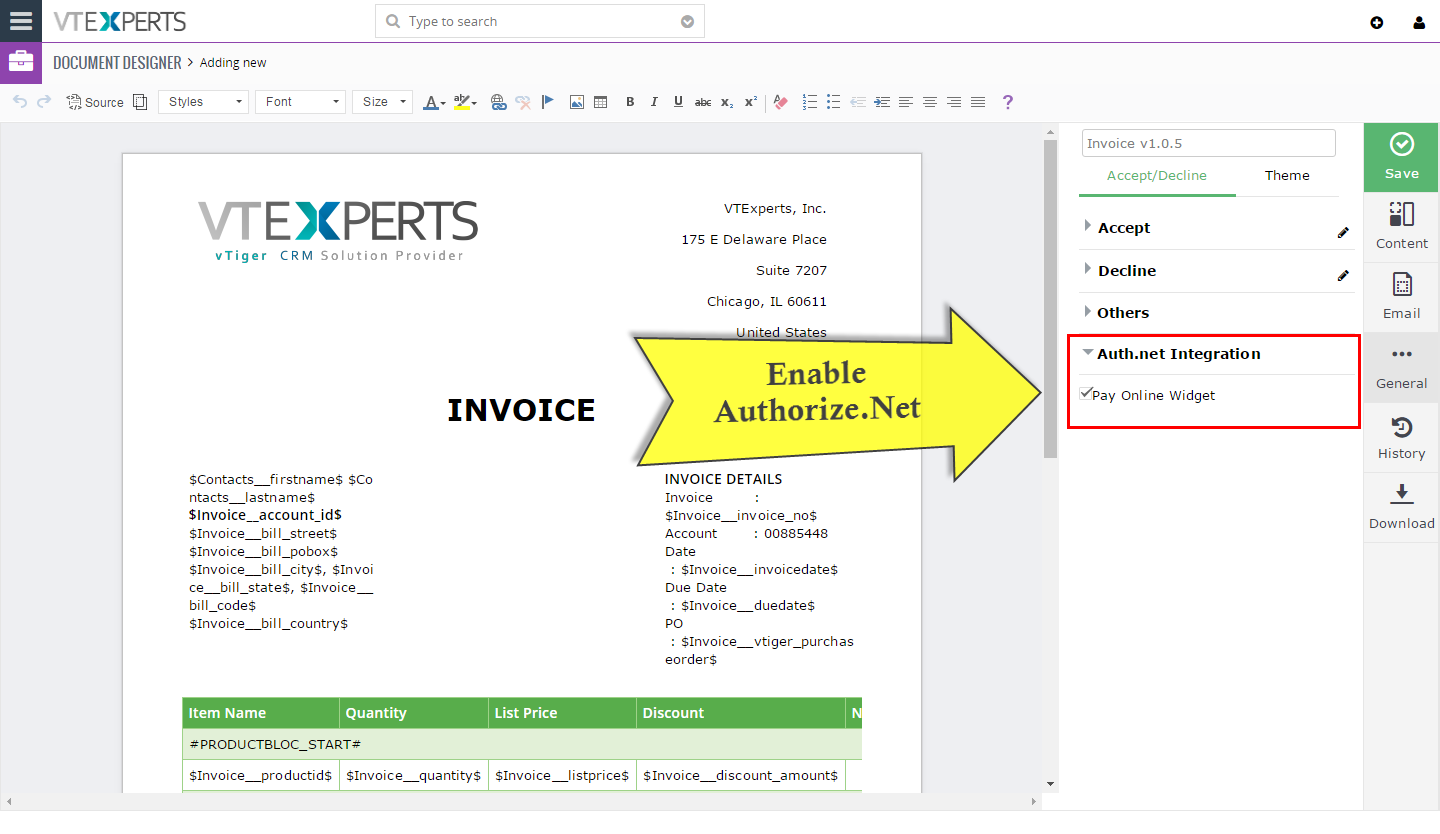
Authorize.Net Integration
With integrated payment gateway, you can send invoices/proposals and have your customers make the payment on the fly.
Compatible with VTiger Workflow (Automation)
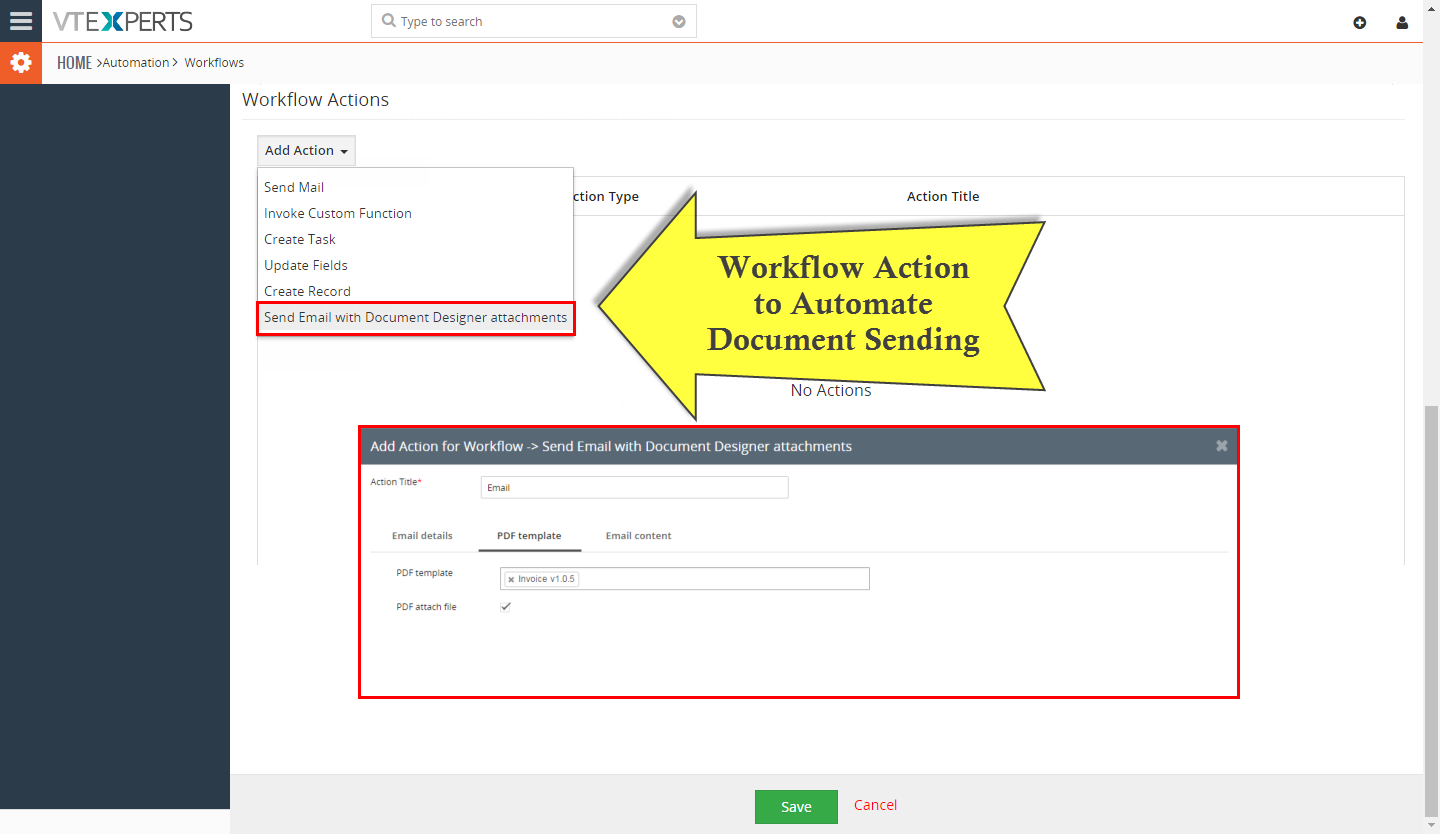
Use standard VTiger workflow to automatically export & send documents/pdfs/proposals. Setup alerts when document is viewed/opened, signed/accepted or declined.
Template Builder
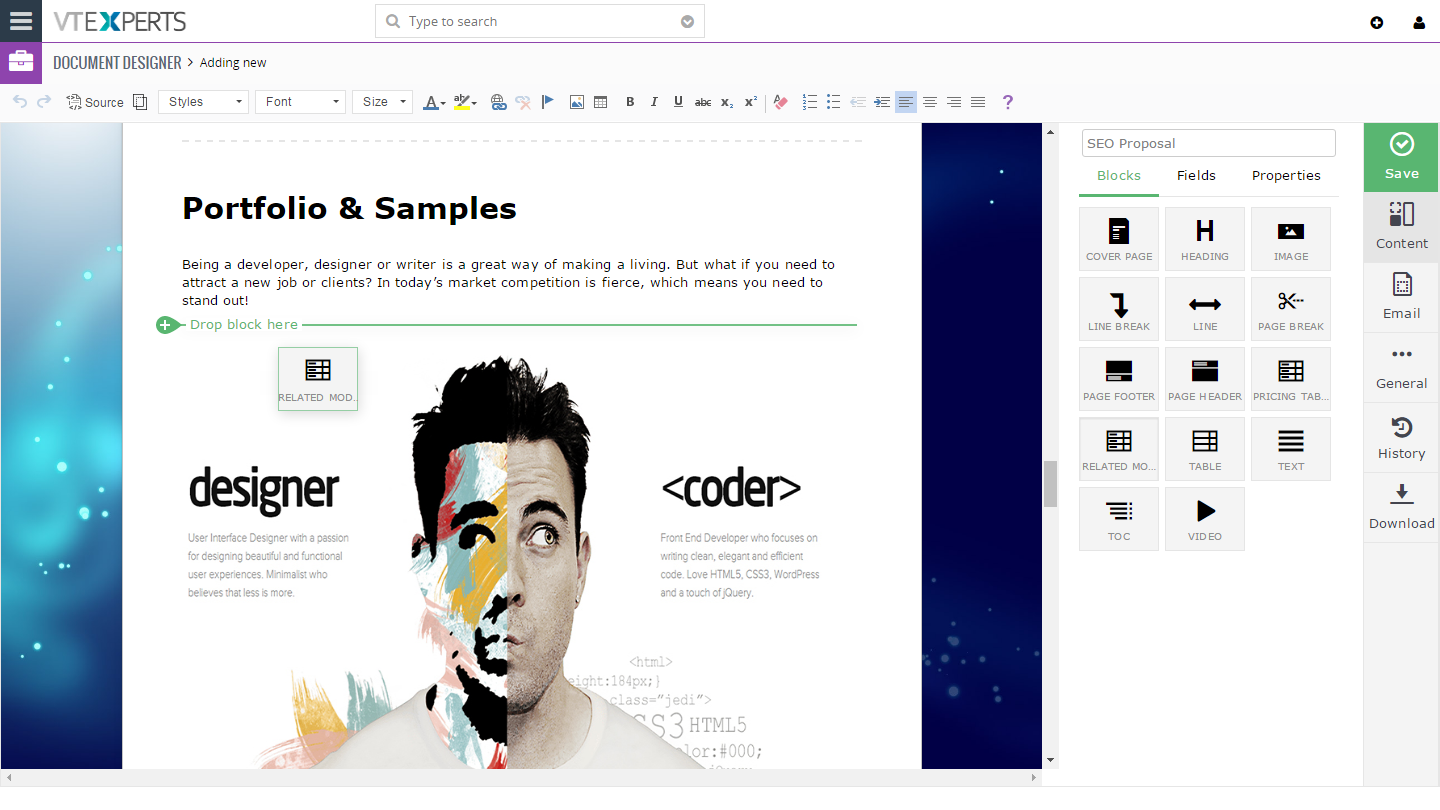
Template Builder - Adding Related Block
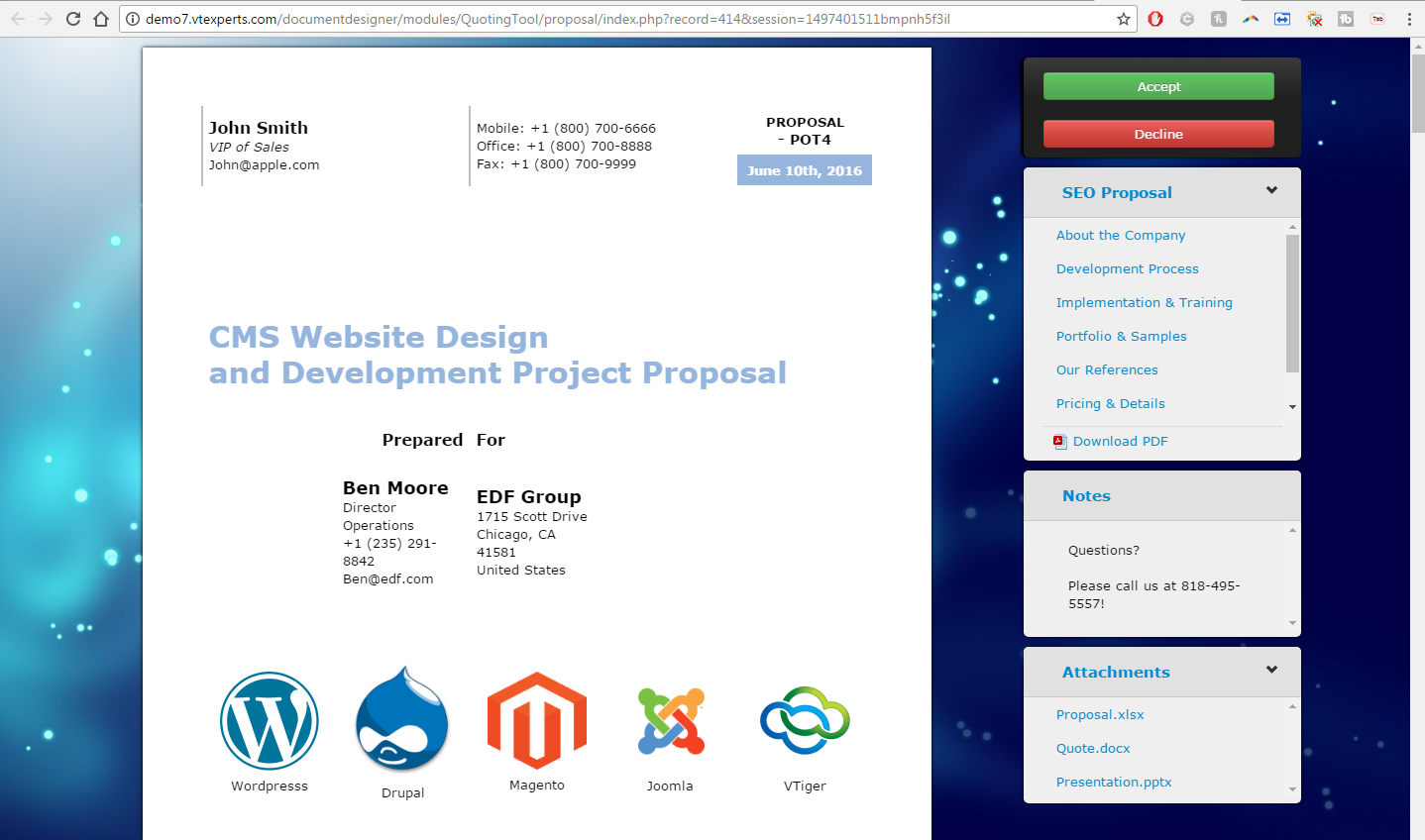
Custom Facing Proposal (via emailed link)
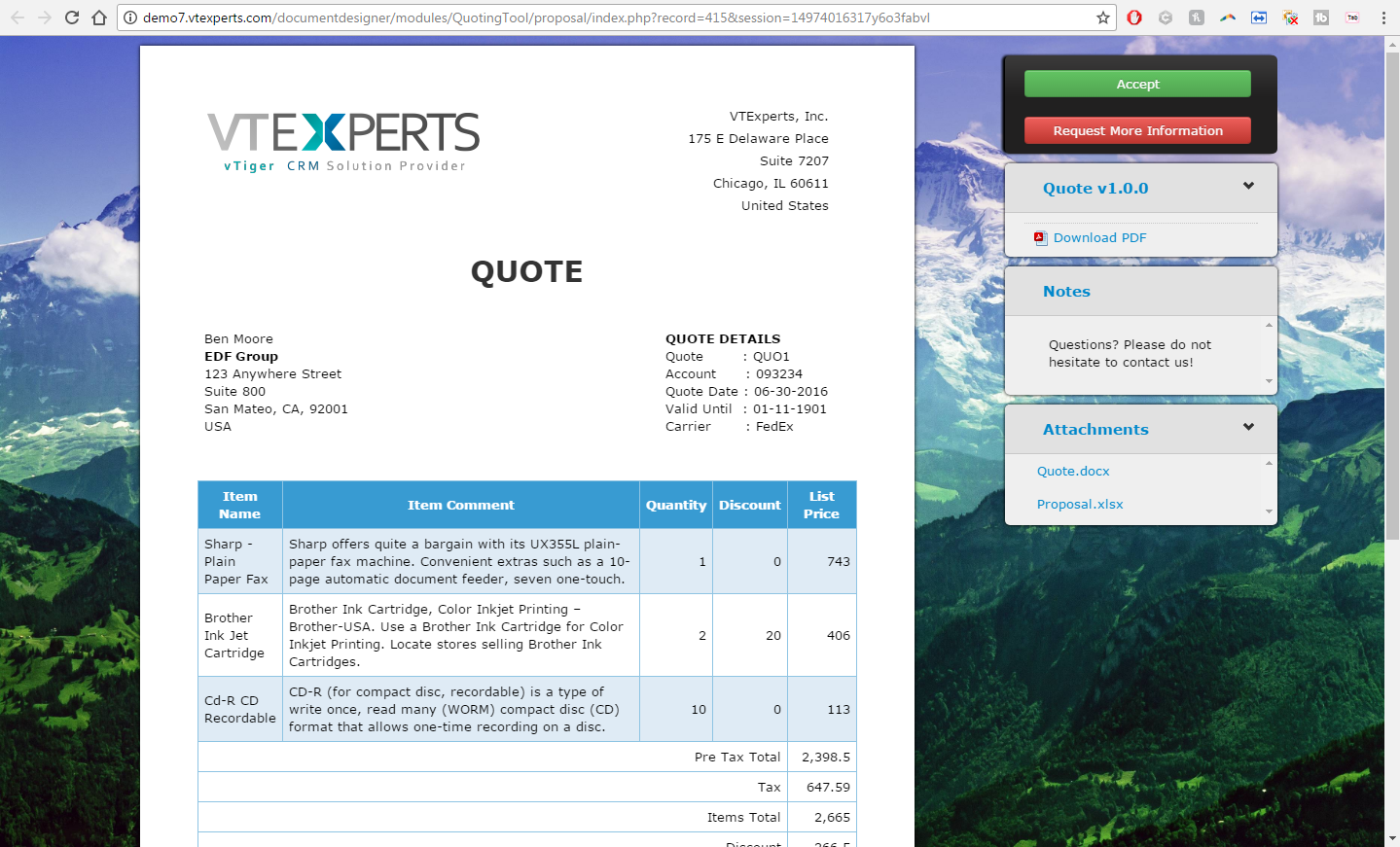
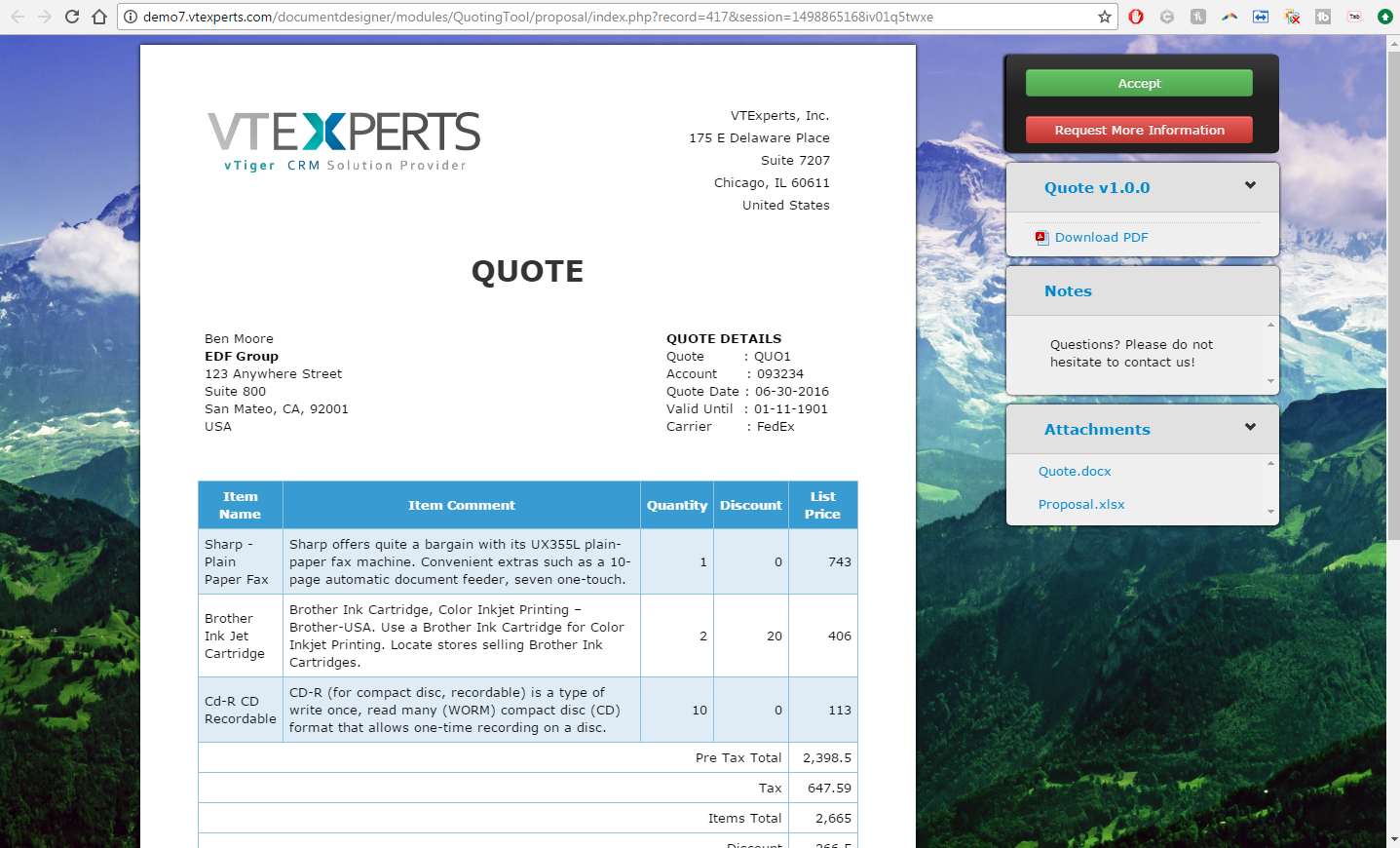
Customer Facing Quote
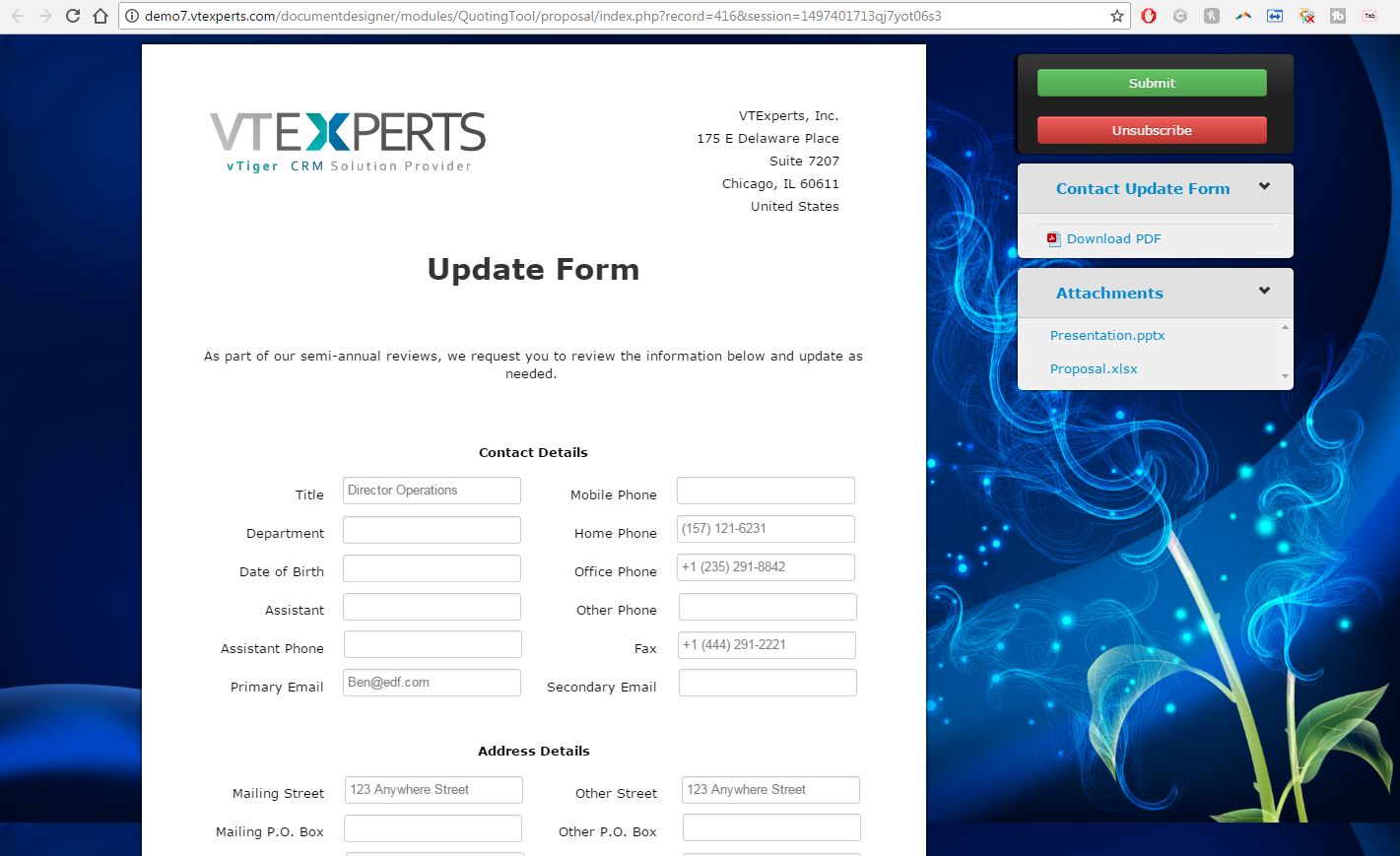
Contact Update Form
VTiger 7 Demo
Please use credentials below to access the demo.
- Link: https://demo7.vtexperts.com/documentdesigner/index.php (Will open in new window)
- User: demo
- Pass: demo
We created 5 different documents in this demo, please go into each module to view professionally created documents.
Opportunities – an extensive 6 page Proposal with cover page, company information, pricing, terms & conditions, steps & more. This is a must see document to understand the potential of our extension.
Quotes/Invoices/Sales Orders – modest one page documents, including company information and products/services + electronic signature.
Contacts – a “Update Request” document, which sends an email to the customer and requests the form to be filled out, all the information filled out in the form – will update back to VTiger record.
Product Link: https://www.vtexperts.com/product/vtiger-quote-proposal-and-document-designer-with-electronic-signature/
User Guide: https://www.vtexperts.com/helpdesk/document-form-designer-digital-signature
Support: Call/Chat or email us at [email protected]
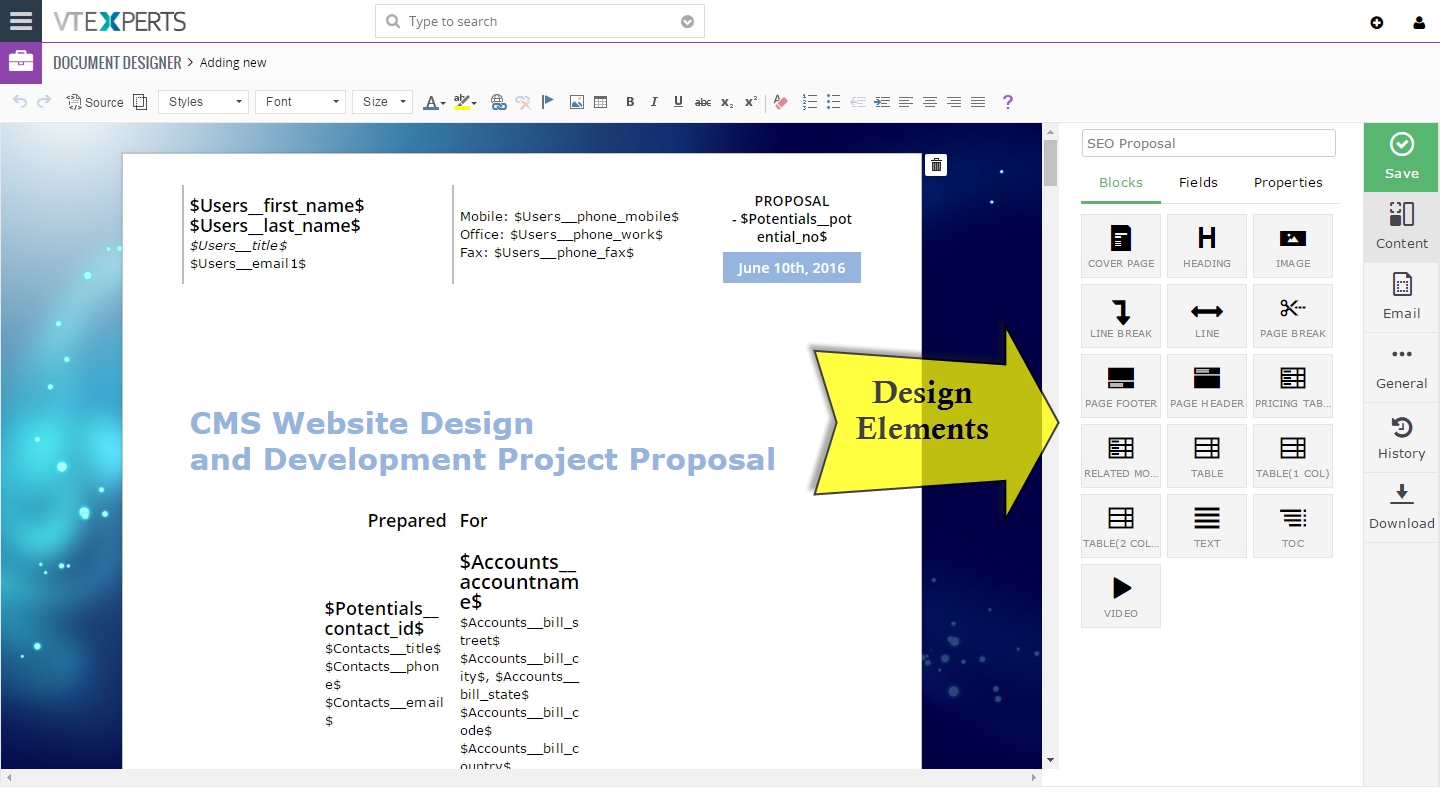
Template Builder
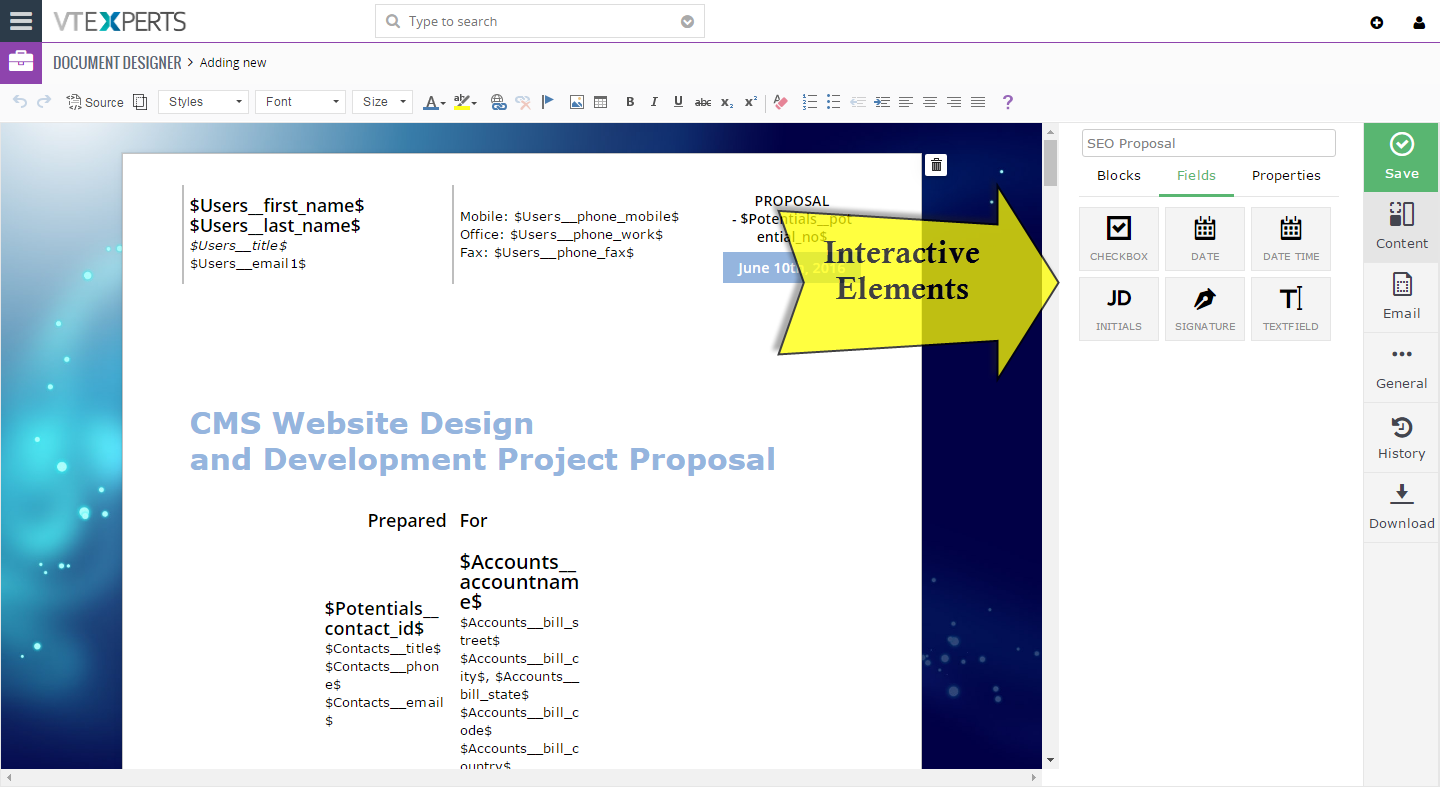
Comprehensive template builder with ability to add text blocks, related record blocks, pricing tables, add images/videos, tables, interactive fields, signature pads, customize background image, buttons(accept/decline) & much more.
It has everything one would need to create presentable document/invoice/proposal.
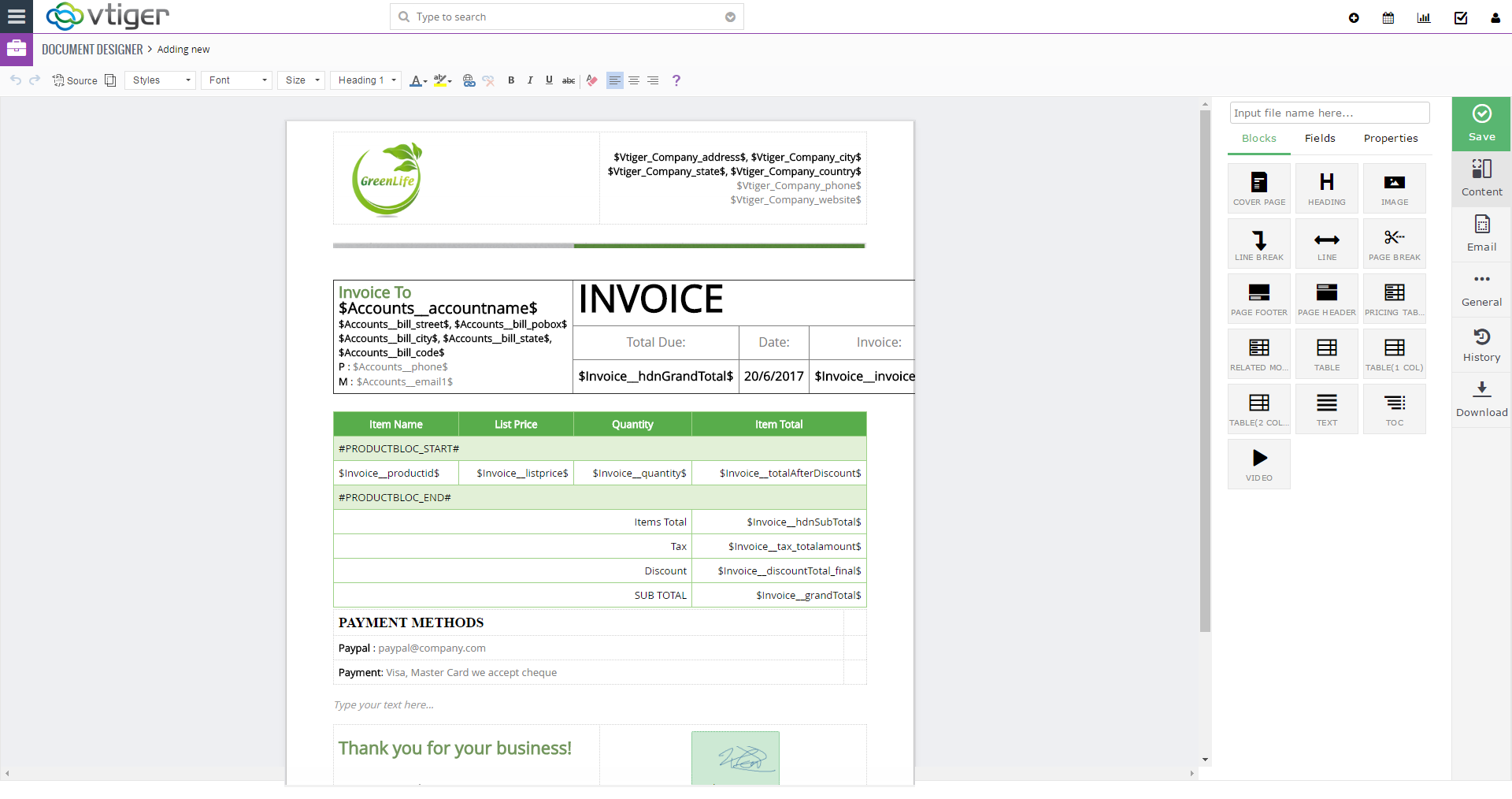
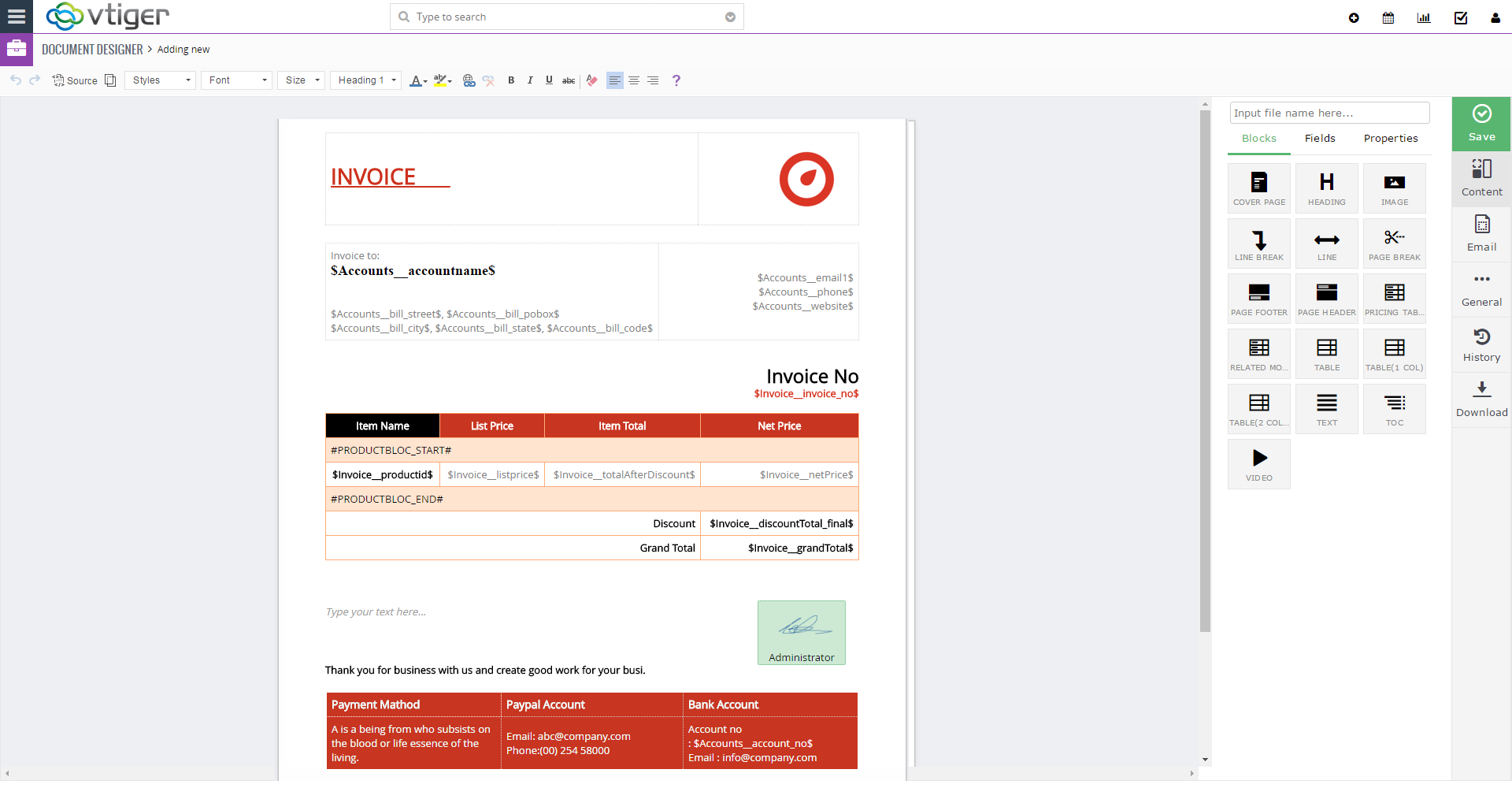
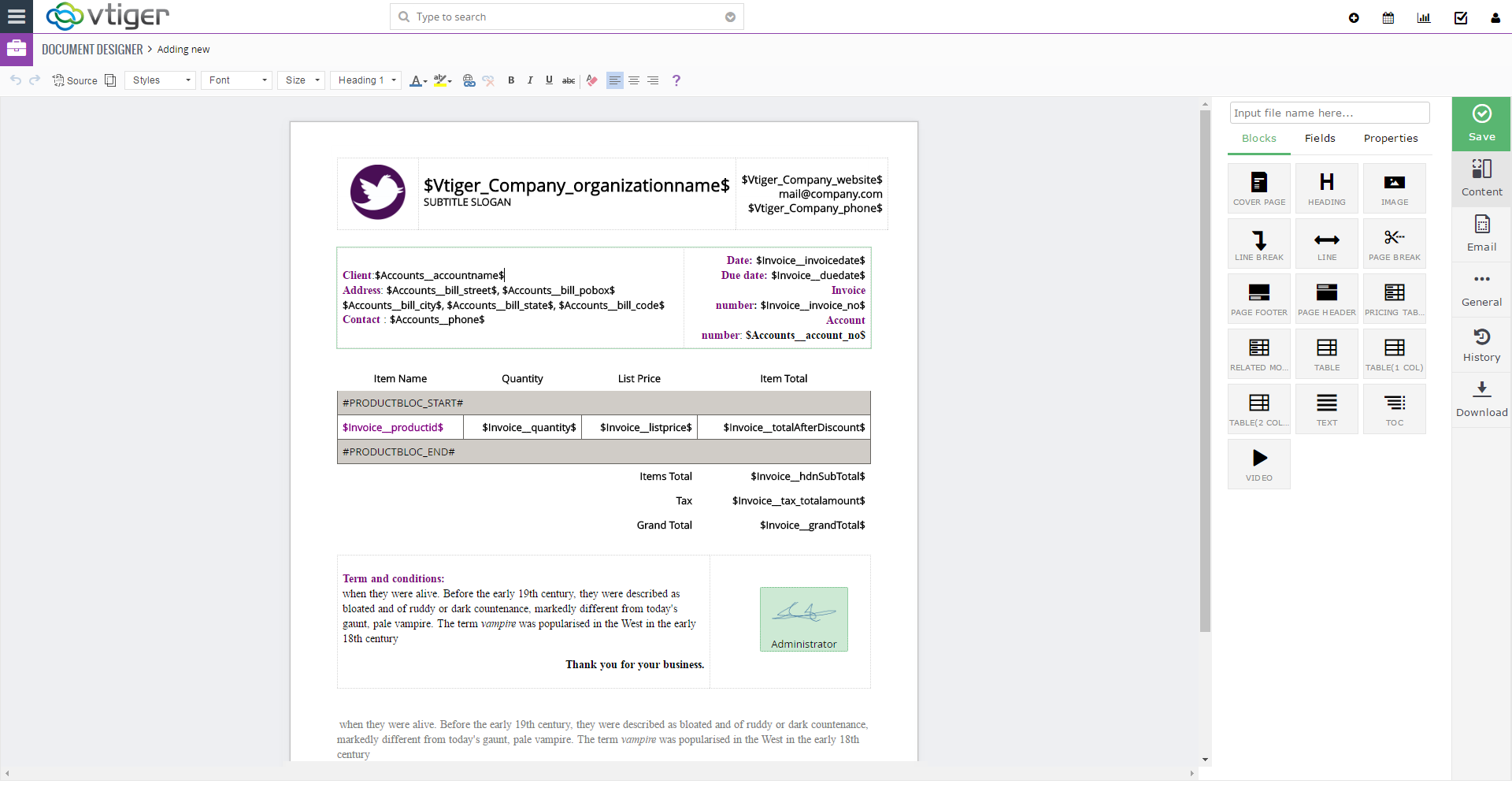
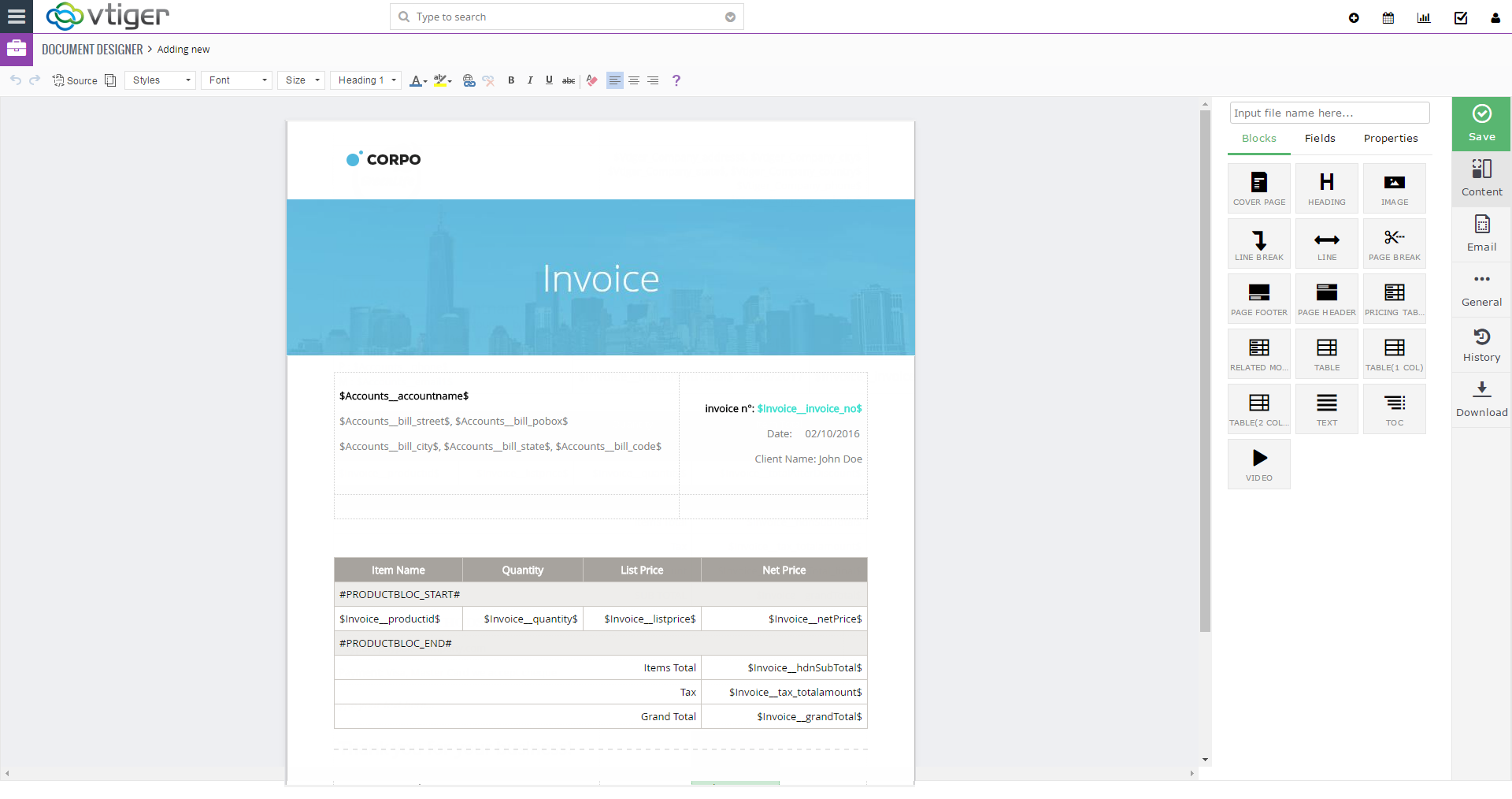
10 Ready to use Templates
We’ve professionally designed 10 templates that can be used for quotes, invoices, sales/purchase orders, contact update forms as well as elaborate proposals (5+ pages).
Templates come standard and can be cloned/modified to fit your needs.
Send via Email or Export to PDF
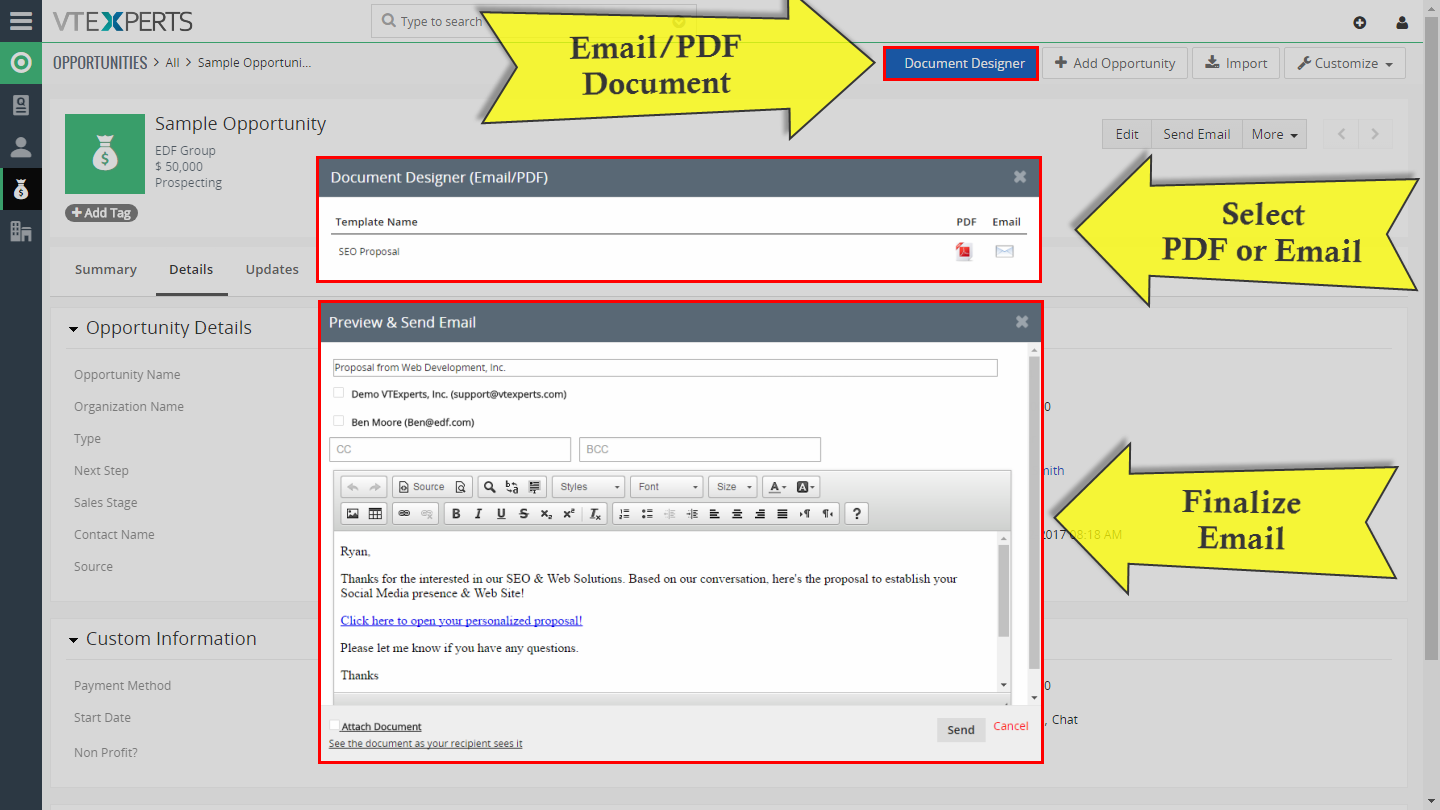
Documents can be exported to PDF and sent to the customer manually (if using external email platform such as Outlook/Gmail), as well as emailed directly from VTiger and attaching it as a PDF document.
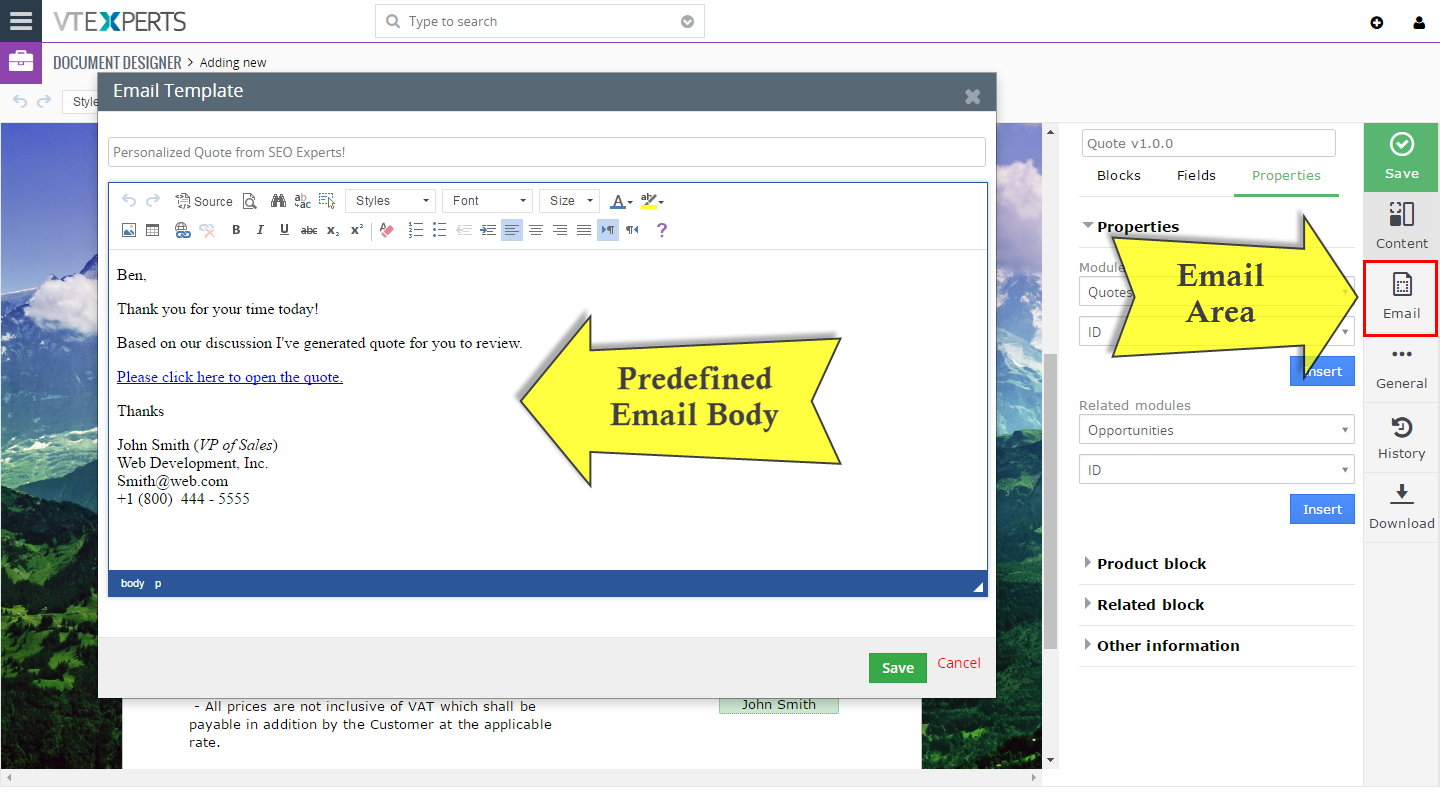
In addition, an online document can be emailed, which will allow the recipient to digitally sign the document. To make things easier, the user can create an email template that will always be used for each document, with ability to change the email message wording before it’s sent.
View Document/Proposal Online
In addition to exporting the document to PDF or sending as an email attachment, the extension also allows to email the recipient a link to open an online version of the document.
Recipient can then review the document (as if it was PDF), electronically sign, download any additional files/documents, review special notes, pay online and accept OR decline it.
Track Document Progress & Status
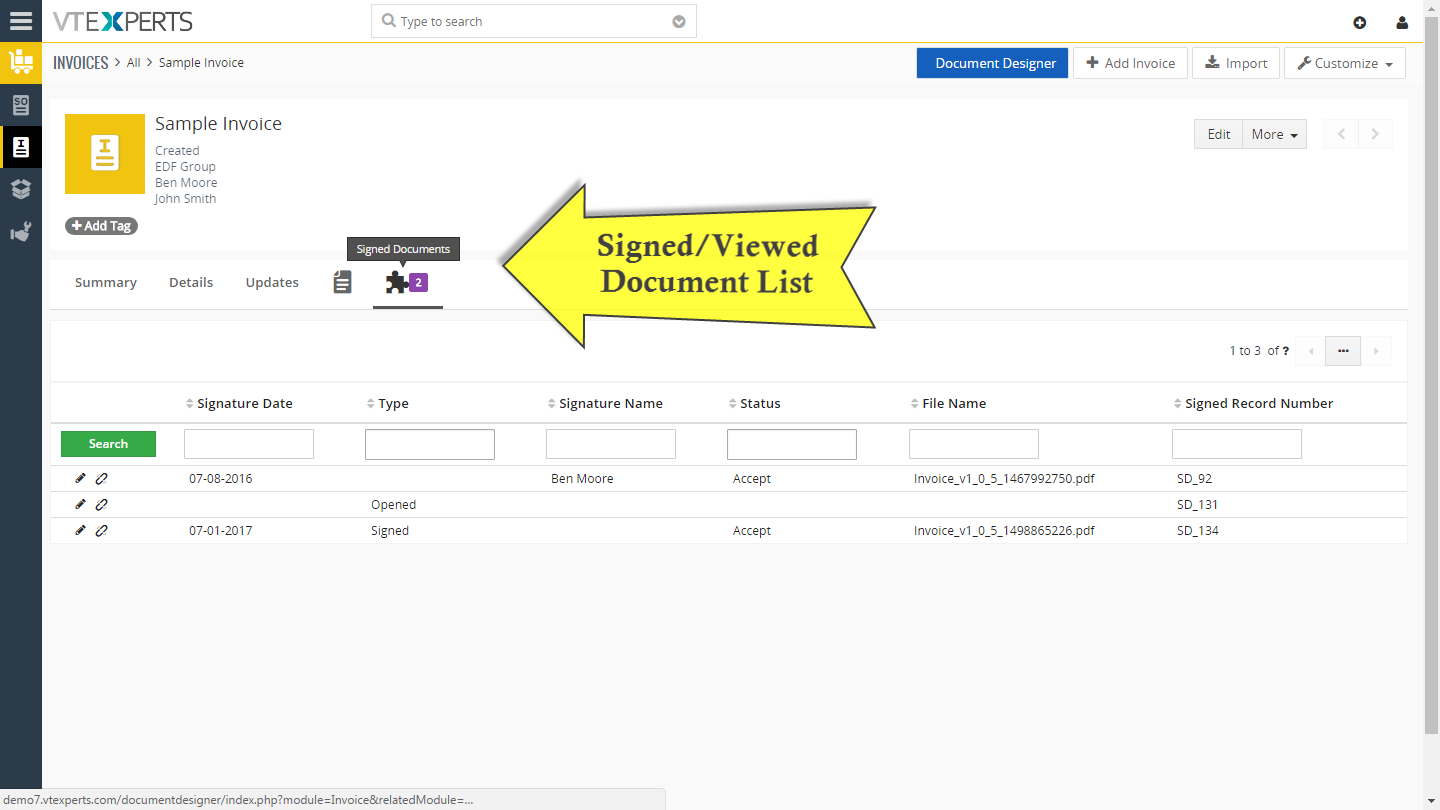
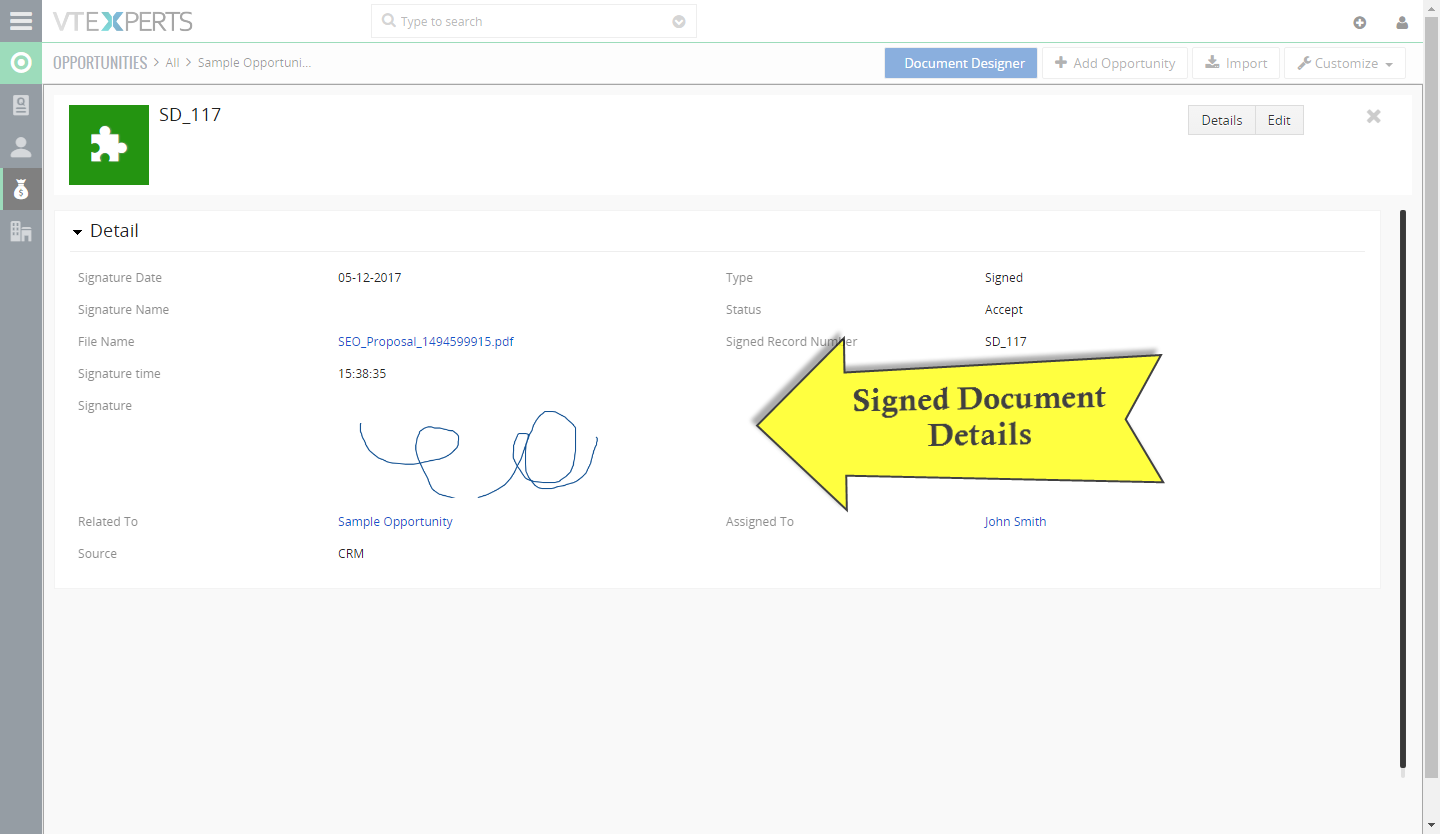
It allows the user to see the status of each sent document, meaning that if you open an invoice(or any module for which document as generated) – you will be able to see if the document was opened, signed, accepted, declined, signature date as well as preview the document.
Integrated Digital/Electronic Signature
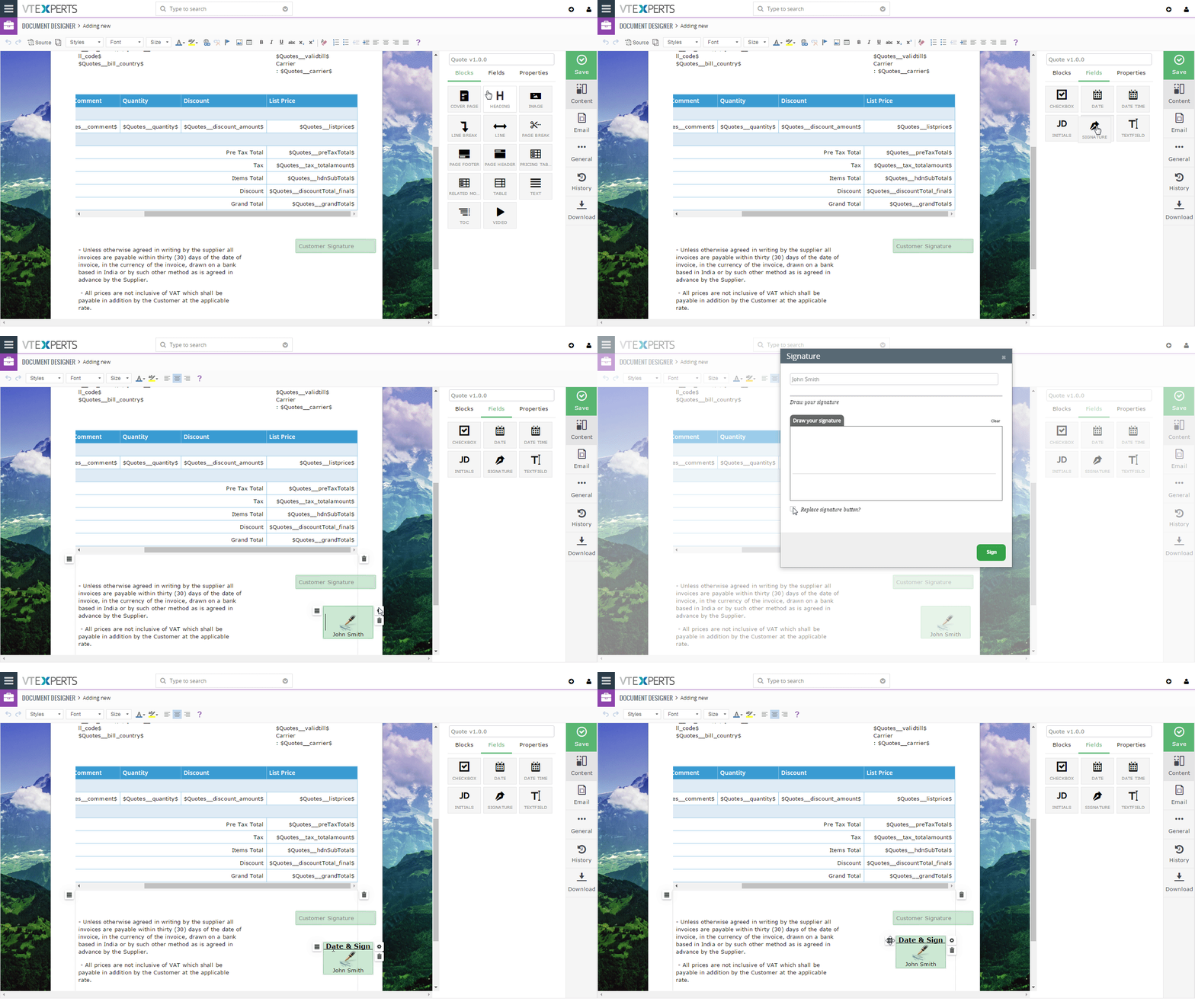
Each document template can have one or more signature boxes, meaning that the recipient of the document/invoice/proposal will be able to electronically sign it. You will be able to drag the signature boxes anywhere on the document as well as include initial boxes, checkboxes and date boxes.
Upon signature we collect the recipient information such as email, date, time, location, browser data and header information. (The same is being done by industry leaders such as DocuSign, EcoSign, etc…).
Signed documents are then stored in VTiger for you to review.
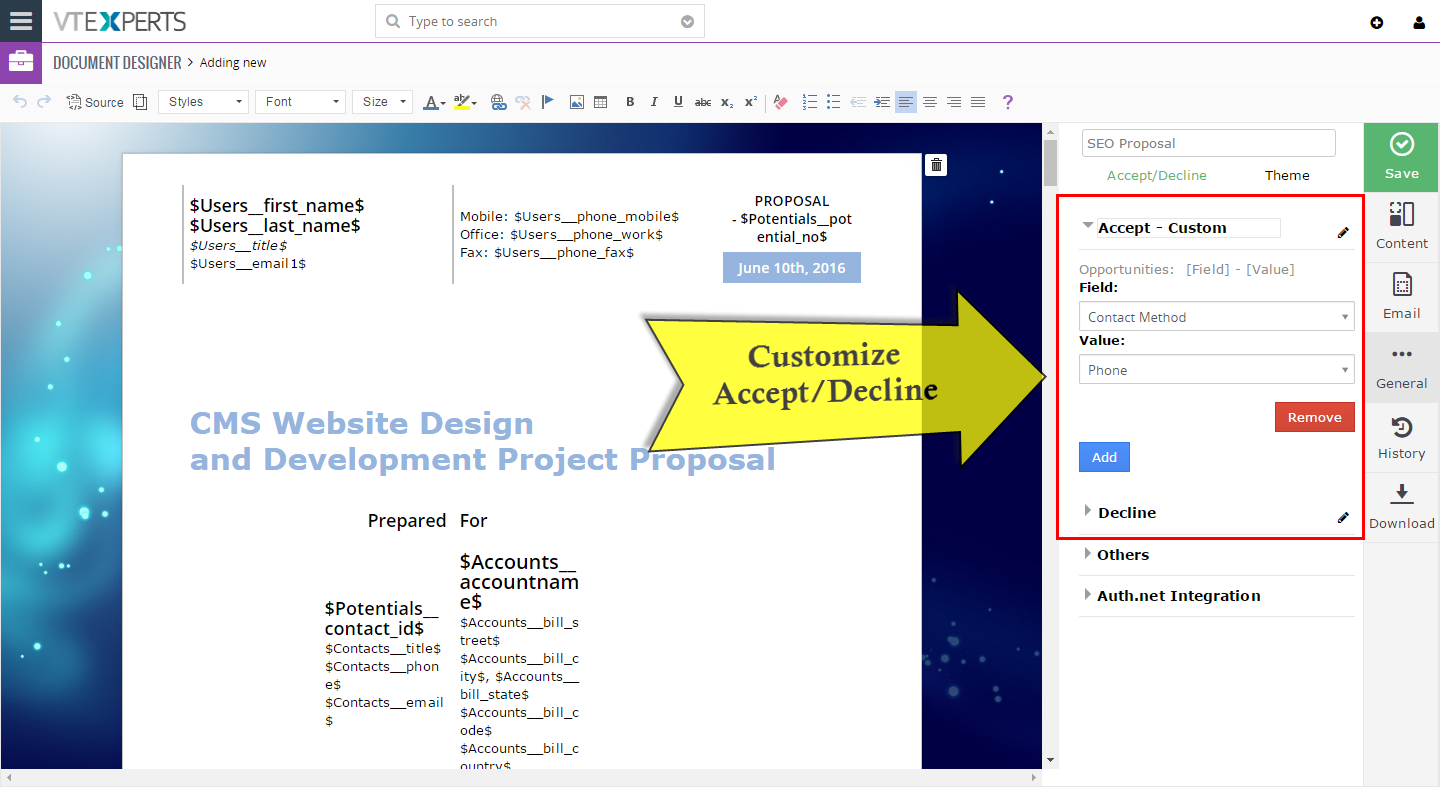
Online Document – Accept & Decline Buttons
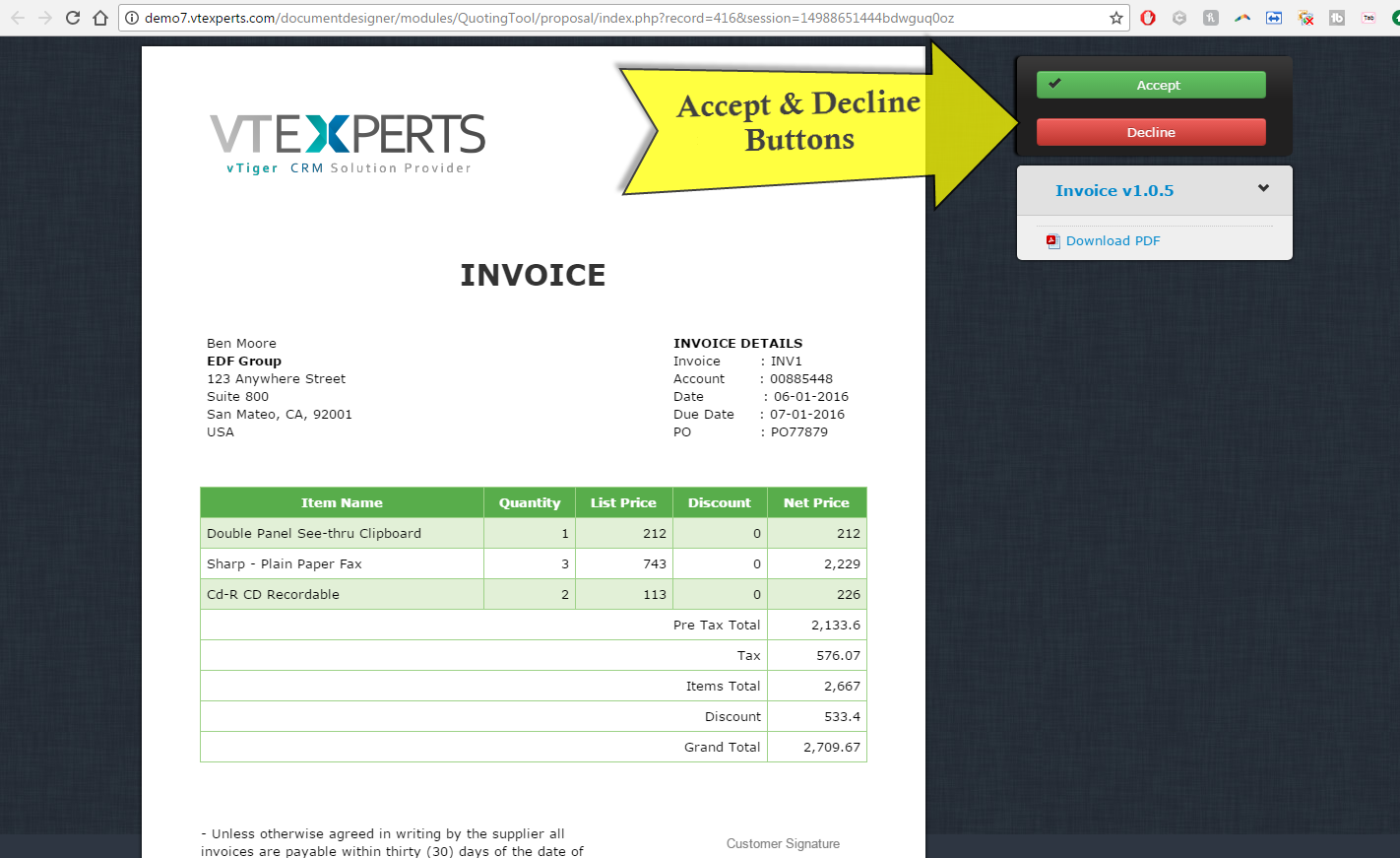
Generated document is interactive, meaning that the recipient can accept or decline the the document/proposal.
Every template comes standard with “Accept” and “Decline” button and those buttons are completely customizable, meaning that you can change the label of the button and you can also configure what happens when the button gets clicked. For example, if “Accept” button is clicked – you can automatically update Quote.Status to be “Accepted”, automatically send an email to responsible sales rep and much more. The functionality behind buttons are triggered by standard VTiger workflows, which you can define.
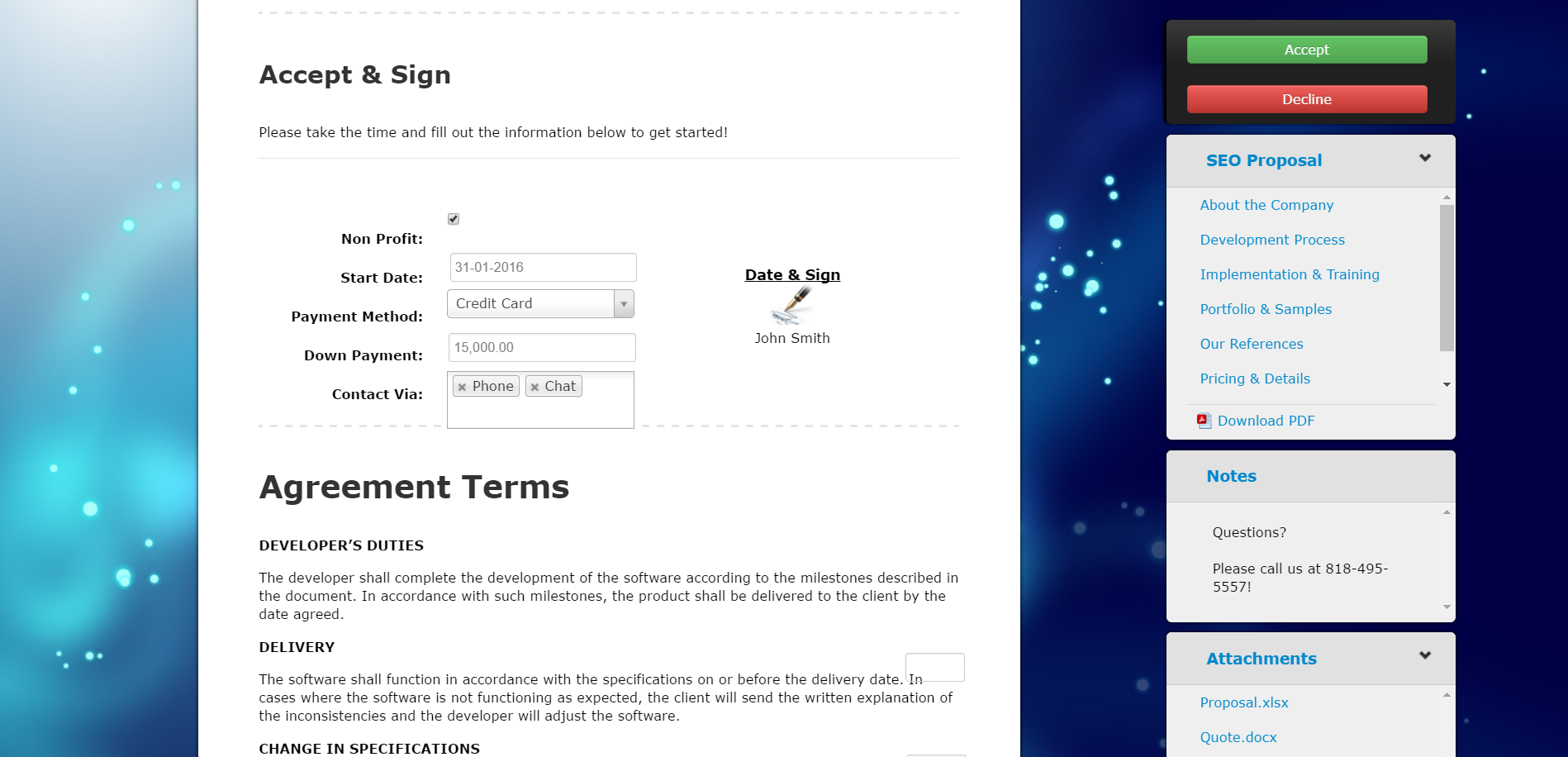
Online Document – Record Update/Create Form
In addition to viewing the information from VTiger on the online document, you can also request the recipient to update certain information(fill out form). For example, if you send a proposal via online document, the recipient fill in certain fields (e.g preferred start date, special requirements, ..) on the document (those fields would be defined by you) and as the recipient signs/accepts the proposal – those fields will then flow back into VTiger.
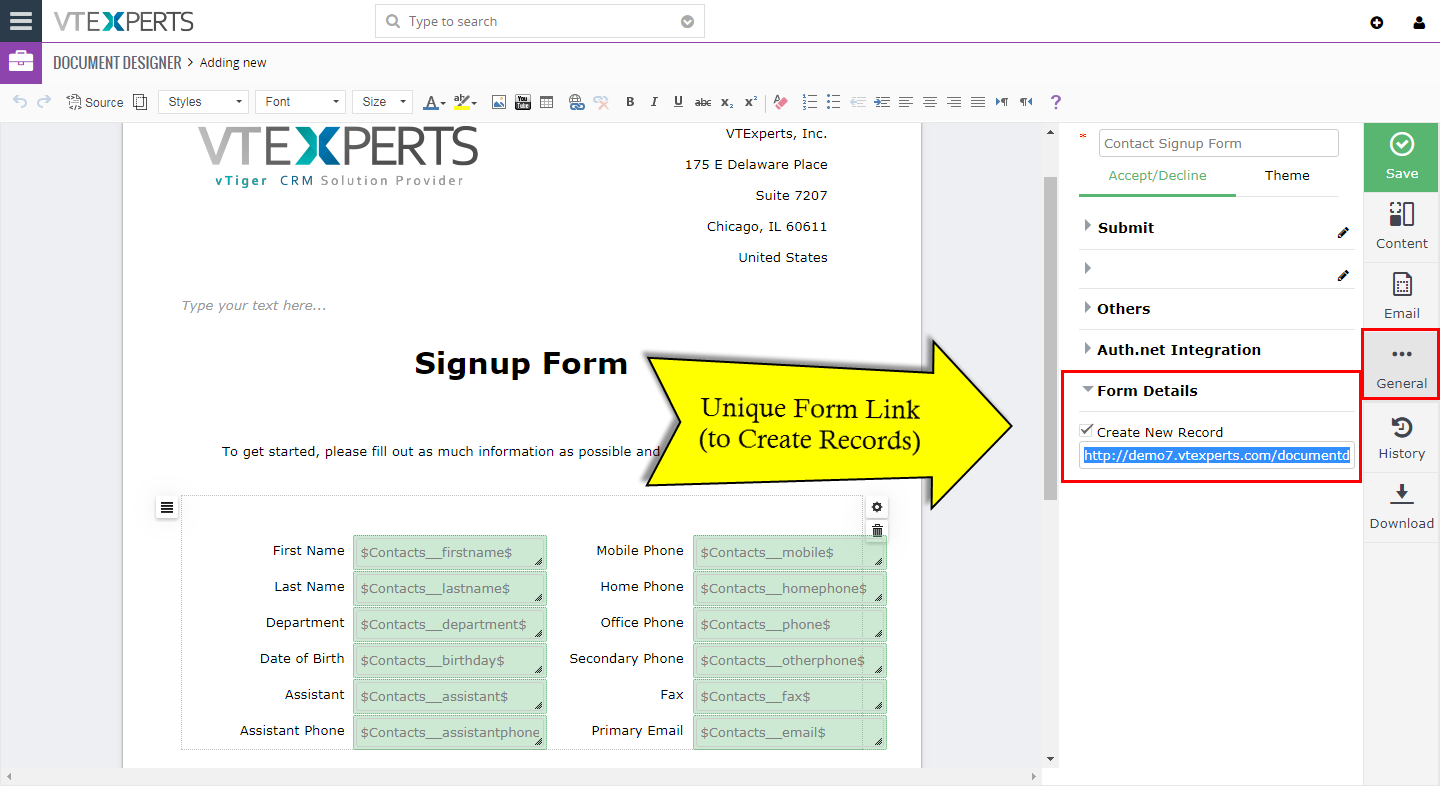
In addition, you can create new records using the same form. For example, you can create a “Contact form” and you can send to your new customers and ask to fill out and the data will flow into VTiger. Furthermore, you can have a “static” link that you send to your new customers directly from the email and when filled out – new contacts will be created. Another good example would be, if you would create a static link for “Tickets” and have your customers fill out, which would then create new ticket in your system. The ticket would be linked to existing customer (assuming you configure it that way). Refer to “Form Details” in the user guide for more information.
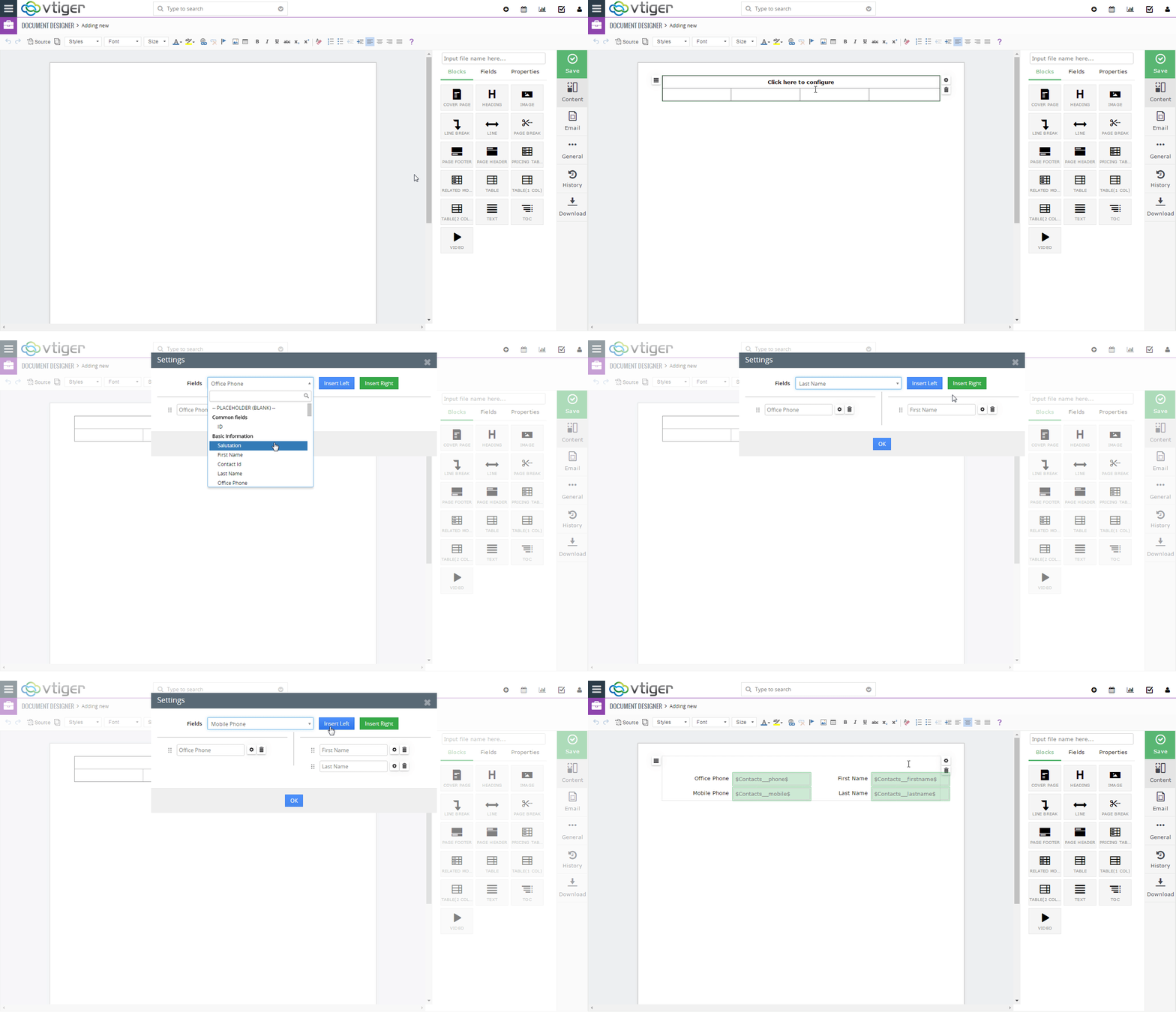
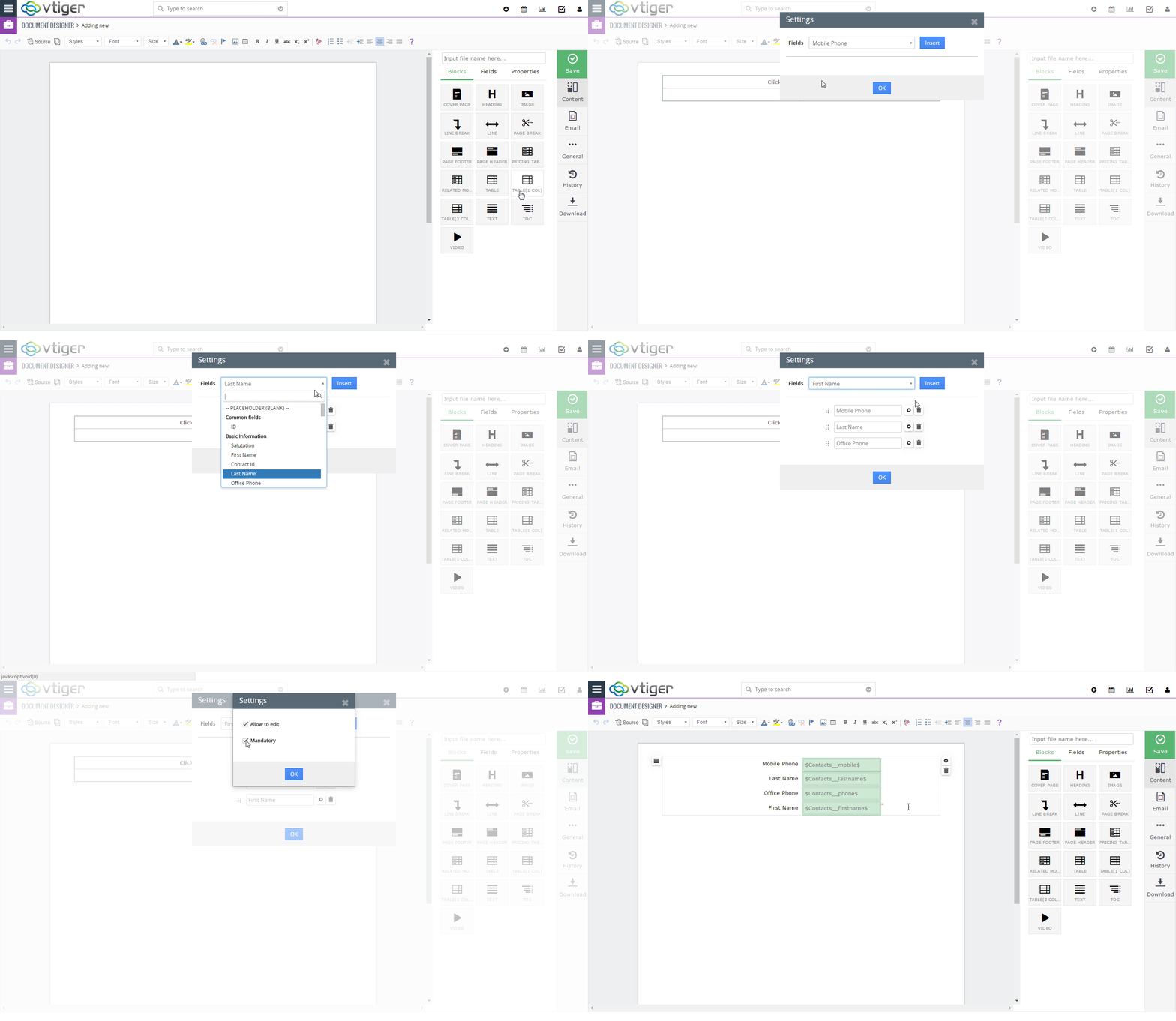
We made it very easy to include ‘updatable’ fields on the document. Furthermore, here’s an option to add 1 Column or 2 Column table where you can just pick the fields to be ‘updatable’ and it will automatically generate the boxes + labels.
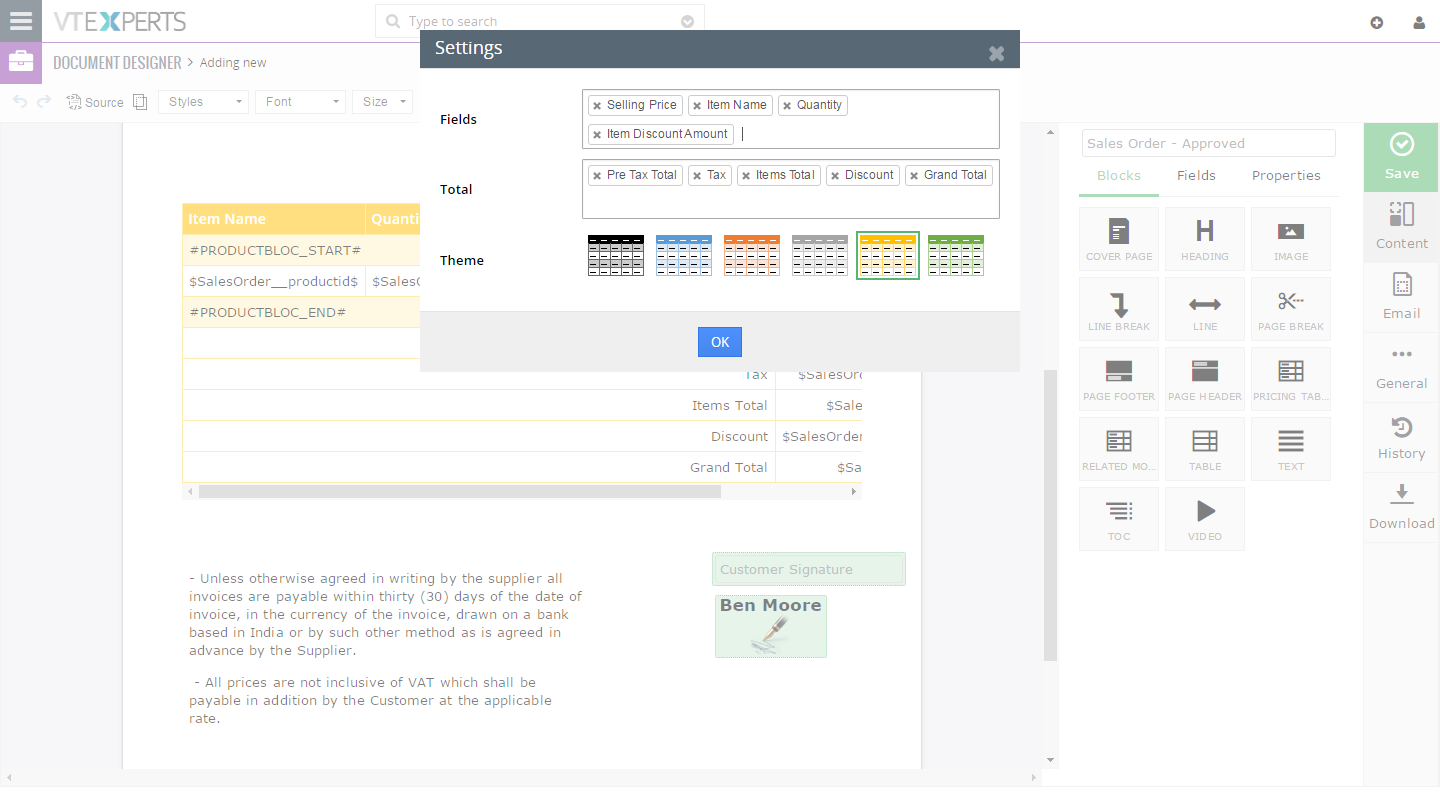
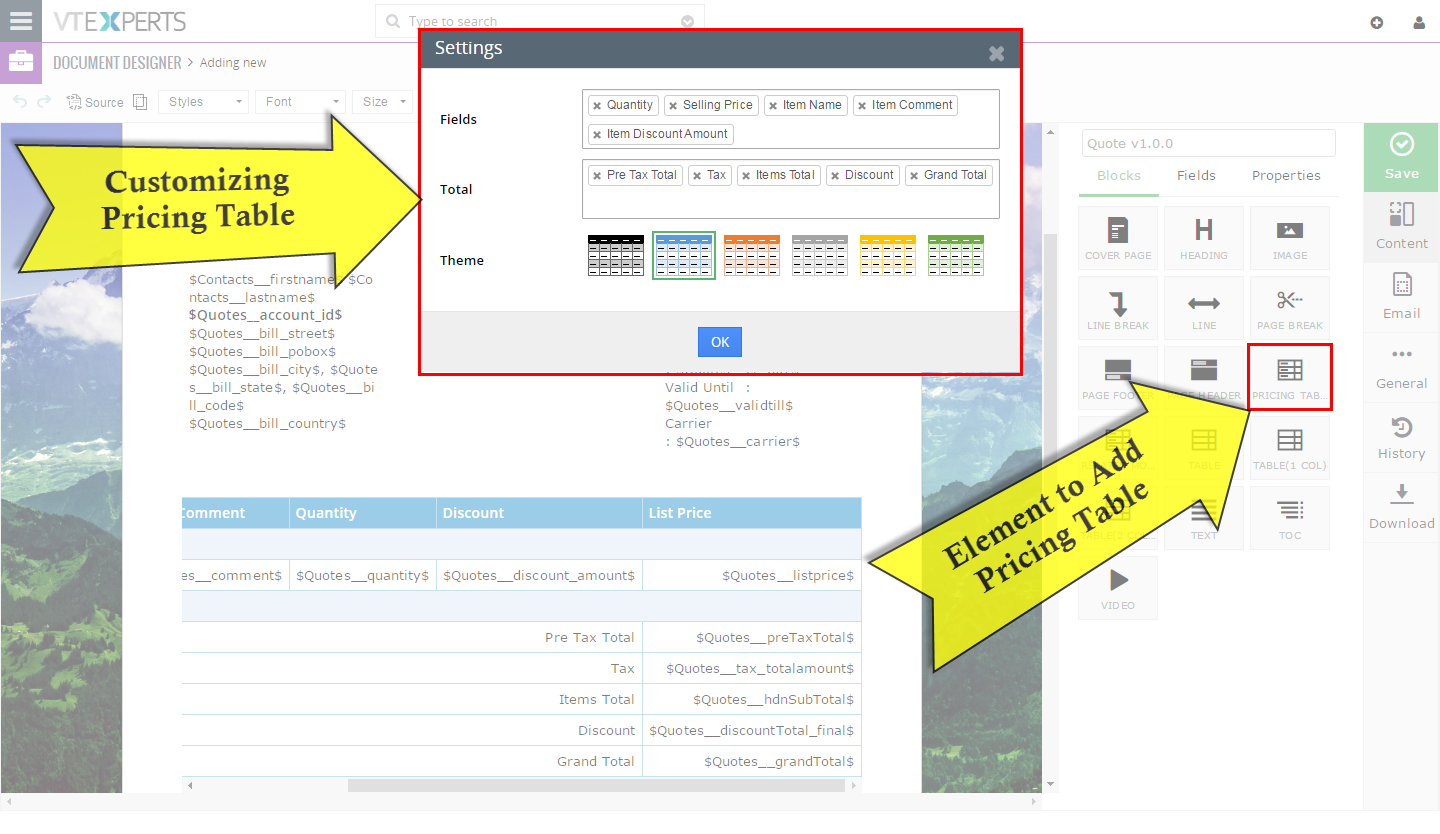
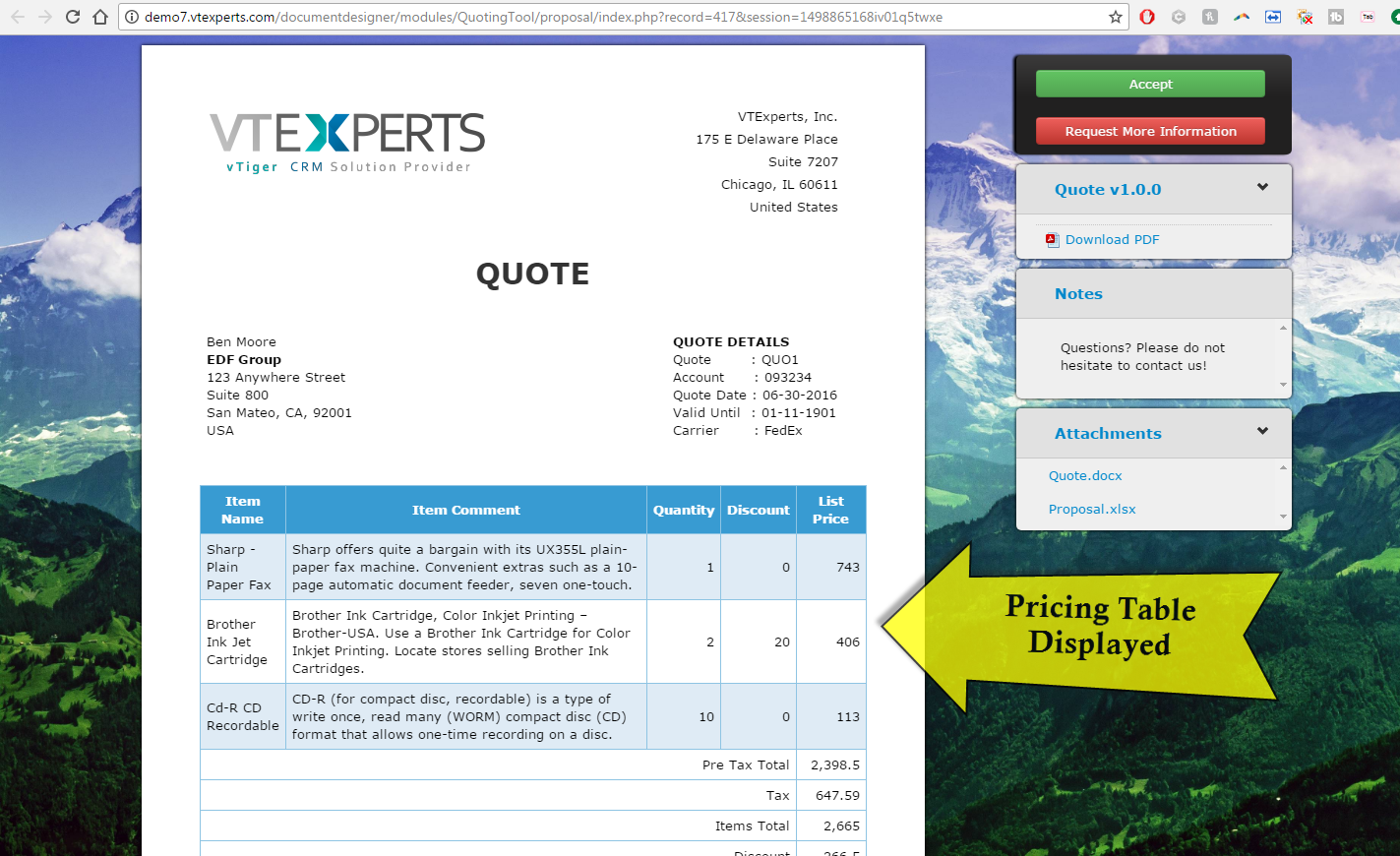
Template Builder – Pricing Table
We designed an easy to use, drag and drop interface to customize item details section on Quotes, Invoices & Sales/Purchase orders. It allows the user to drag the pricing table on the document and select the product/service columns, totals, update the layout (colors, field sequence) and insert it onto the document.
In addition, it is fully compatible with Item Details Customize (Advanced).
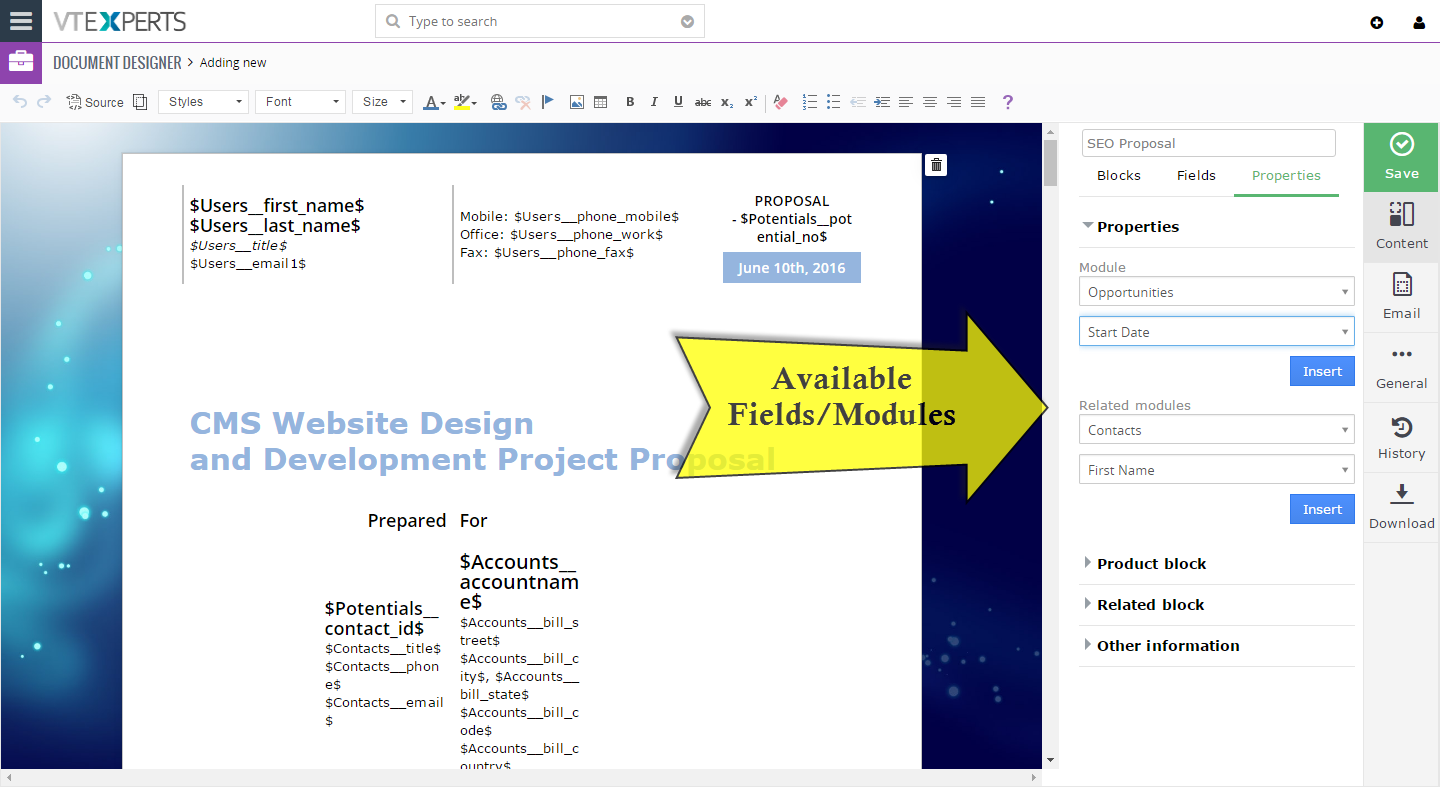
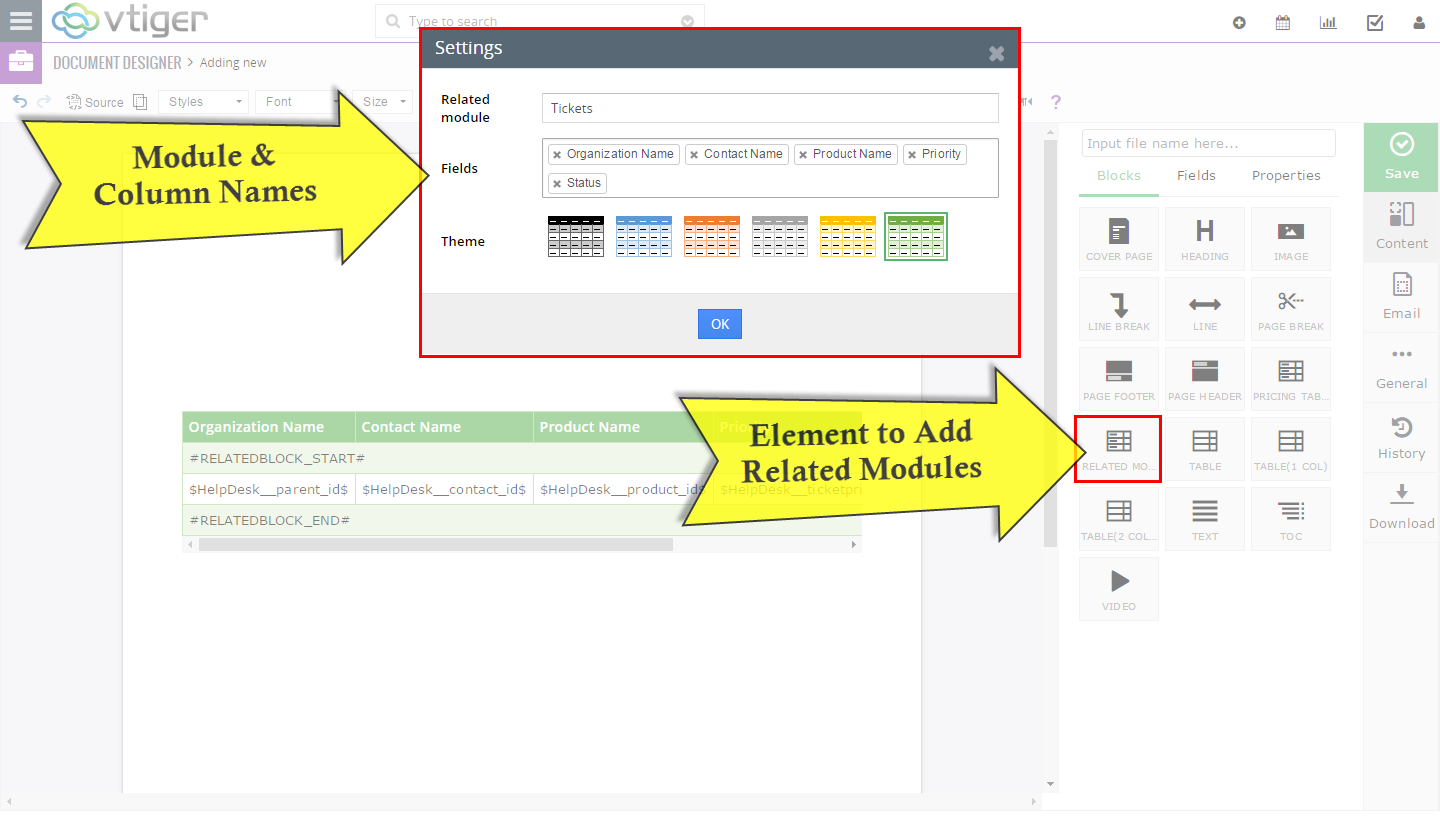
Template Builder – Merge Data from Related Modules
In addition to merging fields from the primary module e.g Invoices, Quotes, etc.. you can also include(merge) information(blocks) from related modules. For example, if you have an Opportunity as a primary module, you can include all the related contacts on the document. You will be able to select fields for the new block and print it on the PDF/document.
It’s completely flexible, blocks are easy to drag and drop and they can be put anywhere on the document + customized completely.
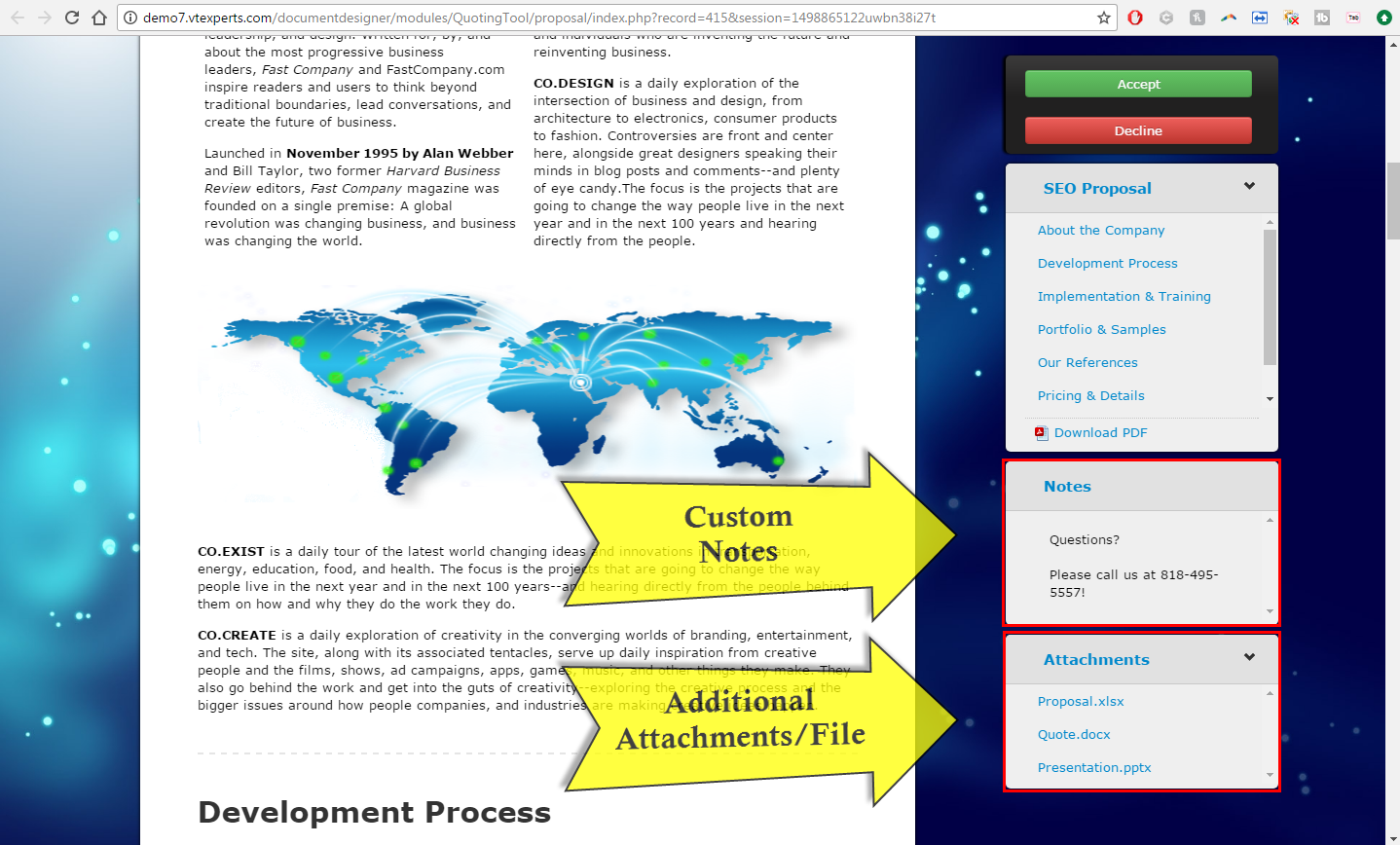
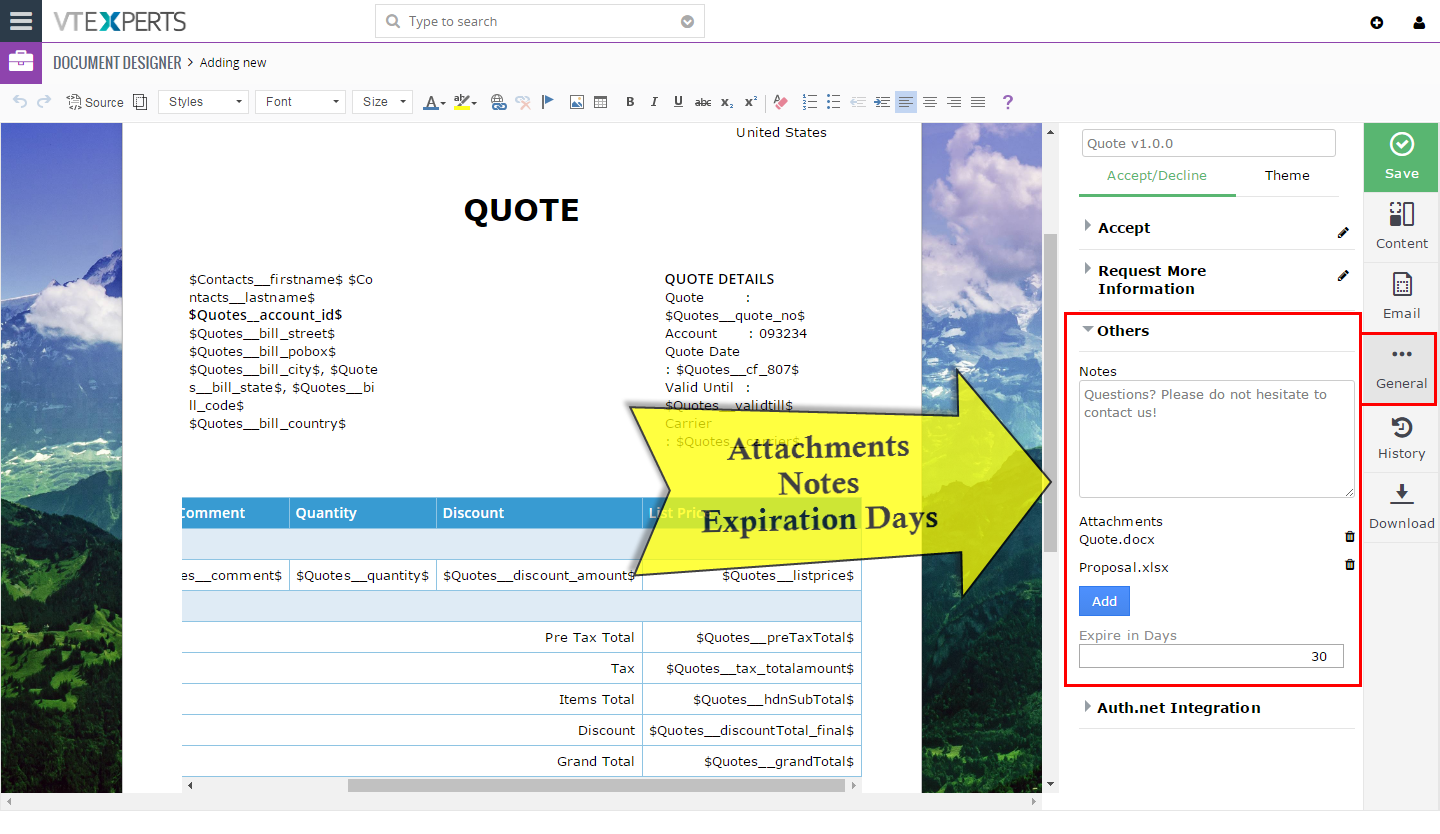
Additional Attachments, Notes & Expiration
In addition to sending online document, the user can also attach additional files/documents to the template. It’s widely used to attach NDA, product pricing sheets, cover letters & much more.
Online document can have an expiration date. By default, we don’t set the expiration, however the user, who is creating the template – can set after how many days the document will no longer be visible online.
Online Document – Tailored Theme
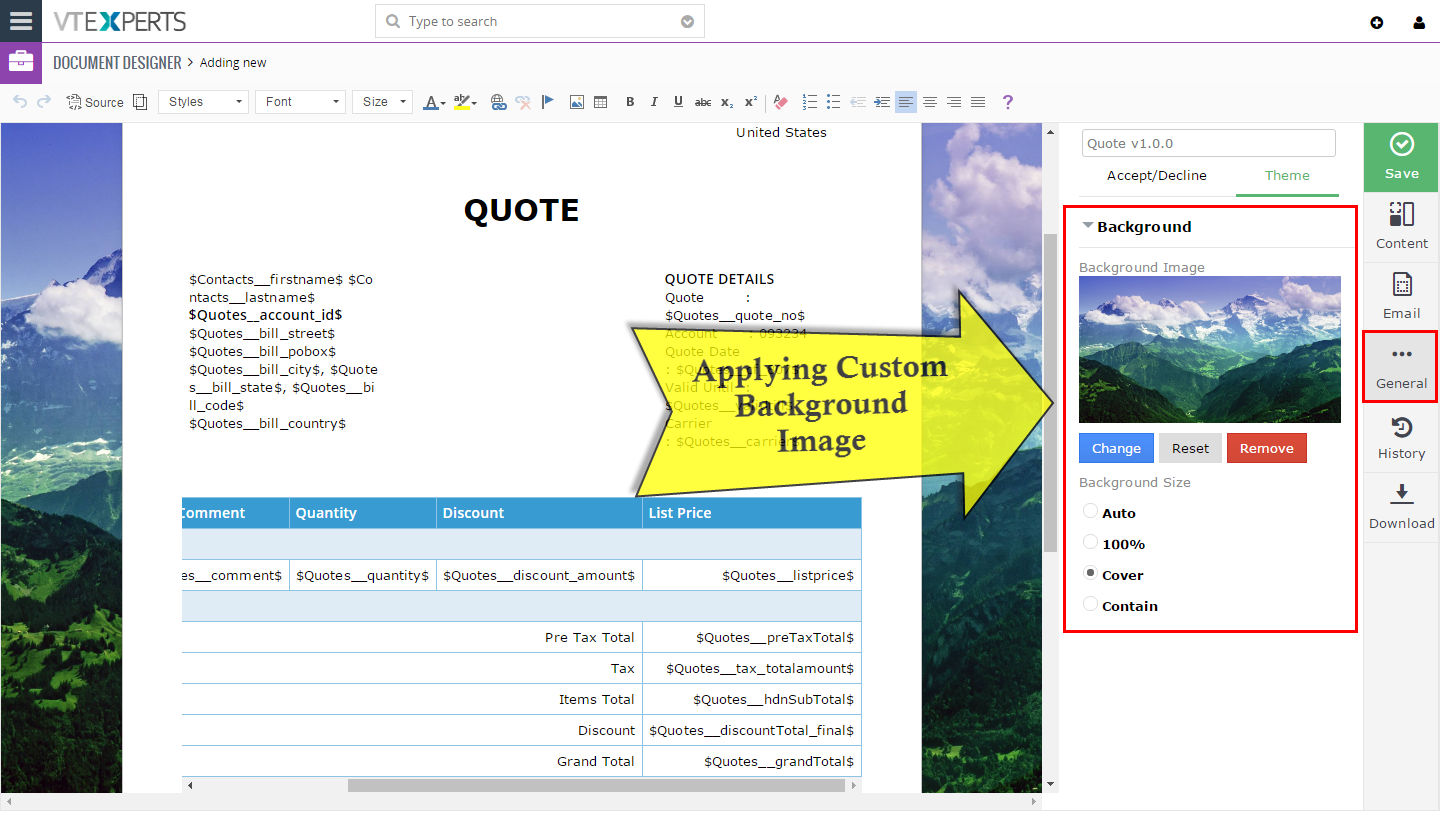
To make the online document stand out – we created an option to select the background (theme). Each online document has a background (behind the page) – and this is where you can upload an image, photo or your logo to really make it click.
Automation (Send Documents Automatically)
It comes with built in tools to automate document generation and emailing. In addition to sending the document via email or exporting to PDF – you can also setup it to do it all automatically. For example, if an opportunity goes to a certain stage – you can setup a workflow to send out a document to the decision maker automatically.
Extension utilizes standard VTiger workflow functionality, which allows endless possibilities of when , what and how the document should be sent.
Online Payment Integration (Auth.net)
Document Designer seamlessly integrations with Authorize.net payment gateway. The user can configure certain templates to have “Pay Online” widget, which will allow the recipient to put in their credit card or bank information to process the payment.