
The much awaited Vtiger CRM 7.4 GA is released now. It is a great news for the Vtiger CRM users, as plenty of new features are added in addition to the various major bug fixes. Vtiger 7.4 put emphasis on security and performance issues and most of the changes revolves around these aspects of the CRM system.
You can download the VTiger 7.4 from here Download Link
Some of the most prominent changes in Vtiger 7.4 are listed below
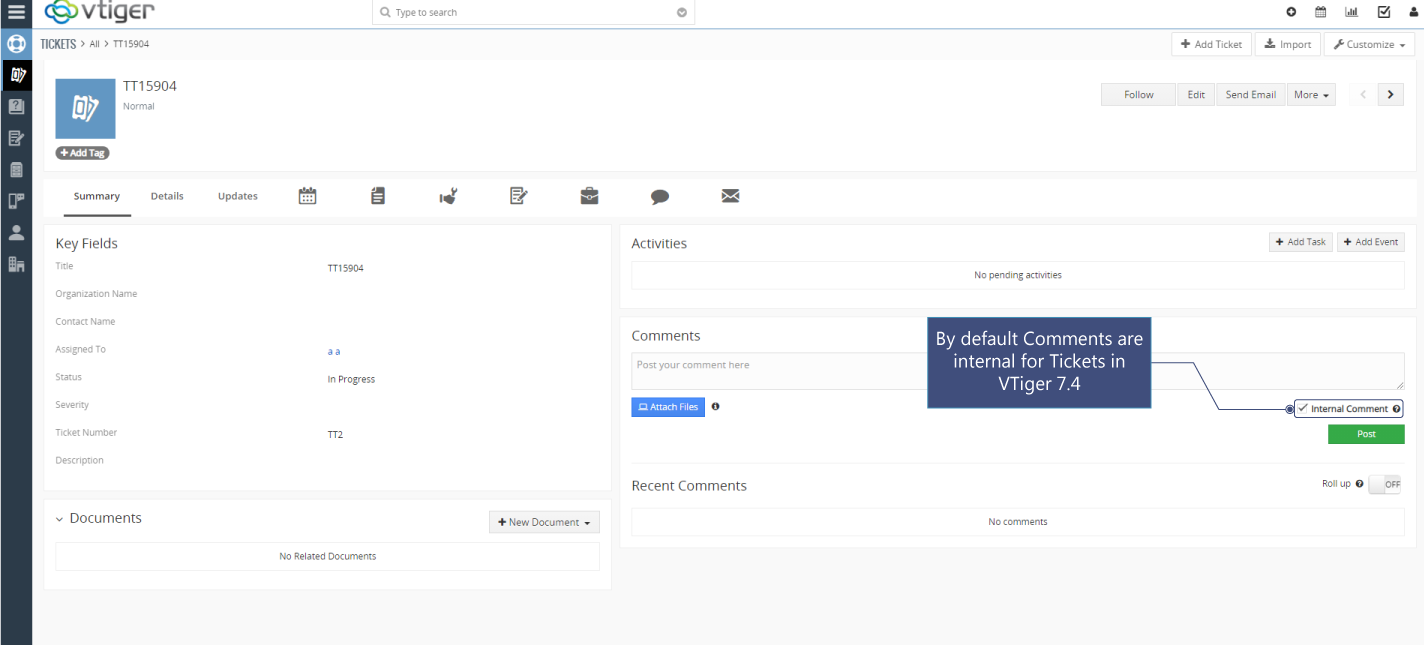
- Comments are internal by Default in Vtiger 7.4
- Secure format for passwords is enforced. Using it the password should be 8 characters long, with at least one number, one uppercase alphabet, one lowercase alphabet and one special character.
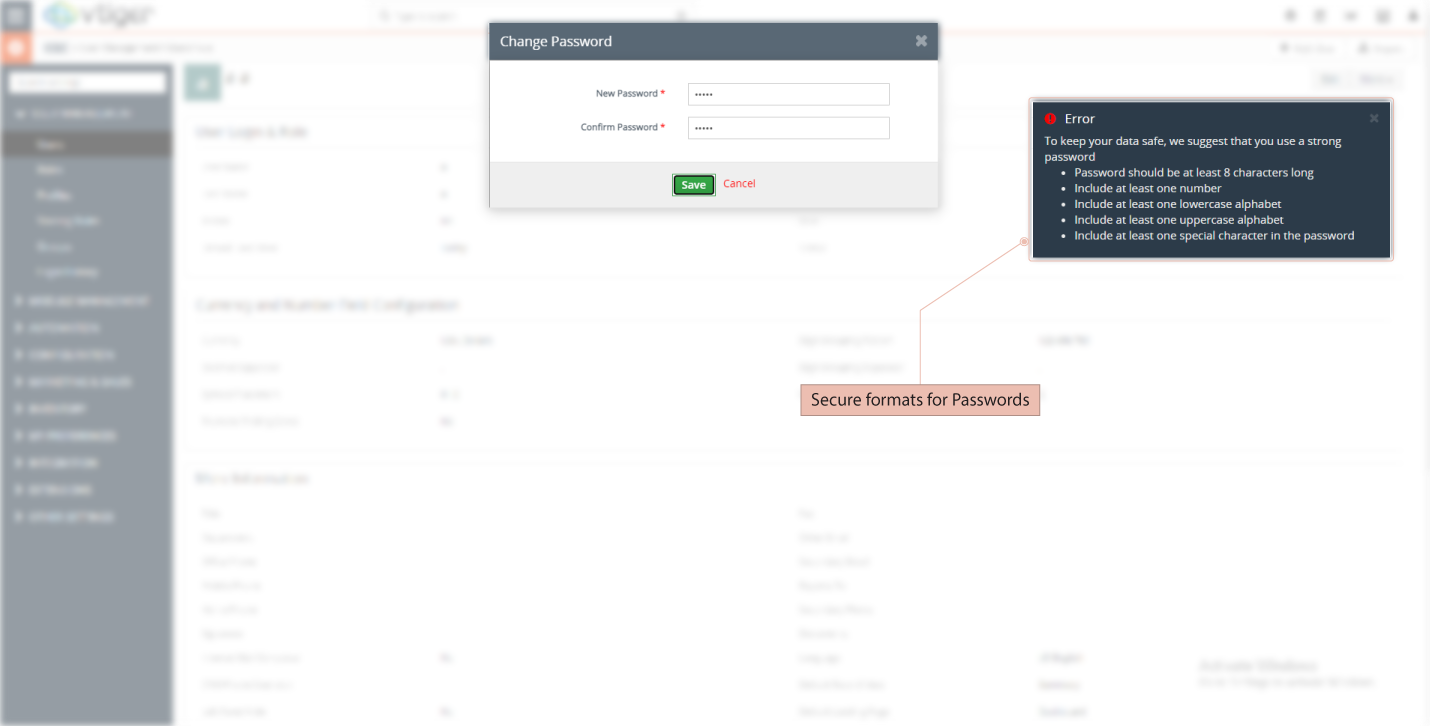
- Password regex format has been centralized. Now, user’s can also define their own standards in config_override.php file. So, it drastically increases the password strength as compare to the previous versions.
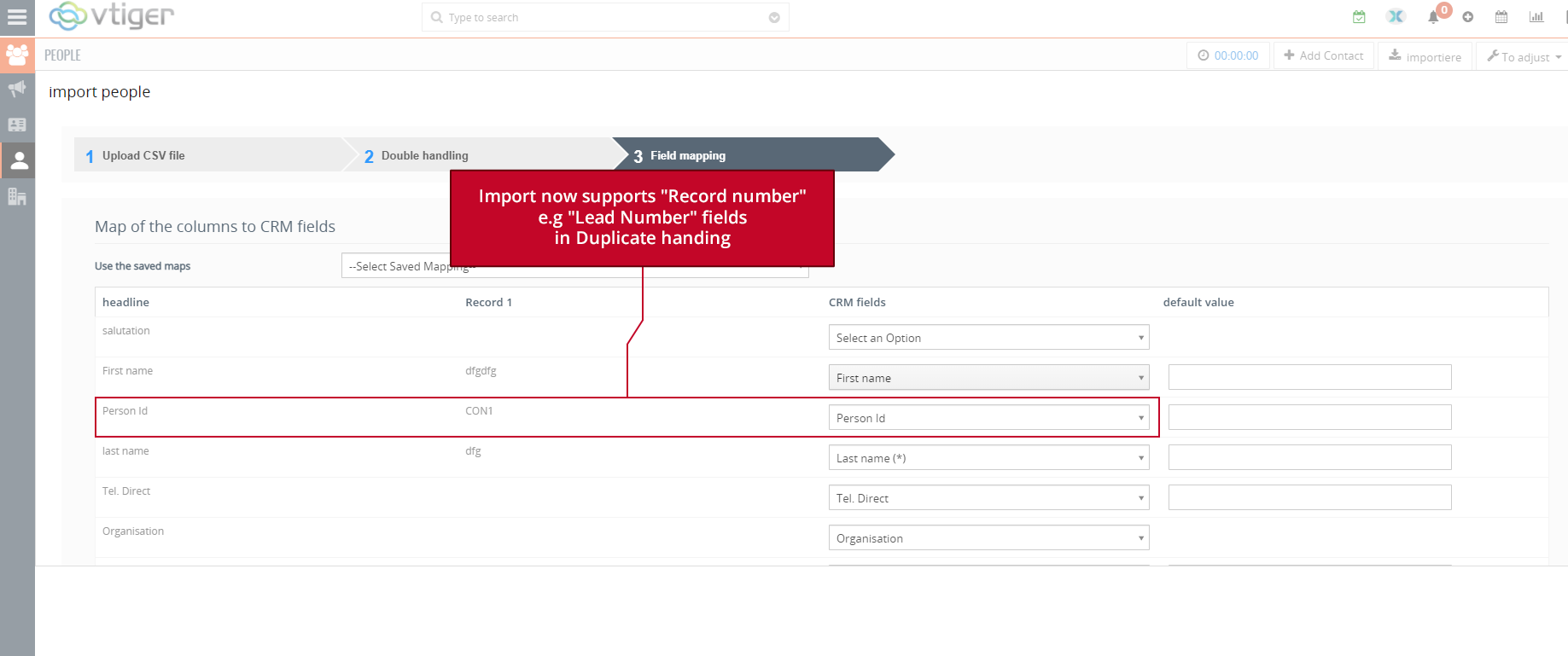
- Import now supports “Record Number” e.g “Lead Number” fields in Duplicate handling. It enhances the capability of the CRM to check duplicates based on record number.
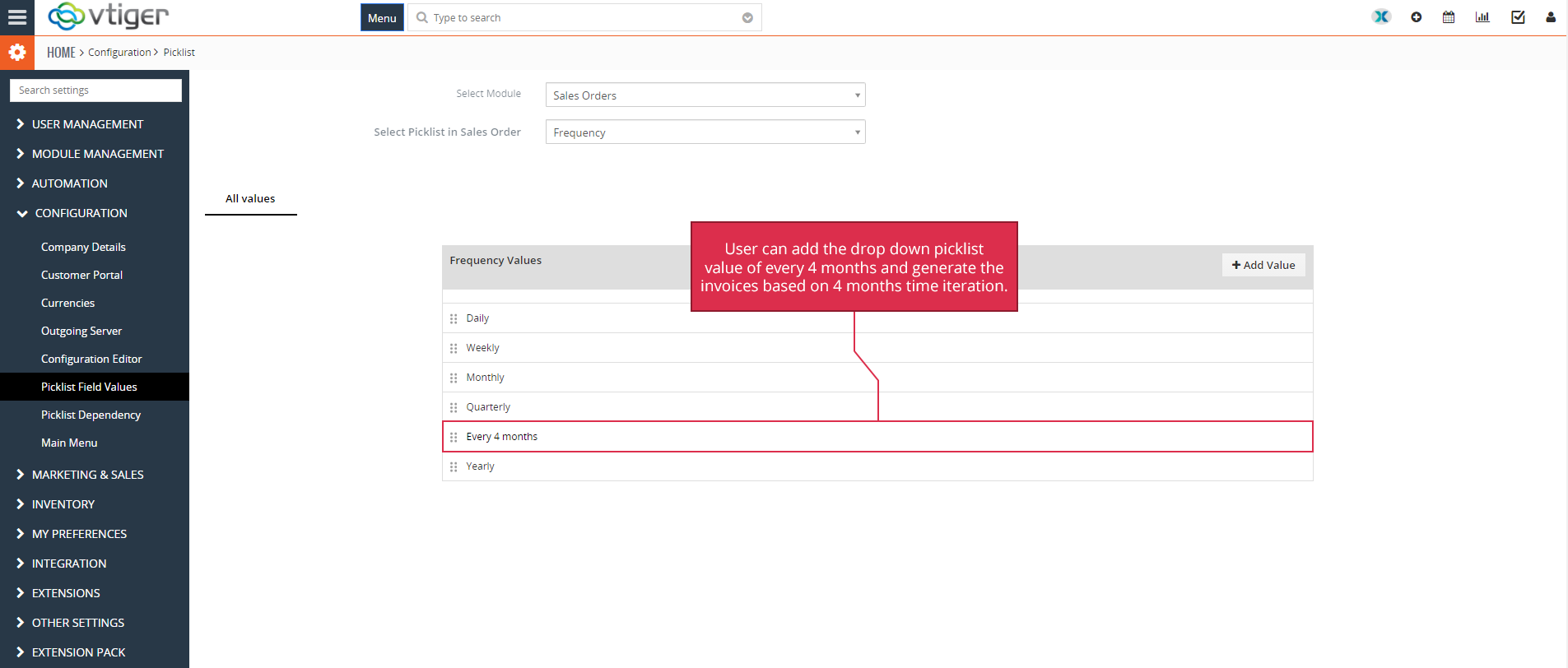
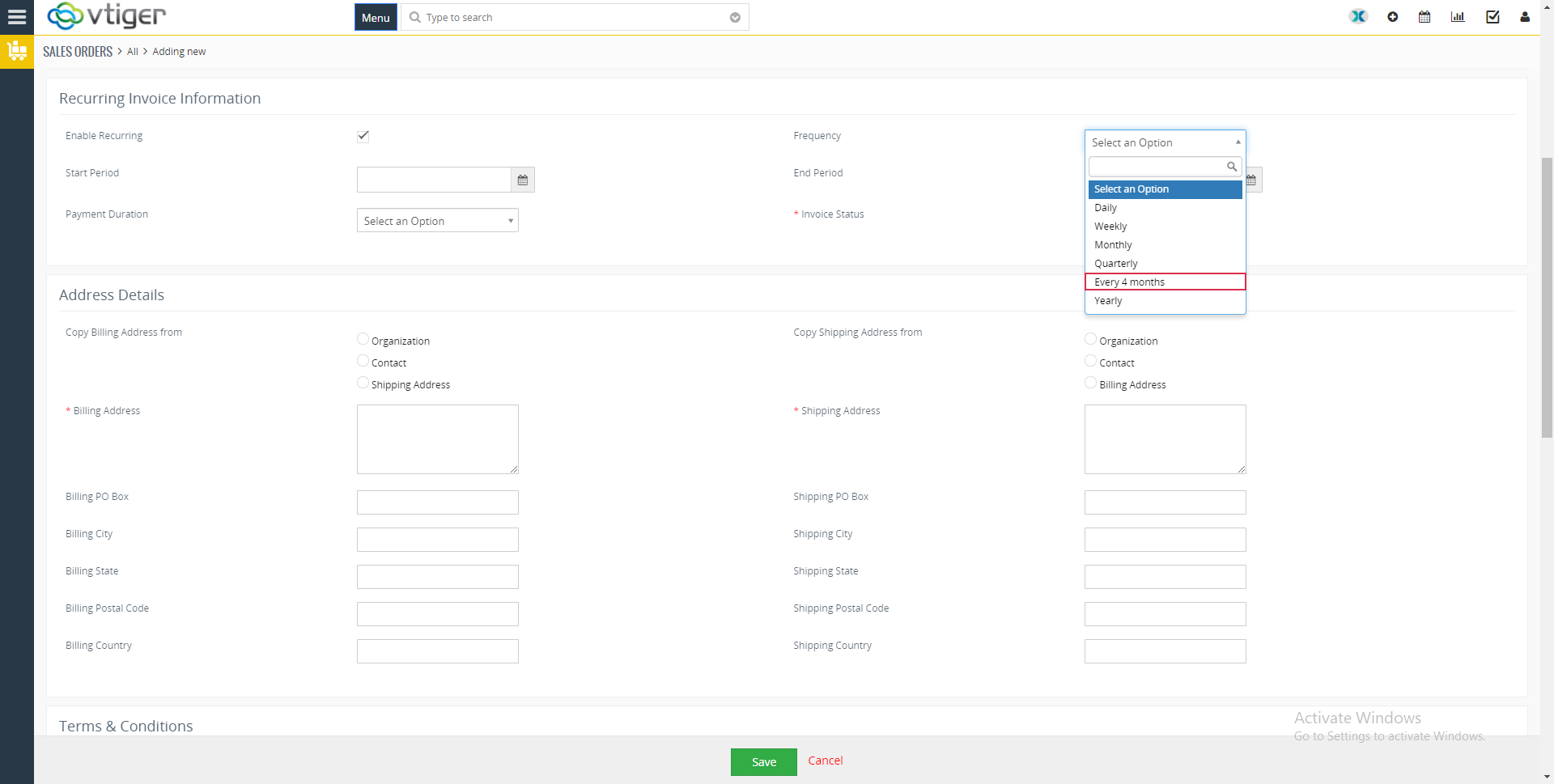
- Users will be able to generate and send the automated recurring invoices every four months.
- Improved Mexican language pack.
- HTML injection fix for compose email popup. This significantly decreases the threat of HTML injections and improved the security aspect of the Vtiger CRM
- The version of the Log4php is updated to 2.3.0 for Vtiger 7.4
- jQuery library is upgraded to version 2.2.4
- $max_scheduled_workflows limit (Time interval) can now be configured in config files, this means that the users can configure the time interval of a workflow using the config file
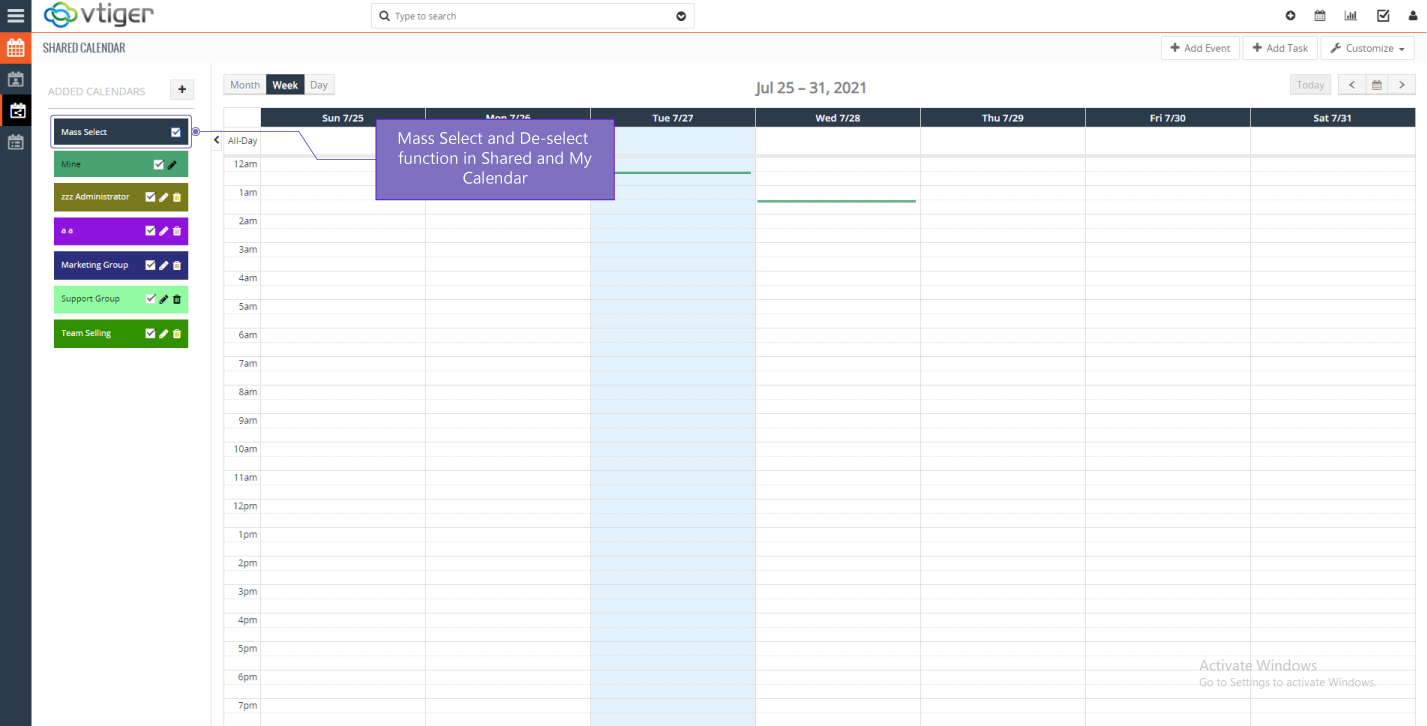
- New feature by the name of “Mass Select” is introduced in shared and my calendar view. Using the mass select feature you can select more then one users and check their calendar events
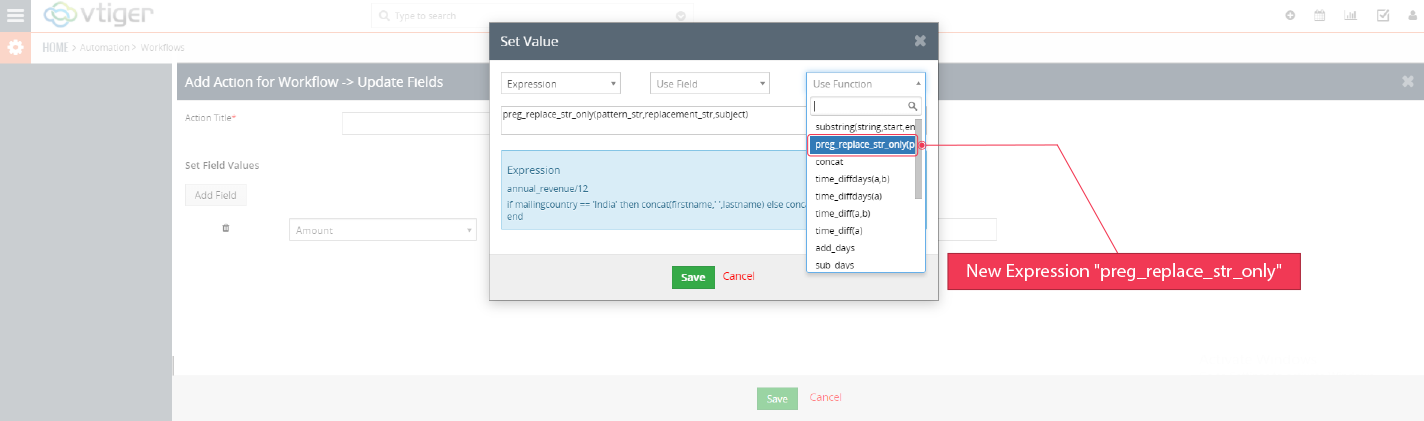
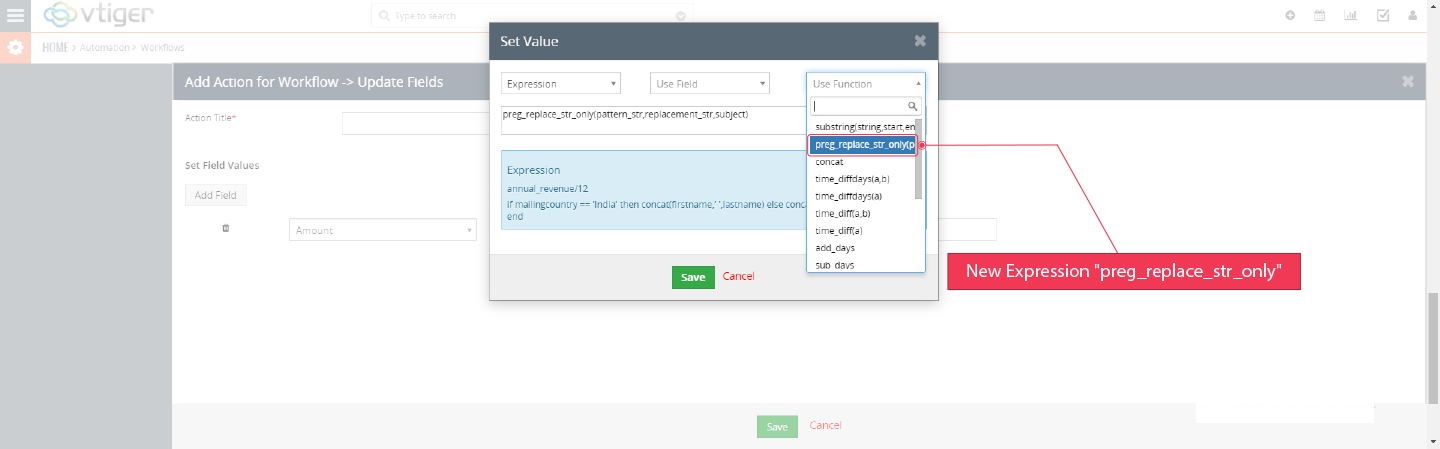
- New workflow expression preg_replace_str_only is included for updating the fields using a workflow
- New workflow expression substring is included for updating the fields using a workflow
- It also features new field for users ‘Userlabel’ is added
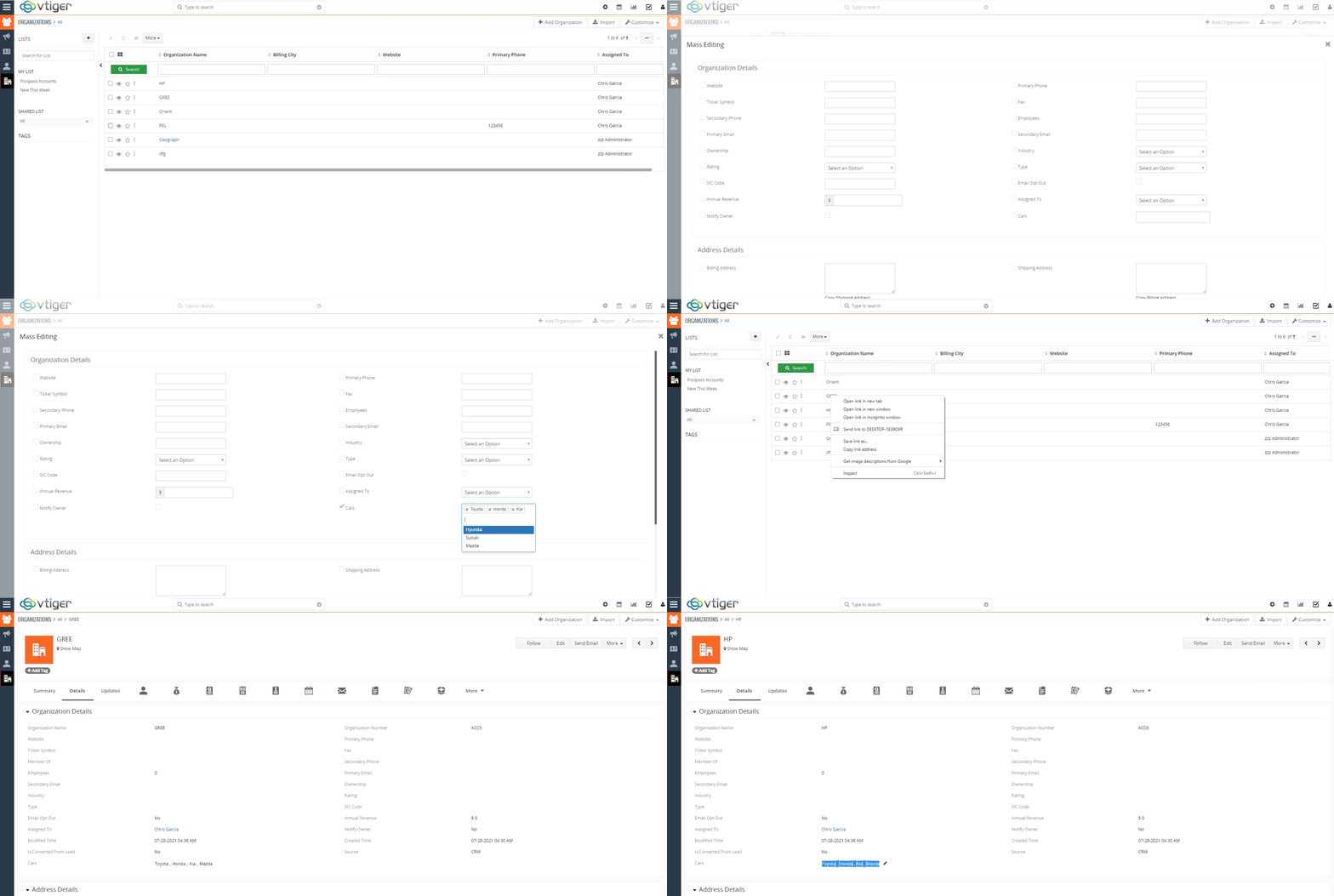
- Bug fixed regarding the multi select combo box. Mass Edit on multi-select field no longer clears existing values
Older Vtiger Version: Mass edit Multi Combo box
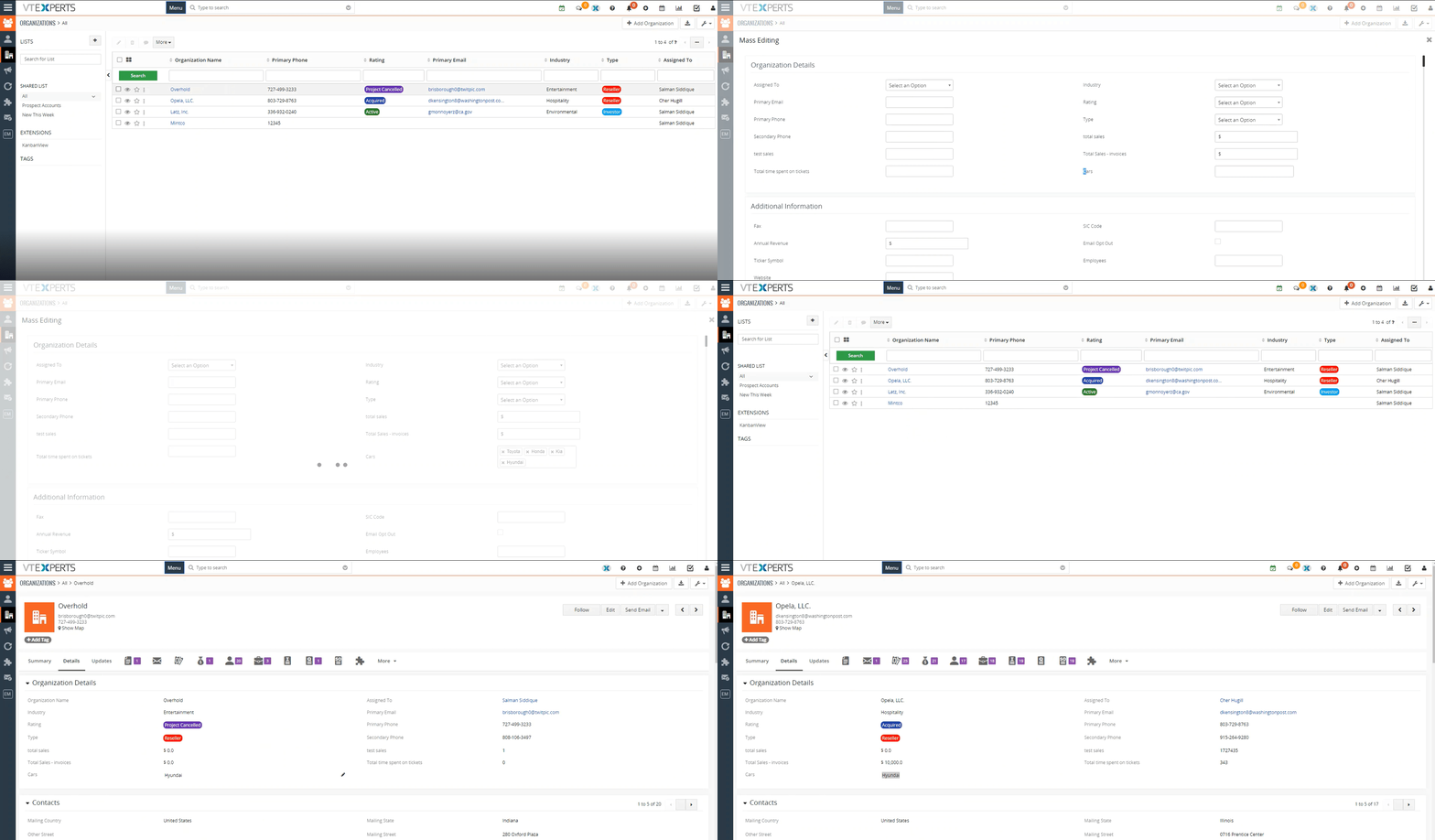
Vtiger 7.4: Mass edit Multi Combo box
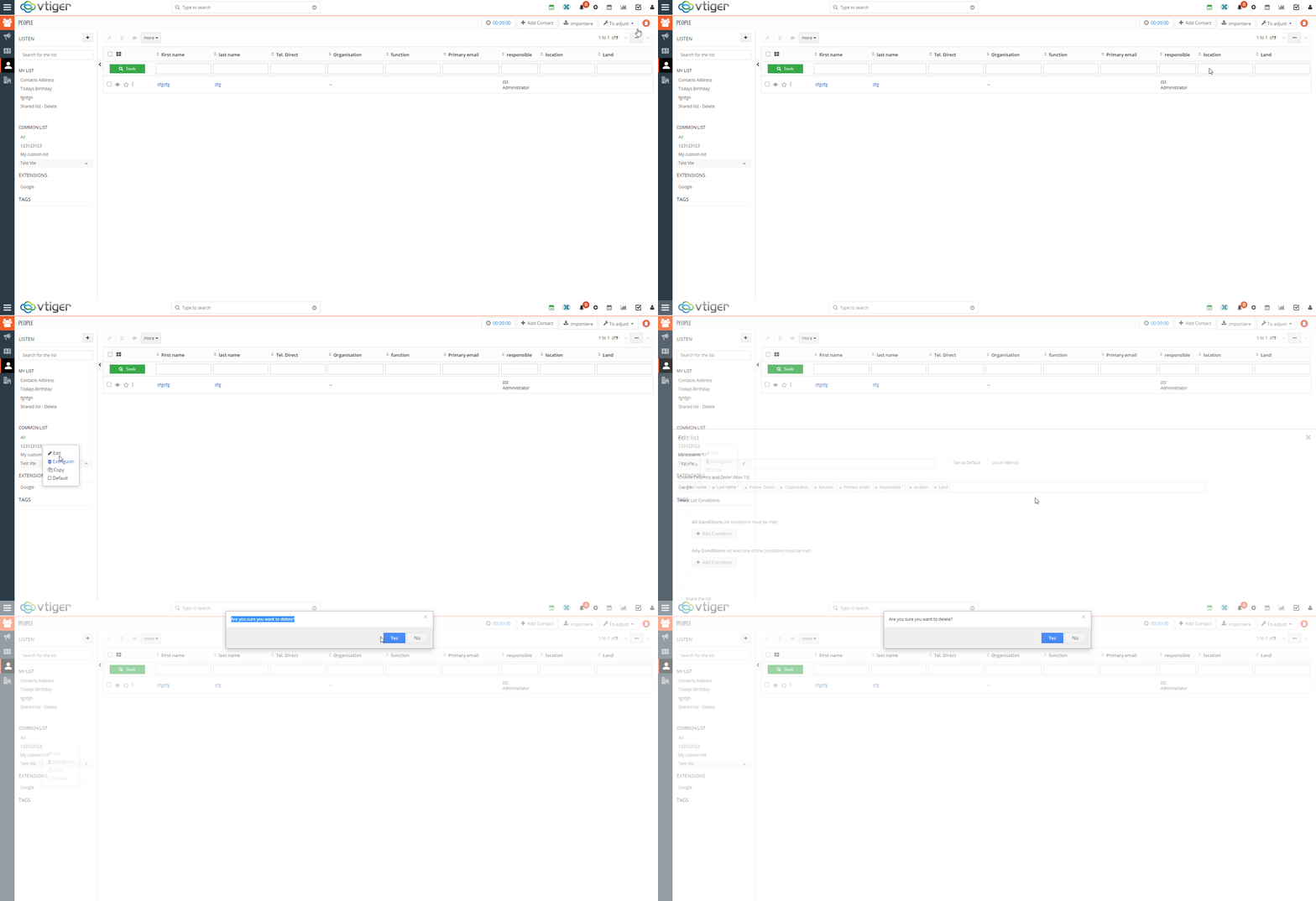
16. The Admin user can now edit and delete the lists that belong to the other users. This helps in maintaining and debugging the CRM system
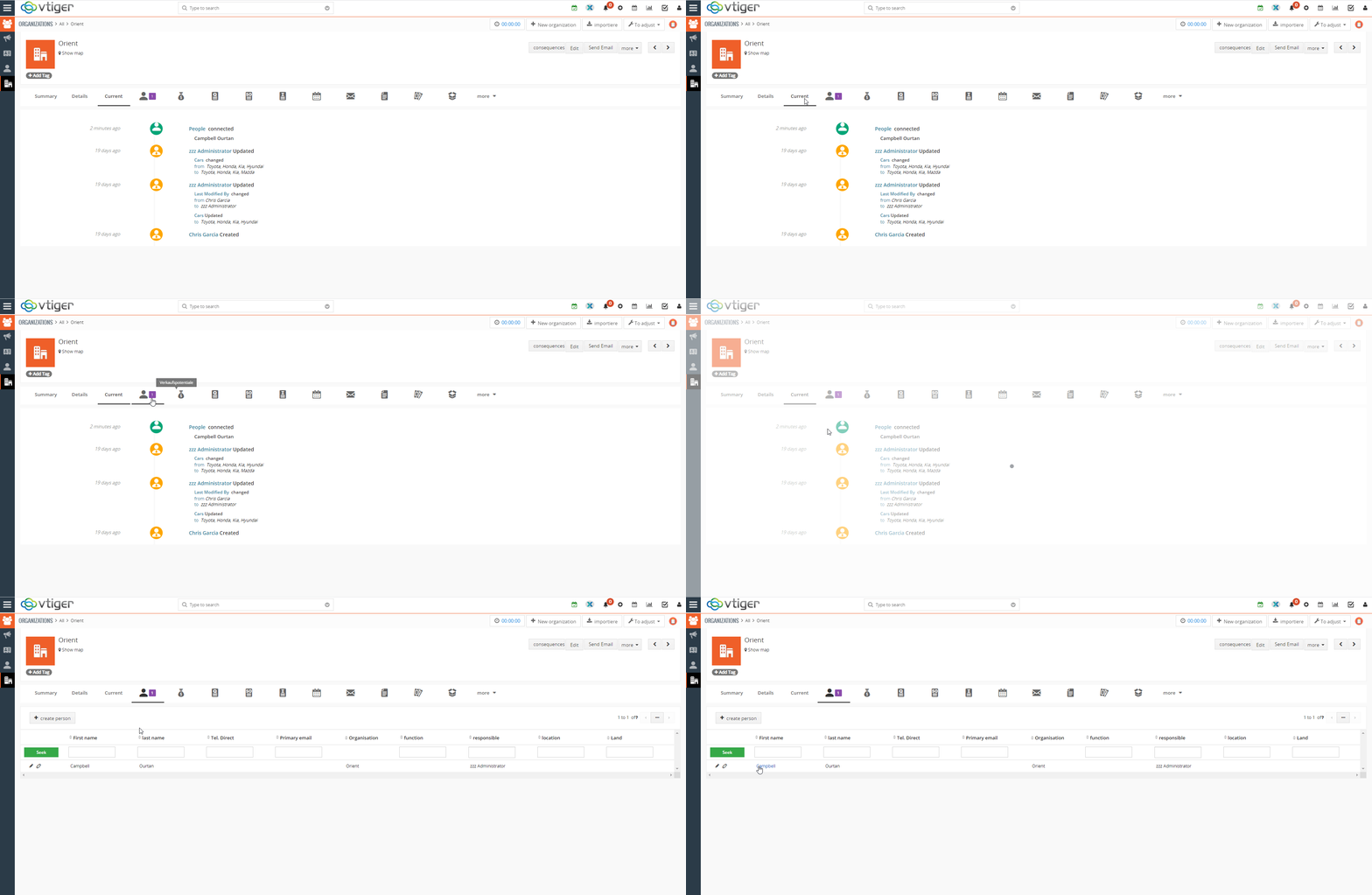
 17. Whenever a record is unlinked, this information is added into the updates section
 18. Fixed the bug where a deleted list reappears, when the user return to the same module again. The system shows the dialog box indicating that the list is deleted, but when page is refreshed or revisited by the user, the list still exists and is not deleted.
You can also check the bug fixed by visiting this link
Next Article: Advantages of using Google Maps in Vtiger