Execute Multiple Actions With One Click In VTiger 7
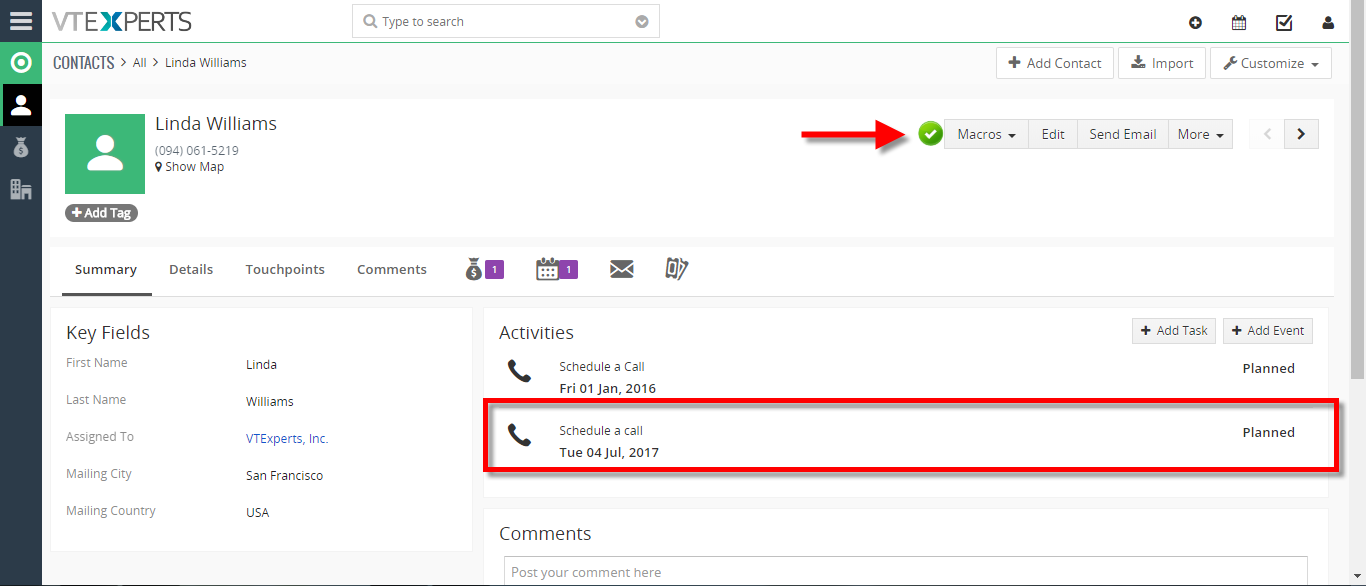
Macros for VTiger is an Extension that provides users with the function to create predefined actions (workflows) and trigger them from the record Detail/Summary View – with just a single click. It enables a “Macros” button (Trigger) and indication icon when the macro has been executed.
How to Execute Multiple Actions with One Click
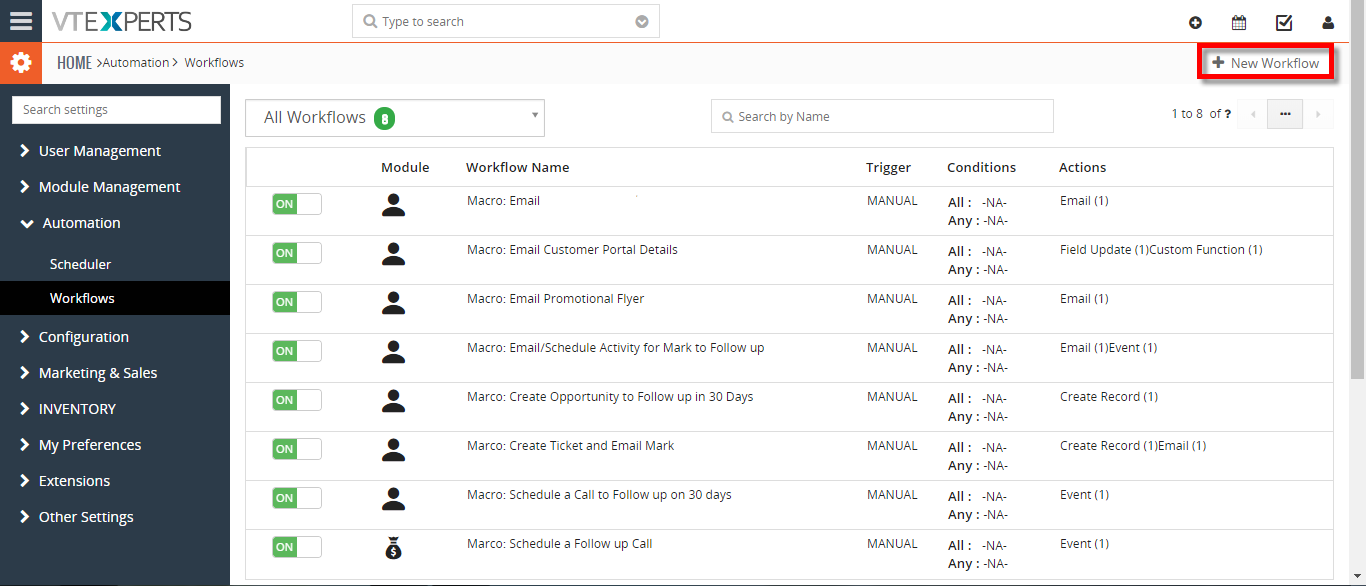
- Go to Menu >> Settings >> CRM Settings >> Extension Pack >> Macros. Click on the “New Workflow” button.
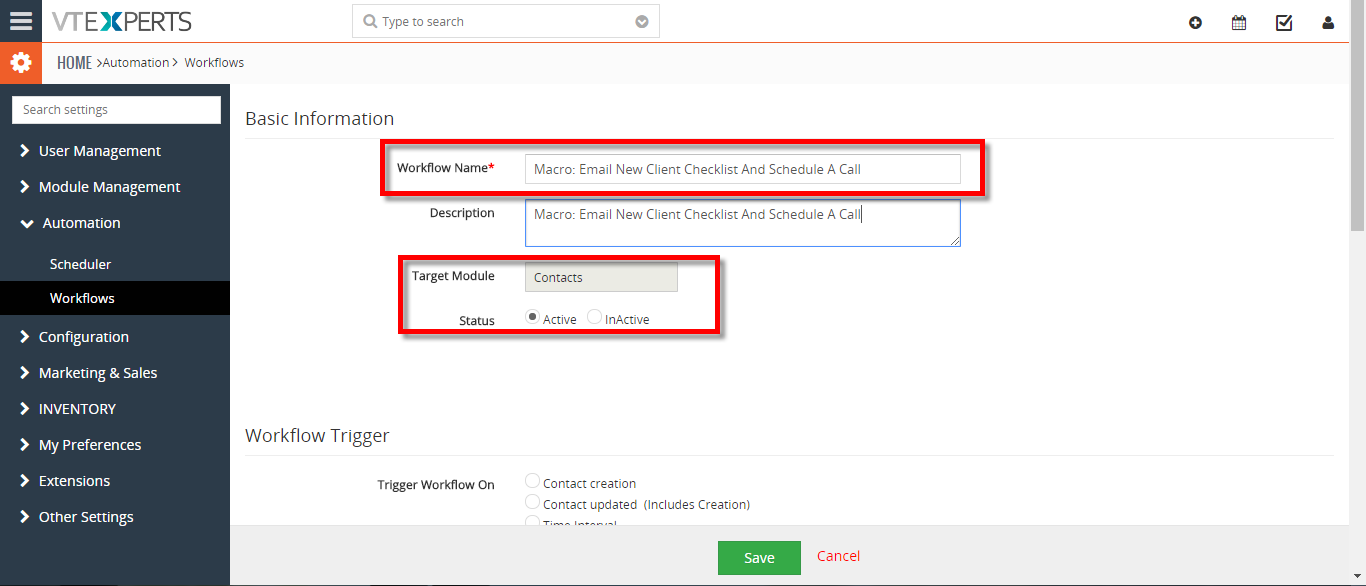
- Add the workflow name and the Target Module.
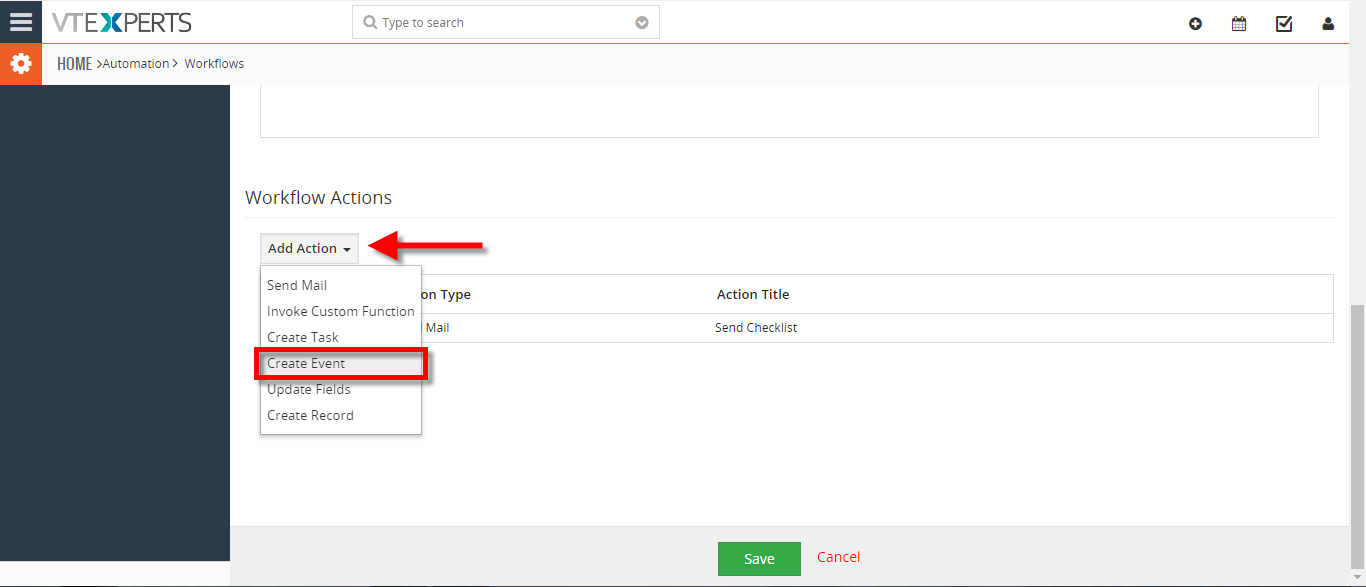
- Add Actions, this will be executed when the Macros will be clicked. You can add Multiple actions which then can be executed with a single click.
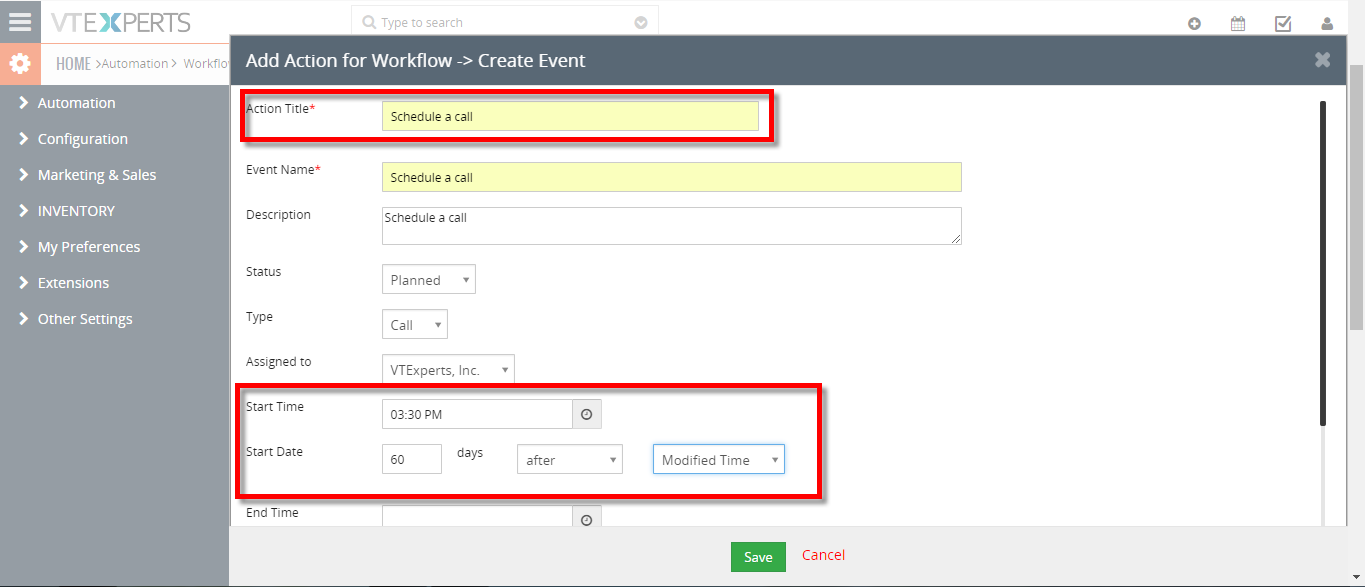
- Add the action title, start time and the start date then click on the Save.
- You can see the Macro button in the records. Click on the desired Macro to trigger the workflow.
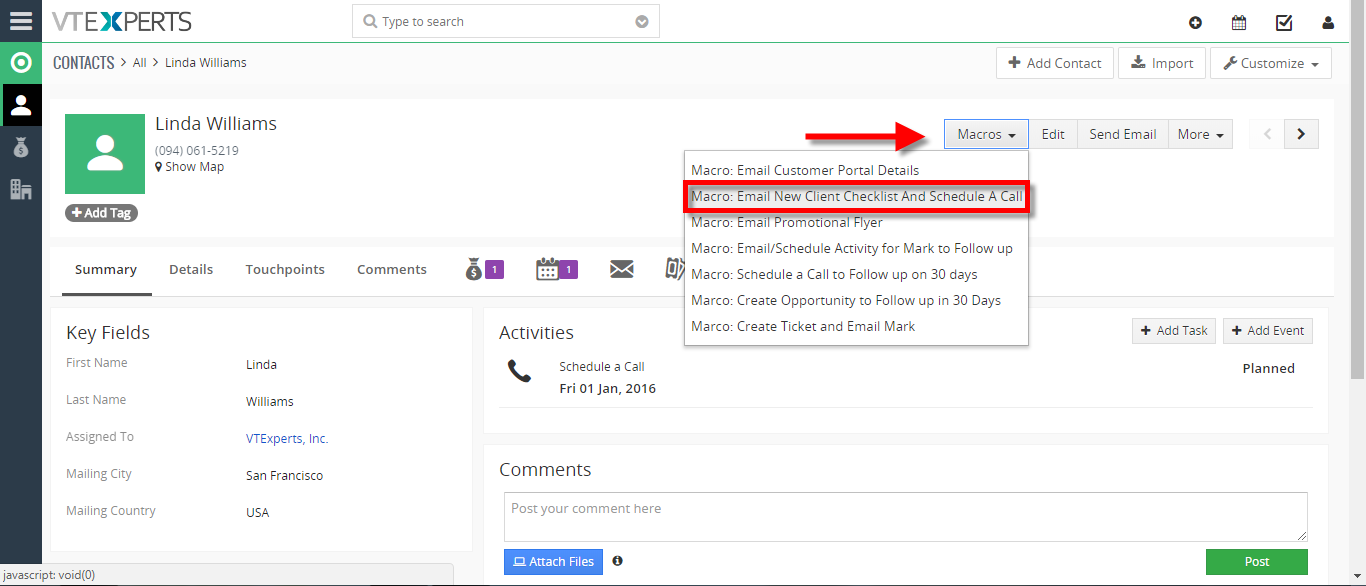
- Here you can see with a single click a Mail has been sent to the client and a Event is also created.
For further help, contact us on [email protected]. We’ll be glad to be of service.