Calculate Days Between Dates In VTiger 7
Field Calculation/Concatenation in Real time is designed to allow field calculations to be made as you type (on the spot). It displays the formula field results instantly without having to save the record in order to see the calculation result (standard VTiger workflow functionality).
How to Calculate Days Between Dates
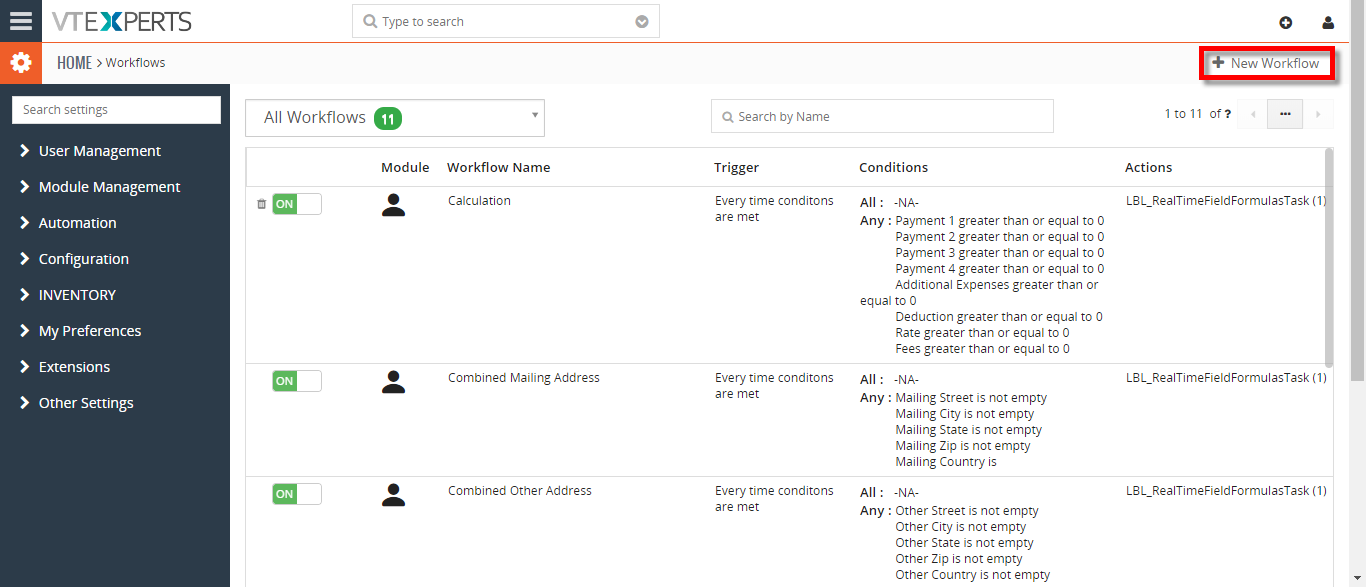
- Go to Menu >> Settings >> CRM Settings >> Automation >> Workflows. Click on the “+ New Workflow” Button to create a new workflow.
- Enter a workflow name. Enter the conditions for this example anytime these fields are not empty we want to trigger the calculations then Add and an action which is Field Formula.
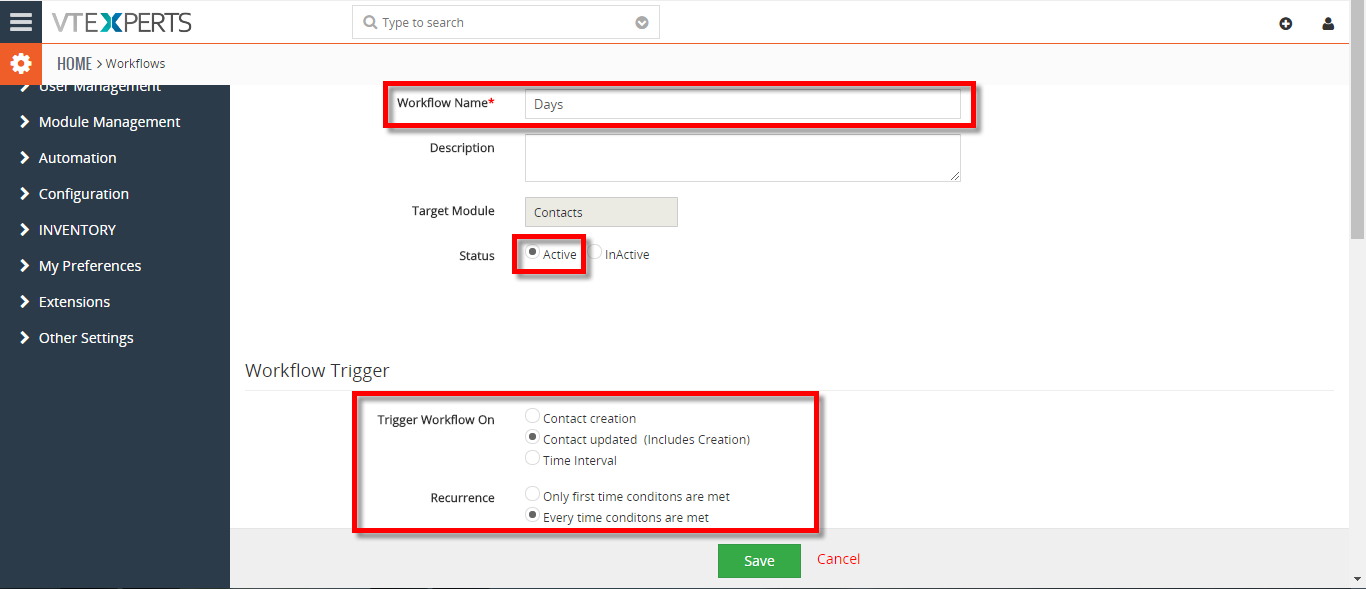
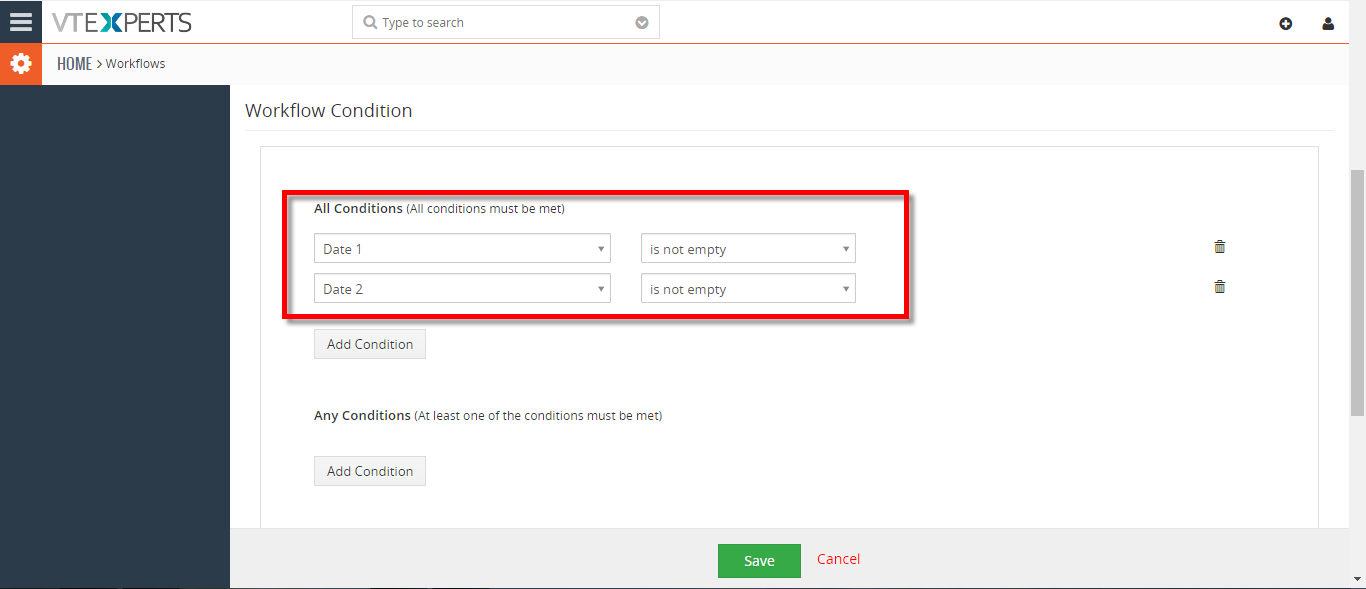
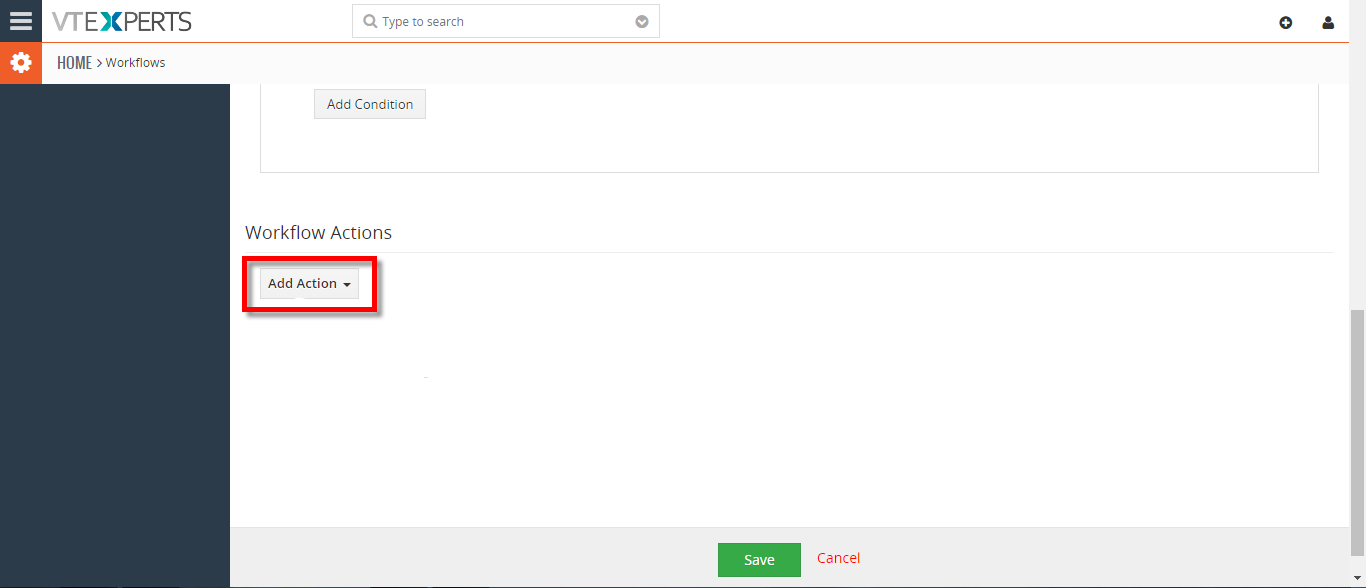
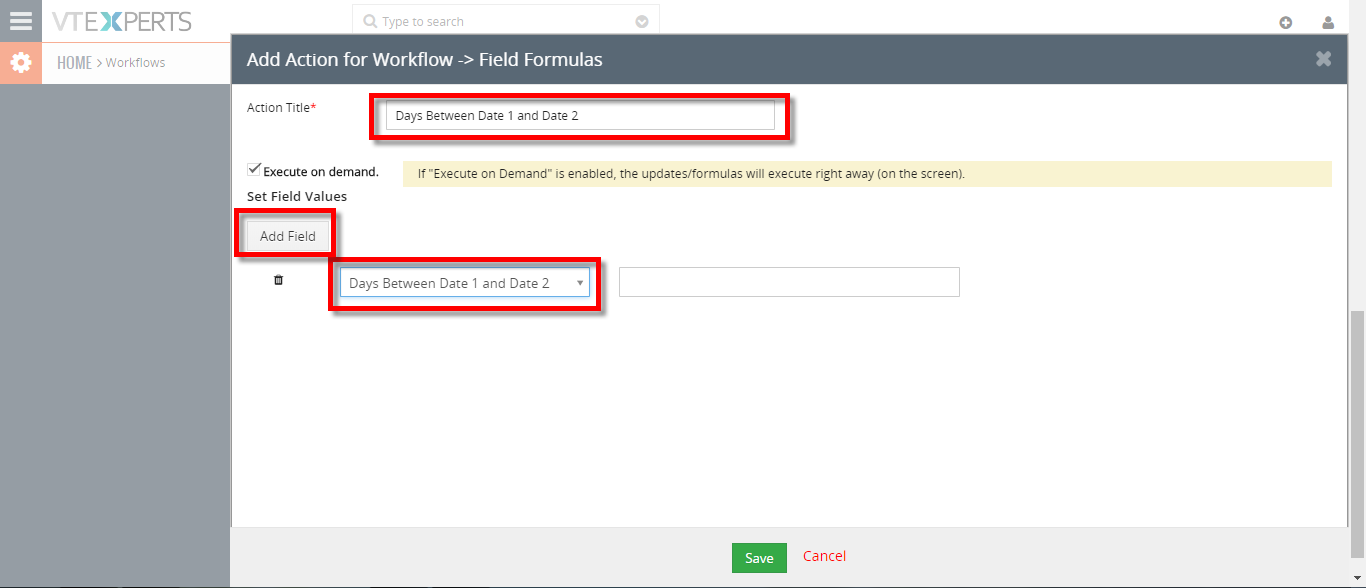
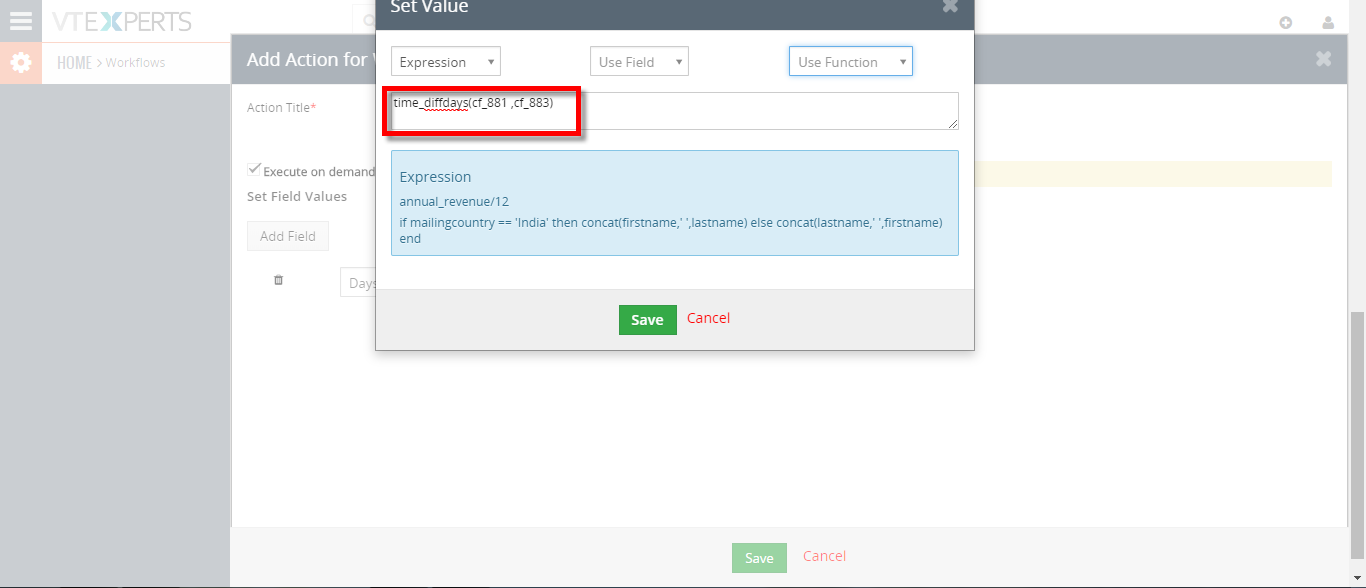
- Enter the action title. Check box the Execution on demands which means it calculates as soon as the user enters the value in the field. Then add the field and select the expression for this example we need time_diffdays(a,b) and add the filed names on a and b.
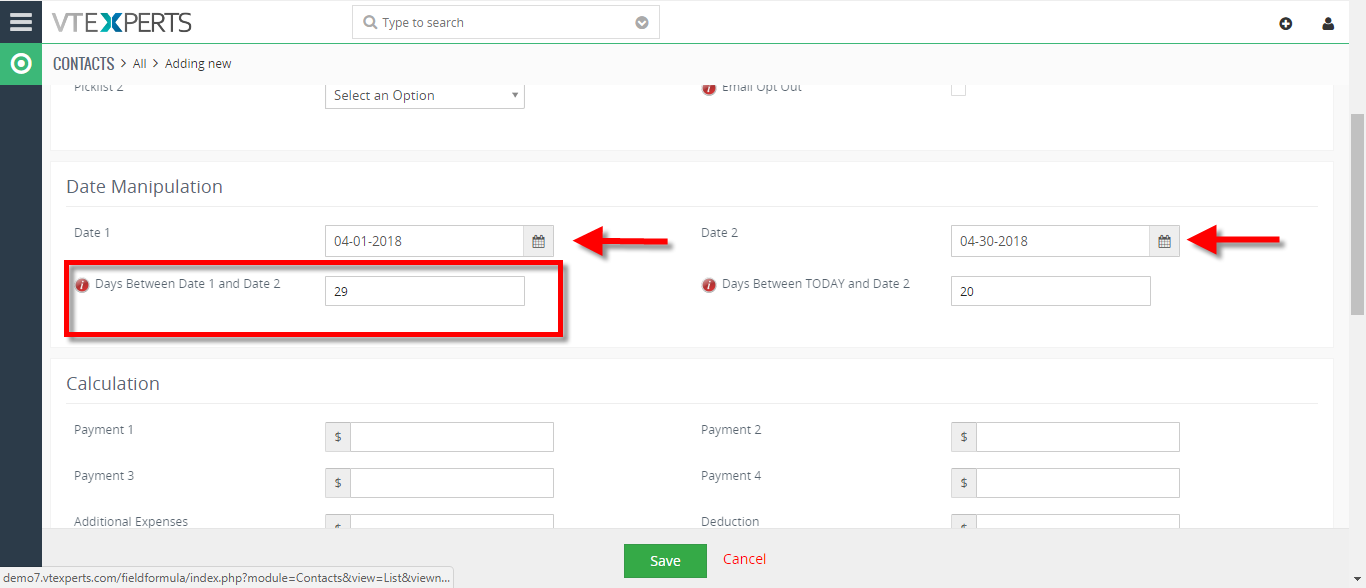
- While creating a new contact when we enter the dates it will calculate the days between the both dates based on the formula we have setup.
For further help, contact us on [email protected]. We’ll be glad to be of service.