Add Tooltips Information Icons To Record Views In VTiger 7
Field Tooltip Manager extension for VTiger is designed to enable and display helpful field tooltips on VTiger record views.
How to Add Tooltips Information Icons
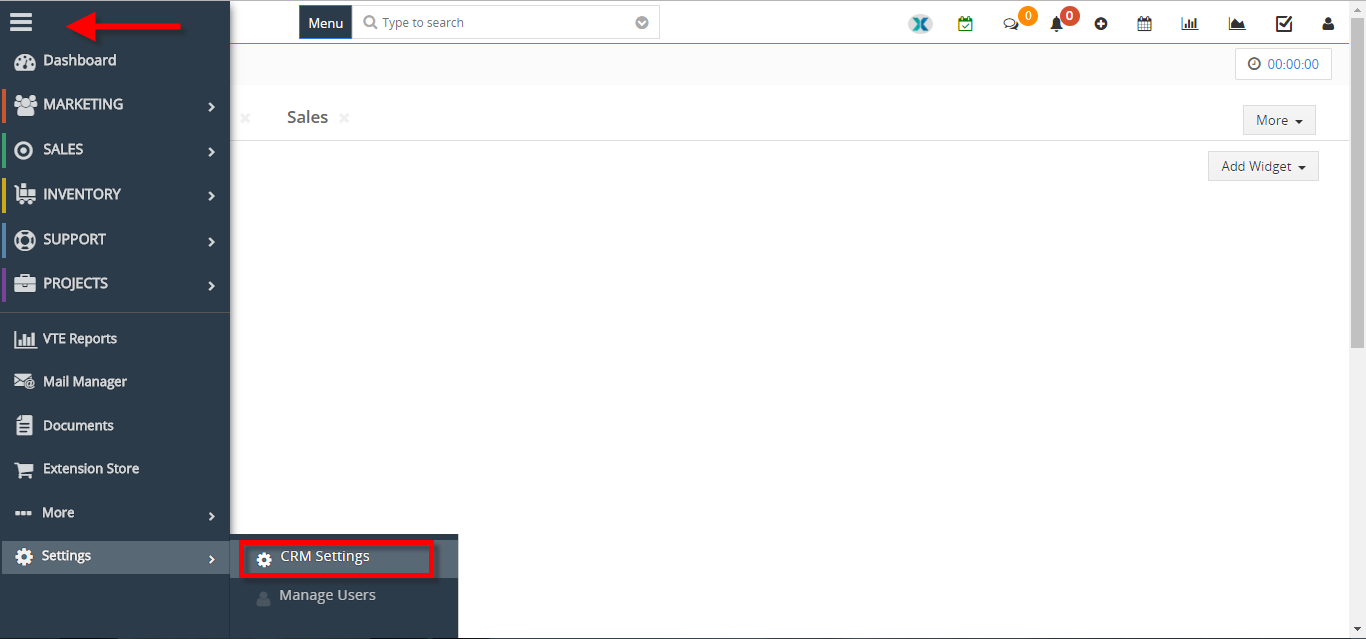
- Go to the “Menu” and select “CRM Settings“.
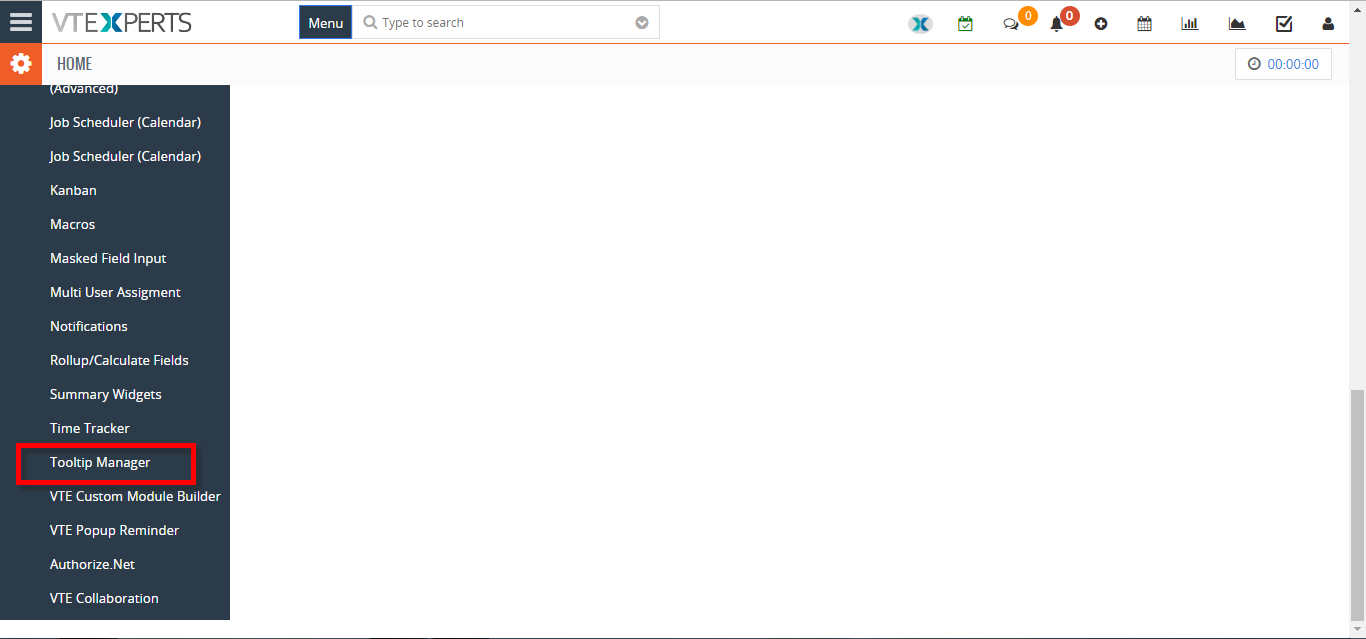
- Under “Other Settings” select “Tooltip Manager“.
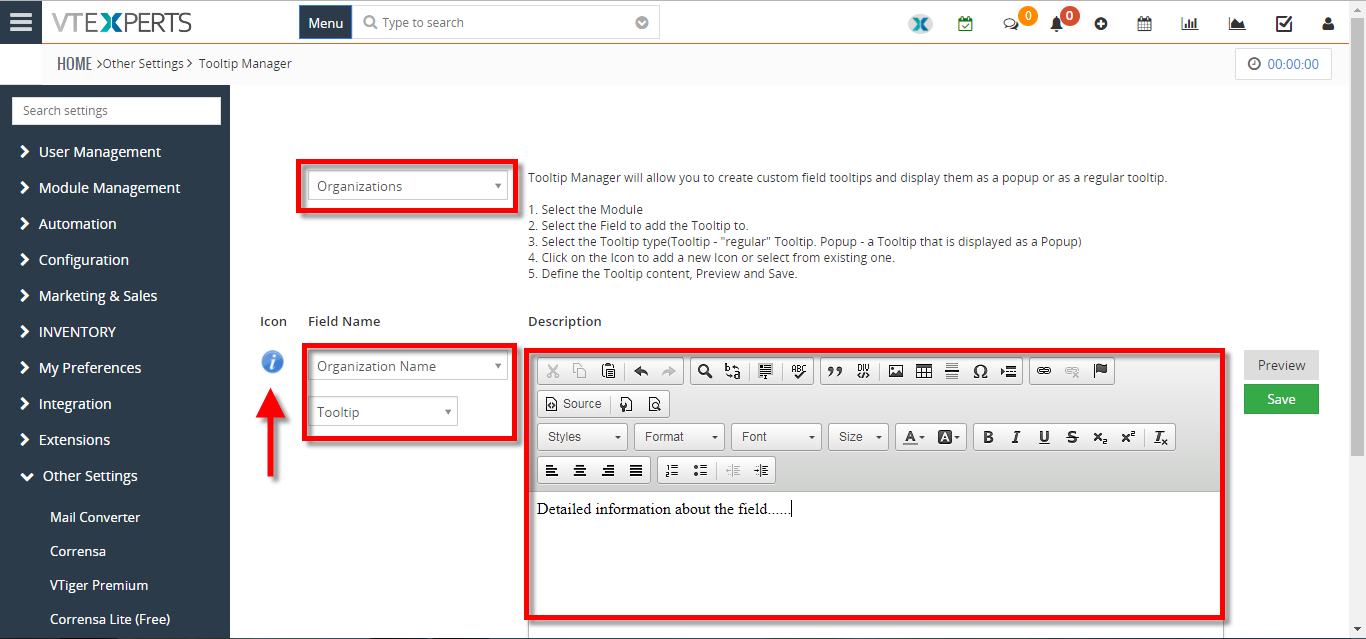
- Select the “Module” and the “Field Name“. You can select a different “Icon” or upload a new one. Define the Tooltip content in the Rich Text Area.
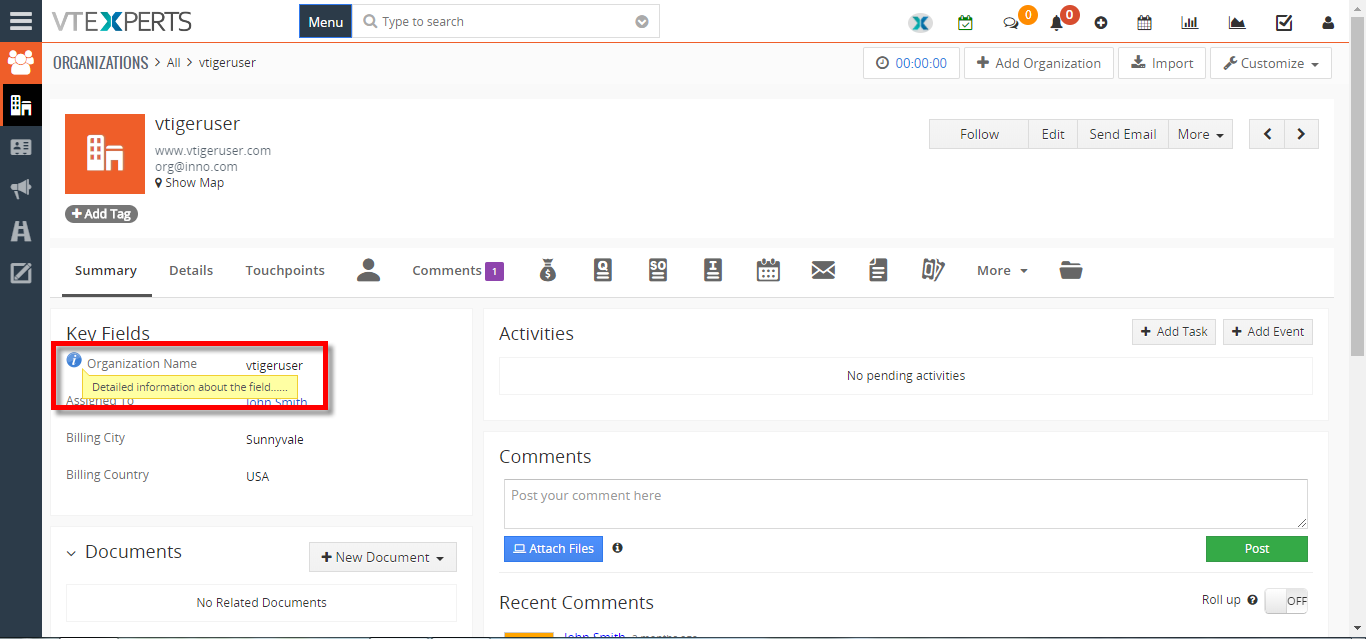
- Here you can see the Tooltip Icon and the Tooltip in the record.
For further help, contact us on [email protected]. We’ll be glad to be of service.