Merge Duplicates In VTIger 7
Duplicate Check & Merge is an extraordinarily useful extension for VTiger that is designed to find & merge any existing duplicate records, as well as to prevent any potential duplicates.
How to Merge Duplicates
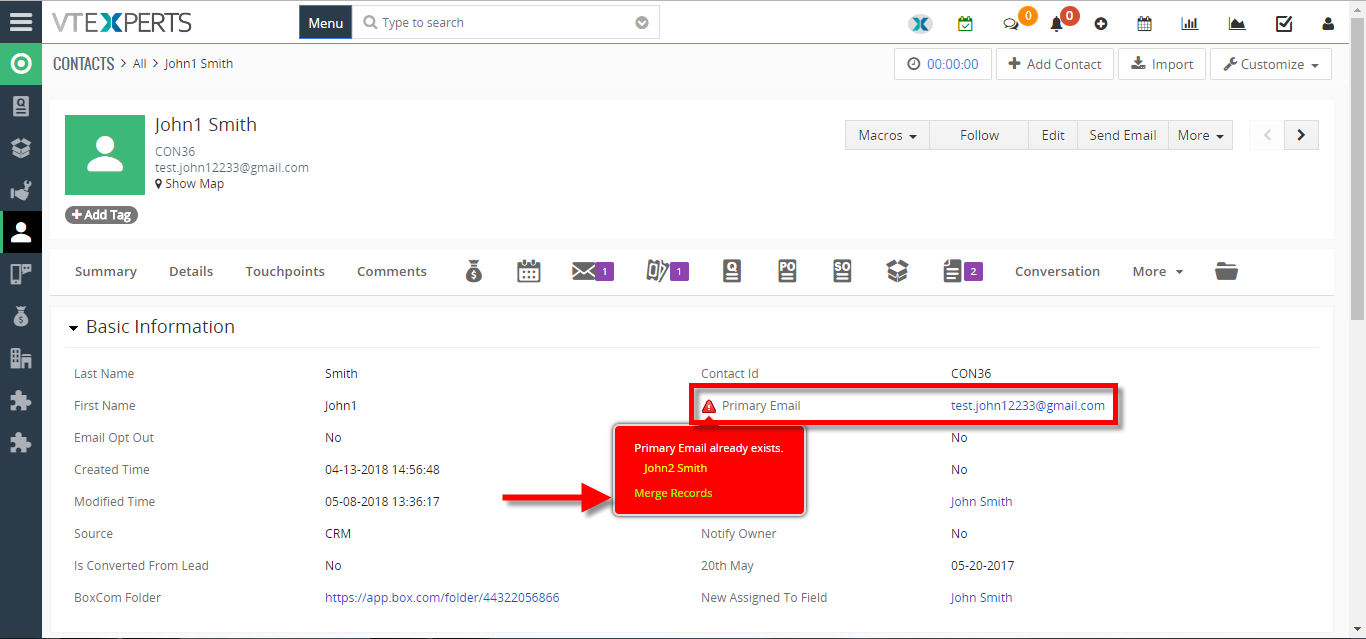
- Go to Contacts Details there you can see a Red Sign before records which have duplicate values. Click on the sign and click on the “Merge Record“.
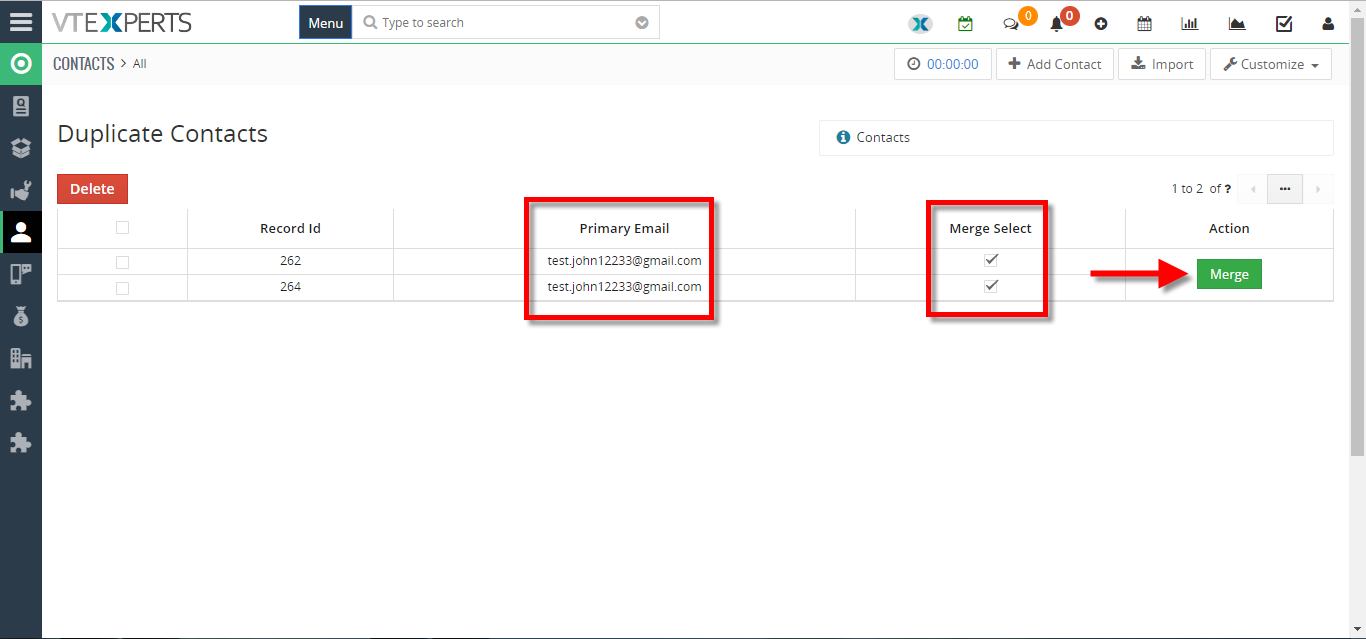
- Click on the “Merge” button.
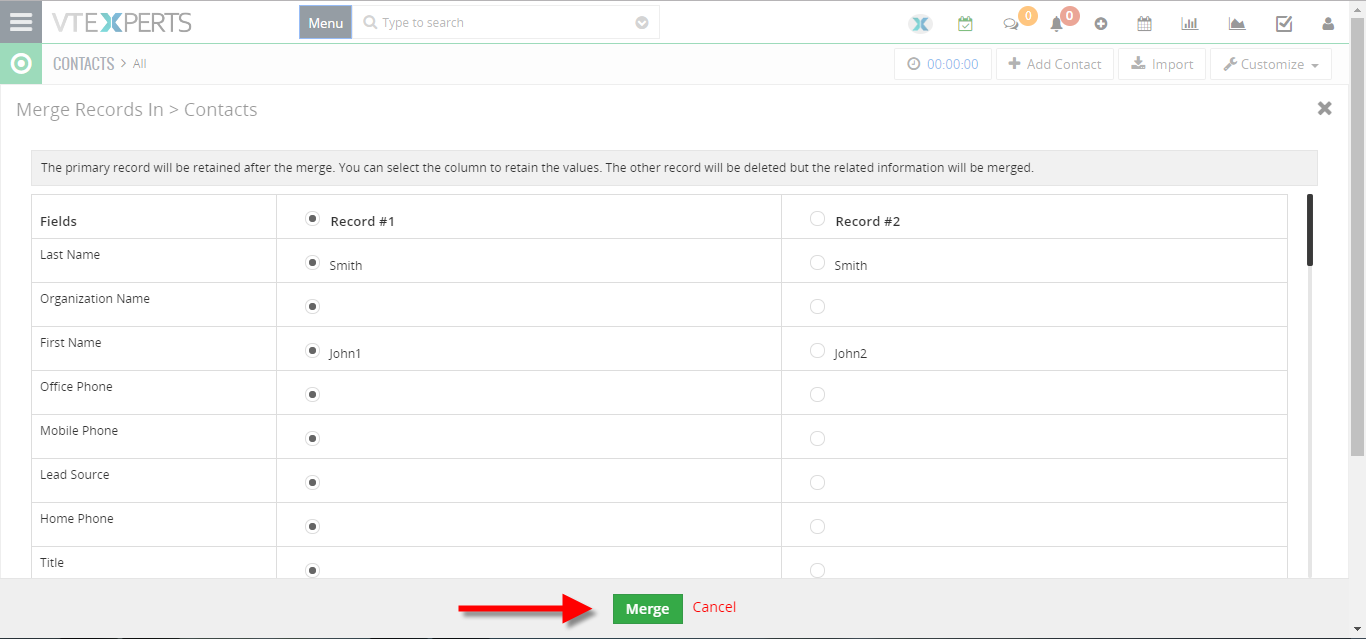
- The Primary record will be retained after the merge. You can select columns to retain values but the other records will be deleted. Click on the “Merge” button to apply the merge.
For further help, contact us on [email protected]. We’ll be glad to be of service.