Create New Summary Widget In VTiger 7
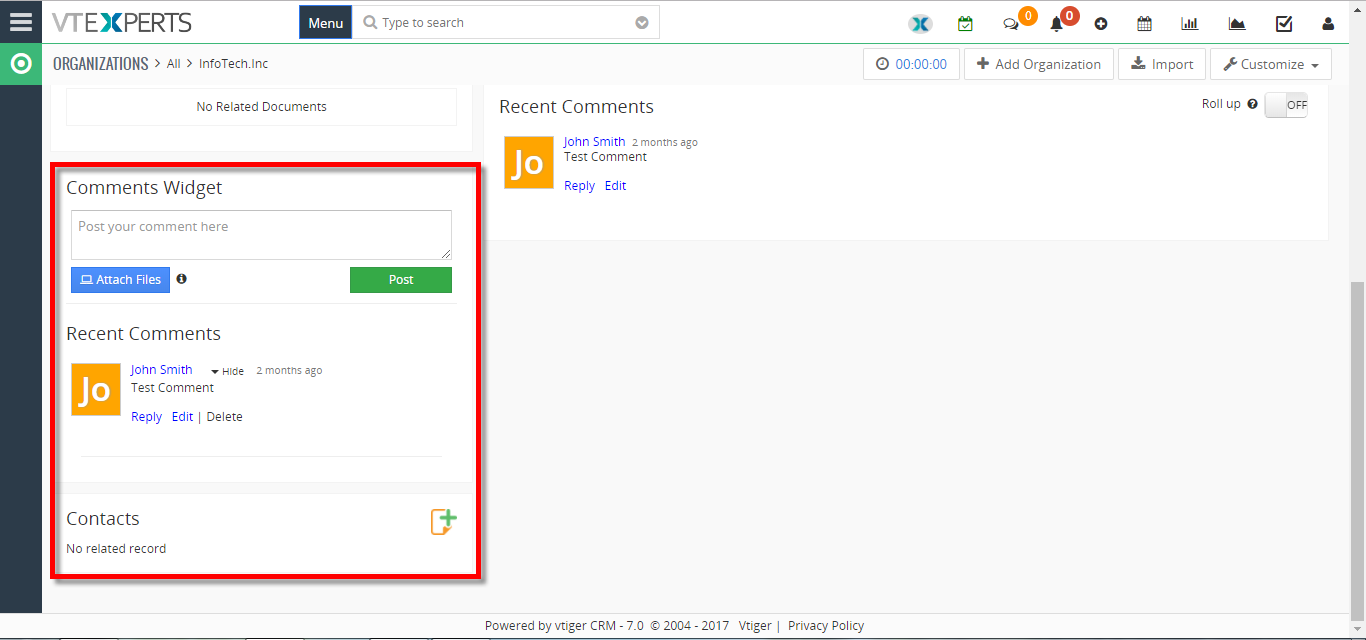
In Vtiger 7, User can quickly and easily create custom Summary Widgets by using our extension. It also has the ability to include field level filter e.g “Show me open tickets“, or “Show me closed tickets“.
How to Create New Summary Widget
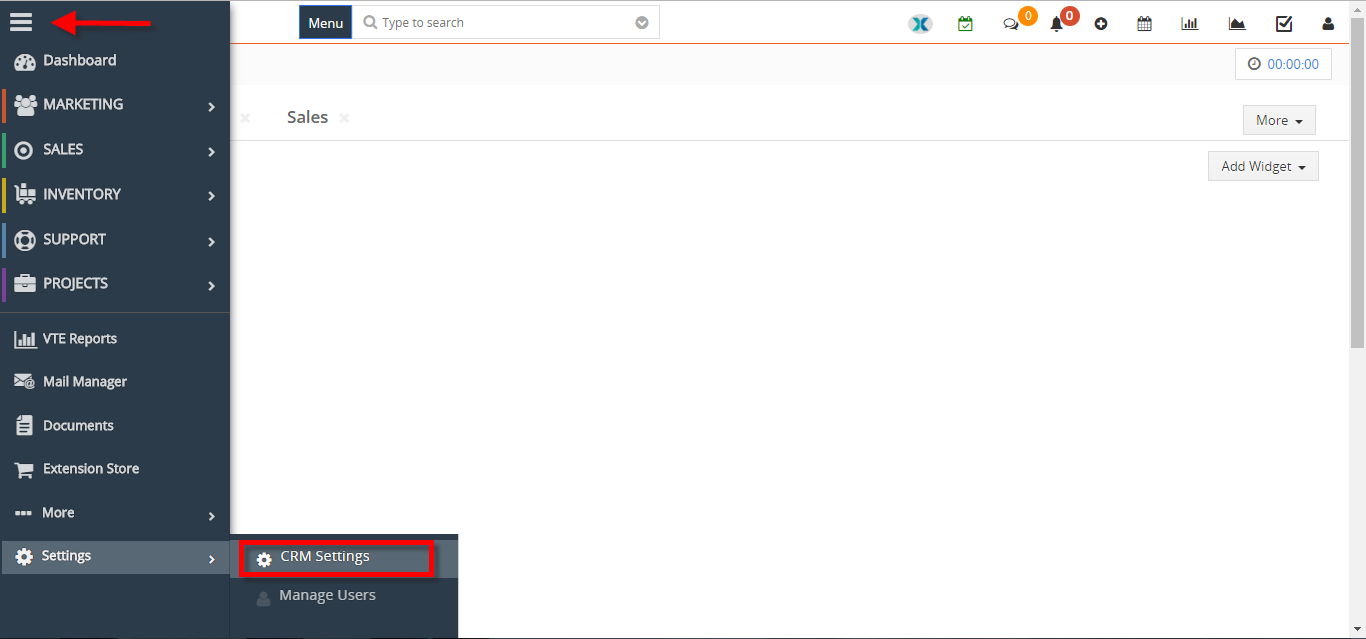
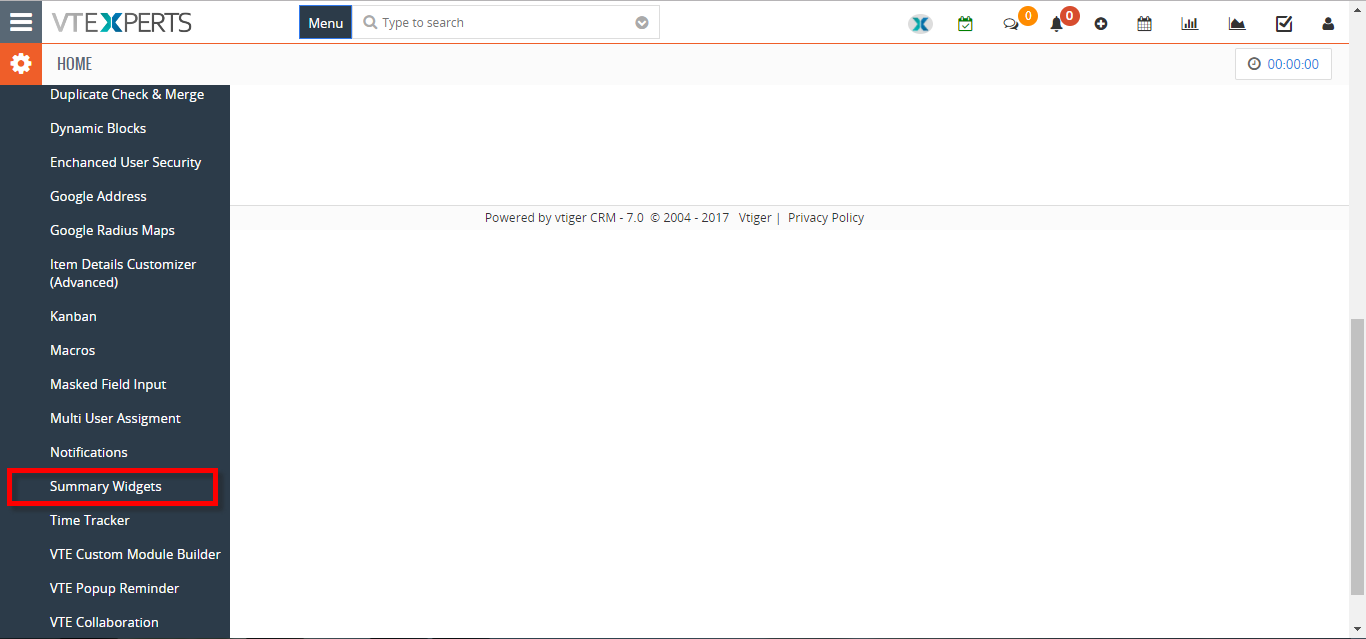
- Go to the “Menu” and select “CRM Settings“. Under the “Other Settings” drop down menu select “Summary Widgets“.
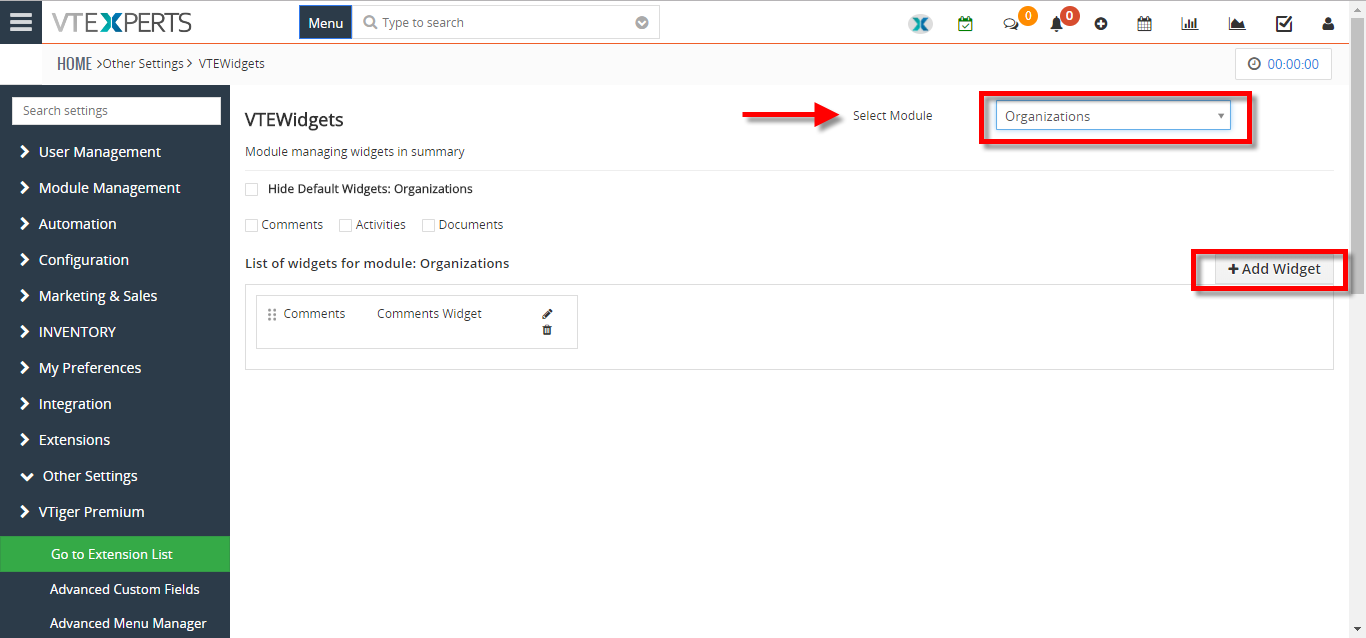
- From here click on the “Select Module” button to select the module you want to add the widget and click on the “+Add Widget” button to create a new widget.
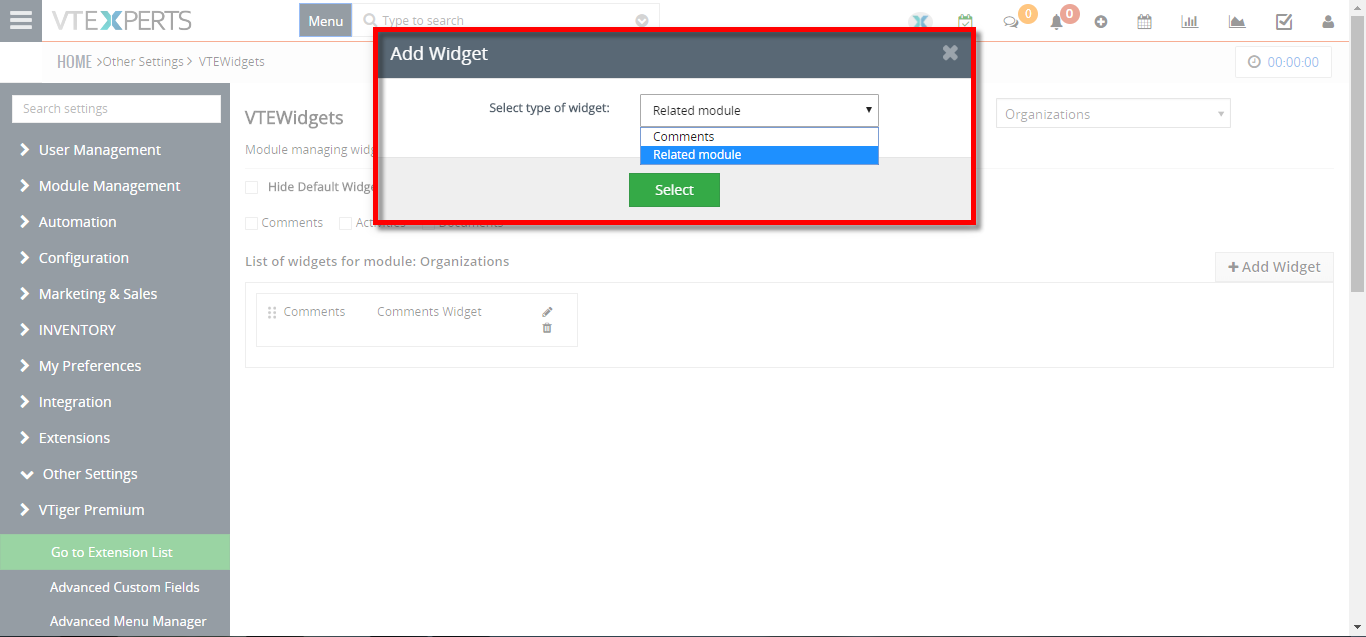
- Select the Type of the widget.
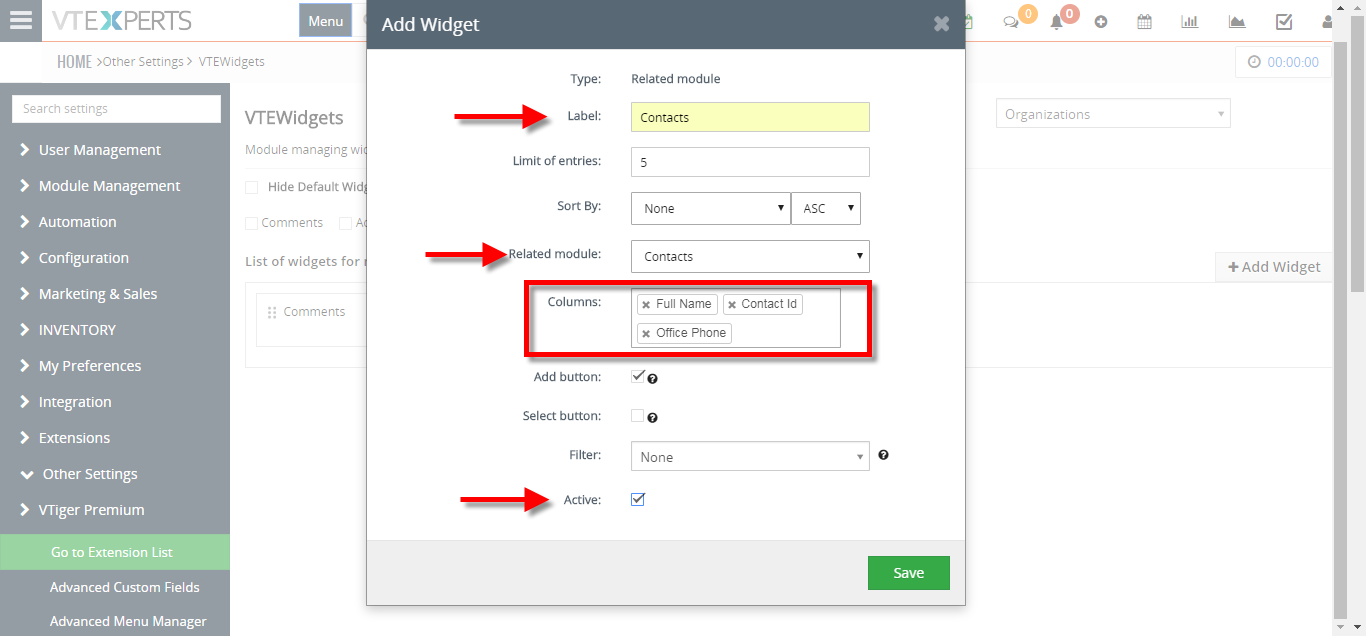
- Add the “Label“, Select the “Related Module” and add the “Columns” you want to show in the widget and click on the “Save” button.
For further help contact us on [email protected] we’ll be glad to be of service.