vTiger 6.x
3 vTiger Extensions To Keep The Database Clean, Tidy, And Perfect
July 9, 2016
Article
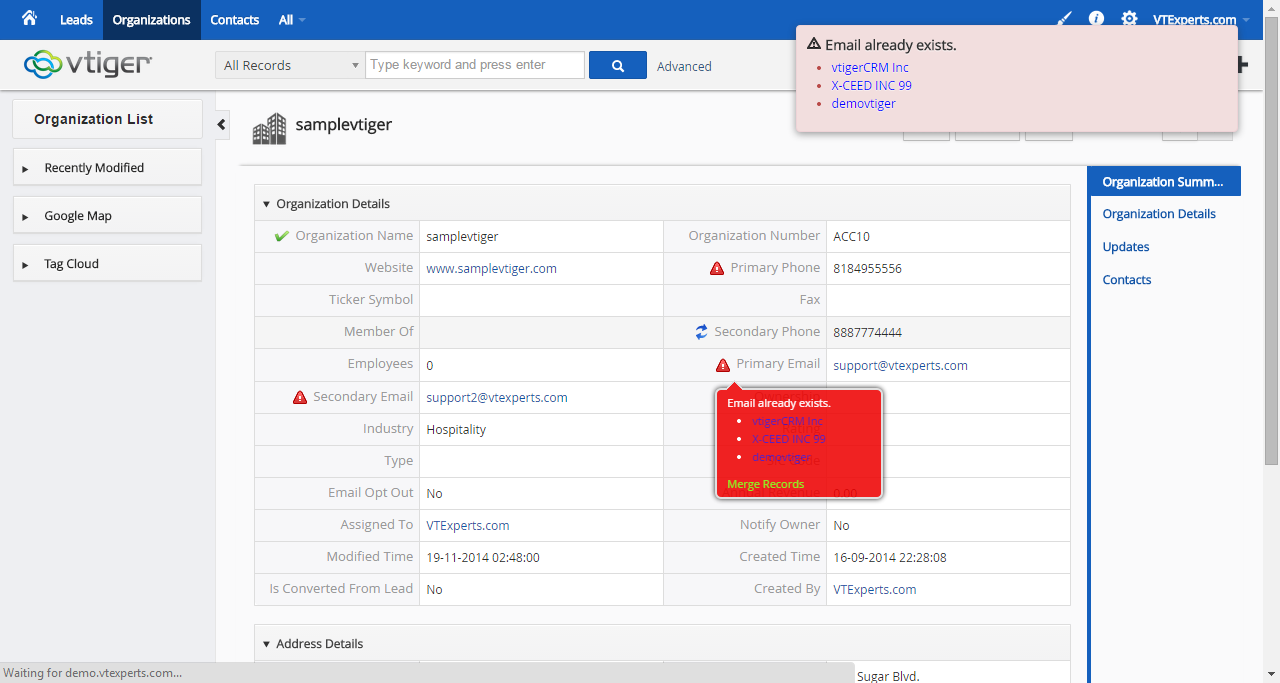
As business expands, amount of information in CRM increases. Although, the databases are computerized, it doesn’t mean they don’t require orderly setup. For instance, if proper channels are not followed, there might be overlapping or duplication of submitted information for number of reasons. vTiger presents several extensions that will aid you in data management and keep the information and looks neat and well-ordered. Even one of the useful extensions is free to download and install. vTiger Duplicate Check & Merge The first tool for neat and tidy database from our selection is the vTiger Duplicate Check & Merge. The aim of the Duplicate Check & Merge is to auto-detect and deal with any of the duplicate records in the database, plus to avoid the addition of any potential identical entries to the system. The extension set up a check point at every possible spot counting Quick Create, Summary View,
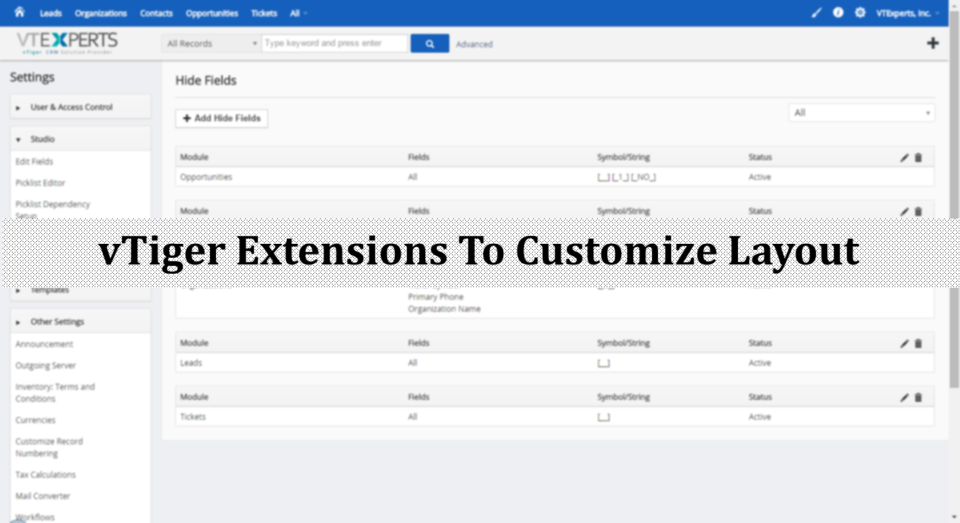
4 vTiger Extensions To Customize Your CRM’s Screen Layout
July 5, 2016
Article
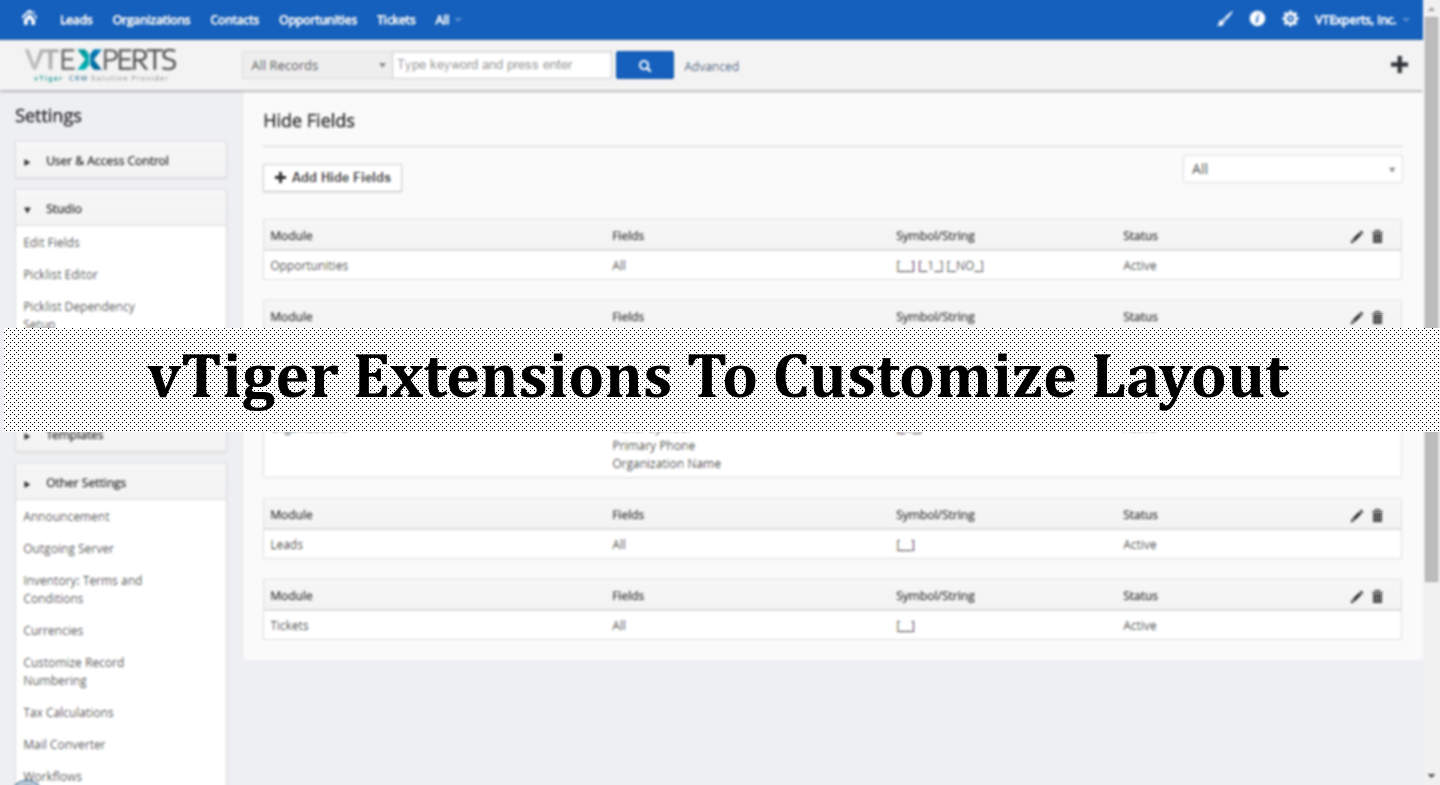
There must be many tools in the market to customize CRM layouts, so we put our best efforts in to make layout extensions unique and different. In addition to switching and swapping the positions of fields, vTiger’s extensions do lot more. We are presenting the catalogue of four vTiger extensions that will really boost up your team’s performance while polishing the CRM into a more user friendly software. vTiger Conditional Layouts This is a very distinctive extension from vTiger developers. With vTiger Conditional Layouts, adding unique layouts becomes possible. The system administrator will configure secondary fields or blocks, that will appear after choosing an option from the primary fields. The executed option will lead to more specific and detailed information about the original subject. The extension carries vTiger Workflow capabilities with intuitive interface to configure conditions as well as fields to be shown, hidden, and made mandatory. Distinguishing Features:
VTiger 6.5 GA Released with 40+ Issues & 45+ Merge Requests Included!
July 5, 2016

Article
VTiger 6.5 GA Is now Available! VTiger is happy to announce GA release of Vtiger CRM 6.5.0. In this version, there were 40+ issues & bugs fixed as well as 45+ merge requests accommodated. Most of the changes were to make VTiger more stable, secure & bug free. The credit goes to the community who contributed to the release the most. VTiger 6.5 Release Highlights (Major) Customer Portal password encryption PHP 7 compatibility MySQL (STRICT_TRANS_TABLE) compatibility (default in 5.6.x) URLs in workflow emails are now clickable ($(general : (VtigerMeta) crmdetailviewurl)) Report Date formats (mm-dd-yyyy and yyyy-mm-dd) User Preferences (Only authorized user can change other preferences) Default Grouping Separator (causing currency fields to save with extra 00s.) Emails (minor fixes in formatting and emailing) Lead Convert Custom Action (Execute custom functions when lead is being converted) Improved Logging Minor Layout Improvements (cache, icons, header support) Default sorting order on
3 Vtiger Extensions To Fortify CRM Data Security
June 30, 2016
Article
Vtiger’s aims and objectives have never been lesser than providing the best possible outcome to users. And when you rely upon us with your valuable information, we make sure to keep it secure and safe from every possible threat out there. That’s why we designed some really effective tools to keep the security at best. In this article, we summoned up a list of three security extensions by Vtiger that can eliminate and avoid any potential threats to your data. Enhanced User Security There is a renowned quote, “You catch more flies with honey than you do with vinegar”. Likewise, the sensitive information in your CRM attracts more threats as your business grow. Vtiger’s Enhanced User Security is the extension that ensures a strong defense against any potential invasions. With carefully designed and professionally employed features of this extension, the possibilities of getting hacked are eliminated. The login security extension
Upgrade Guide: VTiger 6.2 To VTiger 6.3
June 23, 2016

Article
This guide will walk you step by step through the procedure of migration of VTiger 6.2 to VTiger 6.3. As the process is known to be pretty technical and quite complicated, you might want to get an expert for the procedure. We, here at VTExperts, provide all VTiger related services including Upgrading CRM from any to any version. But considering that you may feel to give a go at it by yourself, we are glad to explain the procedure in thorough details here. The following step-by-step guide is applicable only for the Upgrade from VTiger 6.2 to VTiger 6.3. Create a Backup of VTiger Database It’s very important for the obvious reasons; you’d not lose your important data in case things go south. Acquire the Patch File for VTiger 6.3 Upgrade Now you’ll need the Patch that contains the necessary files. You can download the patch from VTiger’s official page or here’s
VTiger CRM 6.4.0 – Security Patch (20160610) Release
June 10, 2016

Article
VTiger CRM 6.4.0 – Security Patch Release Security patch has just been released addressing multiple vulnerabilities within VTiger, patch covers minor xss and non-admin access control issues shared by security advisories (Sebastian Haas & Tomotaka – JPCERT/CC). This is a security release for all previous versions and we strongly encourage you to update your instance immediately. How to apply the patch? Backup your VTiger files & database (recommended but not needed assuming you know your way around the system). Download patch from here Overwrite the files from the patch to the VTiger file system /include/utils/VtlibUtils.php /modules/Users/actions/Save.php vtigerversion.php Assistance Not sure or comfortable applying the patch yourself? Please email us at [email protected] and we’ll have one of our experienced developers apply it for you.
Upgrade Guide: VTiger 6.1 to VTiger 6.2
April 23, 2016

Article
We understand that you won’t like to get stuck with the older versions of VTiger CRM. As to enhance your business’s productivity and reinforce the quality of support services, comprising at something lesser than the best is obviously not an option. We also understand that VTiger CRM is a complex tool that contains almost all of the crucial/semi crucial information of the company. Upgrading the CRM to more suited versions is mandatory, yes, but trying to do so without an expert on your side is not a good idea. Still, if you plan to have a go at it by yourself, we designed a thorough guide that will help you to Upgrade your CRM from VTiger 6.1 to VTiger 6.2. If you are not comfortable performing the upgrade yourself, VTiger Experts are always at your service, no matter what type of upgrade, implementation, or customization it is. The following step-by-step
2016 Roadmap for Vtiger! (Vtiger 7, Marketplace & New Layout)
January 11, 2016
Article
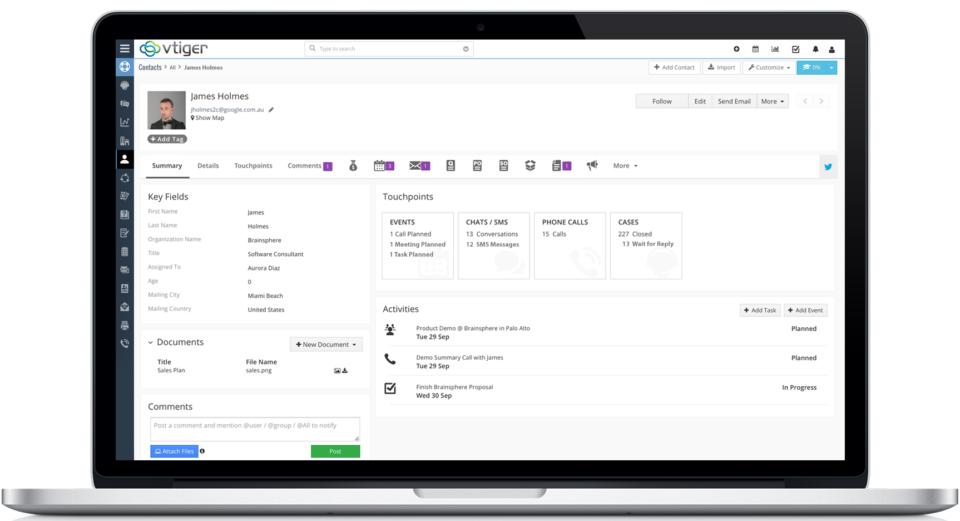
Vtiger is becoming one of the leading CRM ins the open source industry. In the last few years Vtiger improved greatly by releasing version 6.x, introducing marketplace, which already has over 100 Vtiger extensions & plugins. In addition, code.vtiger.com was introduced to allow developers to contribute to open source project and merge changes/updates to the core vtiger files. The year 2016 will be even greater! Vtiger has published unofficial roadmap in the developers community. Release of Vtiger 6.5 by the end of Q1 Bug fixes Greatly improved marketplace New features (we don’t have a list of new features yet). Release of Vtiger 7 by the end of Q4 of 2016/Q1 of 2017 New & responsible Layout New features/functionality (we don’t have a list yet, but we are assuming a lot of new features will be introduced with the new layout) Possible compatibility with PHP7
vTiger 6.4 Arrives with Support for new Layouts & 40 Bug Fixes
October 16, 2015

Article
vTiger 6.4 GA Is now Available! vTiger is happy to announce GA release of Vtiger CRM 6.4.0. In this version, we addressed a key security vulnerability and 40 issues reported on trac. We would also like to extend special thanks to Benjamin Daniel Mussler for notifying us about SQL Injection and XSS Vulnerability issue. Thank you for sharing your valuable feedback! vTiger is more Stable & Secure! vTiger 6.4 release includes 40 reported bug fixes as well as a critical SQL Injection & XSS Vulnerability issue. Some of the fixes included are: Errors in Currencies List Invoice workflows (task triggered even if the condition is not met) Scheduled Workflow (“is empty” – did not work) Email Related List Issue (Email columns would not display correct data) Lead Mapping Issues (uitype10 conversion/mapping) Filters (greater/less than bug) Missing Labels (in en_us/vtiger.php) And many more! The complete list of fixes
vTiger 6.3 Official Release + Demo
June 4, 2015

Article
vTiger 6.3 has just been released and is available to download on vTiger’s official website. We are really excited about the release, as it includes close to 100 bug fixes as well as the stability improvements and major security updates(XSS vulnerability). vTiger 6.3 Highlights: RelatedList API added to Vtiger Web Services. Fixes for 96 issues reported on trac.vtiger.com, including some long standing issues from vTiger 5.4.0. XSS vulnerability fix vTiger 6.3 Demo: URL: https://demo.vtexperts.com/vtigercrm630/index.php Username: demo Password: demo The vTiger demo database is refreshed every 30 minutes. vTiger 6.3 Download is available at https://www.vtiger.com/open-source-downloads/. If you encounter any problems while using vTiger 6.3.0 feel free to contact VTExperts or use the publicly available discussion forums. If your are looking to upgrade to vTiger 6.3 – Please contact us. How to get a hold of us? Email: [email protected] Phone: 1 (818) 495-5557 Contact Form: Contact VTExperts Support Chat: Gmail/Skype/Chat via website
Predefined vTiger Quotes, Invoices, Sales Orders
May 11, 2015
Article
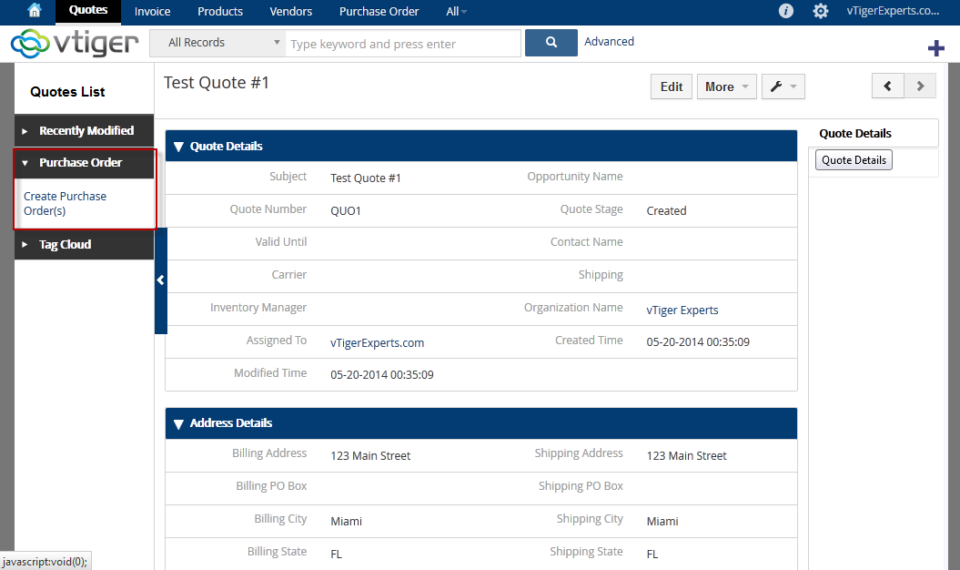
With vTiger CRM, you have the ability to do more with your data. vTiger allows your business to automate processes and generate quotes and invoices with amazing efficiency. In order to take full advantage of vTiger’s capabilities, you need to be able to use predefined quotes, invoices, and sales orders. Save Time and Money with Predefined vTiger Quotes, Invoices, and Sales Orders If you’re still creating quotes, invoices, and sales orders individually for every request and transaction, then your business is wasting a lot of time. Instead, you need to start using predefined sales documents to speed up these processes and improve your customer interactions. Predefined vTiger documents are the most efficient way to respond to your customers. You have the ability to create templates that you can quickly select to speed up your interactions. Your customers will be impressed with your speed, presentation, and accuracy. Your sales
vTiger Monthly Support Plans
May 9, 2015

Article
In order to run a successful business, everything has to perform as planned. You don’t have time to worry about whether or not your CRM software is working correctly. Your business uses vTiger CRM so you can have full control over the collection and organization of your data. In order to make sure vTiger is meeting your needs month after month, it’s wise to invest in a monthly support plan. vTiger Monthly Support Plans Help You Stay On Top There are many things that can go wrong with your CRM, and unless you have an expert on your team, this can cost you thousands of dollars and lots of time. With a vTiger monthly support plan, you don’t have to expend your valuable resources trying to troubleshoot these problems. A vTiger monthly support plan offers a host of benefits to help your business stay on top. You will get
Customizing vTiger CRM for Your Business
April 30, 2015
Article
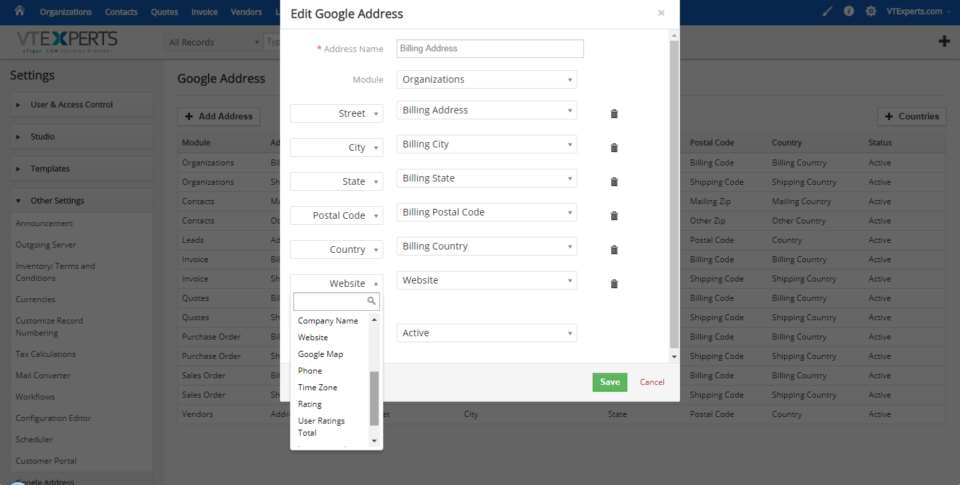
Every business can benefit from having the right customer relationship management software. Unfortunately, many businesses settle for a standard installation that doesn’t really fit their needs. This results in data management that doesn’t always work. vTiger CRM customization helps make your business more efficient so you can grow your sales without wasting time. vTiger CRM Customizations Improve Efficiency Although vTiger CRM is a powerful platform, it doesn’t do everything you want out of the box. Since your business is unique, you need custom solutions that work for you. With a few customizations, you can improve all your processes and get closer to your goals. Just about everything within vTiger is fully customizable, from the look and feel to the most advanced functions. You can customize account settings, fields, automation, data organization, and much more. Whether you want to add new fields, configure outgoing emails, organize your data and
Release the Full Power of vTiger CRM with Custom vTiger Extensions
April 28, 2015
Article
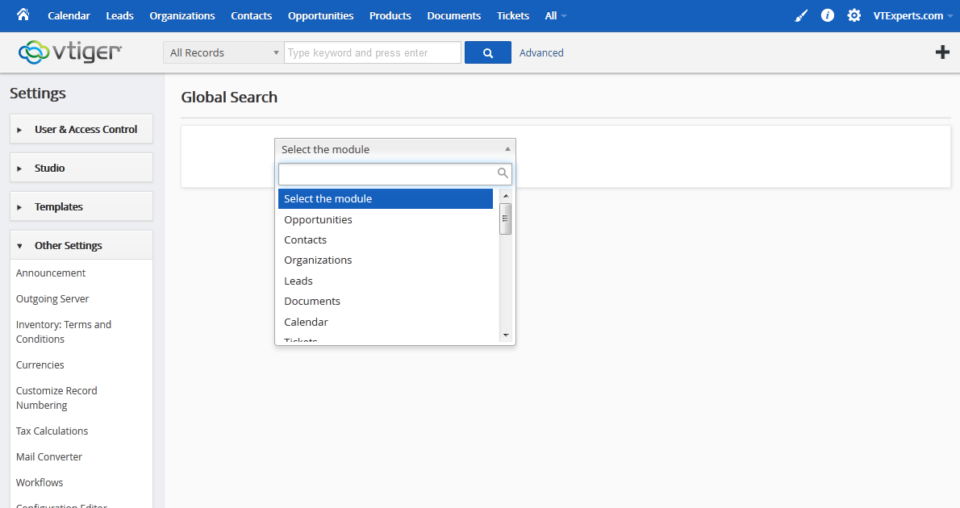
If you want to get the most out of your business, you need the best in customer relationship management. The vTiger CRM suite is one of the most powerful ways to keep track of all your leads, sales, and customers. However, it doesn’t always meet your business’s needs right out of the box. In order to get the full power of vTiger CRM, you need to have the right vTiger extensions. vTiger Extensions Help You Do More Every business has unique goals and different ways of operating. That’s why a standard vTiger installation often won’t give you everything you need. With custom vTiger extensions, you can turn your CRM into an individualized platform that will improve your efficiency and grow your sales. There are a wide variety of vTiger extensions available to help bring your CRM up to speed. vTiger extensions allow your business to integrate other programs into
vTiger Product & Service Lookup
April 24, 2015
Article
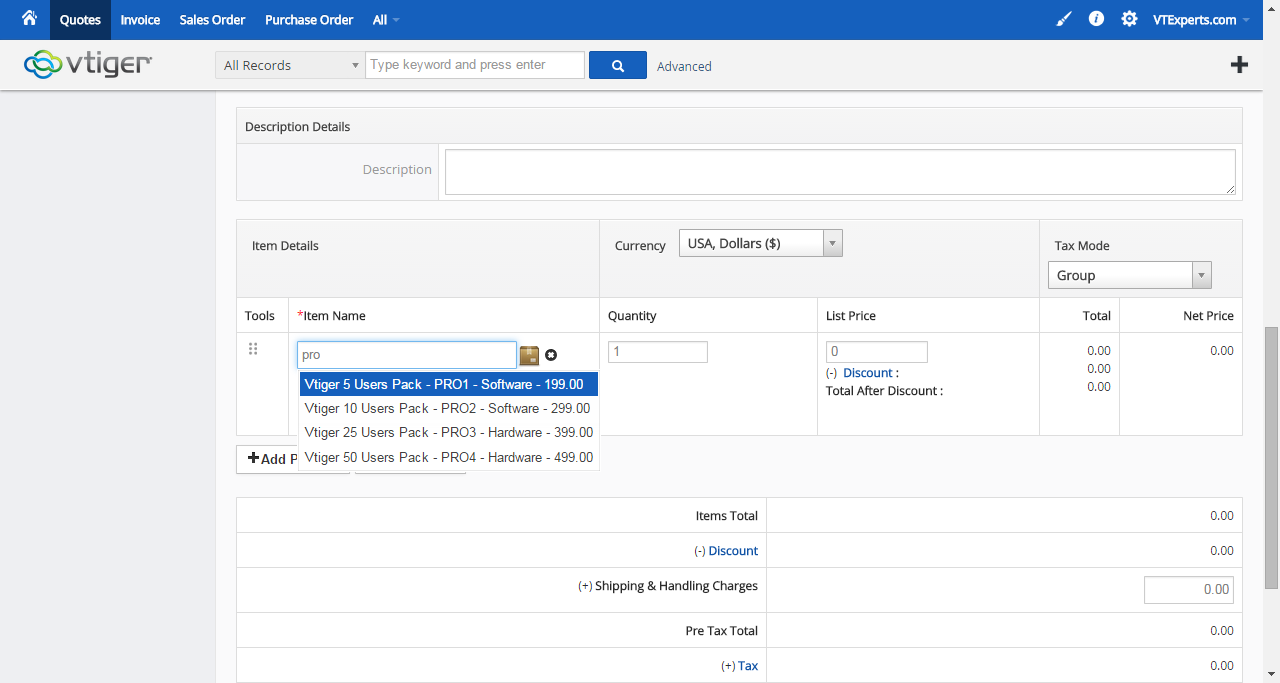
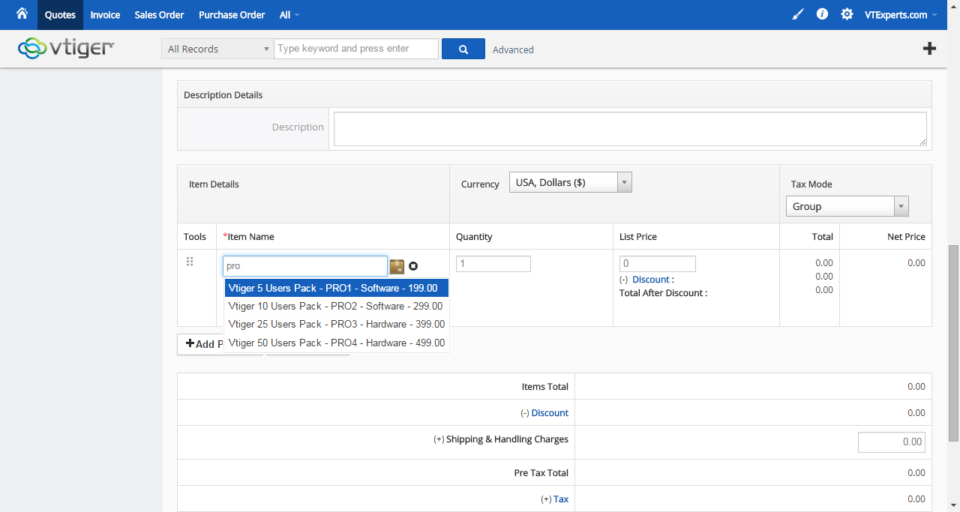
When it comes to quotes and orders, your business can’t afford to make any mistakes. You also can’t afford to waste any time. You’re already using vTiger CRM because of the power it gives you to organize all of your leads and sales. In most cases, a standard implementation of vTiger just isn’t enough to get the job done. Even the slightest mistake in an order or quote can cost your business a ton of money. Creating accurate quotes takes up a lot of time and energy. Fortunately, vTiger Product & Service Lookup can improve the process and help you get the most out of your CRM. Improve Accuracy with vTiger Product & Service Lookup vTiger Product & Service Lookup is designed so you can create more accurate quotes, invoices, and purchase orders in less time. This powerful extension lets you find products and services easily without navigating elsewhere or
vTiger Document Preview
April 22, 2015
Article
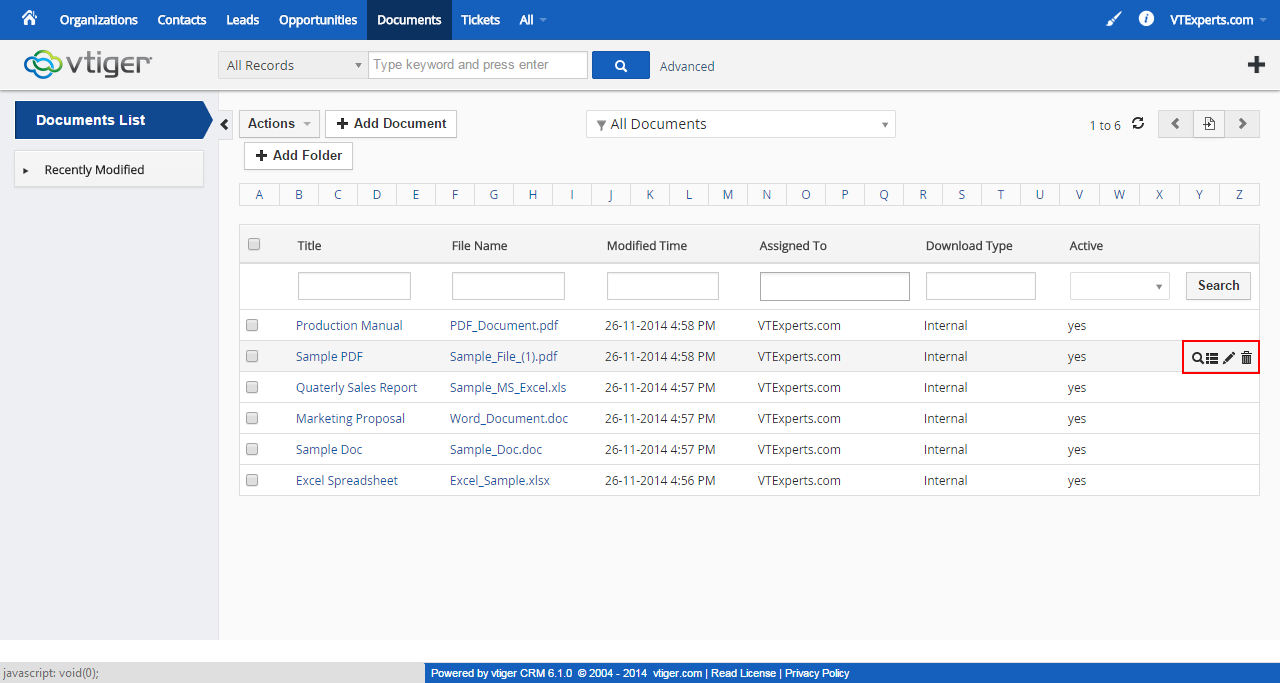
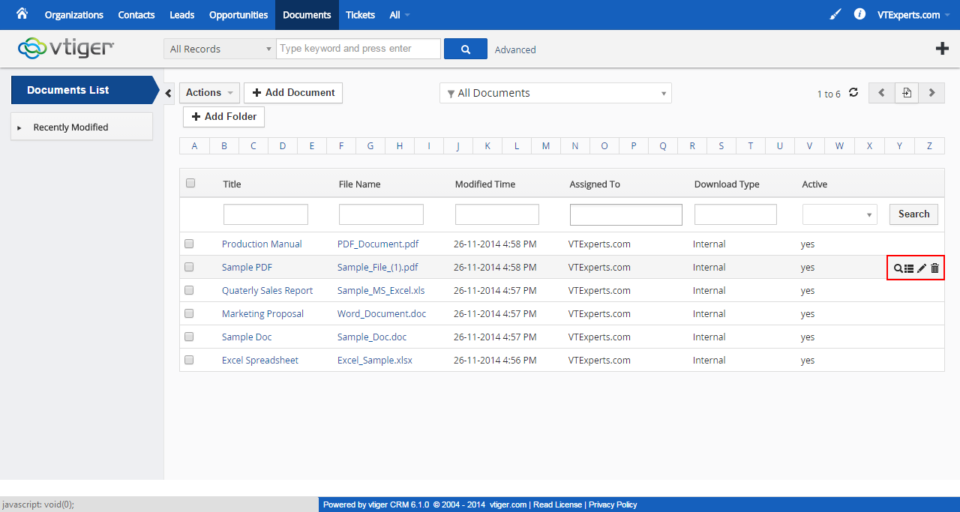
Today’s business world moves at the speed of light. If you want to get the most out of your company, you need to be able to keep up with the pace. That’s why you use vTiger CRM in the first place. However, if you are still handling your documents the old-fashioned way, then you are wasting valuable business time that could cost you money and customers. The ability to preview your documents before sending them to your customers or team members is vital to the efficiency of your business. If you don’t take the time to look over your documents and check for mistakes, you could end up losing your sales. In a standard vTiger installation, you need to download or open each document outside of the system in order to look over it. This takes a lot of extra time and wastes precious company resources. It’s time you start
Improve Your Data with vTiger Google Address Lookup
April 20, 2015
Article
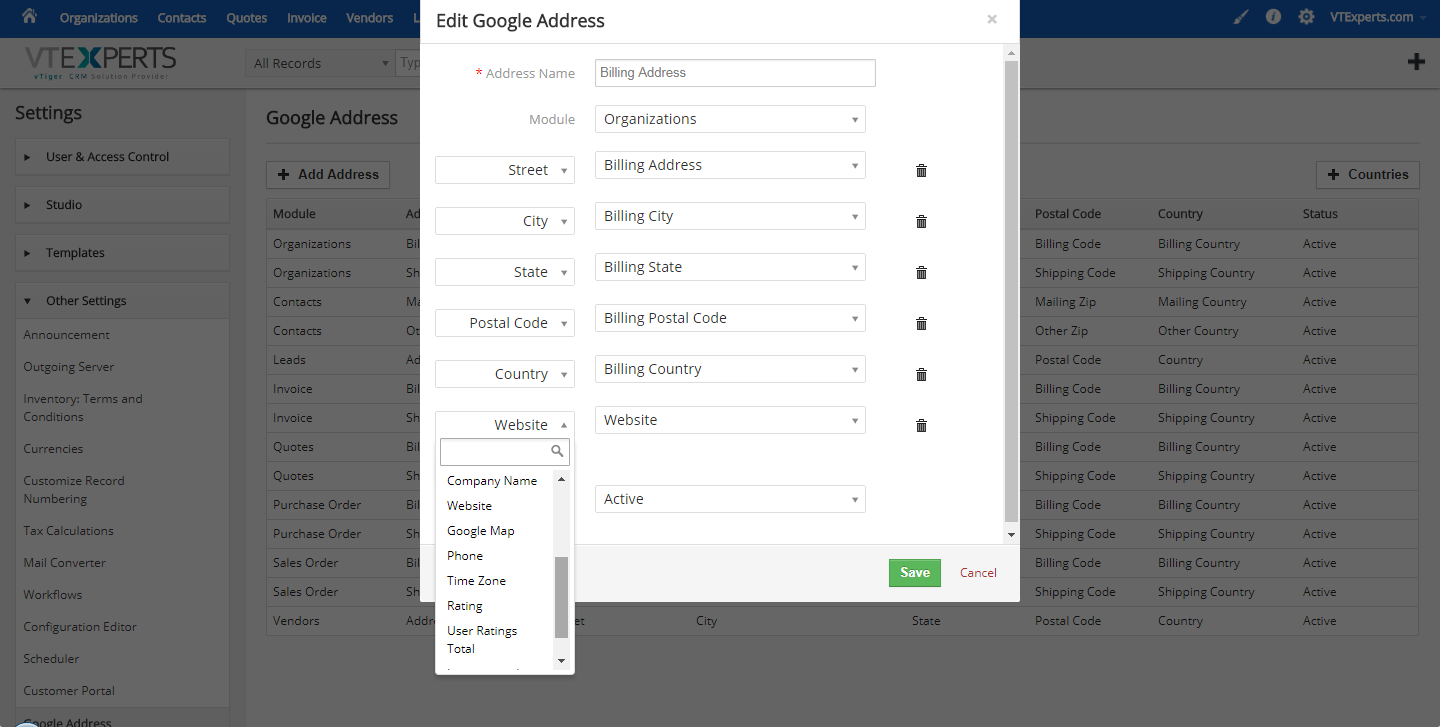
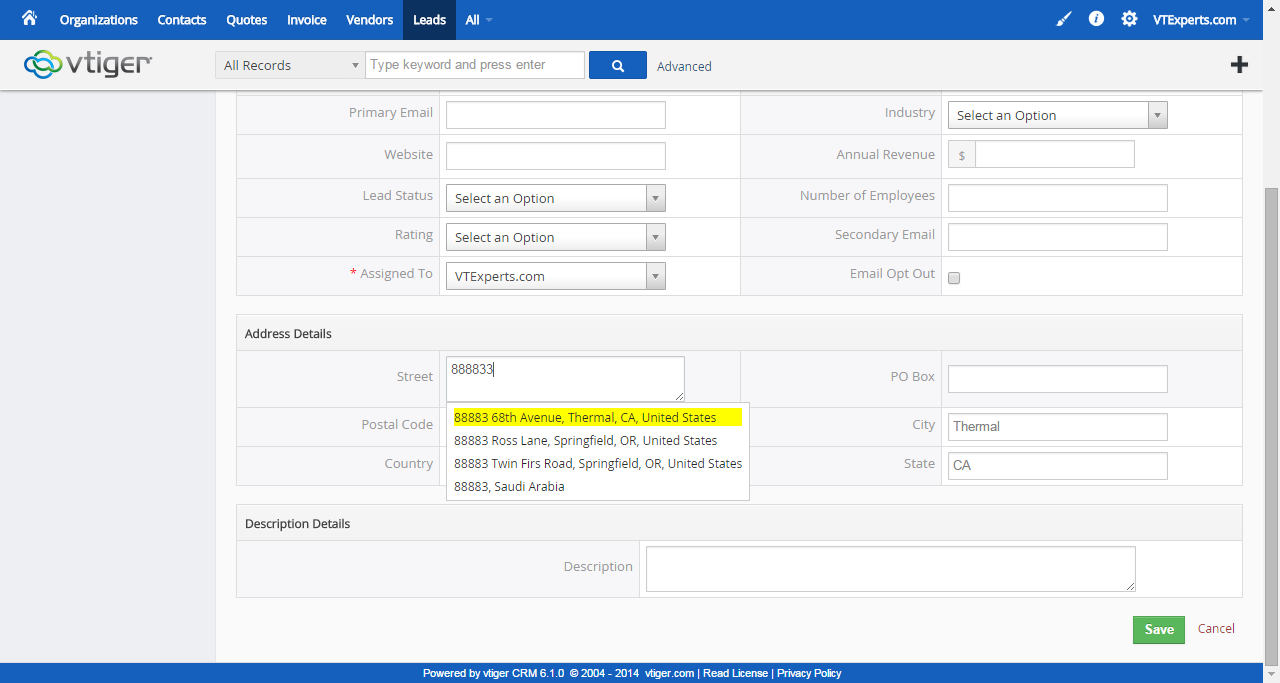
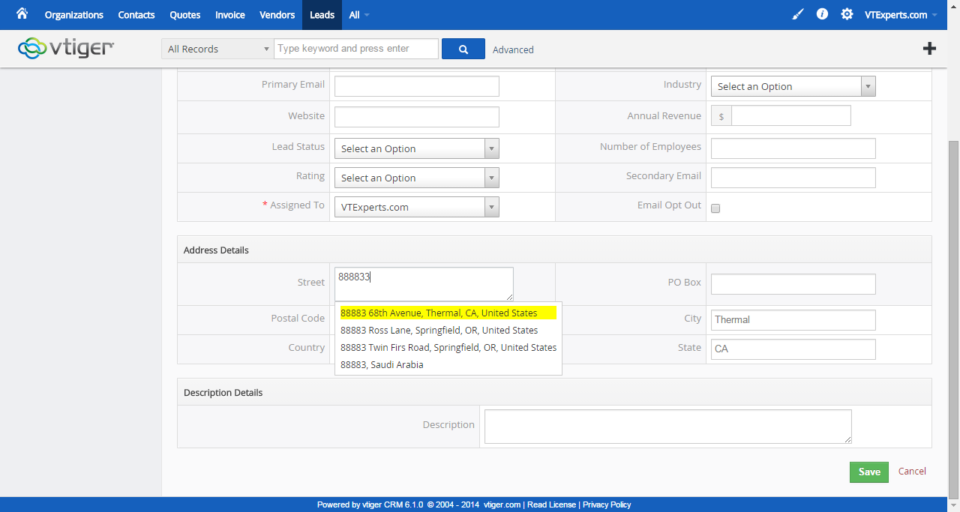
Having accurate data is essential for maximizing your business potential. If your vTiger CRM data is filled with errors and inconsistencies, then your customer relationships could suffer. One important aspect of your CRM data is having the correct address associated with the correct customer. When the address is outdated or inaccurate, then you may end up losing sales or shipping a product to the wrong person. Manually checking and fixing all of your vTiger CRM addresses can be a big pain. Your business can’t afford to spend the time on these manual checks that will inevitably result in more errors. Luckily, this process can be automated to meet your needs. Accurate and Instant Addresses with vTiger Google Address Lookup With vTiger Google Address Lookup, you can ensure the accuracy of all your customer data. This powerful extension will automatically check addresses with Google Maps and update when necessary. Having all
Merging Duplicate Data in vTiger CRM with Tools Like vTiger Duplicate Check & Merge
April 16, 2015
Article
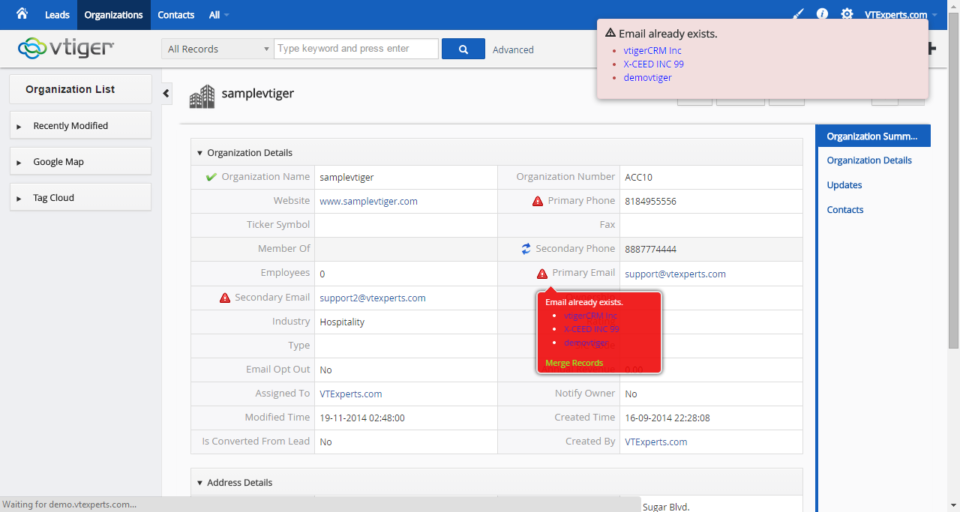
To get the most out of your vTiger CRM platform, you need to keep your data as accurate as possible. Having duplicate entries and any inconsistencies can throw off all of your numbers. That’s why it’s important to keep your data clean and check it on a regular basis. Over time, your vTiger CRM may become polluted with duplicate data and inaccuracies. When this happens, it can be difficult to maintain control over your customer relationships. This can mean lost leads and fewer conversions. Regular maintenance of your data to prevent these duplicate entries and other errors is essential. vTiger Duplicate Check & Merge Improves Your Data When you have a duplicate entry, you need to be able to merge that data. If this isn’t done properly, you can end up losing everything you’ve collected. Of course, manually checking and fixing your data isn’t really feasible. Fortunately, tools
vTiger 6.2 Early Release is Now Available!
January 23, 2015

Article
vTiger 6.2 EA (Early Release) vTiger 6.2 EA (Early Release) has just been released. The latest version includes over 200 bug fixes reported on trac.vtiger.com as well updated Support for Google Calendar API. The bugs that have been fixed can be found by clicking here. There were no new features or extensions added in this release as the purpose of it was to make it more stable. vTiger 6.2 EA can be downloaded from vTiger.com or by clicking here. They have already provided a vTiger 6.1 to vTiger 6.2 Migration/upgrade patch which can be found at their website as well. *Note – THIS BUILD IS NOT INTENDED FOR PRODUCTION USE, KINDLY USE IT ONLY FOR TESTING. vTiger 6.2 EA – Demo Demo: https://demo.vtexperts.com/vtigercrm62ea/index.php Username: demo Password: demo
vTiger Outgoing Email Server & Amazon SES Integration
November 28, 2014
Article
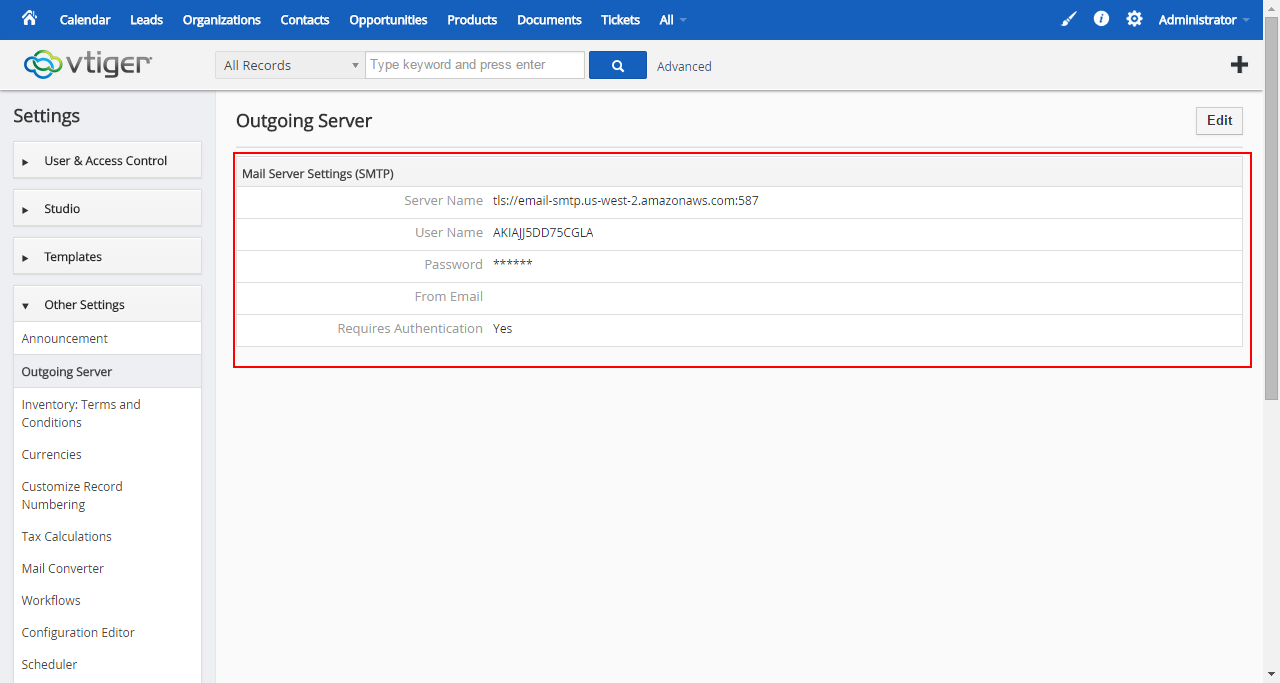
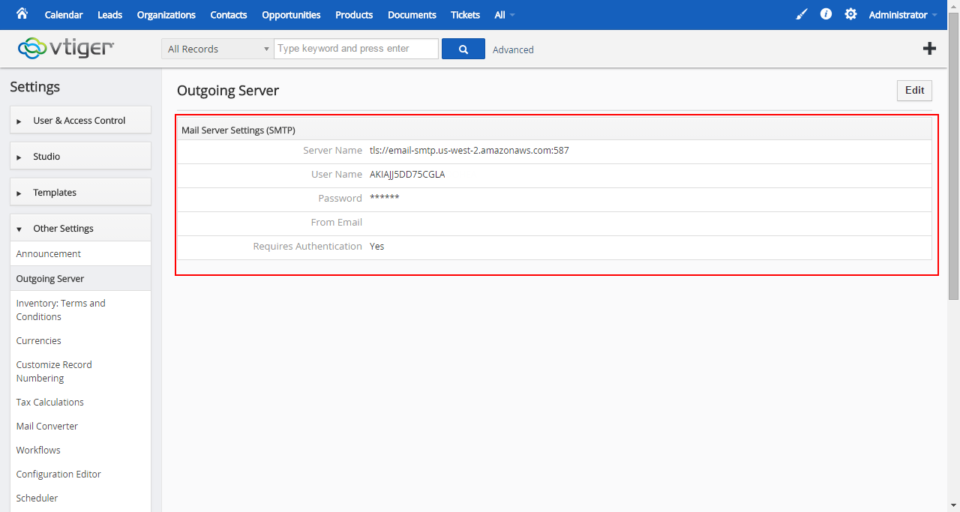
vTiger & Amazon SES Amazon Simple Email Service (Amazon SES) is a cost-effective outbound-only email-sending service built on the reliable and scalable infrastructure that Amazon.com has developed to serve its own customer base. With Amazon SES, you can send transactional email, marketing messages, or any other type of high-quality content and you only pay for what you use. vTiger has a built in Email client as well as some Email Marketing tools which require a reliable Outgoing Email Server. One of industry leaders – Amazon.com provides an excellent SMTP service which can be easily integrated with vTiger. Create Amazon Account First thing you need is an Amazon.com account. You can use the same account you use for shopping(if you have one), or just go into Amazon.com and sign up for new account. Once you have the account go to https://aws.amazon.com/ses/ and click “Sign into Console”(right upper corner), then under “Application Services” click
vTiger Office365 SMTP Outgoing Email Server Configuration
November 28, 2014
Article
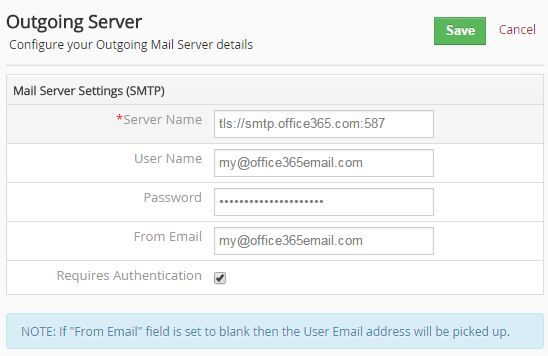
Microsoft product – Office 365 is become more and more popular and with more vTiger users use it as an Outgoing Email Server. Office 365 is similar to Google Apps which provides emails, spreadsheet and document management. One of the most common issues vTiger users run into is setting up vTiger Outgoing Email with Office365. The configuration is fairly simple, Office365 uses TLS authentication method and 587 port. Here are the sample settings that should be used with vTiger and Office365. Server Name: tls://smtp.office365.com:587 User Name: Your Office365 Email Address Password: Your Office365 Email Password From Email: Your Office365 Email Address If you have any issues configuring the vTiger Outgoing Email Server – feel free call or email us. How to get a hold of us? Email: [email protected] Phone: 1 (818) 495-5557 Contact Form: Contact VTExperts Support Chat: Gmail/Skype/Chat via website
vTiger on Synology Drive
November 27, 2014
Article
Synology DiskStations solve a variety of problems for everyone from the casual home user to a system administrator at a large company. Sharing files, backing up several computers at once, streaming media, and hosting websites are just a sample of what these powerful devices are capable of doing. One of the apps available on Synology drive is vTiger CRM. Depending on your Synology DSM version you might have vTiger 5.x or even latest vTiger 6.1 available. We had quite a few inquires regarding the vTiger Upgrades on Synology drive as well as backups & transfers out of the drive. If you are technical enough, you should be able to follow up our vTiger Upgrade to 6.1 Guide and perform the Upgrade, however if you are having issues – feel free to contact us and we’ll help you out. The most common request is “How to move vTiger off Synology Drive?“. Again,
Upgrade Guide: VTiger 6.0 to VTiger 6.1
October 18, 2014
Article
When your business wants to improve workflow and get the most out of customer relationship management, you undoubtedly turn to the best software on the market. When performing a VTiger 6.0 to VTiger 6.1 Upgrade, you need to have an expert on your side. No matter what type of upgrade or implementation you need for your business, our VTiger Experts are here to help you. In case you decide to attempt the migration by yourself, here’s a guide how to Upgrade VTiger 6.0 to VTiger 6.1. Backup Your VTiger Files & Database This is the most important step of the procedure. You have to make a good backup of the database and the file system. In case the migration goes south and you don’t have a valid backup – you will run into a lot of issues. Download The VTiger 6.1 Upgrade Patch VTiger 6.1 Upgrade patch can be downloaded
vTiger 6.1 Demo – EA (Early Access) is now available
August 27, 2014
Article
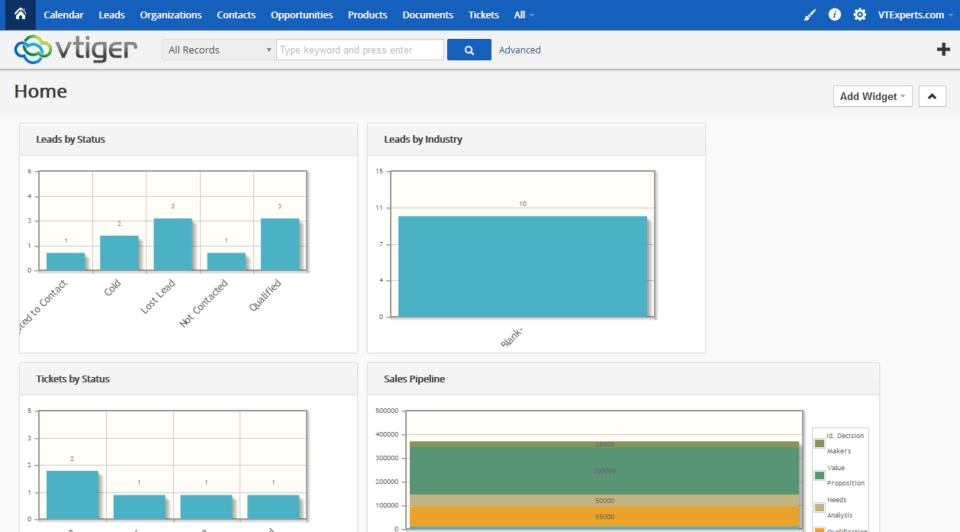
vTiger 6.1 Demo – EA (Early Access) is finally available for community evaluation. vTiger 6.1 has a lot of bug fixes as well as improved functionality & design. Features(Scheduled Reports, Search, Reporting Charts, RSS Module, Our Sites Module) that have been removed in 6.0 have been added on 6.1. In addition there was a major change in the vTiger Extension market – vTiger will now have a marketplace where everyone will be able to test out all available modules/extensions/addons and purchase them without having to go to the Vendor’s page. vTiger 6.1 EA Features: PHP 5.4, 5.5 support mysqli support Search within Listview Asterisk (PBXManager) Integration Scheduled Reports Report Charts Click through Charts Mass Edit for Documents Workflow for Documents RSS Module Our Sites Module Marketplace Integration (ExtensionStore) vTiger 6.1 Demo vTiger 6.1 Demo can be access using the link: https://demo.vtexperts.com/vtigercrm61ea/index.php Username: demo Password: demo *Note, the database will
vTiger Customer Portal Troubleshooting & Errors
July 11, 2014
Article
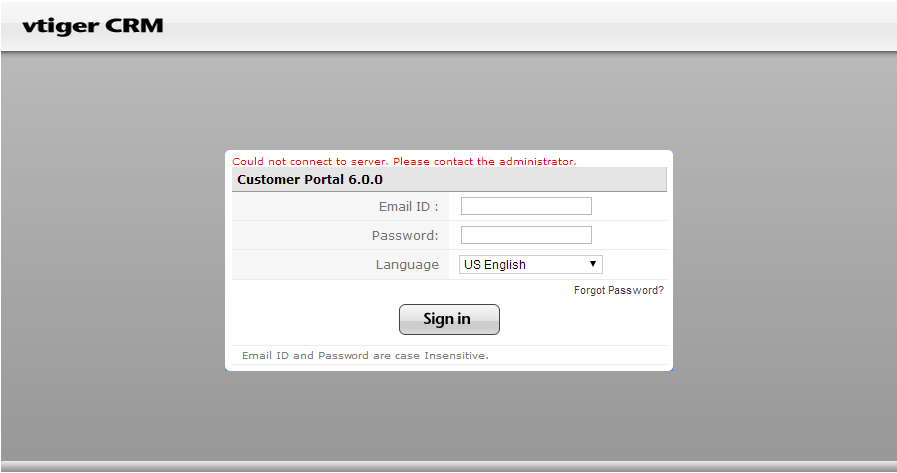
vTiger Customer Portal is a great addition to the CRM, however there are a lot of things that can go wrong during the setup & install. Some of it are just user errors and some of them can be environment(server) related. Please Enter a Valid Username and Password This is most likely caused by one of two things: You’ve copied the password and it contains some spacial characters within your clipboard – try typing it in manually. The password is not correct, you can lookup the username/password directly in the database. The table to look at is ‘vtiger_portalinfo‘. Could not connect to server. Please contact the administrator. This is the most common vTiger Customer Portal issue that comes up. Few things might have gone wrong: PHP Soap Extension Make sure that PHP SOAP extension is installed. It is critical to have the extension installed, if it’s not there – the