How to Add and Rearrange Dashboards in VTiger 7
VTiger 7 allows you to add new dashboards on home screen. The purpose is to add widgets and keep track of important data and processes, such as tickets, opportunities, performance of teams, sales ups and downs and lot more. With dashboards and widgets, you can stay on top of your business and keep checks on the performance.
Adding New Dashboard
To add a new Dashboard on VTiger 7 homescreen:
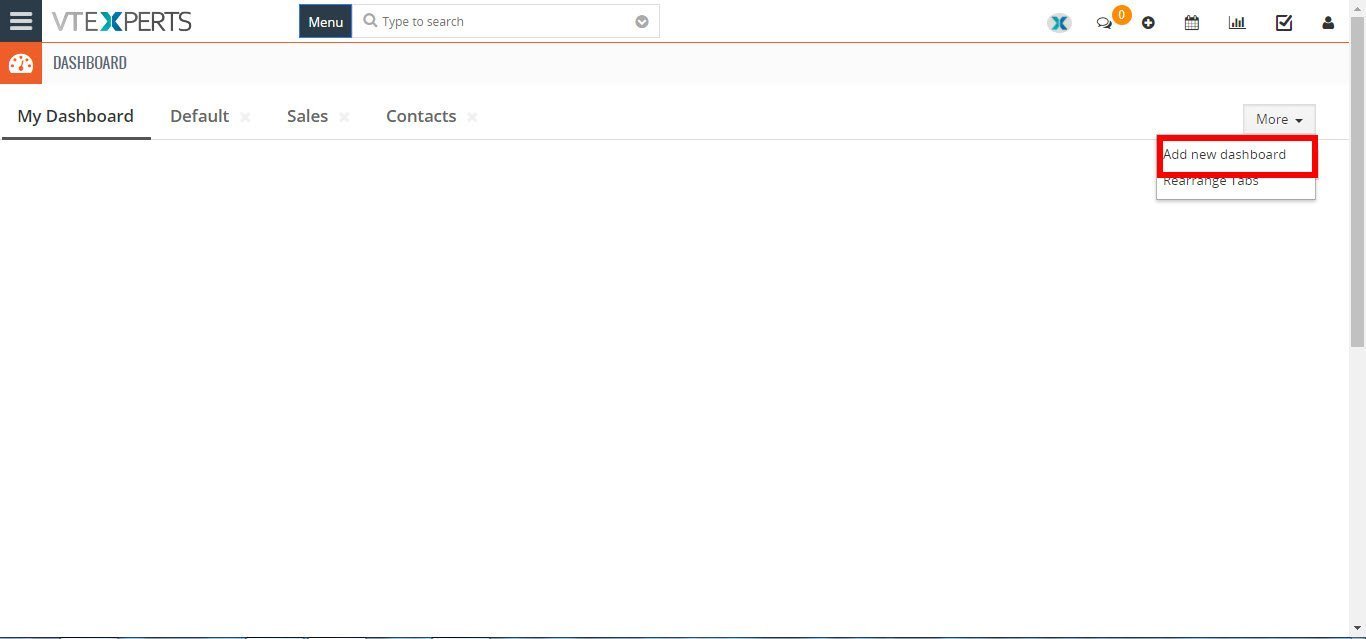
- Click on the “More” dropdown menu button and select “Add new dashboard“.
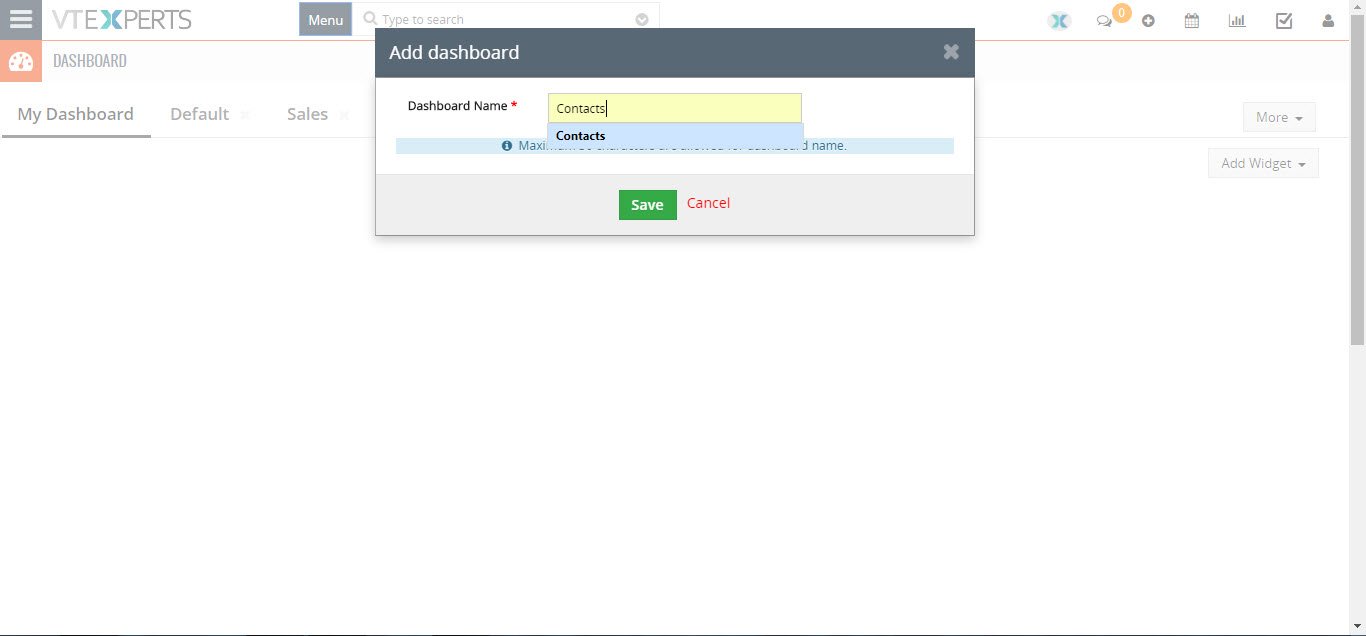
- Then add the title of the dashboard in the given space. And click on the save button.
Rearranging Dashboard Tabs
You can rearrange the added tabs of dashboards. Its quite simple:
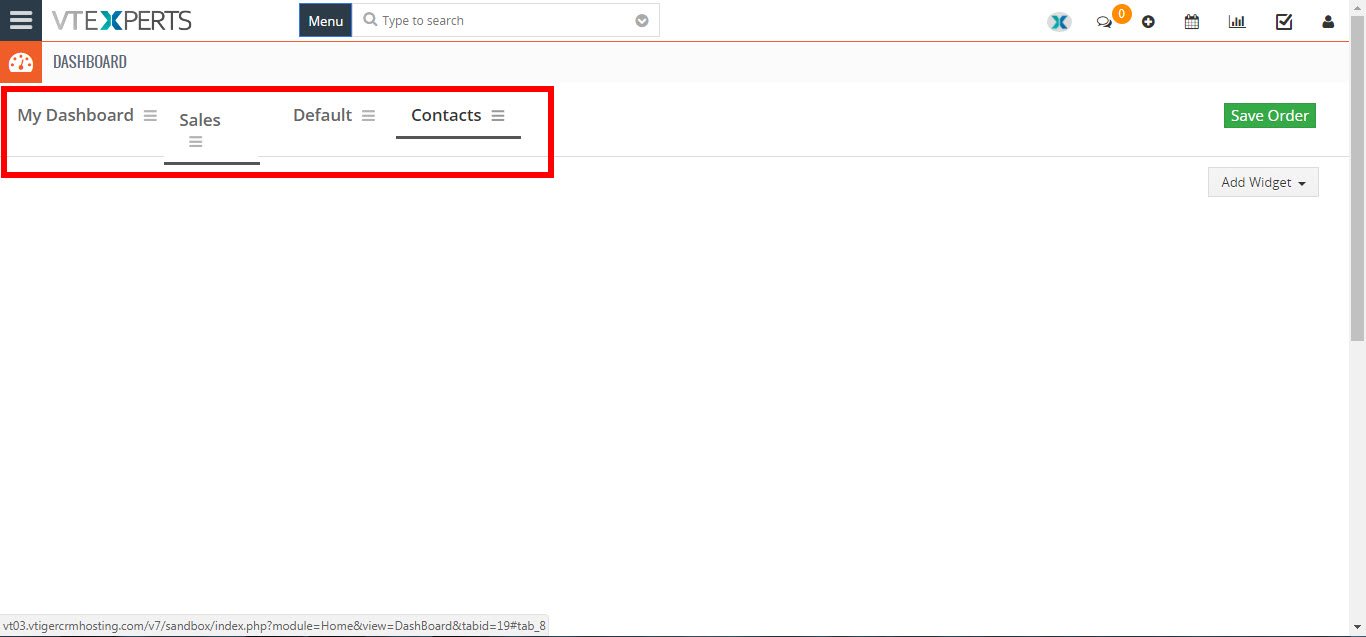
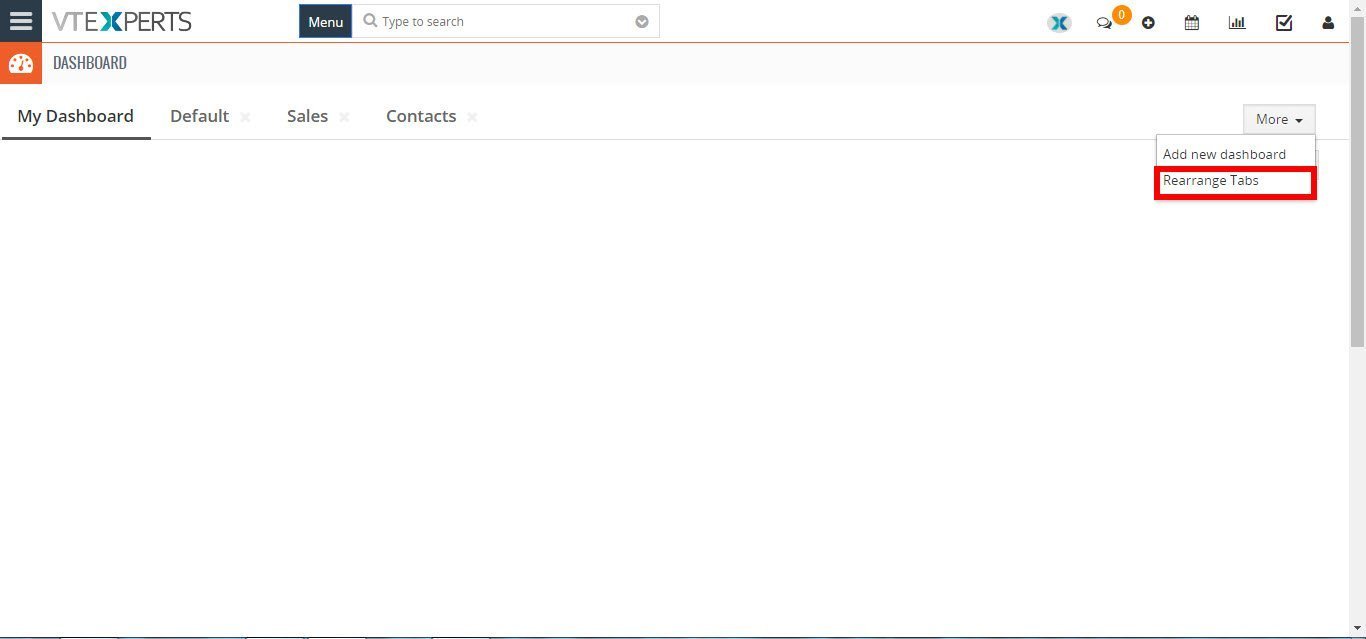
- Click on the “More” dropdown menu button and select “Rearrange Tabs” to rearrange the tabs.
- Click n hold, and drag n drop the Dashboard on the desired place to rearrange the tabs. Then click the “Save Order” button to save the changes