

Extension for VTiger enabling users to create advanced custom fields. It currently supports 2 types of fields:
“HTML Description” – that is a rich text description field with ability to format text, upload images, add bullet points.
“Assigned To” – which is a picklist with user list, identical to standard “Assigned To”. It also supports workflow emails to groups (assigned to).
“Upload Field” – stores any file or image. (Images files have thumbnail)

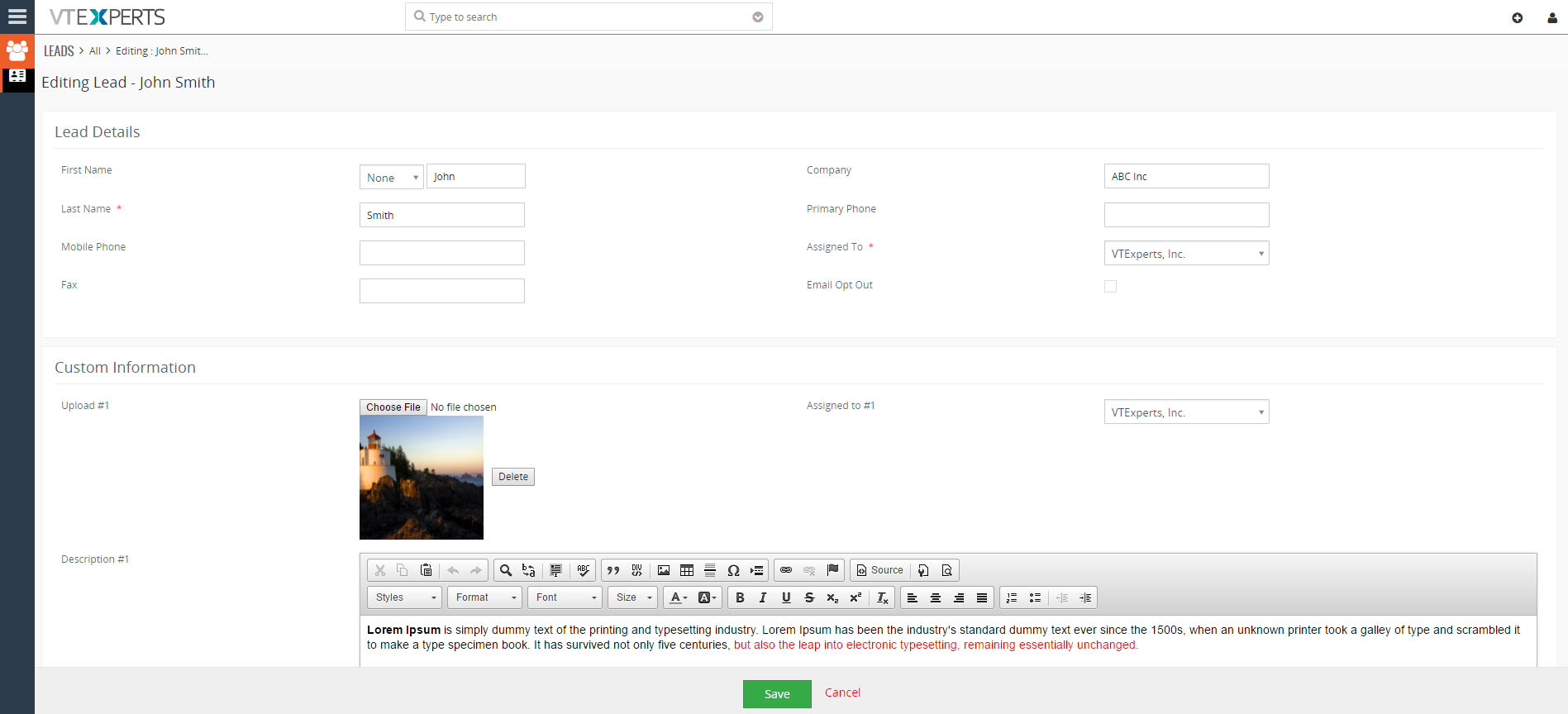
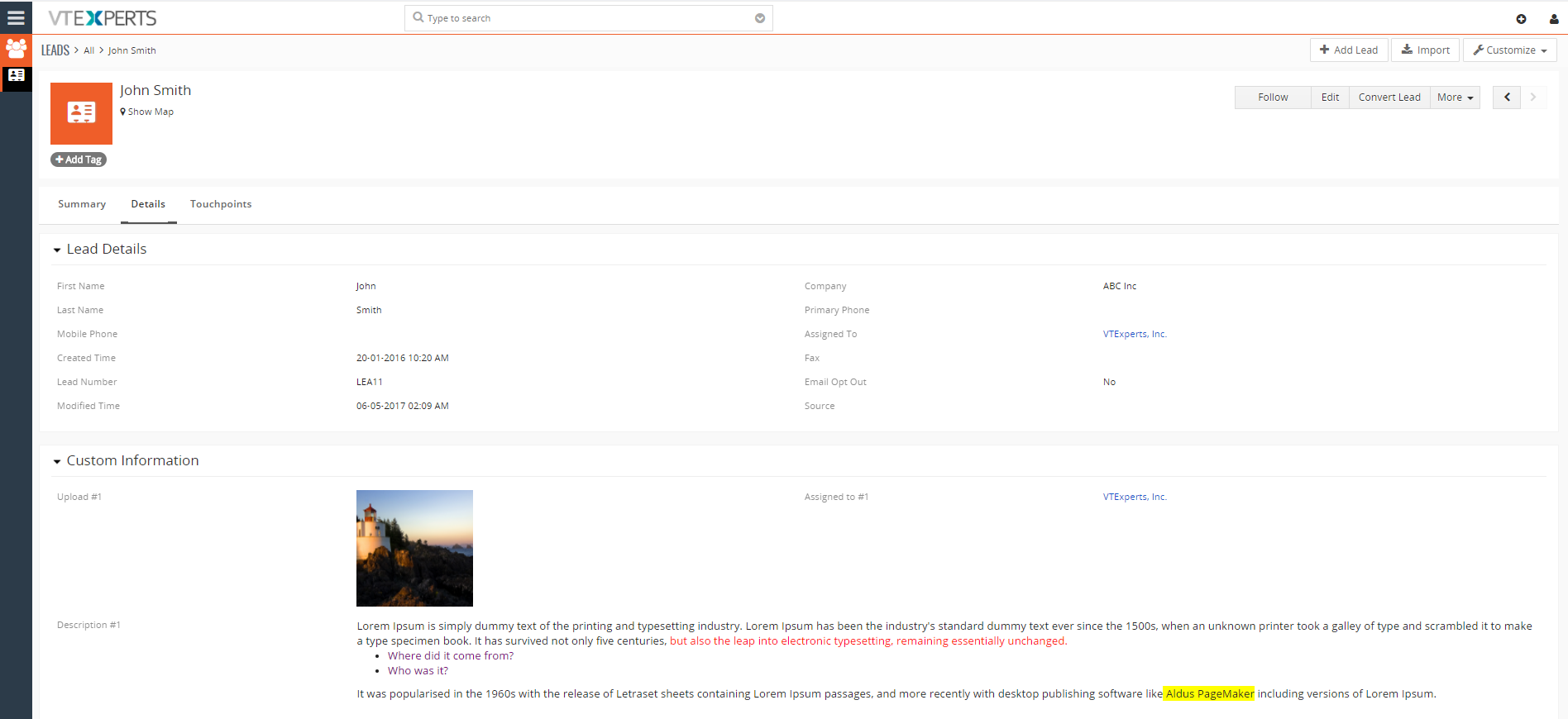
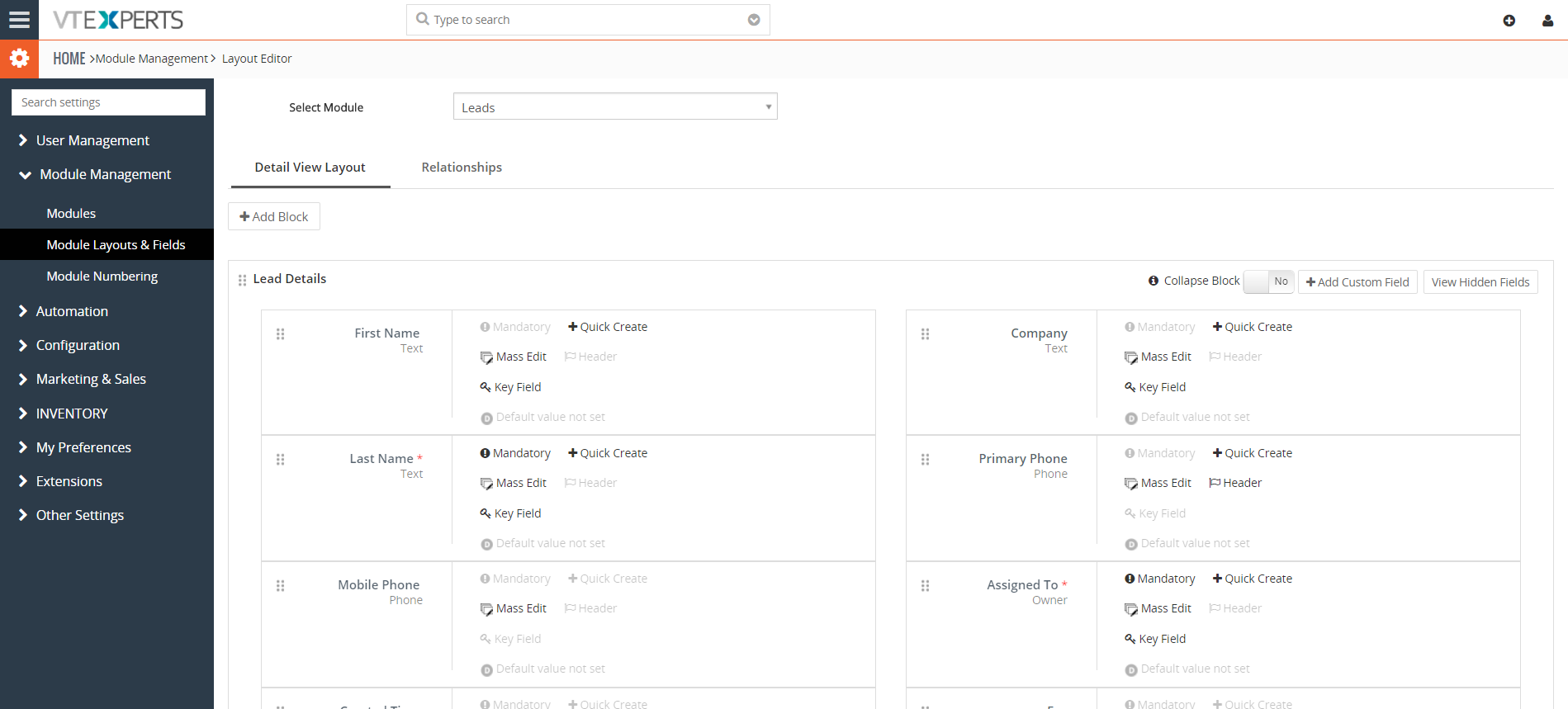
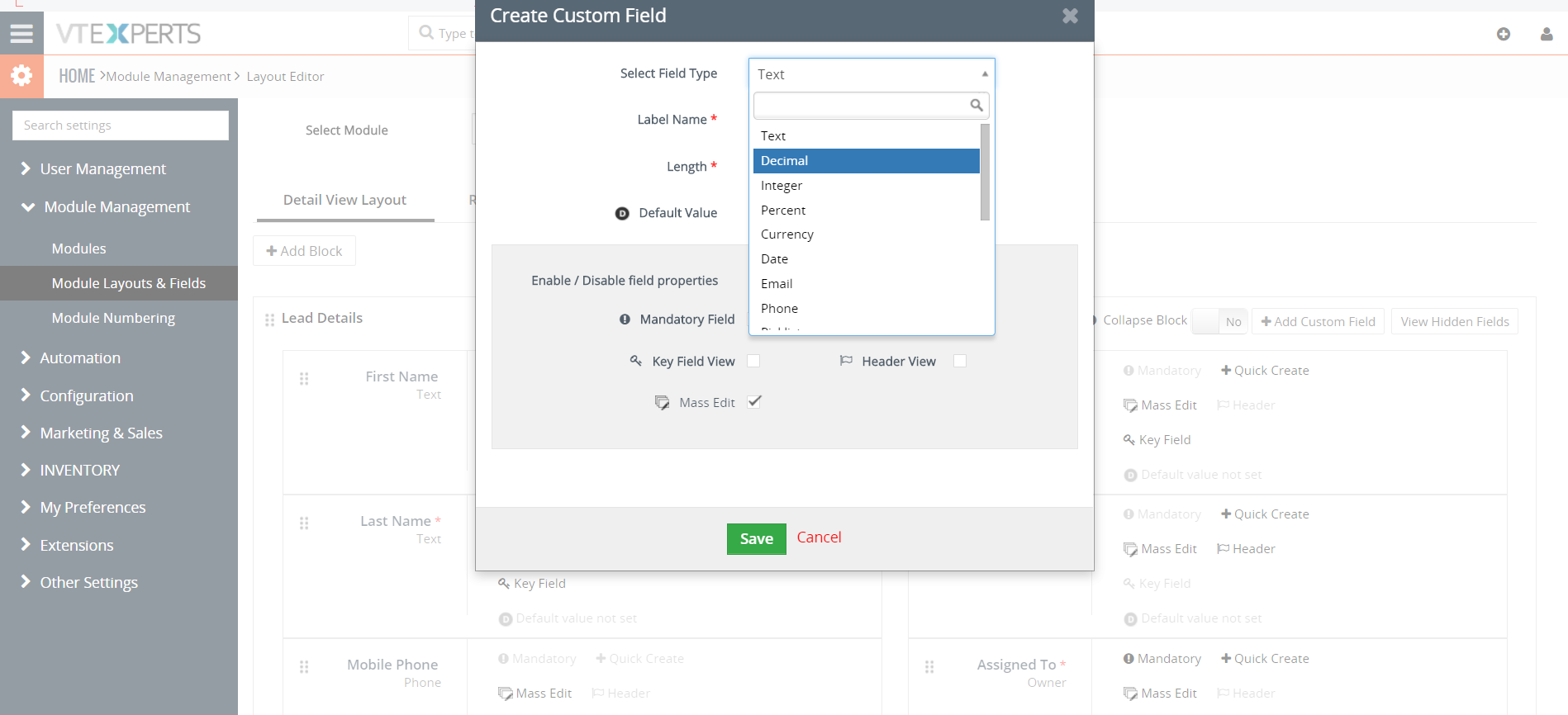
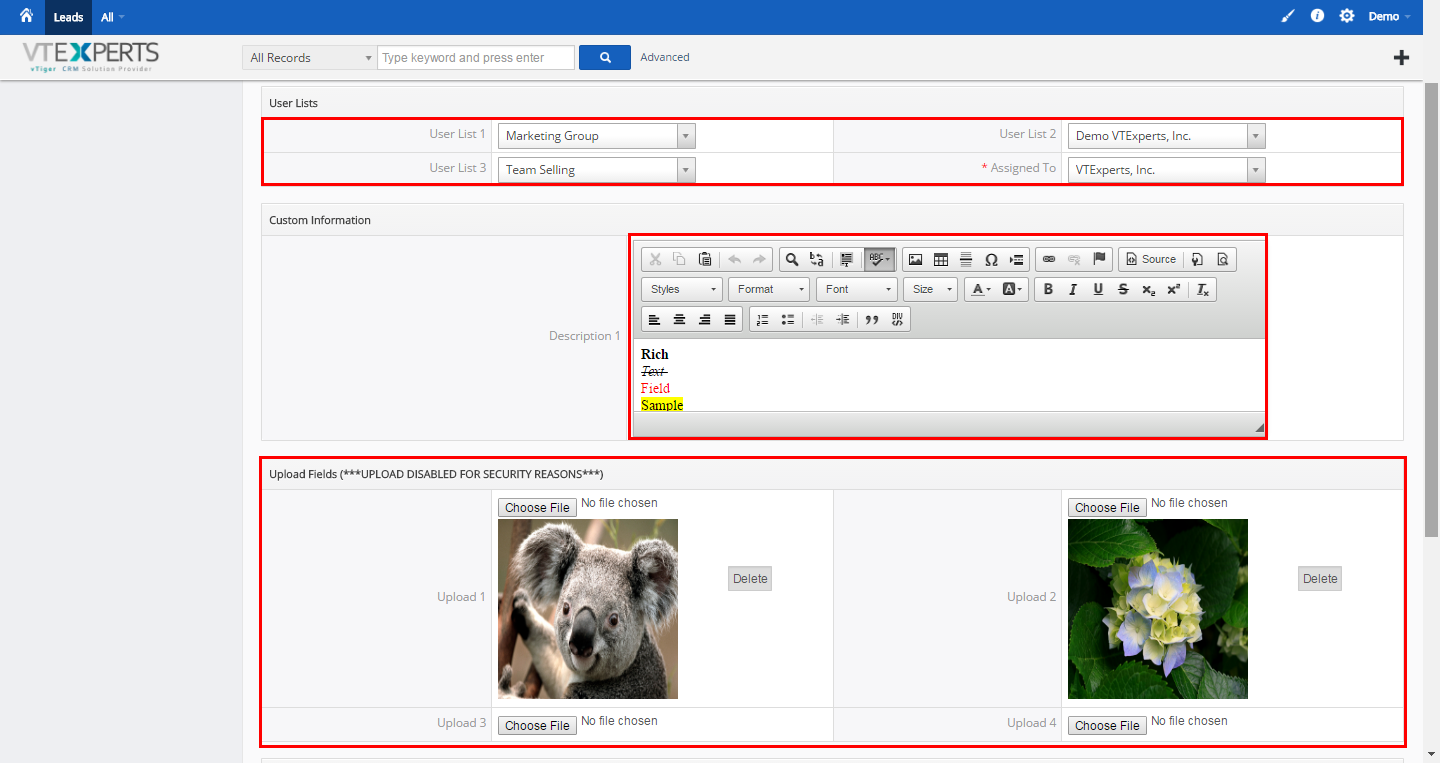
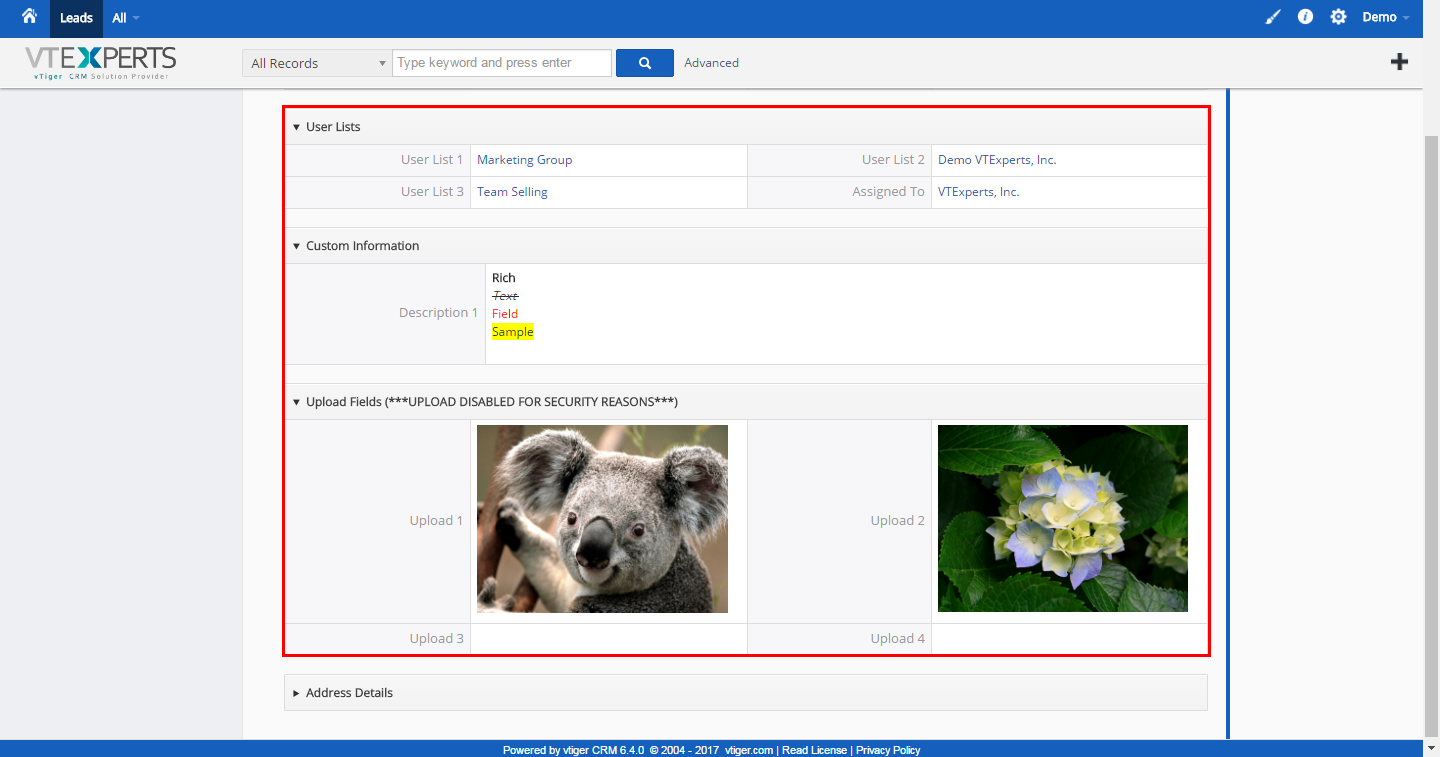
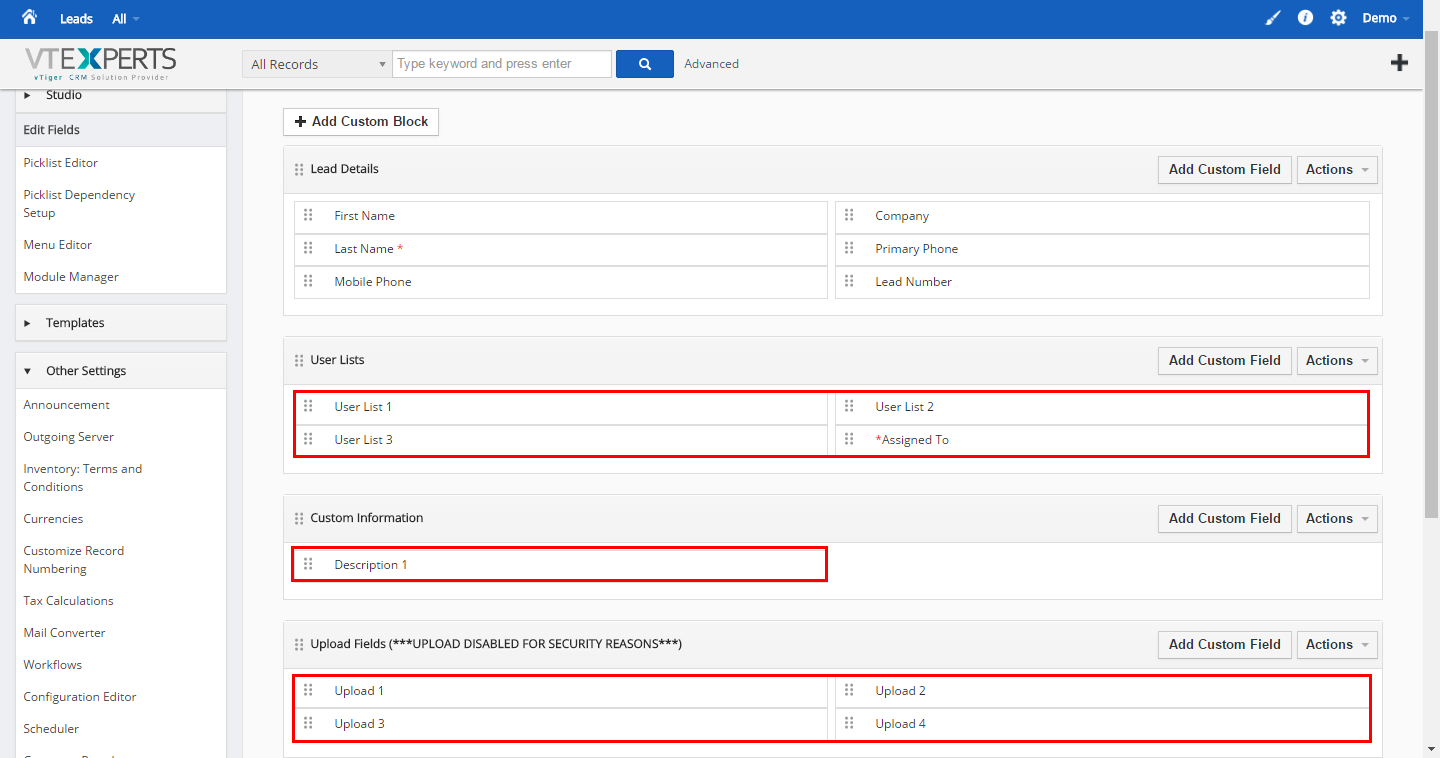
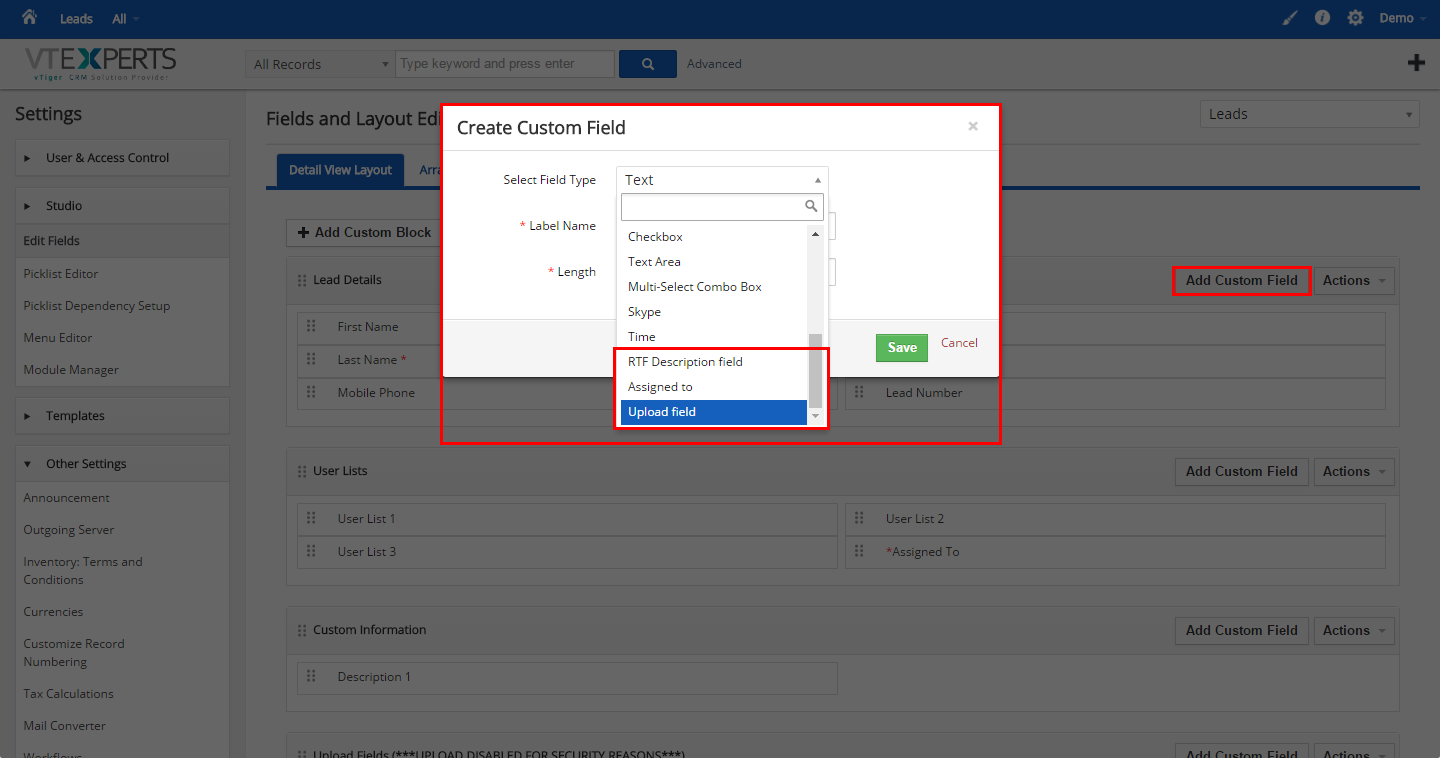


Here are some of the key features that make our extension unique:
- Allows system admins to create Description Fields with Rich Text Capabilities
- Supports “User List” (a.k.a “Assigned To” custom field)
- Supports File/Document/Image field
- Unlimited number of fields
- Supports Edit, Create, & Detail Views
- Supports all Custom & Standard VTiger Modules
- Module Manager Compatible
- Available on VTiger Marketplace
We provide a unique demo instance for all our extensions. Each demo instance is pre-configured to only show features available for the specific extension. It is likely that some of the standard vTiger modules have been disabled to make the demo more user friendly.
VTiger 7 Demo
Please use credentials below to access the demo.
- Link: https://demo7.vtexperts.com/advancedcustomfields/index.php (Will open in new window)
- User: demo
- Pass: demo
VTiger 6 Demo
Please use credentials below to access the demo.
- Link: https://demo.vtexperts.com/advancedcustomfields/index.php (Will open in new window)
- User: demo
- Pass: demo
If you are not able to access the demo or find an issue - please send us an email at support@vtexperts.com or via contact form.
All extensions come with an extensive user guide, which includes setup instructions, suggestions as well as usability tips. Please click the link below to access user guide for this extension.
User Guide: https://www.vtexperts.com/helpdesk/advanced-custom-fields (Will open in new window)
Related Resources : Advanced Custom Fields by VTExperts (Will open in new window)
For assistance or any questions - please contact us via help@vtexperts.com.
2 reviews for Advanced Custom Fields (HTML Description + Assigned To + Upload)
 VTExperts Advanced Custom Fields: Second Assigned To Field Filter in vTiger July 9, 2026 - VTExperts Advanced Custom Fields allows vTiger users to create a Second Assigned To Field and filter records based on additional user assignments. In this article, we will explain how to configure the Second Assigned To Field Filter in vTiger List View and overcome the limitations of the standard vTiger search functionality. HTML Description: With this feature, users gain access to a rich text description field, empowering them to format text, upload images, and incorporate bullet points for improved content presentation. Assigned To: This picklist field comes pre-populated with the user list, perfectly mirroring the standard 'Assigned To' functionality. Moreover, it facilitates workflow emails to groups assigned to specific tasks. Upload Field: Offering versatility, this field type allows users to seamlessly store any file or image, complete with thumbnail previews for image files. Limitation of Second “Assigned to” field filtering in vTiger CRM The “Assigned to” field created via advanced custom… Read More
 Personalize Vtiger CRM with VTExperts’ Fields and Layouts tools March 7, 2025 - CRM systems are designed for managing and tracking customer interactions for businesses. A significant advantage of using CRM software is its capacity to store and systematize customer data in a centralized database. However, every business is different and has different data requirements, and that is where fields and layout tools become essential. Although Vtiger CRM provides default tools for fields and layouts, but extensive customization may require additional support. VTExperts is here to help you personalize Vtiger CRM with VTExperts' Fields and Layouts tools Fields and layout tools are crucial components of a CRM system that enable businesses to personalize their CRM based on their specific requirements. Let’s check what fields and layout tools are, how they work, and the benefits they offer. Benefits of using fields and layout tools Customizability: By customizing the fields and layouts of Vtiger CRM, businesses can tailor the system as per their requirements. This can… Read More
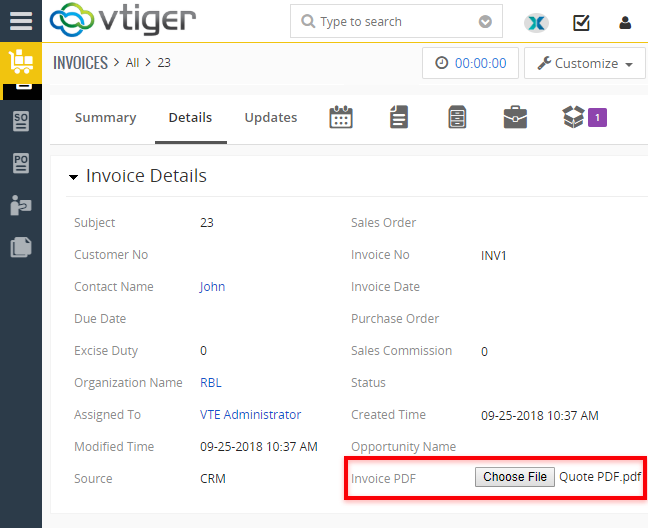 Advanced Custom Fields for VTiger Supports PDF and Image Uploads December 7, 2018 - Advanced Custom Fields The Advanced Custom Field Extension was designed for system admins to simply add Advanced Custom Fields to selected modules, where needed, other than standard fields. The Advanced Custom Fields are of 3 types - HTML Description Field (which supports RTF), Assigned to Field (which is really a user picklist) and Upload Field (which allows PDF documents and Image Uploads). When it comes to the number of Advanced Custom fields added, there is no limit. It supports Edit/ Create/ Detail View. Supports all the Standard and Custom VTiger Modules as well. Upload Field for PDFs and Images Now, the feature that we are discussing here is the Upload Field. An upload custom field allows to add an image as well as PDFs to any record of any module. You can add as many custom upload fields as required - there's no limitation for it. Use Case For instance, take an example of Quotes Module. Users can upload an image of the Product… Read More
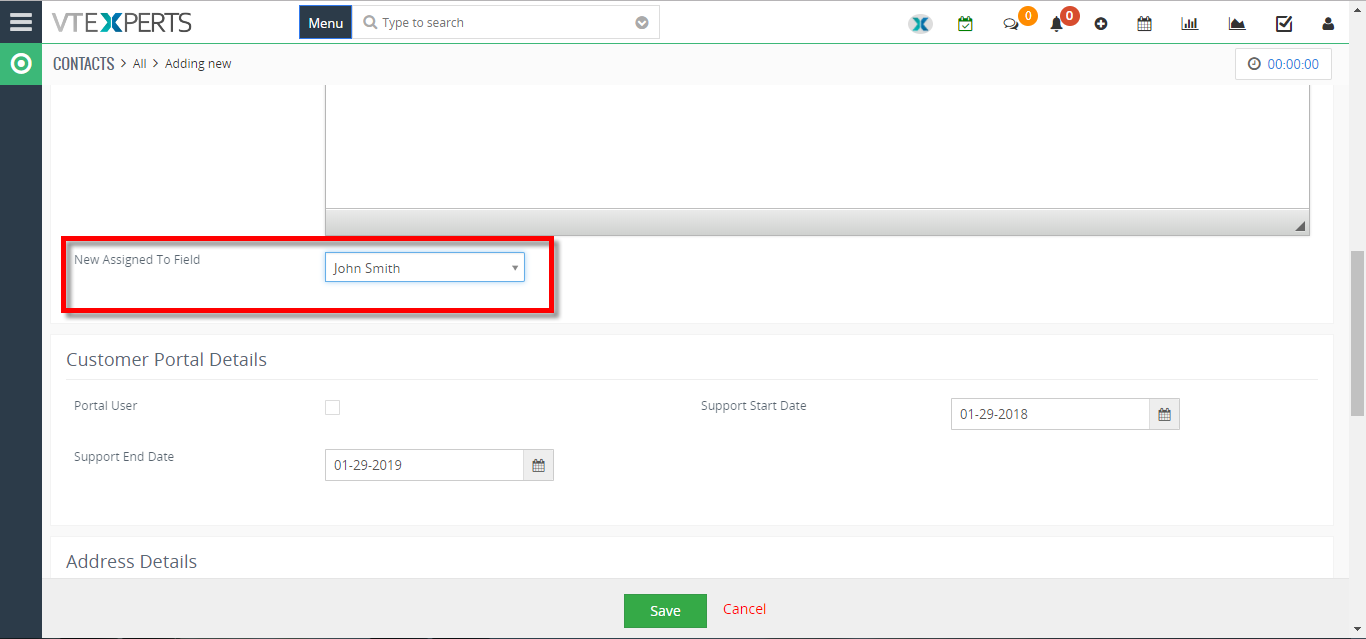 Add New Assigned To Field In VTiger 7 January 29, 2018 - In VTiger 7, User can add “New Assigned to Fields” in the records by using our extension advanced custom fields. How to Add New Assigned to Field Go to the “Menu” and select “CRM Settings“ Under “VTiger Premium” select “Advance Custom Fields“ Select “Module” and click on the “Add Custom Field” button. Select the field type to “Assigned To“. You can see the “New Assigned To Field” in the custom fields. For further help, contact us on help@vtexperts.com. We’ll be glad to be of service. Read More
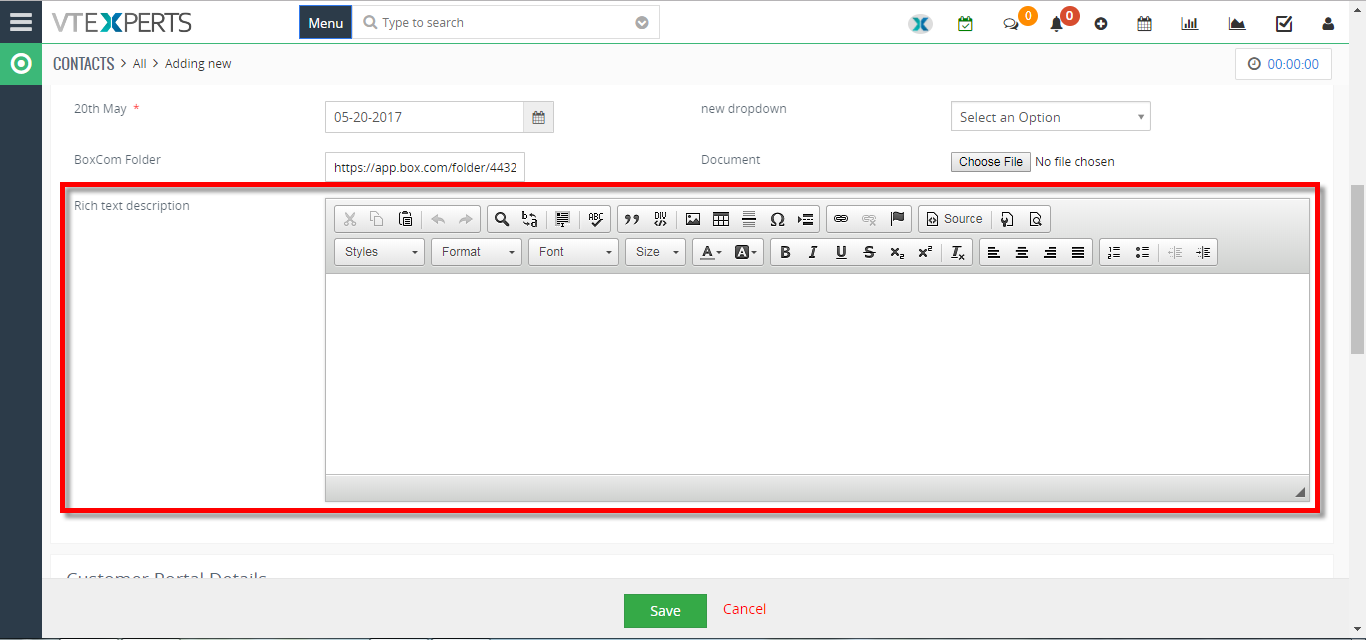 Add New Rich Text/Description Field In VTiger 7 January 23, 2018 - VTiger Extension enabling users to create advanced custom fields. User can add “Rich Text/Description” in the records by using our extension. How to Add New Rich Text/Description Field Go to the “Menu” and select “CRM Settings“ Under “VTiger Premium” select “Advance Custom Fields“ Select “Module” and click on the “Add Custom Field” button. Select the field type to “RTC Description field“. You can see the “Rich Text Description field” in the custom field. For further help, contact us on help@vtexperts.com. We'll be glad to be of service. Read More
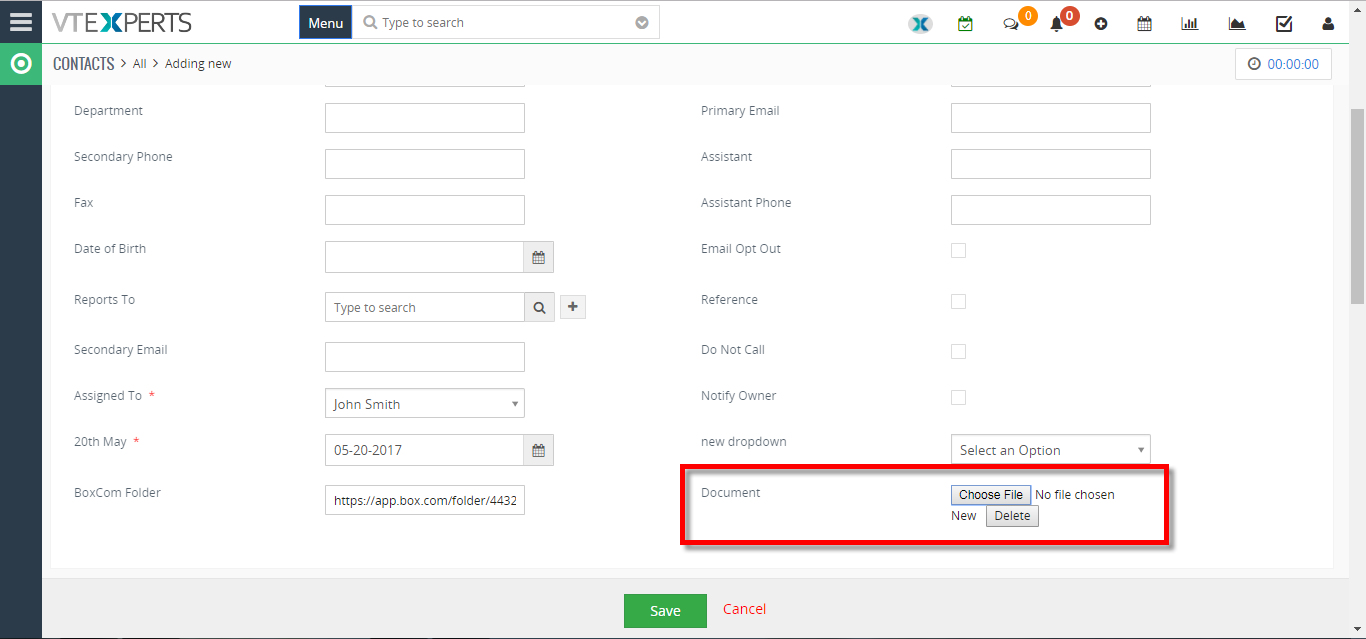 Add New “File Upload” Field In VTiger 7 January 19, 2018 - VTiger Extension enabling users to create advanced custom fields. User can "Upload Images" in the records by using our extension. How to Add New "File Upload" Field Go to the "Menu" and select "CRM Settings". Under "VTiger Premium" select "Advance Custom Fields". Select "Module" and click on the "Add Custom Field" button. Select the field type to "Upload Field". Then you can "Upload Images" in the custom field. For further help, contact us on help@vtexperts.com. We'll be glad to be of service. Read More
Related products
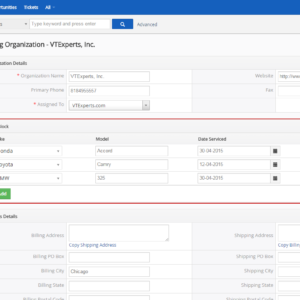
Extension for VTiger enabling users to create advanced custom fields. It currently supports 2 types of fields:
“HTML Description” – that is a rich text description field with ability to format text, upload images, add bullet points.
“Assigned To” – which is a picklist with user list, identical to standard “Assigned To”. It also supports workflow emails to groups (assigned to).
“Upload Field” – stores any file or image. (Images files have thumbnail)
Here are some of the key features that make our extension unique:
- Allows system admins to create Description Fields with Rich Text Capabilities
- Supports “User List” (a.k.a “Assigned To” custom field)
- Supports File/Document/Image field
- Unlimited number of fields
- Supports Edit, Create, & Detail Views
- Supports all Custom & Standard VTiger Modules
- Module Manager Compatible
- Available on VTiger Marketplace
We provide a unique demo instance for all our extensions. Each demo instance is pre-configured to only show features available for the specific extension. It is likely that some of the standard vTiger modules have been disabled to make the demo more user friendly.
VTiger 7 Demo
Please use credentials below to access the demo.
- Link: https://demo7.vtexperts.com/advancedcustomfields/index.php (Will open in new window)
- User: demo
- Pass: demo
VTiger 6 Demo
Please use credentials below to access the demo.
- Link: https://demo.vtexperts.com/advancedcustomfields/index.php (Will open in new window)
- User: demo
- Pass: demo
If you are not able to access the demo or find an issue - please send us an email at support@vtexperts.com or via contact form.
All extensions come with an extensive user guide, which includes setup instructions, suggestions as well as usability tips. Please click the link below to access user guide for this extension.
User Guide: https://www.vtexperts.com/helpdesk/advanced-custom-fields (Will open in new window)
Related Resources : Advanced Custom Fields by VTExperts (Will open in new window)
For assistance or any questions - please contact us via help@vtexperts.com.
2 reviews for Advanced Custom Fields (HTML Description + Assigned To + Upload)
-
need help to configure it.
-
an outstanding extension for such price

 VTExperts Advanced Custom Fields: Second Assigned To Field Filter in vTiger July 9, 2026 - VTExperts Advanced Custom Fields allows vTiger users to create a Second Assigned To Field and filter records based on additional user assignments. In this article, we will explain how to configure the Second Assigned To Field Filter in vTiger List View and overcome the limitations of the standard vTiger search functionality. HTML Description: With this feature, users gain access to a rich text description field, empowering them to format text, upload images, and incorporate bullet points for improved content presentation. Assigned To: This picklist field comes pre-populated with the user list, perfectly mirroring the standard 'Assigned To' functionality. Moreover, it facilitates workflow emails to groups assigned to specific tasks. Upload Field: Offering versatility, this field type allows users to seamlessly store any file or image, complete with thumbnail previews for image files. Limitation of Second “Assigned to” field filtering in vTiger CRM The “Assigned to” field created via advanced custom… Read More Personalize Vtiger CRM with VTExperts’ Fields and Layouts tools March 7, 2025 - CRM systems are designed for managing and tracking customer interactions for businesses. A significant advantage of using CRM software is its capacity to store and systematize customer data in a centralized database. However, every business is different and has different data requirements, and that is where fields and layout tools become essential. Although Vtiger CRM provides default tools for fields and layouts, but extensive customization may require additional support. VTExperts is here to help you personalize Vtiger CRM with VTExperts' Fields and Layouts tools Fields and layout tools are crucial components of a CRM system that enable businesses to personalize their CRM based on their specific requirements. Let’s check what fields and layout tools are, how they work, and the benefits they offer. Benefits of using fields and layout tools Customizability: By customizing the fields and layouts of Vtiger CRM, businesses can tailor the system as per their requirements. This can… Read More Advanced Custom Fields for VTiger Supports PDF and Image Uploads December 7, 2018 - Advanced Custom Fields The Advanced Custom Field Extension was designed for system admins to simply add Advanced Custom Fields to selected modules, where needed, other than standard fields. The Advanced Custom Fields are of 3 types - HTML Description Field (which supports RTF), Assigned to Field (which is really a user picklist) and Upload Field (which allows PDF documents and Image Uploads). When it comes to the number of Advanced Custom fields added, there is no limit. It supports Edit/ Create/ Detail View. Supports all the Standard and Custom VTiger Modules as well. Upload Field for PDFs and Images Now, the feature that we are discussing here is the Upload Field. An upload custom field allows to add an image as well as PDFs to any record of any module. You can add as many custom upload fields as required - there's no limitation for it. Use Case For instance, take an example of Quotes Module. Users can upload an image of the Product… Read More Add New Assigned To Field In VTiger 7 January 29, 2018 - In VTiger 7, User can add “New Assigned to Fields” in the records by using our extension advanced custom fields. How to Add New Assigned to Field Go to the “Menu” and select “CRM Settings“ Under “VTiger Premium” select “Advance Custom Fields“ Select “Module” and click on the “Add Custom Field” button. Select the field type to “Assigned To“. You can see the “New Assigned To Field” in the custom fields. For further help, contact us on help@vtexperts.com. We’ll be glad to be of service. Read More Add New Rich Text/Description Field In VTiger 7 January 23, 2018 - VTiger Extension enabling users to create advanced custom fields. User can add “Rich Text/Description” in the records by using our extension. How to Add New Rich Text/Description Field Go to the “Menu” and select “CRM Settings“ Under “VTiger Premium” select “Advance Custom Fields“ Select “Module” and click on the “Add Custom Field” button. Select the field type to “RTC Description field“. You can see the “Rich Text Description field” in the custom field. For further help, contact us on help@vtexperts.com. We'll be glad to be of service. Read More Add New “File Upload” Field In VTiger 7 January 19, 2018 - VTiger Extension enabling users to create advanced custom fields. User can "Upload Images" in the records by using our extension. How to Add New "File Upload" Field Go to the "Menu" and select "CRM Settings". Under "VTiger Premium" select "Advance Custom Fields". Select "Module" and click on the "Add Custom Field" button. Select the field type to "Upload Field". Then you can "Upload Images" in the custom field. For further help, contact us on help@vtexperts.com. We'll be glad to be of service. Read More
Information
- Ioncube & PHP SOAP (hands-on)
- Install & Setup (hands-on)
- Meeting Server Requirements
- Assisting with any issues related to plugins
Suresh (verified owner) –
need help to configure it.
Radley (verified owner) –
an outstanding extension for such price