How to set default value for vTiger field?
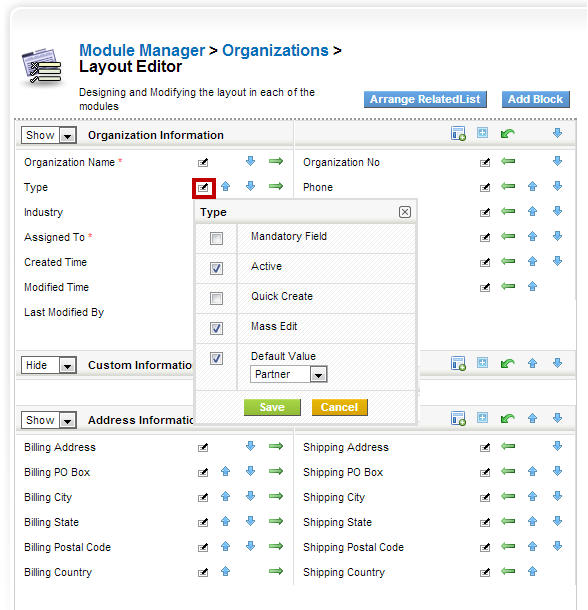
vTiger 5.4 introduced an option to select the default value for most of the fields. To do so, do:
- Mouse over the “gear” icon on the right upper corner
- Click “CRM Settings”
- Under “Studio” section, hit “Module Manager”
- Click on the wrench(far right side) next to the module you want to add custom field.
- Click “Layout Editor”
- Find the field you want to set default value for, click on “Note with a Pen” next to the field.
- Select the Default value, hit save.
Now every time you create a record, it will default to the value selected.
If you are on vTiger 5.3 or lower you will not be able to set default values using this method.