

Change Default Landing Page/Module In VTiger 7
In VTiger 7, users can configure the default page/module to show after logging into the CRM. This feature helps users to directly log onto the most used page/module (which is currently configured by the user) and saves the time of the user.
How to Change Default Landing Page/Module
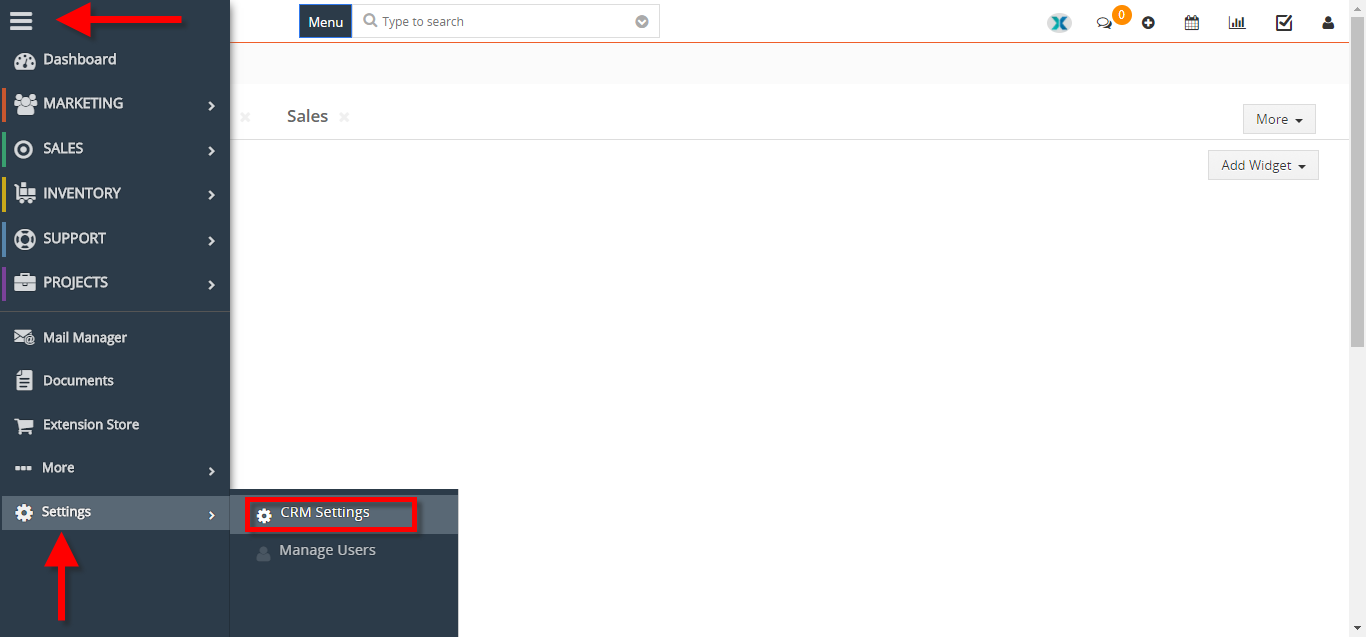
- Go to the “Menu” > “Settings“, and select “CRM Settings“.
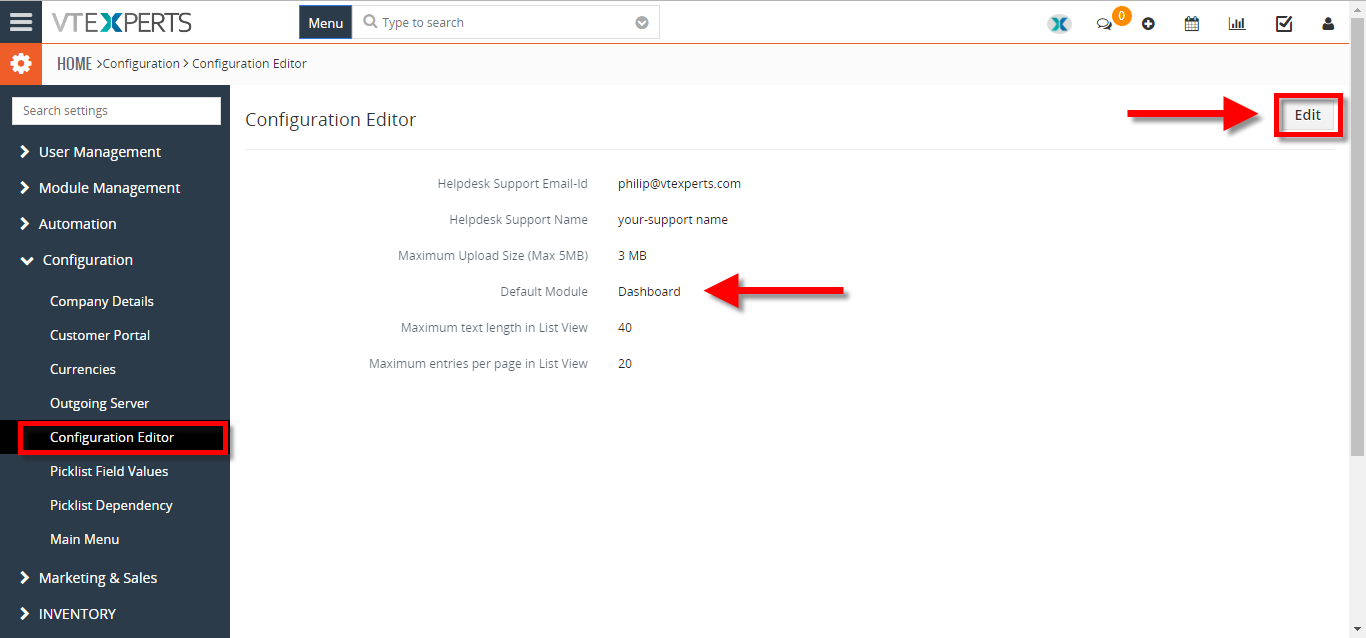
- Under the “Configuration” block, select “Configuration Editor“. From here click on the “Edit” button on the top right corner of you screen to change the default landing module or page.
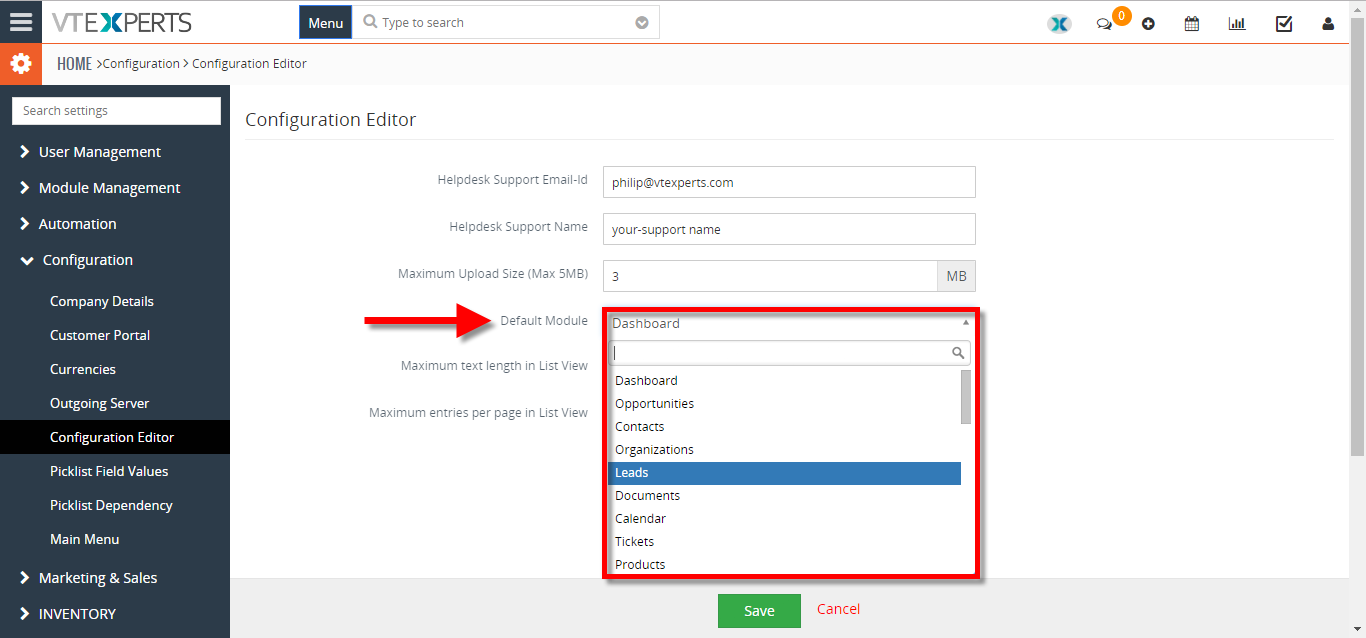
- Click on the “Default Module” field to change the current default landing page/module and select the desired module. Then hit “Save” button to save the changes.


1 Comment
The dafault Module is missing under configuration setting. I am using the version 8.1