

vTiger customization
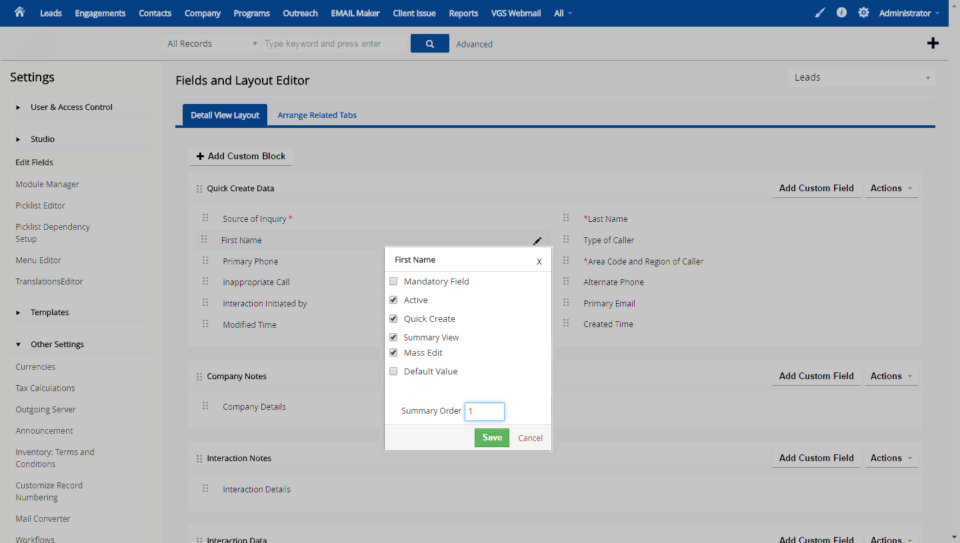
Control Summary View Field Sequence/Order In VTiger
July 23, 2016
Article
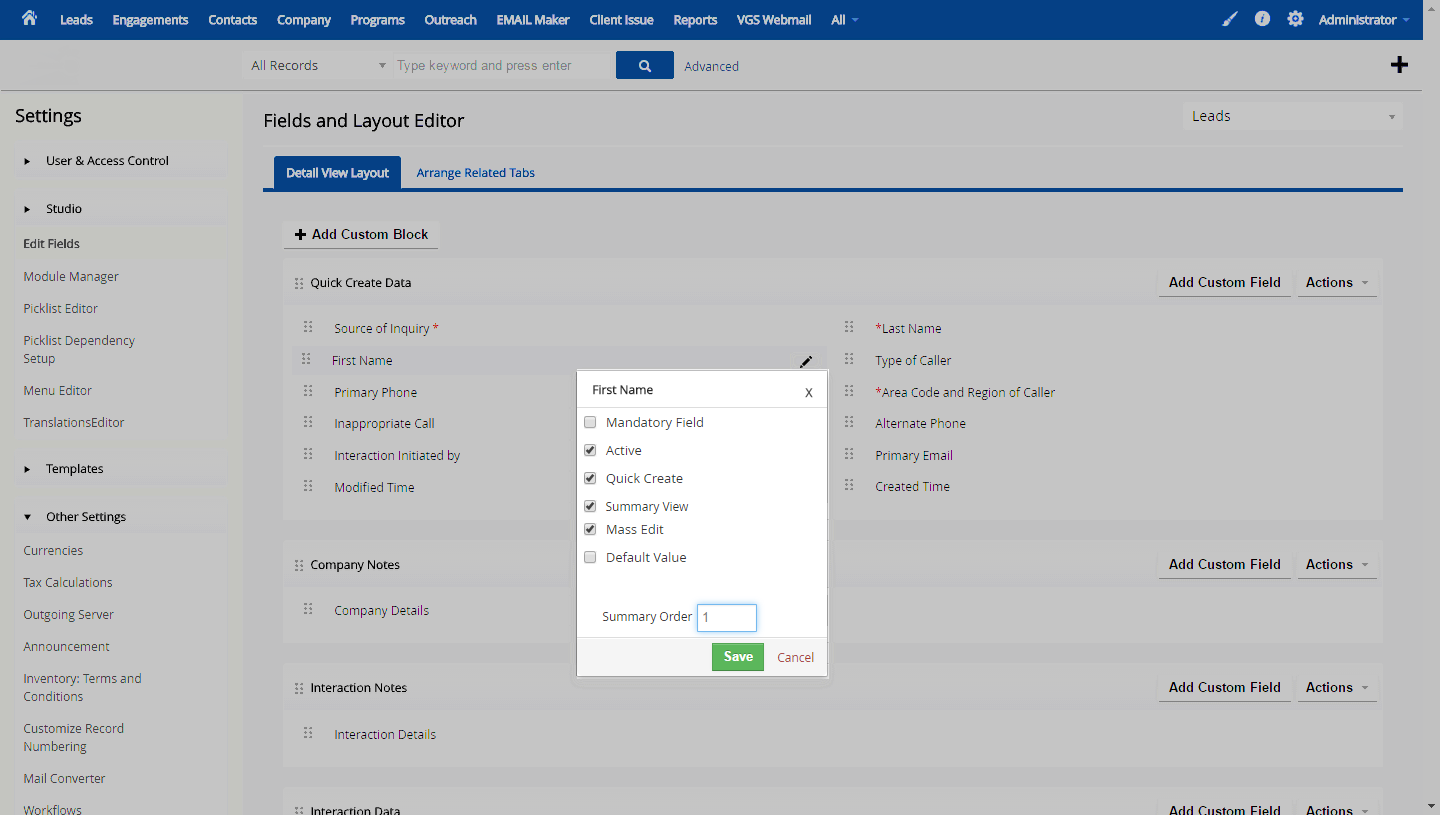
VTiger record view consists of two unique layouts – one is “Summary View” and the other is “Detail View”. Both views can display the fields configured. However, the two views are quite different when it comes to fields & columns. The Detail View comprises of 2 columns while Summary View has only one column. The limitation most users face is that for both views there’s only one way to organize the field sequence. Given that there’s a 2 column view where fields go Left to Right, versus in the one column view – it goes down. This is where the conflict in field sequence kicks in. If you are using both views, you would likely want to be able to separate the two and order the fields differently. Well, we’ve done it for you! One of our customers asked us to add a “Summary Field Seq” option in the “Field Editor” which overrides the standard field sequence
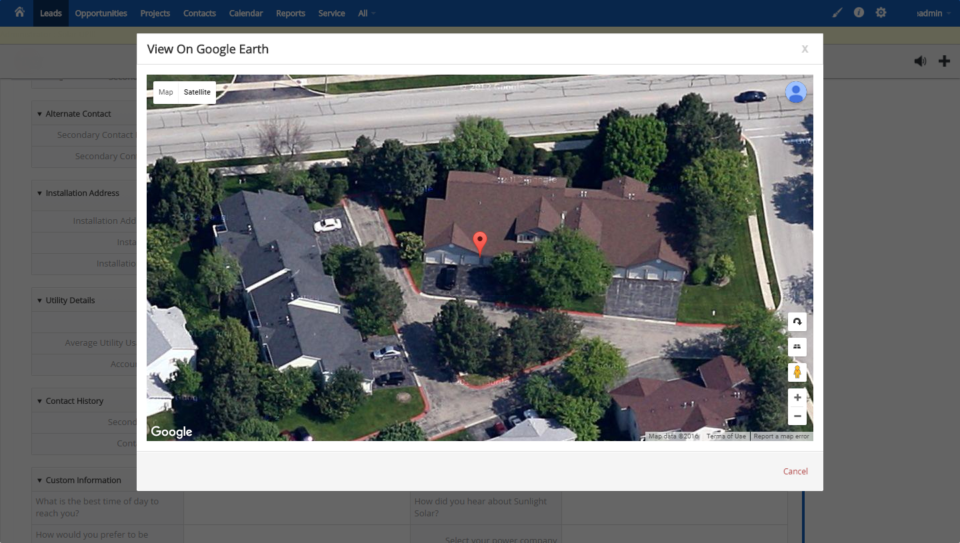
View Record Address On Google Earth within VTiger
July 20, 2016
Article
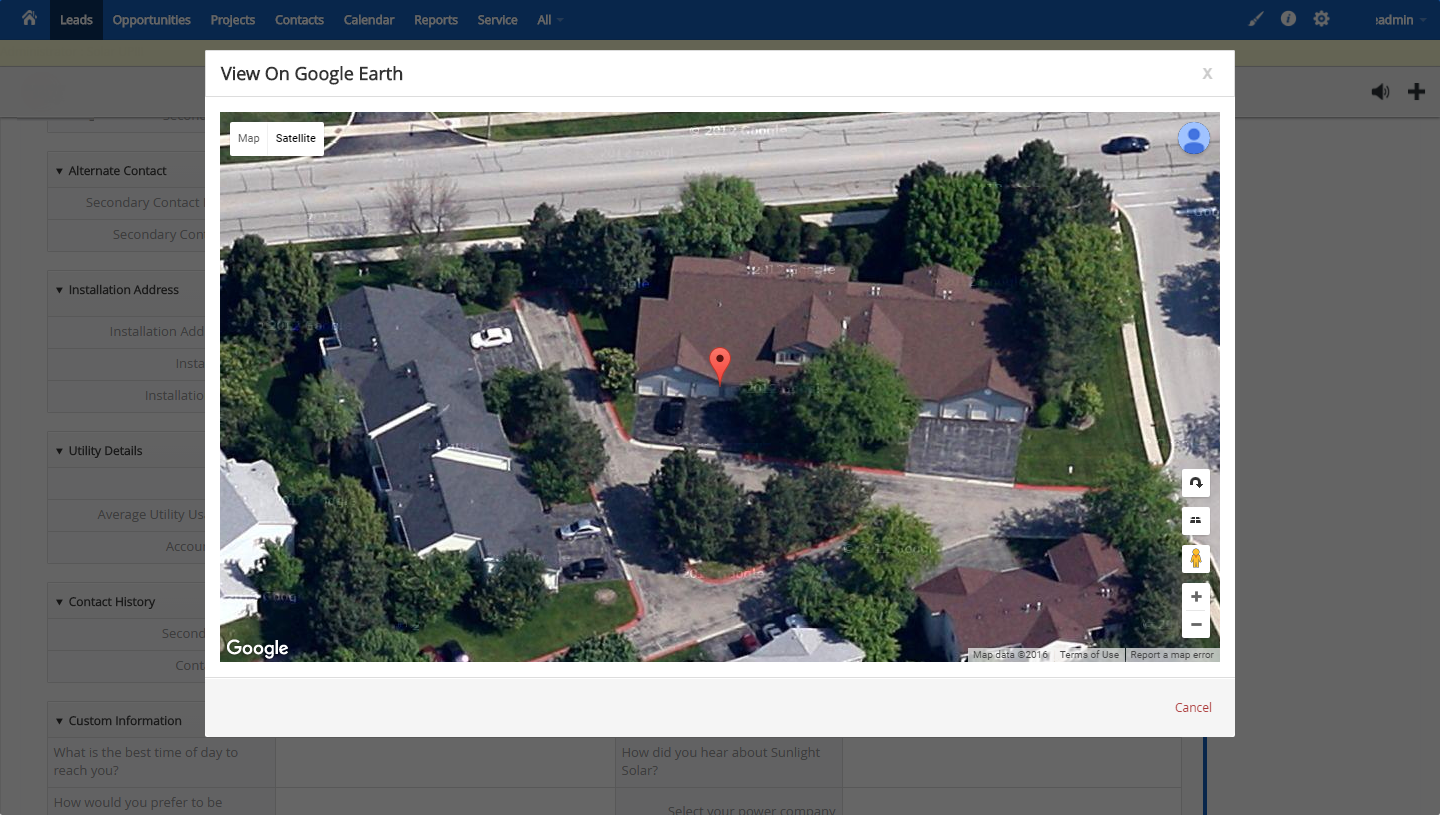
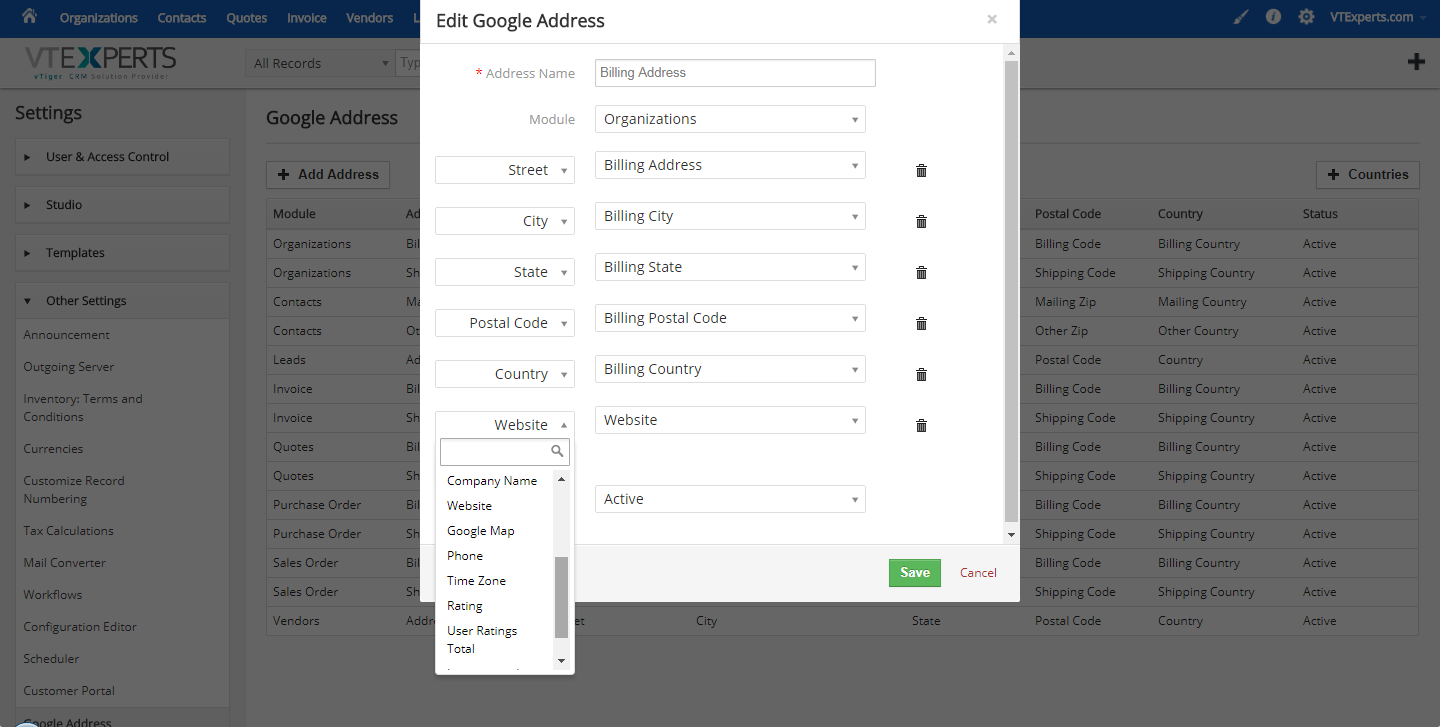
VTiger CRM comes with pre-designed Google Maps widget which enables to view the addresses while looking for lead or contact records. The feature is great! However, its practical application has not much been observed since the zoom is not adjustable and you can’t see much more than a pin and surrounding area. We took the integration with Google Maps a step further and added functionality for users to view addresses on Google Earth. What we coded was basically a simple button “View on Google Earth” (at least it looks simple enough) next to each address block, which opens a modal popup (without leaving VTiger) and shows the zoomed picture of the house and the area. The tool is very helpful for businesses dealing with Solar Systems, Fences or any other exterior work that requires a glance of the property to do the quote or evaluate the conditions. Please send us an email or give us a call if you need
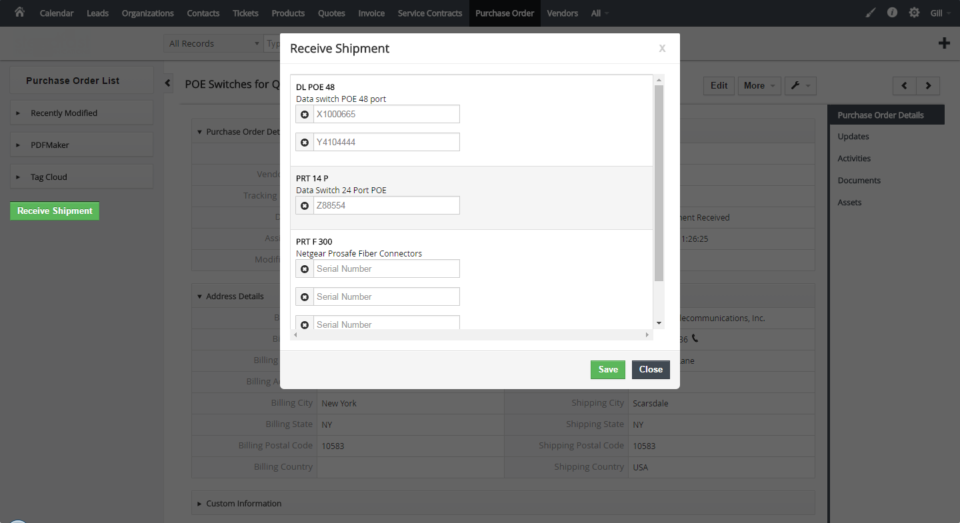
Receiving Purchase Order & Creating Assets in VTiger
July 19, 2016
Article
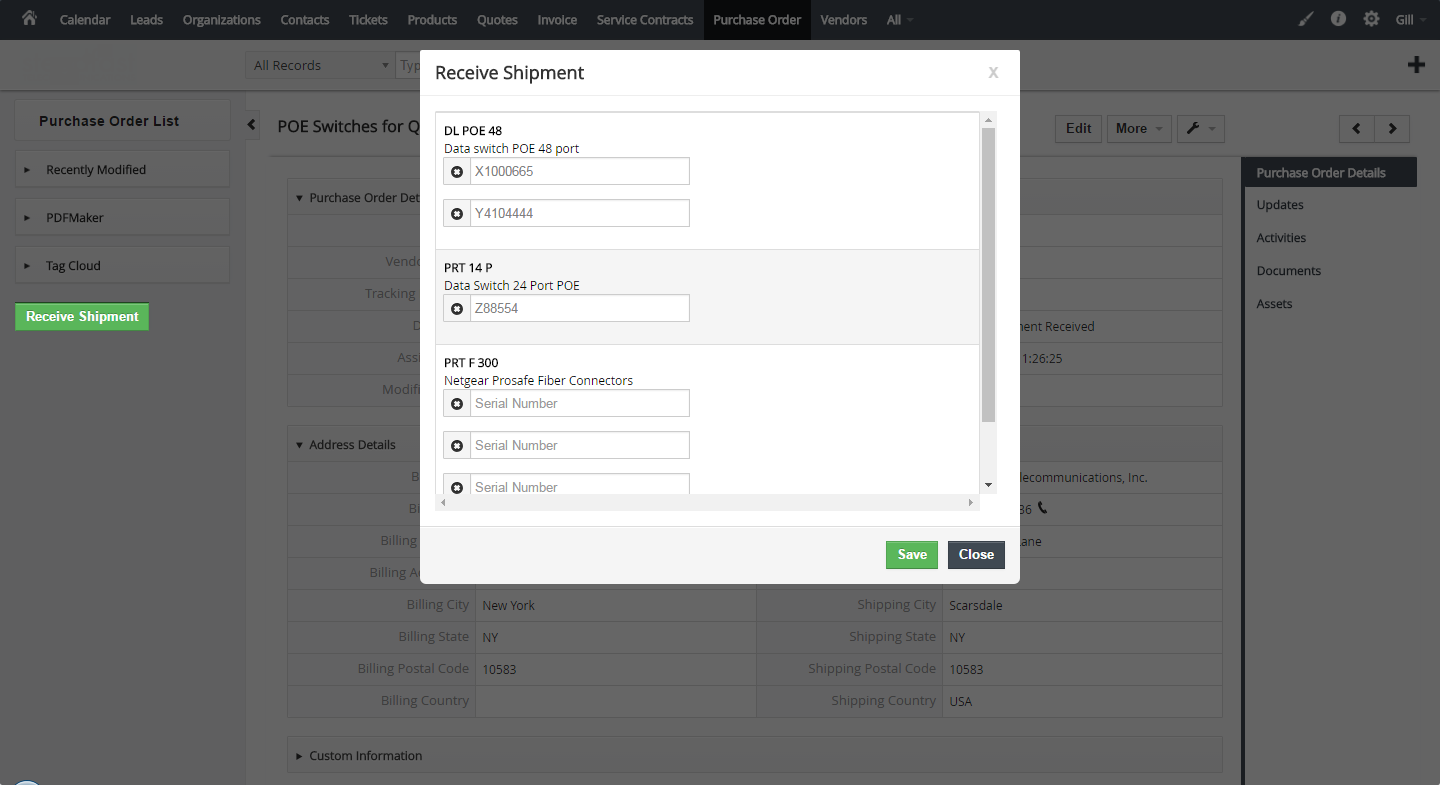
Out of the box VTiger has a built-in Purchase Order handling tool that allows users to create Purchase Orders, print or email them to the Vendor as well as link them back to Sales Order or an Invoice. In addition, there’s logic behind each Status, e.g when the Purchase Order status is changed to “Received”, it will ‘receive’ the items and update the “Qty. On Hand” for each item/product. All of the functionality is great. However, it is missing one of the most important features – keeping track of received items/assets. We came up with a solution that not only allows users to update the “Qty. On Hand”, but also enables to enter the serial number for each item and create it as an asset. It also supports a bar code scanner, all the user has to do is to put the cursor on the first item box and start scanning – the serial numbers will be
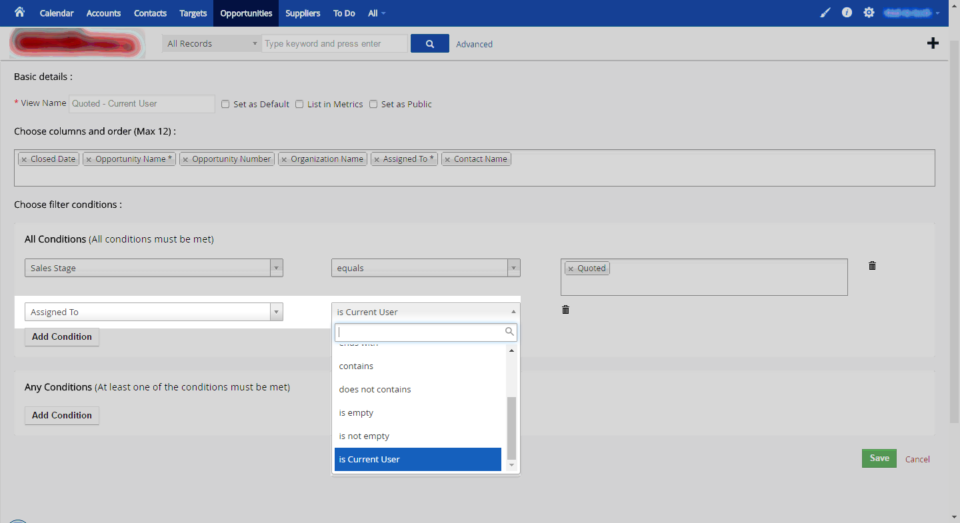
VTiger Filters: “Assigned To” Equals To “Current/Logged In User”
July 15, 2016
Article
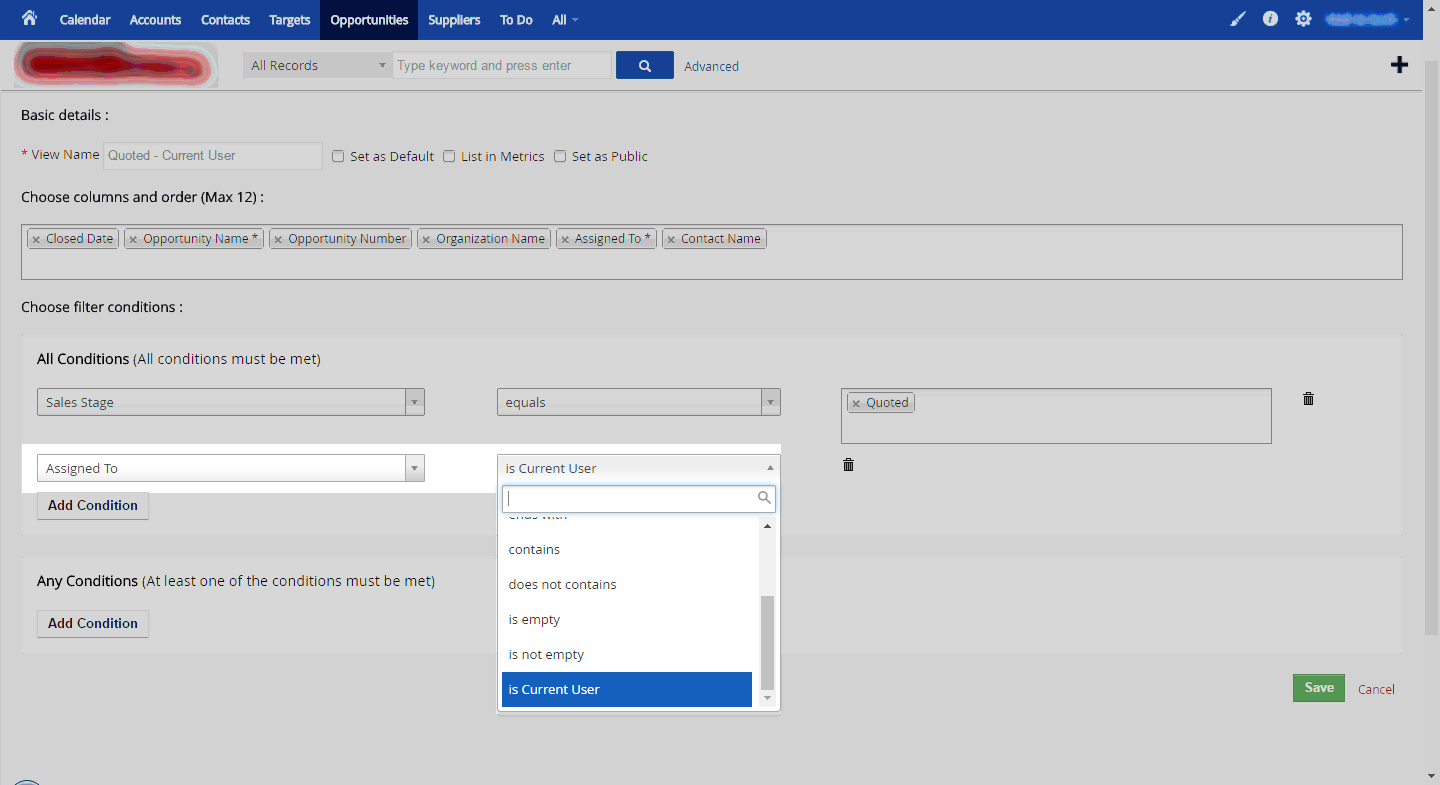
Filters in VTiger is one of the most commonly used feature and often system admins are required to create filters that require condition “Assigned To”, which can cause a potential problem when there are too many users. The way VTiger works now is, if you were to create filters for each user in the system (with the Assigned To condition), you would have to create as many filters as there are users., and sometimes more (if multiple filters are needed). We came up with the special “Assigned To” condition “Is Current User”. It means: you can create one filter, set it as public and select the condition to be “Assigned To is Current User” instead of using the “Assigned To equals UserXXX”. This eliminates the need of creating duplicate filters – the condition will filter only the records that are assigned to “the Logged In user”. This is just one of the many customizations
New Widget in VTiger Calendar View (Additional Filters)
July 14, 2016
Article
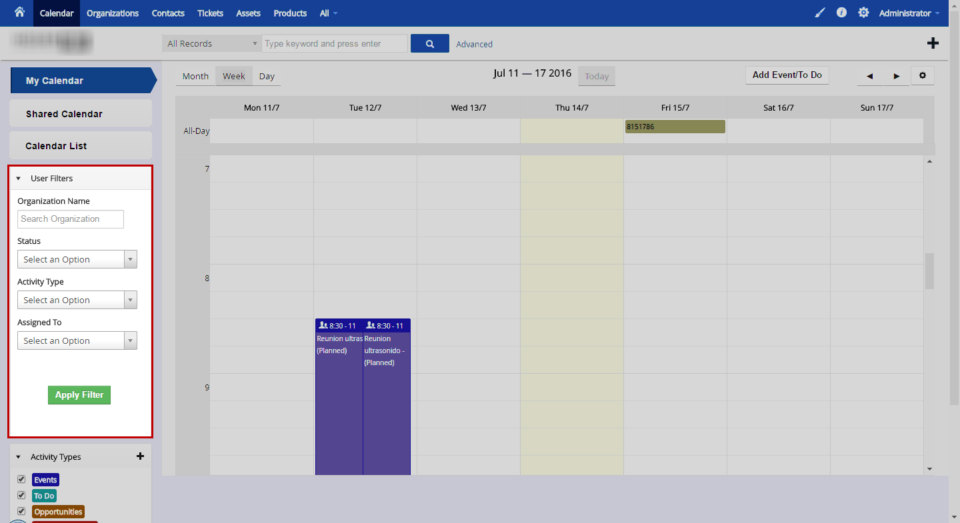
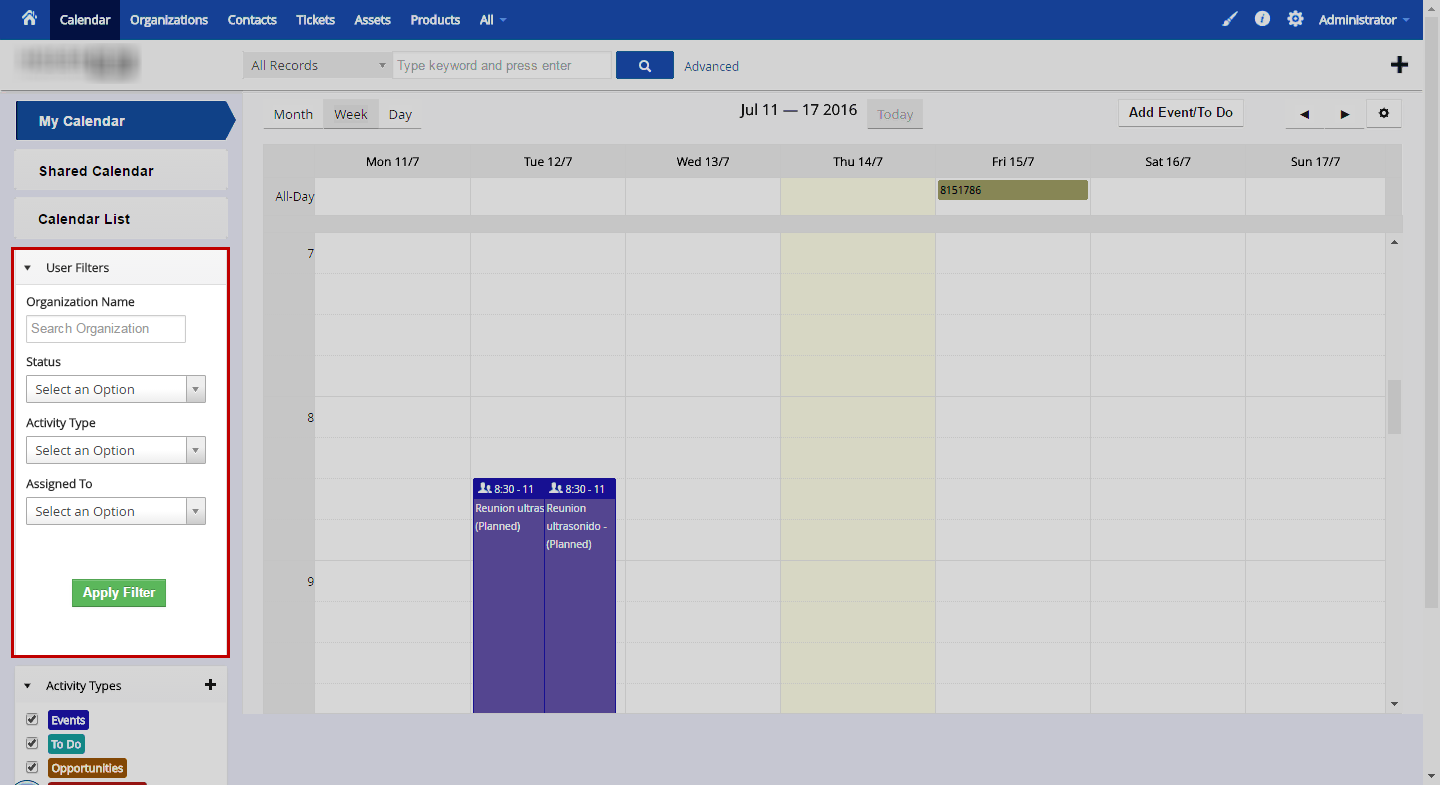
VTiger Calendar is great, but not perfect. As every software, there’s always room for improvement. One of the customers requested to add a special widget on the calendar view, so their managers could easily filter only the activities they need to see. If you look at the screenshot, you will see that the widget is embedded in the calendar view and allows a detailed search of events. Search fields are as follows: Organization Name (it’s an ajax/type ahead field, once you start typing – it will show possible matches) Status (activity status) Activity Type Assigned To (group/user assigned to activity) Such detailed search allows the customer to exclude the unnecessary activities/events/tasks from the calendar view and prioritize the day. This is one of the many customizations that we did – if you have an idea for implementation or need assistance with VTiger – please shoot as an email or give us
Customizing vTiger CRM for Your Business
April 30, 2015
Article
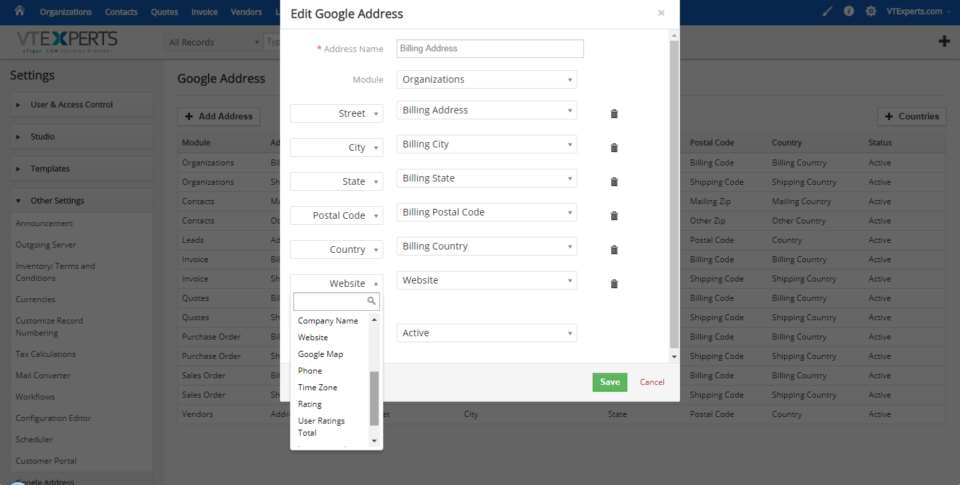
Every business can benefit from having the right customer relationship management software. Unfortunately, many businesses settle for a standard installation that doesn’t really fit their needs. This results in data management that doesn’t always work. vTiger CRM customization helps make your business more efficient so you can grow your sales without wasting time. vTiger CRM Customizations Improve Efficiency Although vTiger CRM is a powerful platform, it doesn’t do everything you want out of the box. Since your business is unique, you need custom solutions that work for you. With a few customizations, you can improve all your processes and get closer to your goals. Just about everything within vTiger is fully customizable, from the look and feel to the most advanced functions. You can customize account settings, fields, automation, data organization, and much more. Whether you want to add new fields, configure outgoing emails, organize your data and
Custom VTiger Widget to Add Phone Numbers & Comments