

vTiger CRM Customization
How To Change The Order Of Related Lists In vTigerCRM
August 26, 2013
Article
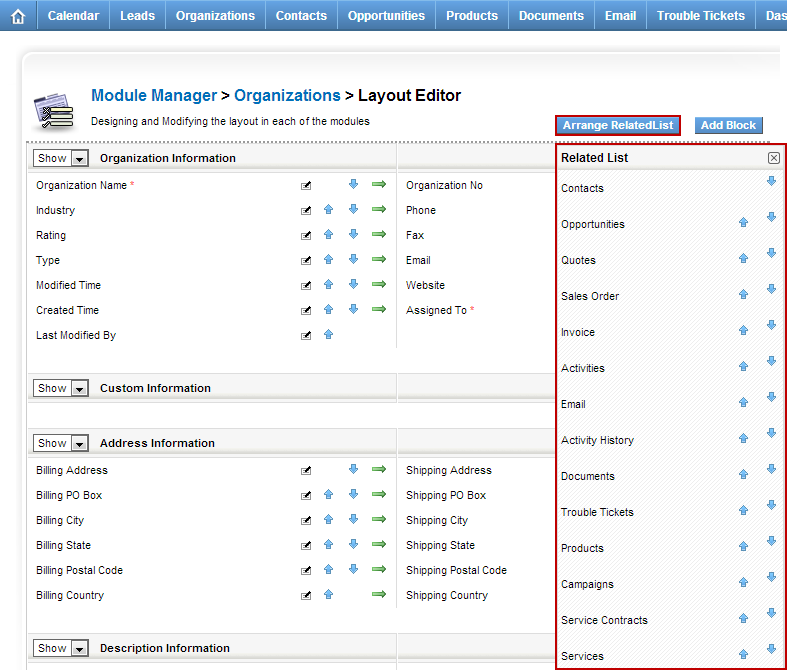
In order to quickly and efficiently see the information that you need, you can rearrange the vTiger Related Lists to fit your needs. To do so: Mouse over the “gear” icon on the right upper corner Click “CRM Settings” Under “Studio” section, hit “Module Manager” Click on the wrench(far right side) next to the module you want to order the Related Lists. Click “Layout Editor” Click on “Arrange Related List” button Once list is open, you can easily move them up or down. By default vTiger comes with many enabled modules which take up a lot of space on the screen and has no value to you – see how you can disable modules in vTiger and optimize your screen space.
Invoice/Quote/Sales Order Default to Service instead of Product.
July 18, 2013
Article
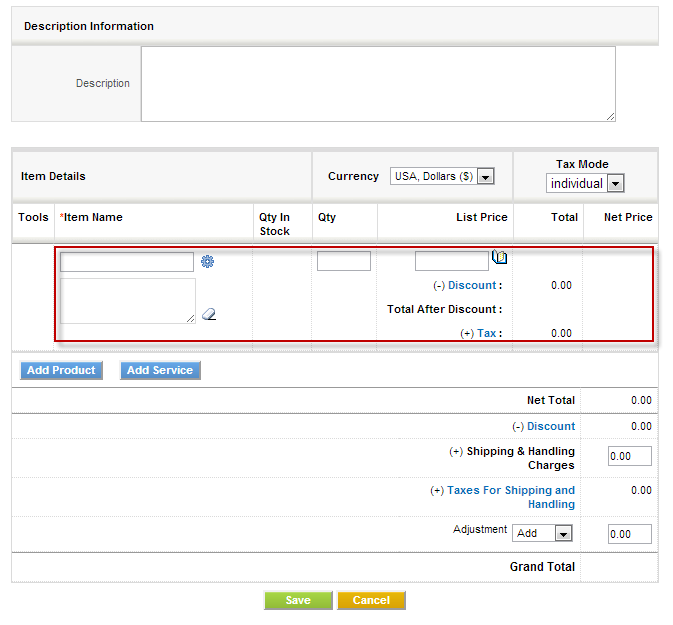
By default when you start Invoice, Quote or Sales Order the item defaults to products. This is not convenient for businesses who are oriented towards services, however there’s a quick tip how to change the first line item to services. We strongly recommend to backup vTiger files and database before doing any changes to code/database. Navigate to “vtigercrm/Smarty/templates/Inventory/ProductDetails.tpl” Go to line 172, the line should be: <img id=”searchIcon1″ title=”Products” src=”{‘products.gif‘|@vtiger_imageurl:$THEME}” style=”cursor: pointer;” align=”absmiddle” onclick=”productPickList(this,’{$MODULE}’,1)” /> Change it to: <img id=”searchIcon1″ title=”Services” src=”{‘services.gif‘|@vtiger_imageurl:$THEME}” style=”cursor: pointer;” align=”absmiddle” onclick=”servicePickList(this,’{$MODULE}’,1)” /> Save files and you are set.
Add “Last Modified By” Field
July 18, 2013
Article
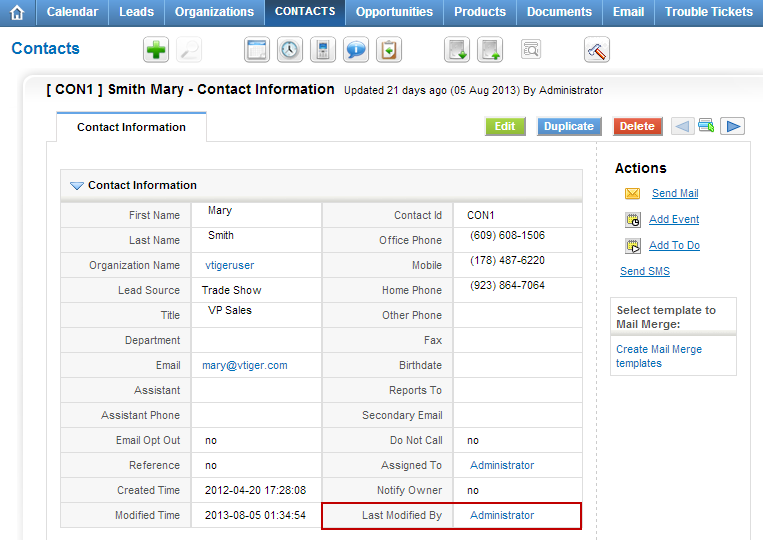
By default the “Last Modified By” field is hidden in vTiger, however all the functionality and the actual field is there. In order to unhide it you will have modify the database. We strongly recommend to backup vTiger files and database before doing any changes to code/database. You will need to run the query below: UPDATE vtiger_field SET presence=’0′, displaytype=’1′ WHERE fieldlabel=’Last Modified By’ AND columnname=’modifiedby’ AND tablename=’vtiger_crmentity’; Note, this query will enable Last Modified By field for ALL the modules, if you wan’t to enable it for just one module you will have to add “AND tabid=’Tab ID goes here’”; You will have to lookup tabid for the specific module in vtiger_tab.
