

advanced comments for vtiger
Picklists & Text Fields Explained In Advanced Comments Extension For VTiger 7
March 2, 2019
Article
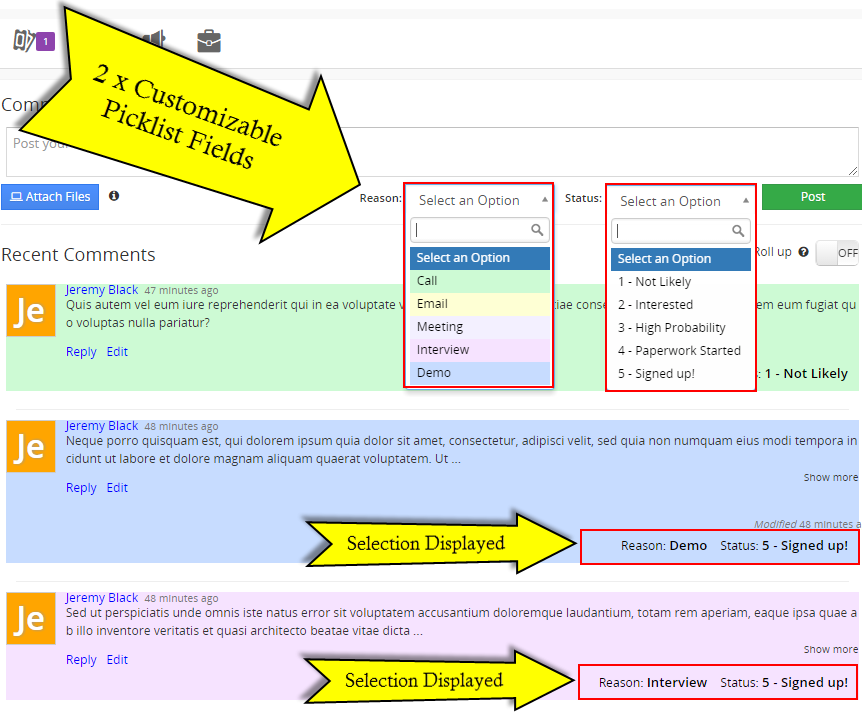
Advanced Comments for VTiger by VTExperts is an extension that modifies the standard feature of Comments in VTiger to manifolds. VTExperts’ Advanced Comments extension for VTiger changes standard VTiger comments and adds several new features. Those enhancements completely change the way to comment in VTiger. It adds several modern enhancements to existing comments functionality. In addition to two picklist fields that you can create for comments (used for categorization), several distinguish features have been added to the extension so far. Rich text formatting, reply via email to a comment, making comments internal by default are just some of those. It allows to tag users using @mention feature in comments. The tagged users receive notifications via email. The extension also comes with the ability to add two picklists and one text field. Let’s see how does these fields work: Picklist Fields There are two picklists available in the settings of Advanced
Smart Preview & Character Limit In Advanced Comments For VTiger
January 2, 2019
Article
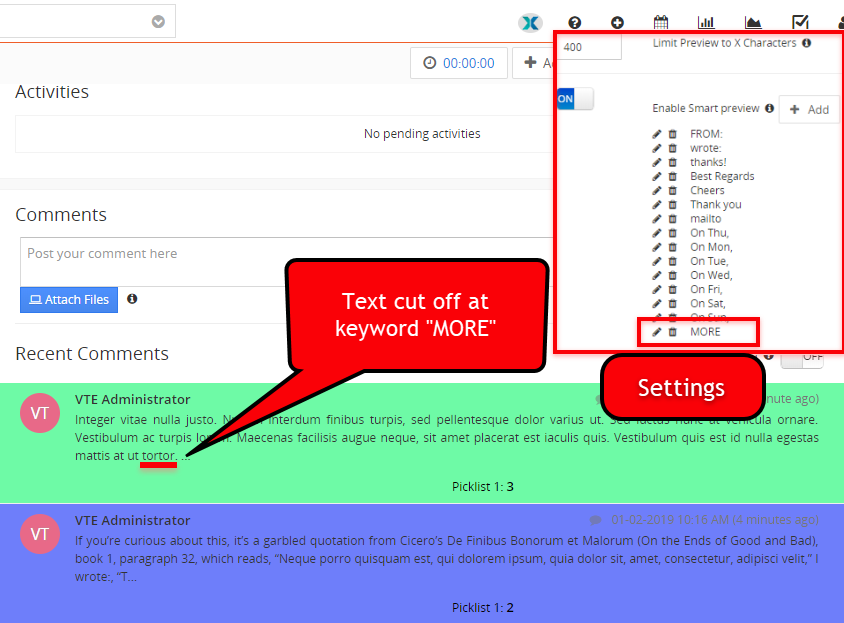
Advanced Comments extension for VTiger converts regular VTiger comments to featured comments. It adds several vivid enhancements to existing comments functionality. In addition to two picklist fields that you can create for comments (used for categorization), several distinguish features have been added to the extension so far. Rich text formatting, reply via email to a comment, making comments internal by default are just some of those. The extension also supports tagging users in comments using standard @mention. The tagged user gets a notification via email about the comment.
Tag Users In Comments Using @mention In VTiger
December 18, 2018
Article
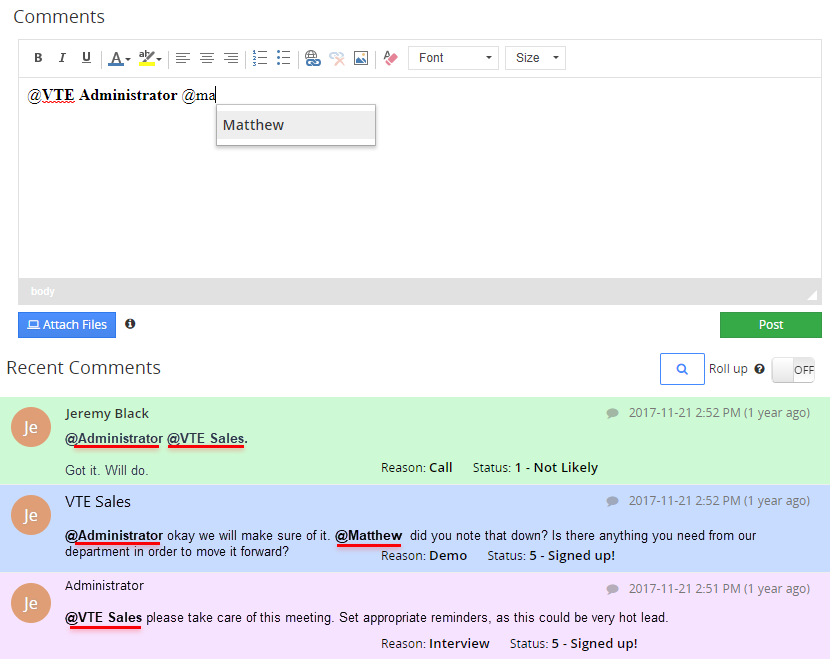
Advanced Comments extension for VTiger converts regular VTiger comments to featured comments. It adds several vivid enhancements to existing comments functionality. In addition to two picklist fields that you can create for comments (used for categorization), several distinguish features have been added to the extension so far. Rich text formatting, reply via email to a comment, making comments internal by default are just some of those. It comes with configuration area to enable one or both picklist fields, set the labels as well as configure picklist values for each field. New Feature Tag/@mention We’ve developed another frequently requested feature, what we call “@mention” or “Tag”. As the names suggest, the new functionality enables VTiger users to comment on a record and tag another user using @ in the comment box. Once a user presses @ and starts typing, the users matching those alphabets show up as a list. This allows
VTExperts Advanced Custom Fields: Second Assigned To Field Filter in vTiger