vtiger extension
Transfer/Auto Fill Phone Number From Organization To A New Contact In VTiger 7
February 2, 2018
Article
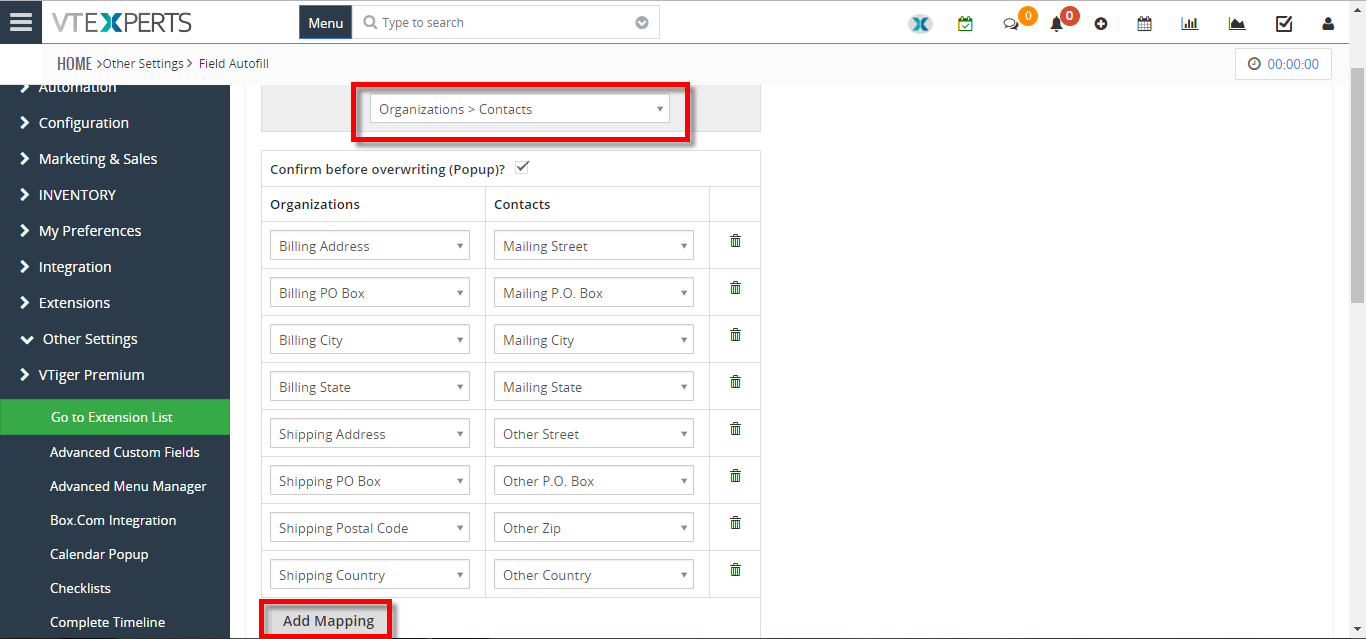
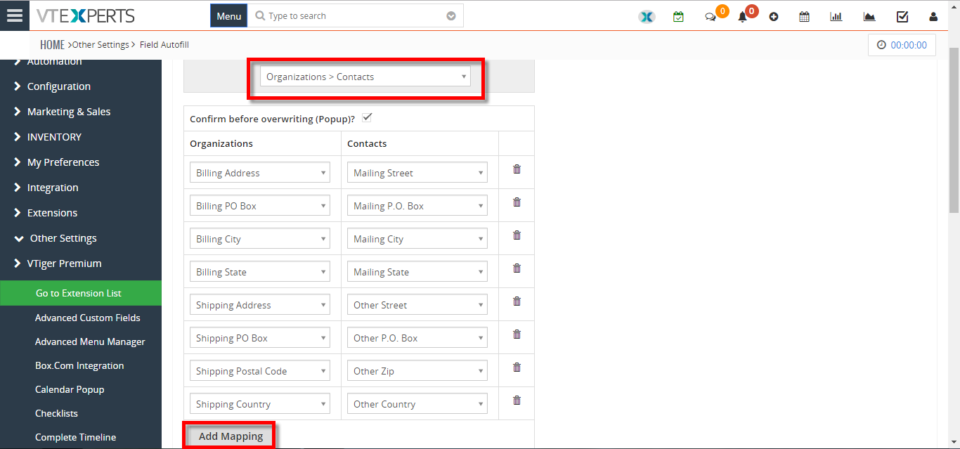
In Vtiger 7, User can avoid repetitive data entry when creating related records by using our Field Autofill extension. User can create a contact from within Organization and not have to re-enter Office Phone, Fax, Address, etc.. How to Transfer/Auto Fill Phone Number from Organization to a New Contact Go to the “Menu” and select “CRM Settings“. Under “Other Settings” select “Filed autofill“. Select the modules you want to automatically transfer data, for this example we’ll be using Organization to Contact and click on the “Add Mapping” button. Select the records from which you want the data to transfer to, for this example we are using Primary Phone to Office Phone. When creating a contact select an “Organization” and a dialog box will popup asking for to auto fill the fields with the selected organization data according to your configuration, by clicking on the “Yes” button it will automatically fill the fields.
Status Colors In Job Scheduler Extension For VTiger Calendar
January 31, 2018
Article
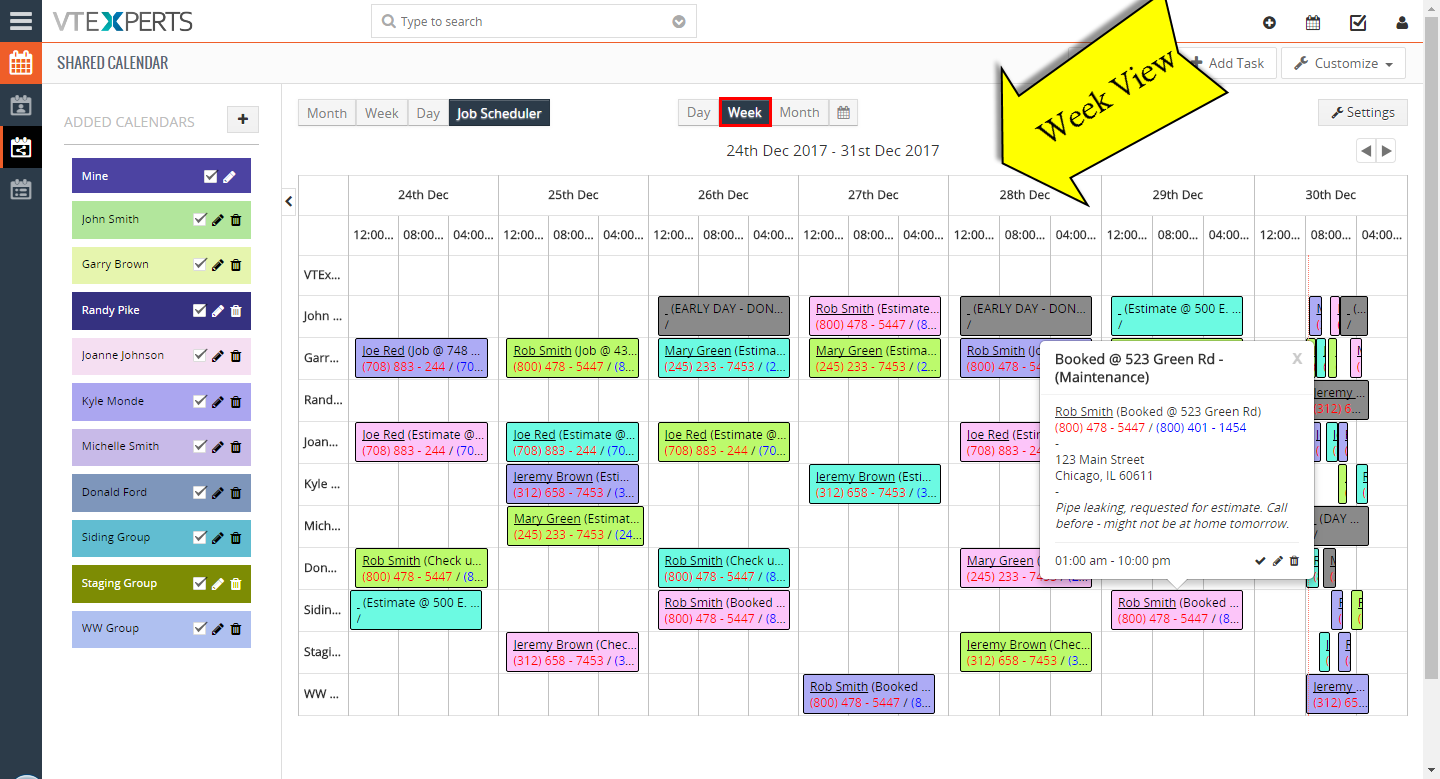
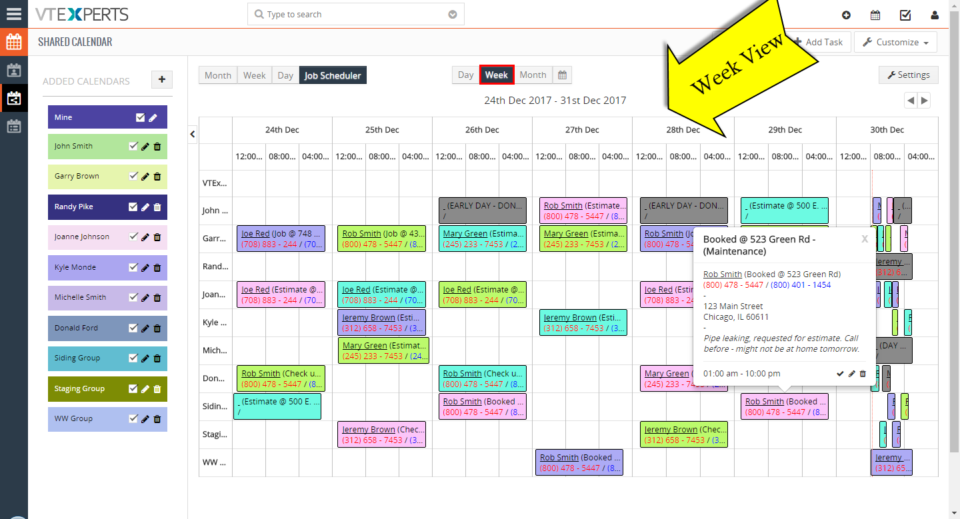
VTiger Job Scheduler is the extension that enhances your VTiger Calendar’s capability to manifolds. It gives you day, week, and month views in a way that events and tasks do not overlap and become very easy to manage. Now, we’ve added a major function in VTiger Job Scheduler that allows to color the statuses of events wherever it matters e.g. in Picklist while creating an event and selecting a status, on Job Scheduler view of the VTiger Calendar etc. So, once the colors are configured in the extension settings, you will see statuses as different colors. Same for the Events box on the Calendars. The box’s color will depict the status of an event. It will help you quickly identify the status of an event and see if that event has either been planned, scheduled, held or cancelled. For further help, contact us on [email protected]. We’ll
New – “Actions” Button Column On Activity Reminder / Calendar Popup For VTiger 7
December 15, 2017
Article
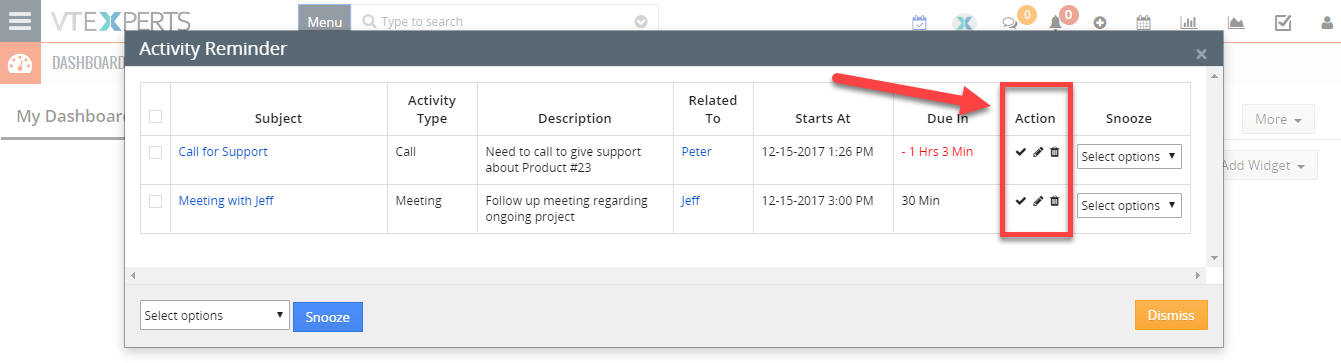
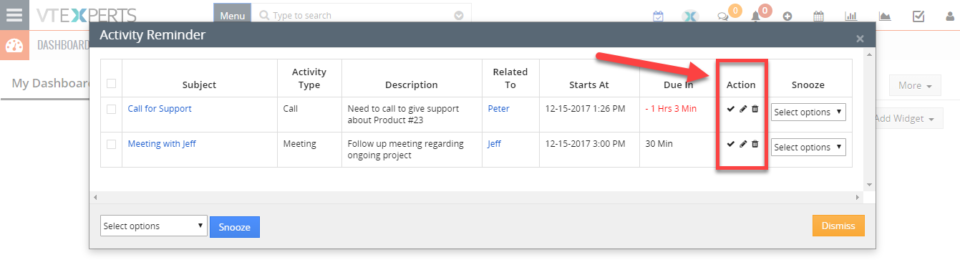
There’s a productivity centered extension Activity Reminder (Popup) for VTiger that gives reminders similar to Outlook. The reminder popup shows up automatically when the activity is due and displays current day’s activities with basic details such as subject, description, related to (contact, lead, organization, etc..) as well as Due In. We recently gave it a major upgrade and added the “Actions” button as a column to the reminder popup. Previously, those actions buttons were only accessible when you go to calendar > specific activity > and hover your mouse over it. With the Activity Reminder (popup) extension, now users can edit, mark as done, and delete any activities without the need to visit the actual activity in the Calendar. When you open the reminder popup (extension button at the top right – needs the extension to be installed), you will see this new column named “Action”. The action buttons
3 VTiger Extensions For Your Company’s Sales Men & Managers
July 23, 2016

Article
Sales team of a company plays chief role in its success, there is no doubt about that. But what if I tell you that they need your help to do so? There are a lot of steps you can take to achieve the purpose, and one of those is configuring the automations for the team. We decided to gather a list of 3 extremely helpful extensions of VTiger your sales team can surely find handy to boost the sales of a company. VTiger Kanban View [dt_highlight color=”green”]Click here for pricing, additional screenshots, video & live demo.[/dt_highlight] [dt_fancy_image type=”” style=”1″ lightbox=”1″ align=”right” padding=”0″ margin_top=”0″ margin_bottom=”0″ margin_right=”0″ margin_left=”0″ width=”” animation=”none” media=”” image_alt=”” hd_image=”” image=”https://www.vtexperts.com/gifs/vtigerkanbannew.gif”][/dt_fancy_image] When looking for sales tools, one searches for software or extension that provide proper visibility throughout the sales pipeline, warn about potential hurdles, and suggest ways to close deals within the estimated time. That is exactly what
Develop And Design Attractive Documents With vTiger Proposal & Document Designer
July 17, 2016

Article
A number of tools are available in market to write a couple of pages, few chapters, or even books with basic to professional formats. But when it comes to craft versatile content like extensive proposals, sales orders, quotes, invoices, or executive subject matter in a style, selection of the right tool can be tricky. Searching for the perfect software is itself a tiring task, let alone the additional processes including email integration with the desired customizations. The problem was addressed at vTiger’s and the team came up with the ultimate solution in the form of vTiger Proposal & Document Designer, along with the capability of Electronic Signature. The powerful vTiger extension has the potential to nimbly design professional, mobile friendly documents and proposals right from the vTiger CRM in minimum time. You can create highly striking executive documents, pamphlets, proposal, etc. that are more anticipated to convince leads and opportunities.