

A very productive Extension for VTiger with which you can design “Excel type” tables with rows & columns in a field block. Each block can be configured with different set of fields. It supports multiple table blocks per module. Plus it works with both Edit and Detail Views (with editing capabilities).
Table Block for VTiger encompasses the Drag & drop functionality to reorder the rows. Moreover, you can calculate totals for currency/integer fields right within your CRM. In addition, it integrates with PDF Maker and prints out the block on the PDF.


You can set up each cell to be filled with information that you need to keep on hand, such as costs, quantities, or even addresses. You can also set each cell to have different fields, from drop-downs to check boxes to lists. This can keep all of the information you need for your company in one simple and organized location, giving you an edge when you need information quickly. Stop wasting time going through different documents, when you can have one place to turn for everything. Give Table Block for VTiger a try next time whenever you need information to be controlled and immediately available.
Here are some of the key features that make our extension unique.
- Capability to create “Excel” type blocks
- Unlimited fields & block per module
- Supports all field types (pick-list, multi-select, currency, date, integer, relation fields, checkbox etc..)
- Supports Pick-list dependency & Standard VTiger permissions
- Allows ‘hover’ and full mode editing
- Includes “Updates” section for table block changes
- Supports PDF Maker output
- Compatible with VTiger Standard & Custom Modules
- Supports Module Manager
- Available on VTiger Marketplace
We provide a unique demo instance for all our extensions. Each demo instance is pre-configured to only show features available for the specific extension. It is likely that some of the standard vTiger modules have been disabled to make the demo more user friendly.
VTiger 7 Demo
Please use credentials below to access the demo.
- Link: https://demo.vtexperts.com/tableblock/index.php (Will open in new window)
- User: demo
- Pass: demo
VTiger 6 Demo
Please use credentials below to access the demo.
- Link: https://demo.vtexperts.com/tableblock/index.php (Will open in new window)
- User: demo
- Pass: demo
If you are not able to access the demo or find an issue - please send us an email at [email protected] or via contact form.
All extensions come with an extensive user guide, which includes setup instructions, suggestions as well as usability tips. Please click the link below to access user guide for this extension.
User Guide: VTExperts Table Block extension User Guide (Will open in new window)
For assistance or any questions - please contact us via [email protected].
Related products
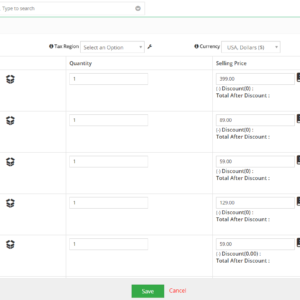
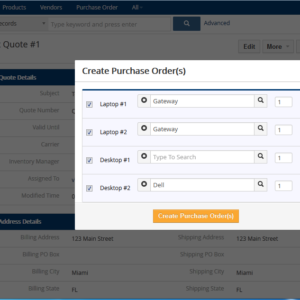
A very productive Extension for VTiger with which you can design “Excel type” tables with rows & columns in a field block. Each block can be configured with different set of fields. It supports multiple table blocks per module. Plus it works with both Edit and Detail Views (with editing capabilities).
Table Block for VTiger encompasses the Drag & drop functionality to reorder the rows. Moreover, you can calculate totals for currency/integer fields right within your CRM. In addition, it integrates with PDF Maker and prints out the block on the PDF.
You can set up each cell to be filled with information that you need to keep on hand, such as costs, quantities, or even addresses. You can also set each cell to have different fields, from drop-downs to check boxes to lists. This can keep all of the information you need for your company in one simple and organized location, giving you an edge when you need information quickly. Stop wasting time going through different documents, when you can have one place to turn for everything. Give Table Block for VTiger a try next time whenever you need information to be controlled and immediately available.
Here are some of the key features that make our extension unique.
- Capability to create “Excel” type blocks
- Unlimited fields & block per module
- Supports all field types (pick-list, multi-select, currency, date, integer, relation fields, checkbox etc..)
- Supports Pick-list dependency & Standard VTiger permissions
- Allows ‘hover’ and full mode editing
- Includes “Updates” section for table block changes
- Supports PDF Maker output
- Compatible with VTiger Standard & Custom Modules
- Supports Module Manager
- Available on VTiger Marketplace
We provide a unique demo instance for all our extensions. Each demo instance is pre-configured to only show features available for the specific extension. It is likely that some of the standard vTiger modules have been disabled to make the demo more user friendly.
VTiger 7 Demo
Please use credentials below to access the demo.
- Link: https://demo.vtexperts.com/tableblock/index.php (Will open in new window)
- User: demo
- Pass: demo
VTiger 6 Demo
Please use credentials below to access the demo.
- Link: https://demo.vtexperts.com/tableblock/index.php (Will open in new window)
- User: demo
- Pass: demo
If you are not able to access the demo or find an issue - please send us an email at [email protected] or via contact form.
All extensions come with an extensive user guide, which includes setup instructions, suggestions as well as usability tips. Please click the link below to access user guide for this extension.
User Guide: VTExperts Table Block extension User Guide (Will open in new window)
For assistance or any questions - please contact us via [email protected].
Information
- Vtiger 8.x
- Vtiger 7.x
- Vtiger 6.x
- Ioncube & PHP SOAP (hands-on)
- Install & Setup (hands-on)
- Meeting Server Requirements
- Assisting with any issues related to plugins
