


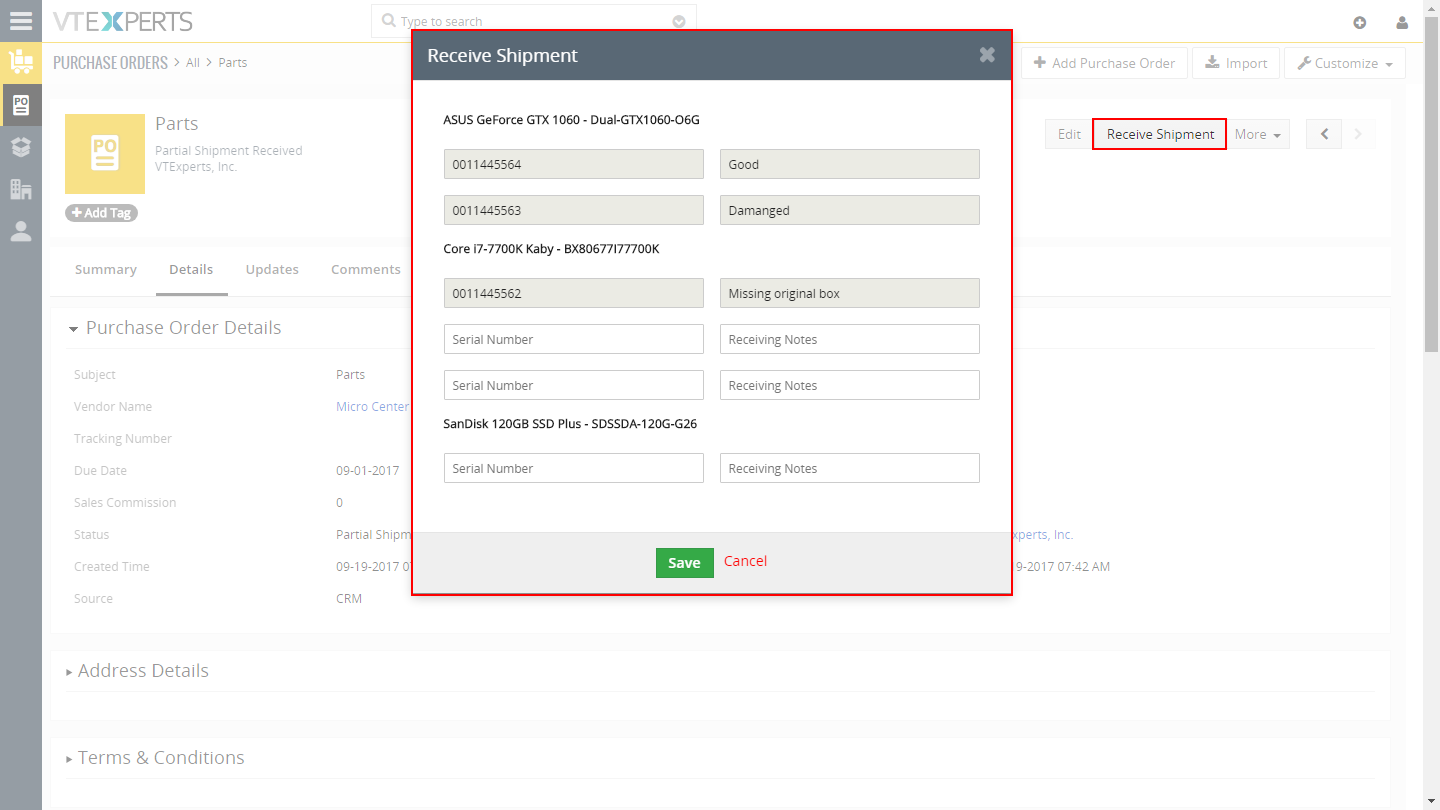
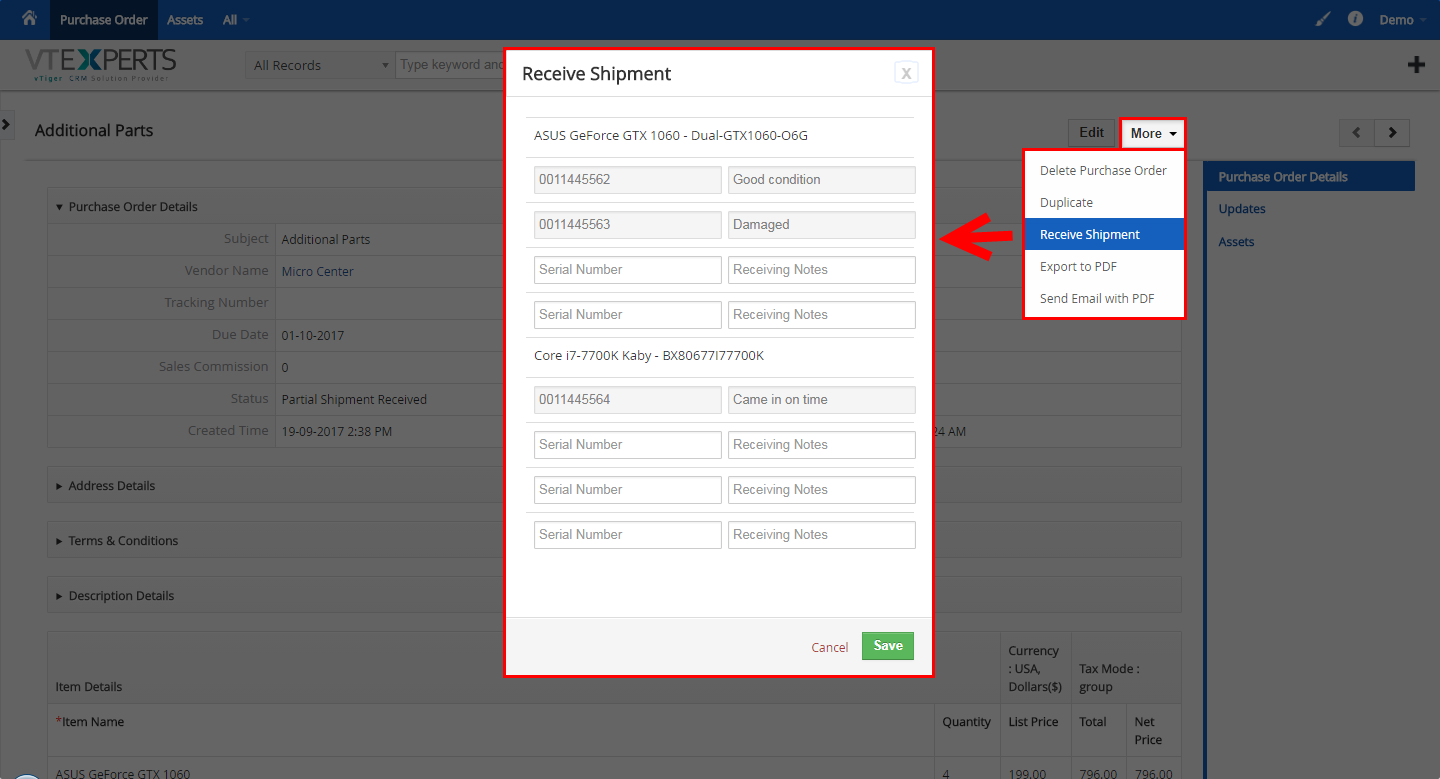
Receive/Create Asset from Purchase Order for VTiger is an extension designed to efficiently create new assets based on what is being received from Purchase Order. It’s intuitive popup displays Product Number and Name and adds a row for each qty so the user can put in serial number and receiving notes for each product & qty they are receiving. In addition, it supports Partial Shipments and prevents duplicate parts to be received.
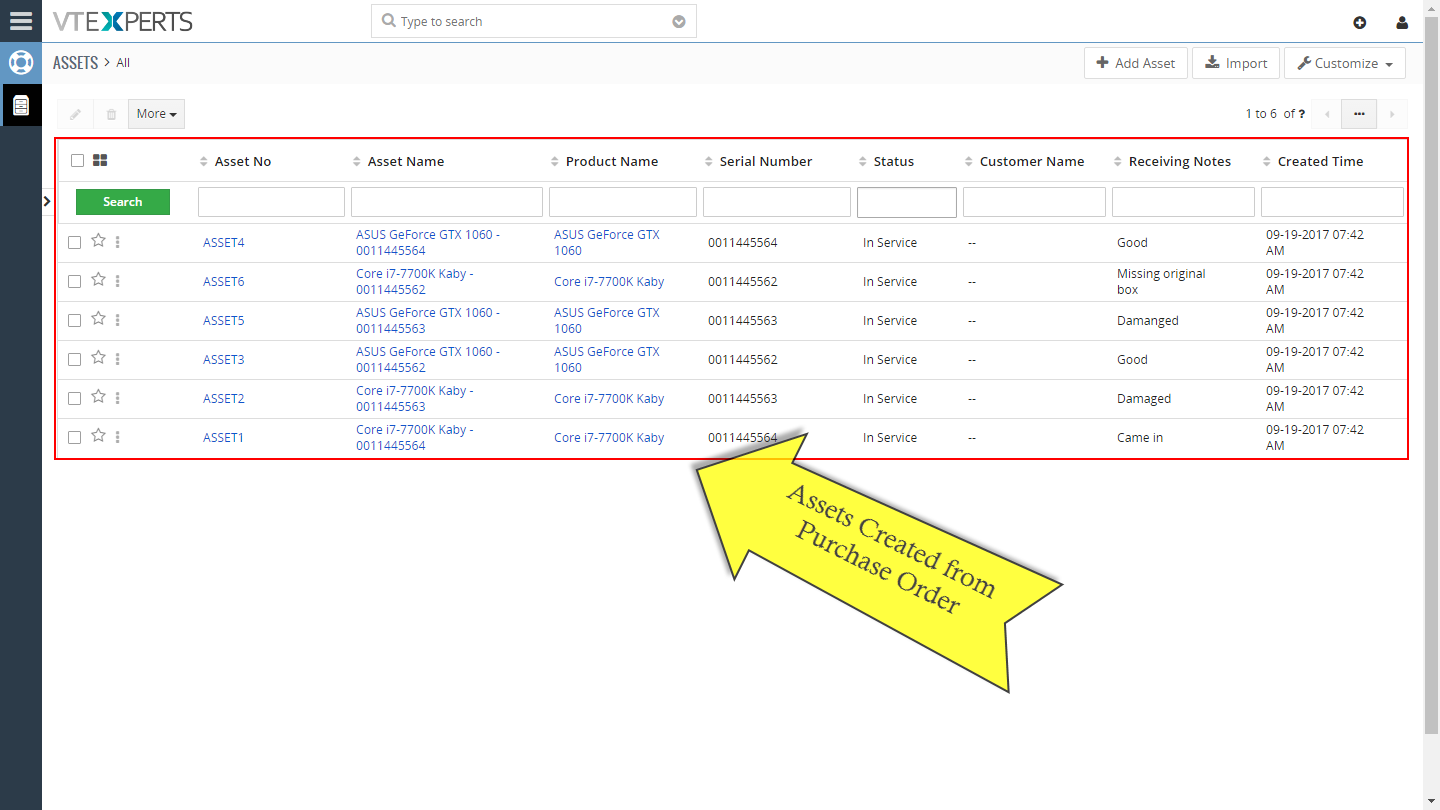
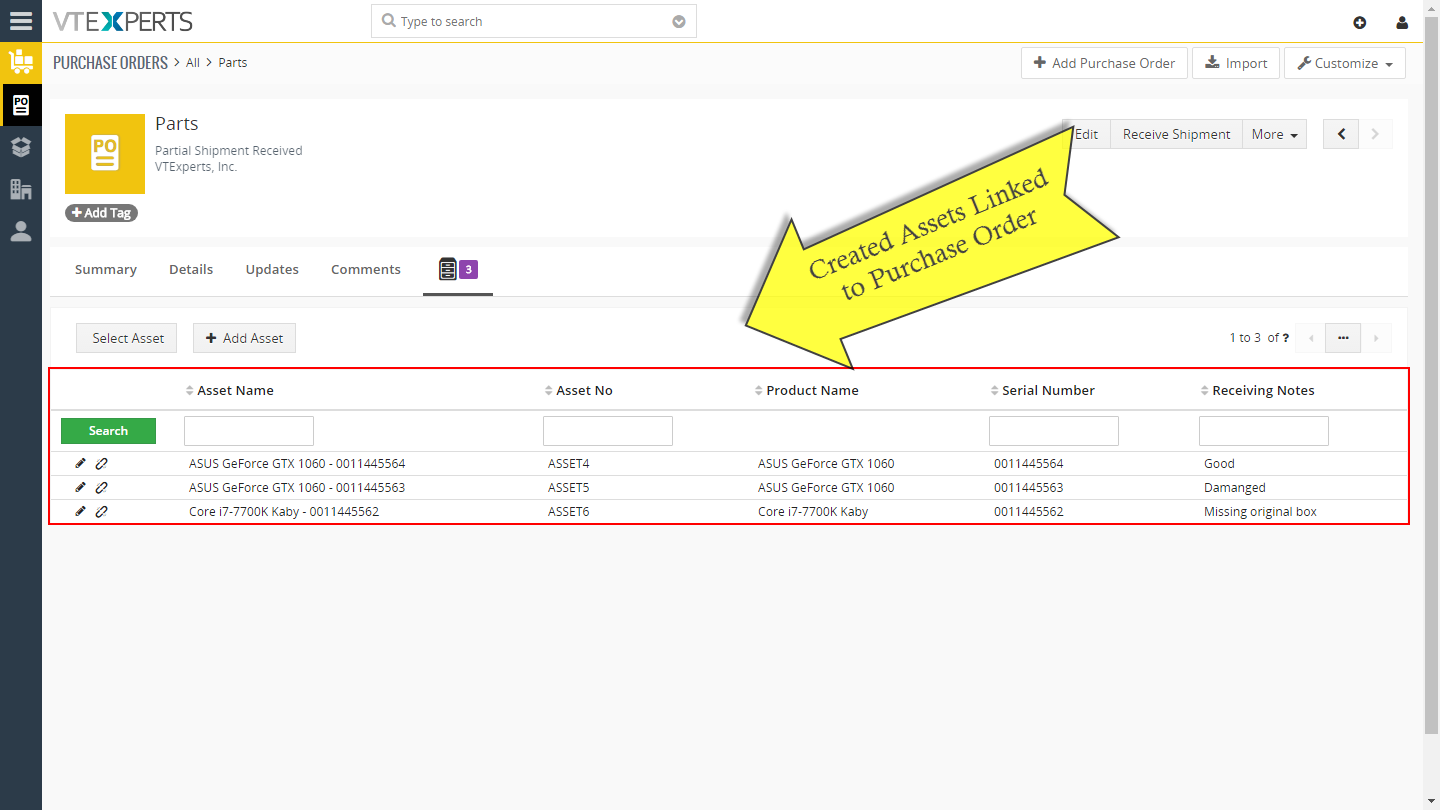
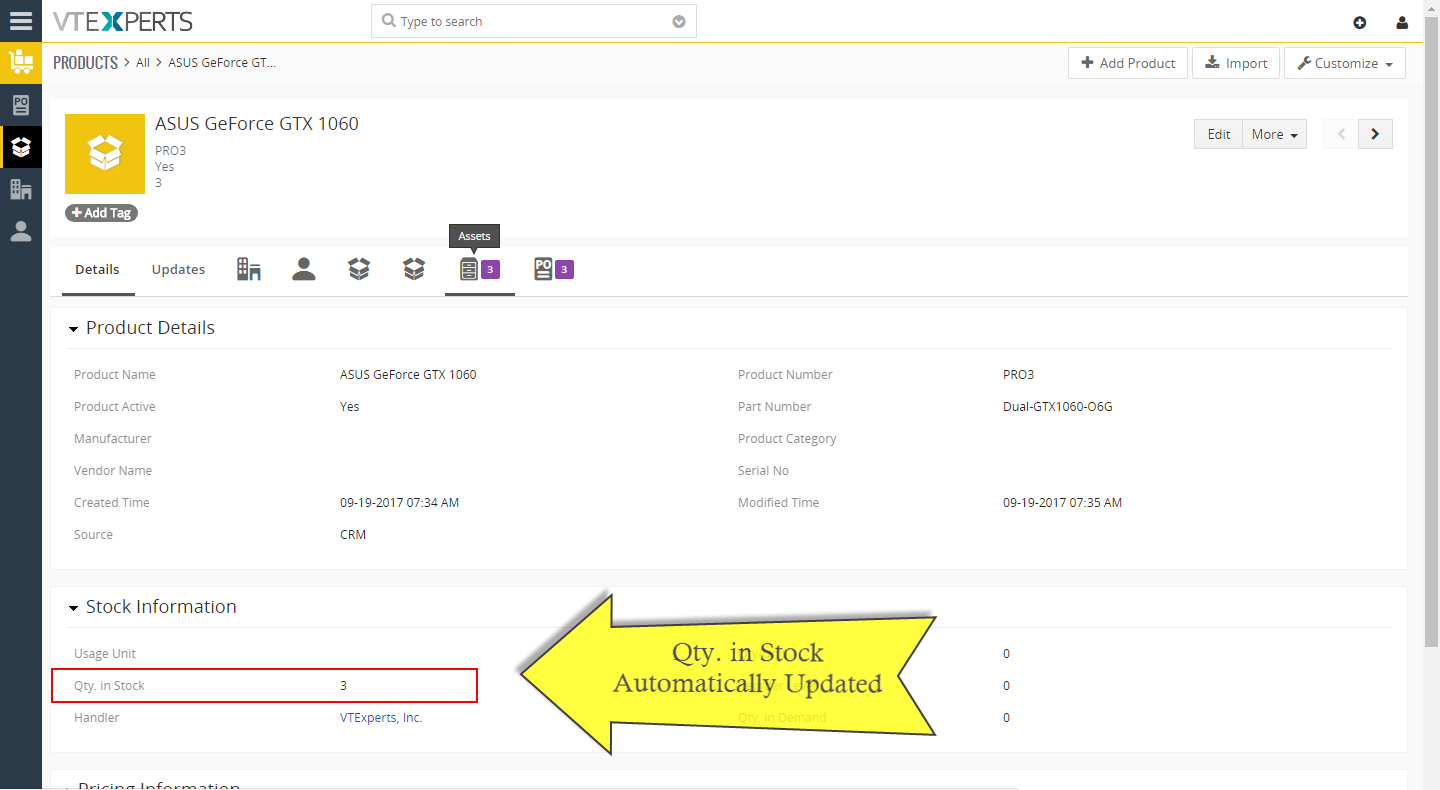
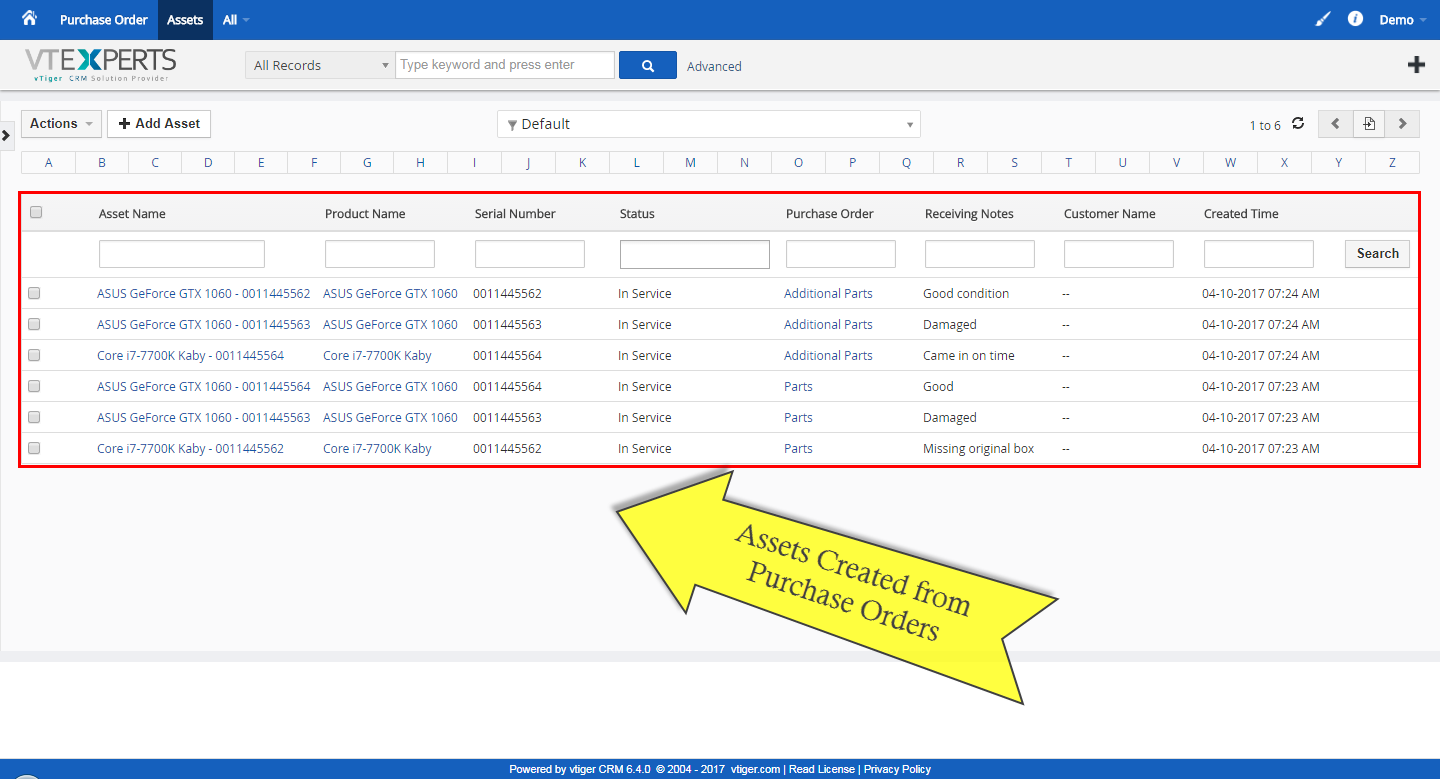
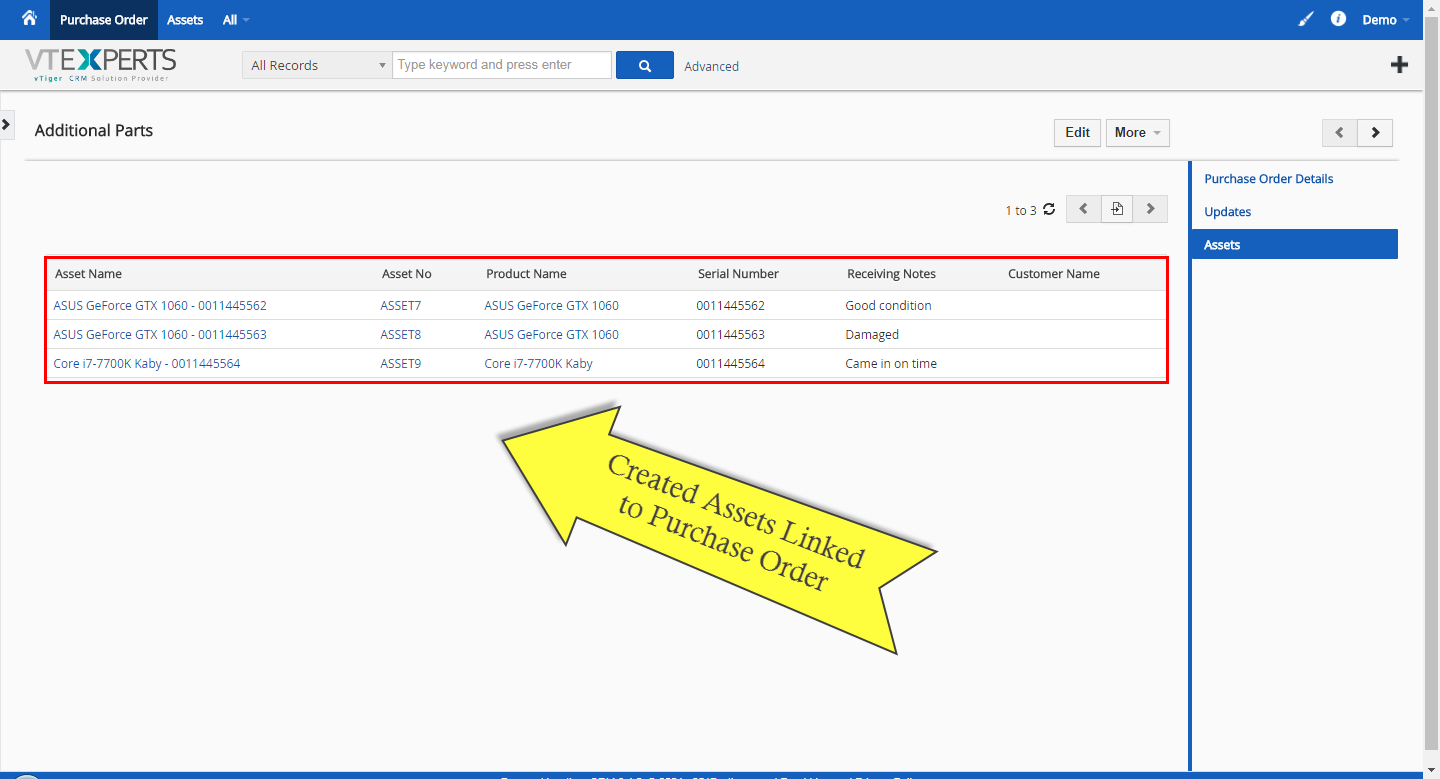
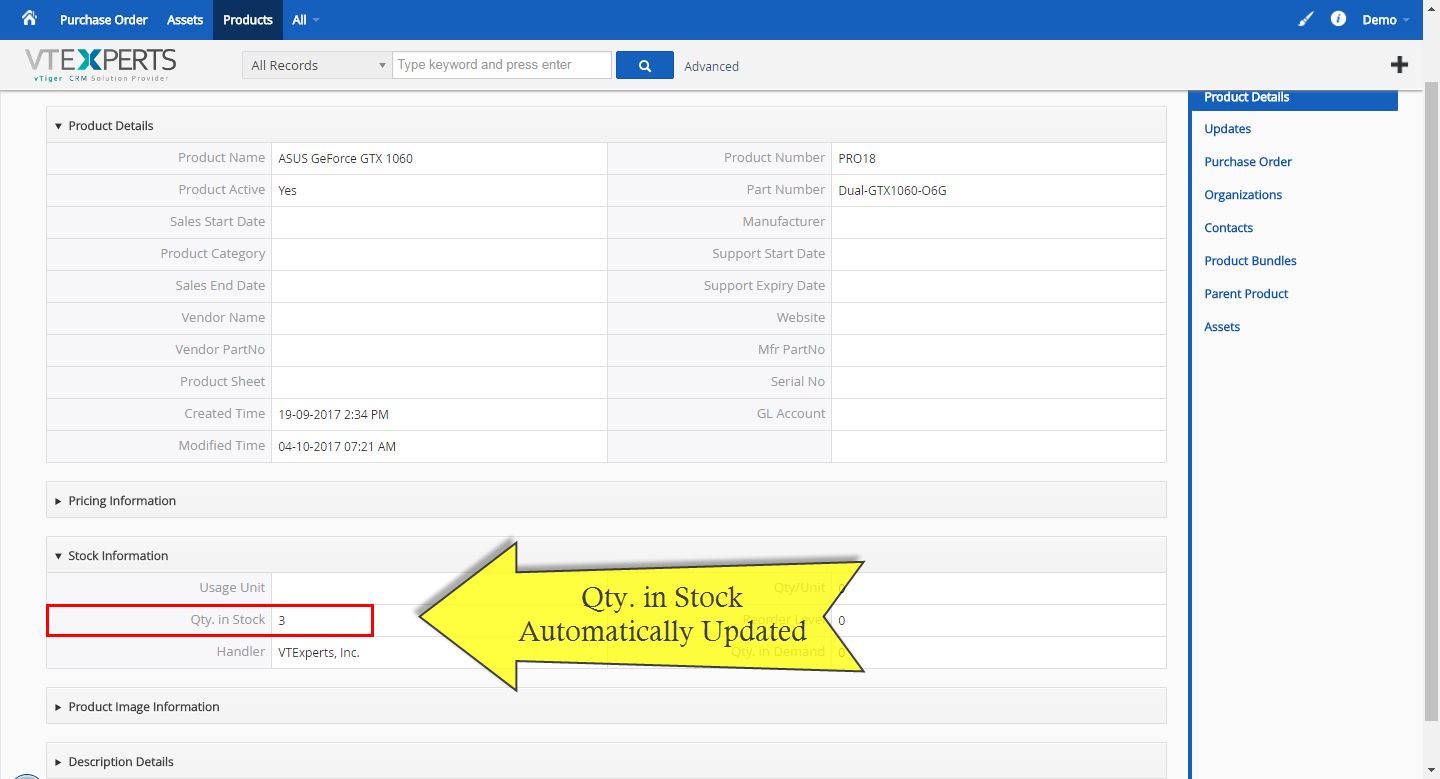
The assets is then created and associated with original Purchase Order, product and the Qty. In Stock gets automatically updated with the qty received.



Here are some of the key features that make our extension unique:
- Integrates with VTiger Purchase Orders & Assets
- Adds relationship between Assets & Purchase Orders
- Has intuitive popup to convert Product (on PO) into Asset
- Supports Partial Shipments
- Automatically updates Qty. In Stock
- Module Manager Compatible
- Available on VTiger Marketplace
We provide a unique demo instance for all our extensions. Each demo instance is pre-configured to only show features available for the specific extension. It is likely that some of the standard vTiger modules have been disabled to make the demo more user friendly.
VTiger 7 Demo
Please use credentials below to access the demo.
- Link: https://demo7.vtexperts.com/potoassets/index.php (Will open in new window)
- User: demo
- Pass: demo
VTiger 6 Demo
Please use credentials below to access the demo.
- Link: https://demo.vtexperts.com/potoassets/index.php (Will open in new window)
- User: demo
- Pass: demo
If you are not able to access the demo or find an issue - please send us an email at support@vtexperts.com or via contact form.
All extensions come with an extensive user guide, which includes setup instructions, suggestions as well as usability tips. Please click the link below to access user guide for this extension.
User Guide: https://www.vtexperts.com/helpdesk/receivecreate-assets-po/ (Will open in new window)
For assistance or any questions - please contact us via help@vtexperts.com.
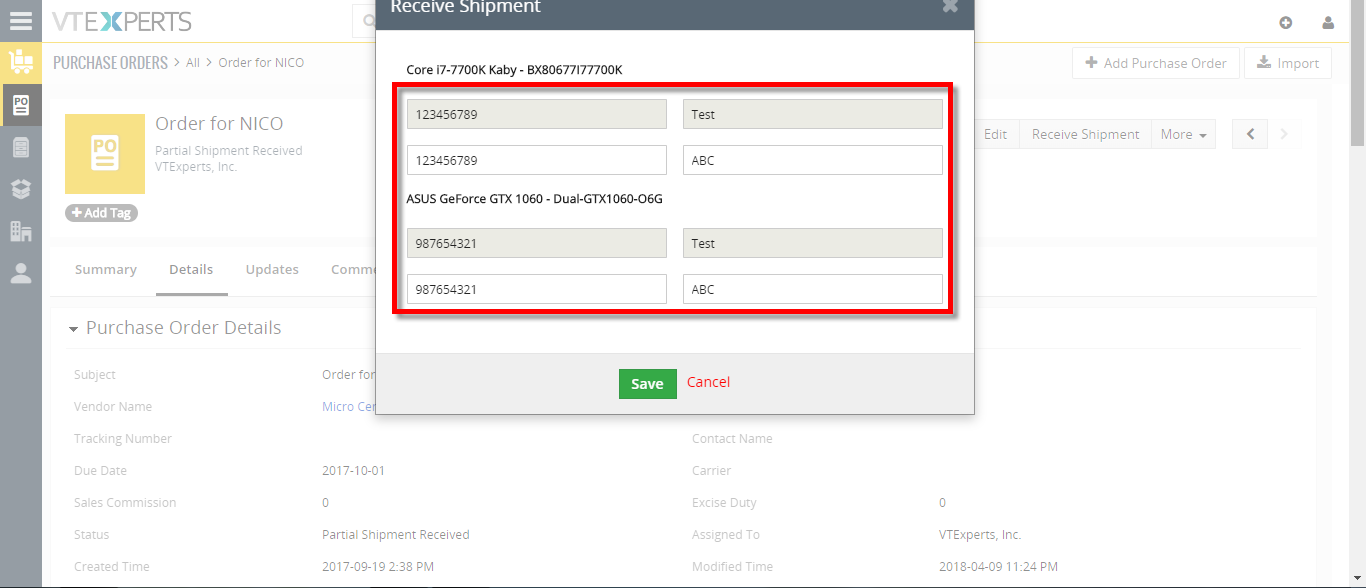 Create Assets From Purchase Orders In VTiger 7 April 10, 2018 - Receive/Create Asset from Purchase Order is an extension designed to efficiently create new assets based on what is being received from Purchase Order. It’s intuitive popup displays Product Number and Name and adds a row for each qty so the user can put in serial number and receiving notes for each product & qty they are receiving. In addition, it supports Partial Shipments and prevents duplicate parts to be received. How to Create Assets from Purchase Orders Open a Purchase Order and click on the "Receive Shipment" button. We'll get a popup to enter a serial number for each quantity item that we're receiving as well as receiving notes, Enter the serial numbers and click on the save button. It will change the status to Partial shipment Received and Assets will be automatically added. To complete this shipment click on the "Receive Shipment" button the one's we already received are not longer editable so we can now add… Read More
Related products
Receive/Create Asset from Purchase Order for VTiger is an extension designed to efficiently create new assets based on what is being received from Purchase Order. It’s intuitive popup displays Product Number and Name and adds a row for each qty so the user can put in serial number and receiving notes for each product & qty they are receiving. In addition, it supports Partial Shipments and prevents duplicate parts to be received.
The assets is then created and associated with original Purchase Order, product and the Qty. In Stock gets automatically updated with the qty received.
Here are some of the key features that make our extension unique:
- Integrates with VTiger Purchase Orders & Assets
- Adds relationship between Assets & Purchase Orders
- Has intuitive popup to convert Product (on PO) into Asset
- Supports Partial Shipments
- Automatically updates Qty. In Stock
- Module Manager Compatible
- Available on VTiger Marketplace
We provide a unique demo instance for all our extensions. Each demo instance is pre-configured to only show features available for the specific extension. It is likely that some of the standard vTiger modules have been disabled to make the demo more user friendly.
VTiger 7 Demo
Please use credentials below to access the demo.
- Link: https://demo7.vtexperts.com/potoassets/index.php (Will open in new window)
- User: demo
- Pass: demo
VTiger 6 Demo
Please use credentials below to access the demo.
- Link: https://demo.vtexperts.com/potoassets/index.php (Will open in new window)
- User: demo
- Pass: demo
If you are not able to access the demo or find an issue - please send us an email at support@vtexperts.com or via contact form.
All extensions come with an extensive user guide, which includes setup instructions, suggestions as well as usability tips. Please click the link below to access user guide for this extension.
User Guide: https://www.vtexperts.com/helpdesk/receivecreate-assets-po/ (Will open in new window)
For assistance or any questions - please contact us via help@vtexperts.com.
Reviews
There are no reviews yet.
Create Assets From Purchase Orders In VTiger 7 April 10, 2018 - Receive/Create Asset from Purchase Order is an extension designed to efficiently create new assets based on what is being received from Purchase Order. It’s intuitive popup displays Product Number and Name and adds a row for each qty so the user can put in serial number and receiving notes for each product & qty they are receiving. In addition, it supports Partial Shipments and prevents duplicate parts to be received. How to Create Assets from Purchase Orders Open a Purchase Order and click on the "Receive Shipment" button. We'll get a popup to enter a serial number for each quantity item that we're receiving as well as receiving notes, Enter the serial numbers and click on the save button. It will change the status to Partial shipment Received and Assets will be automatically added. To complete this shipment click on the "Receive Shipment" button the one's we already received are not longer editable so we can now add… Read MoreInformation
- Vtiger 8.x
- Vtiger 7.x
- Vtiger 6.x
- Ioncube & PHP SOAP (hands-on)
- Install & Setup (hands-on)
- Meeting Server Requirements
- Assisting with any issues related to plugins
Reviews
There are no reviews yet.