


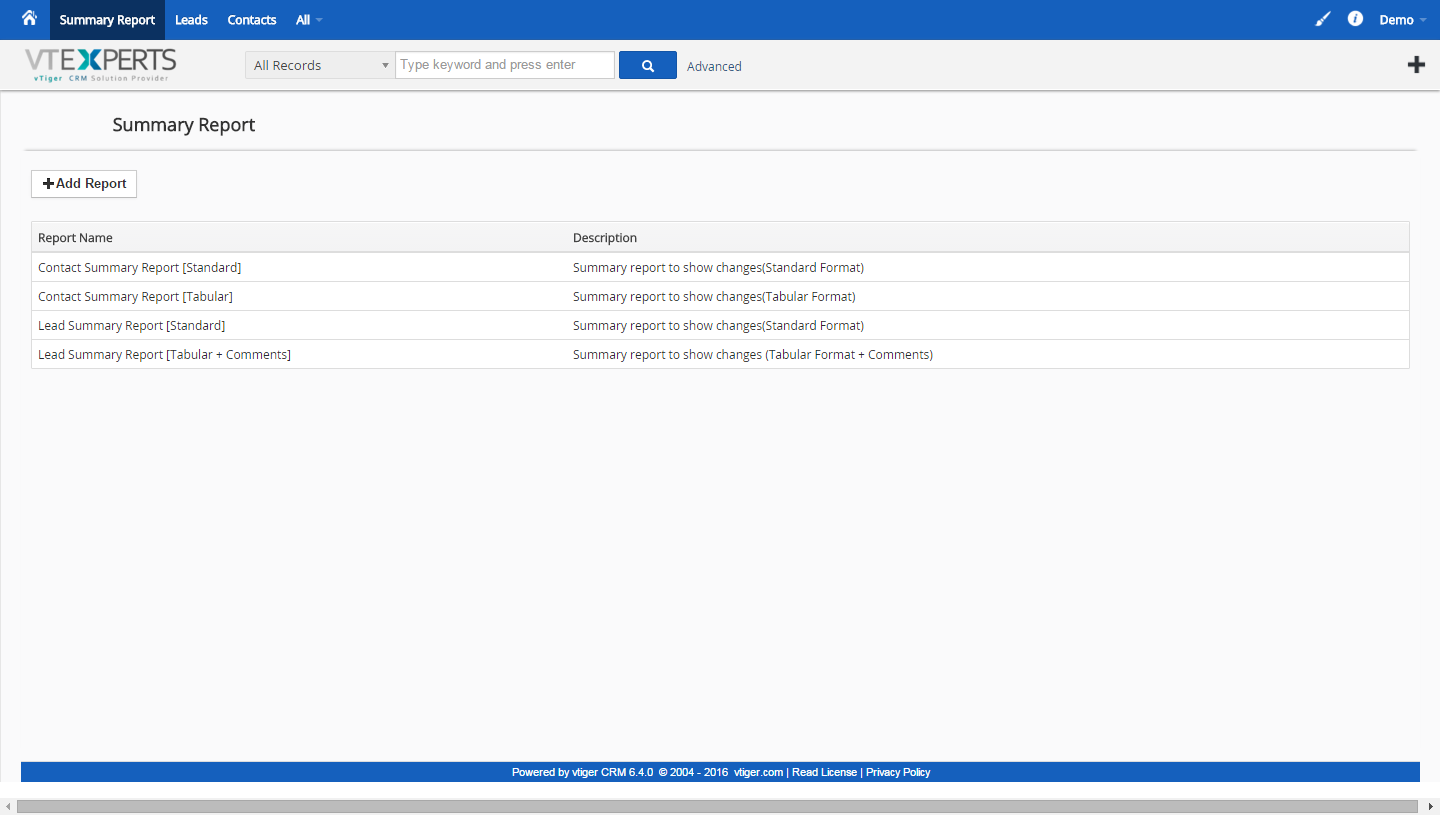
The extension “User Summary Report for VTiger” allows managers to monitor every created or updated record. It integrates with ModTracker (a.k.a “Updates” Widget on Summary View) and displays field updates, linked records (Documents, Invoices, Activities, etc..) as well as shows Comments added on the date specified.
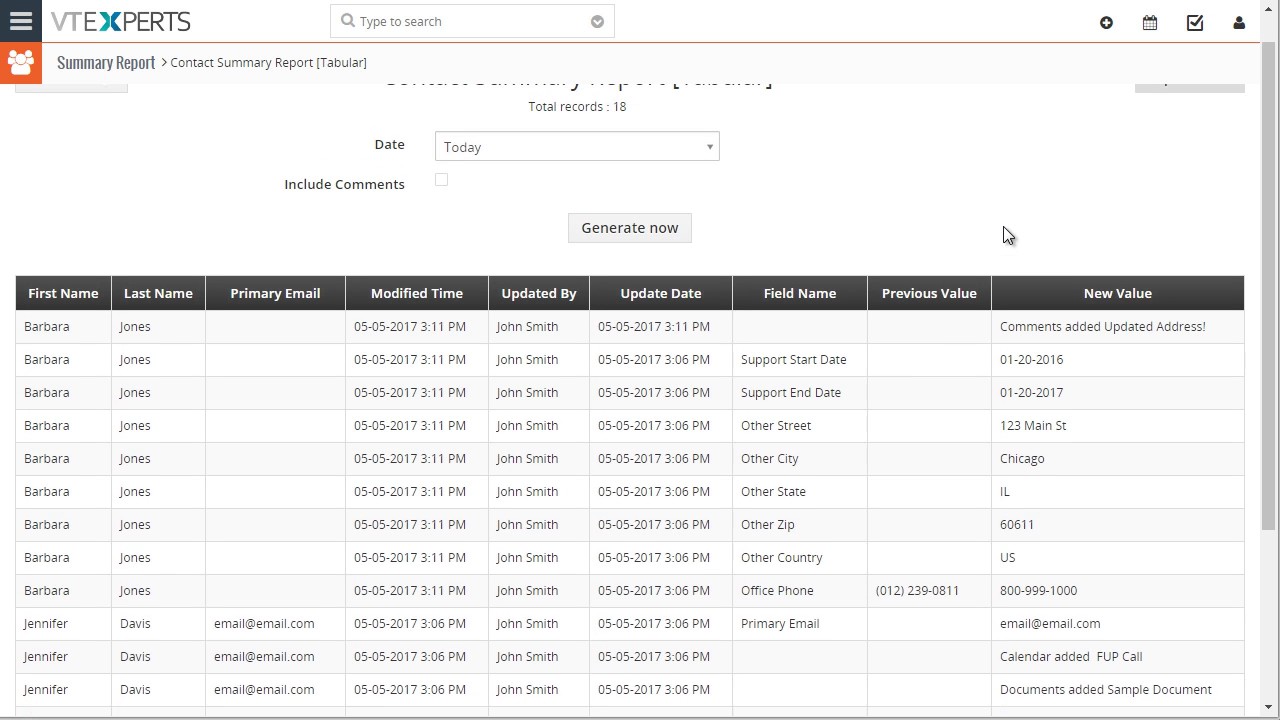
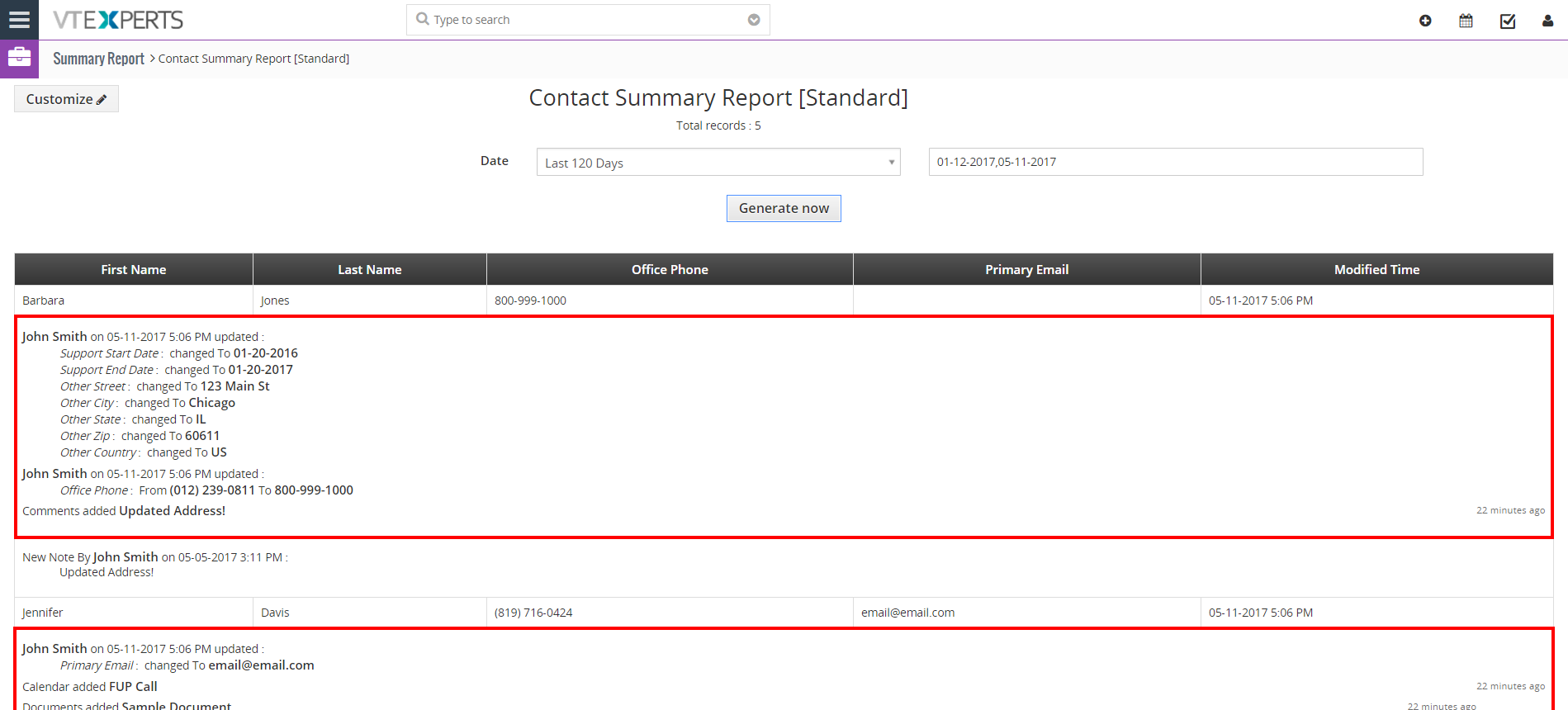
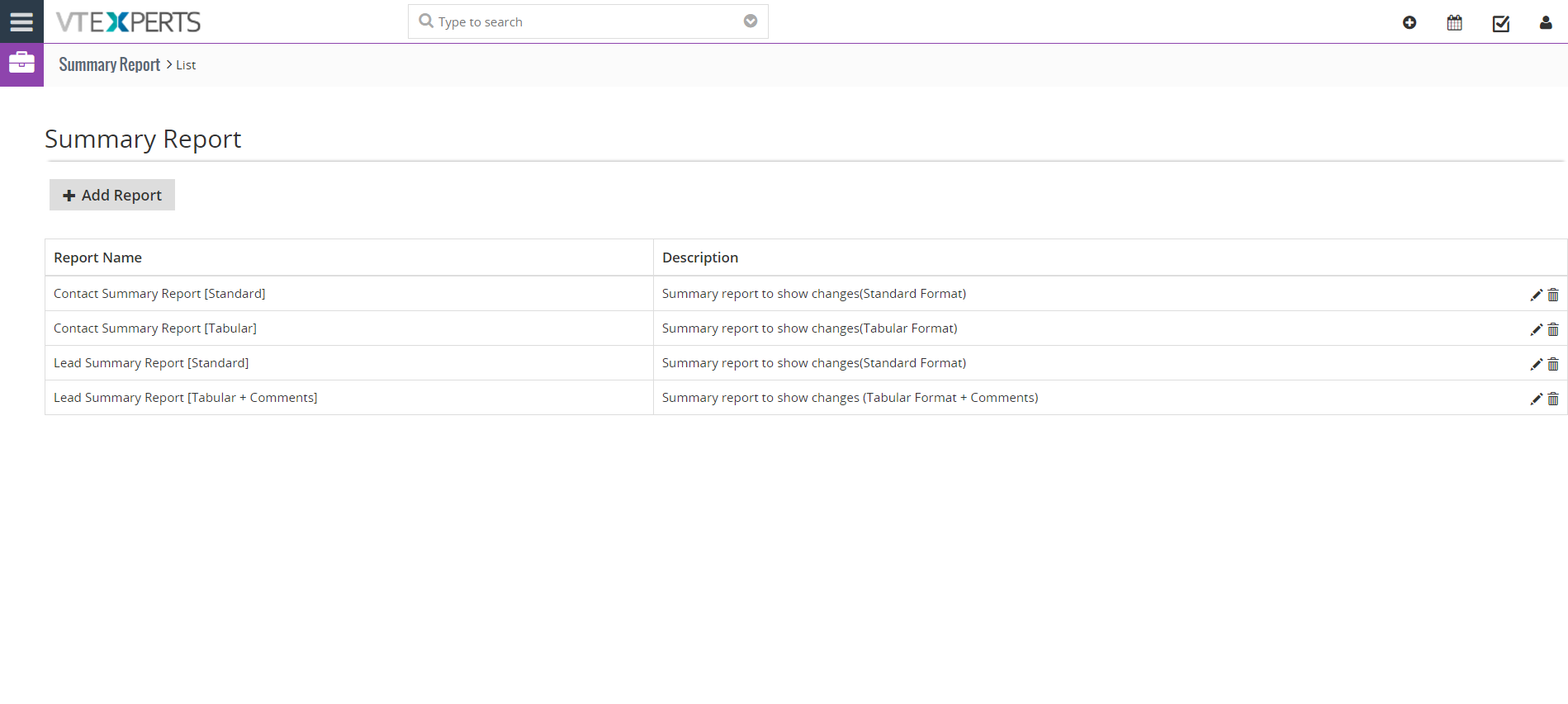
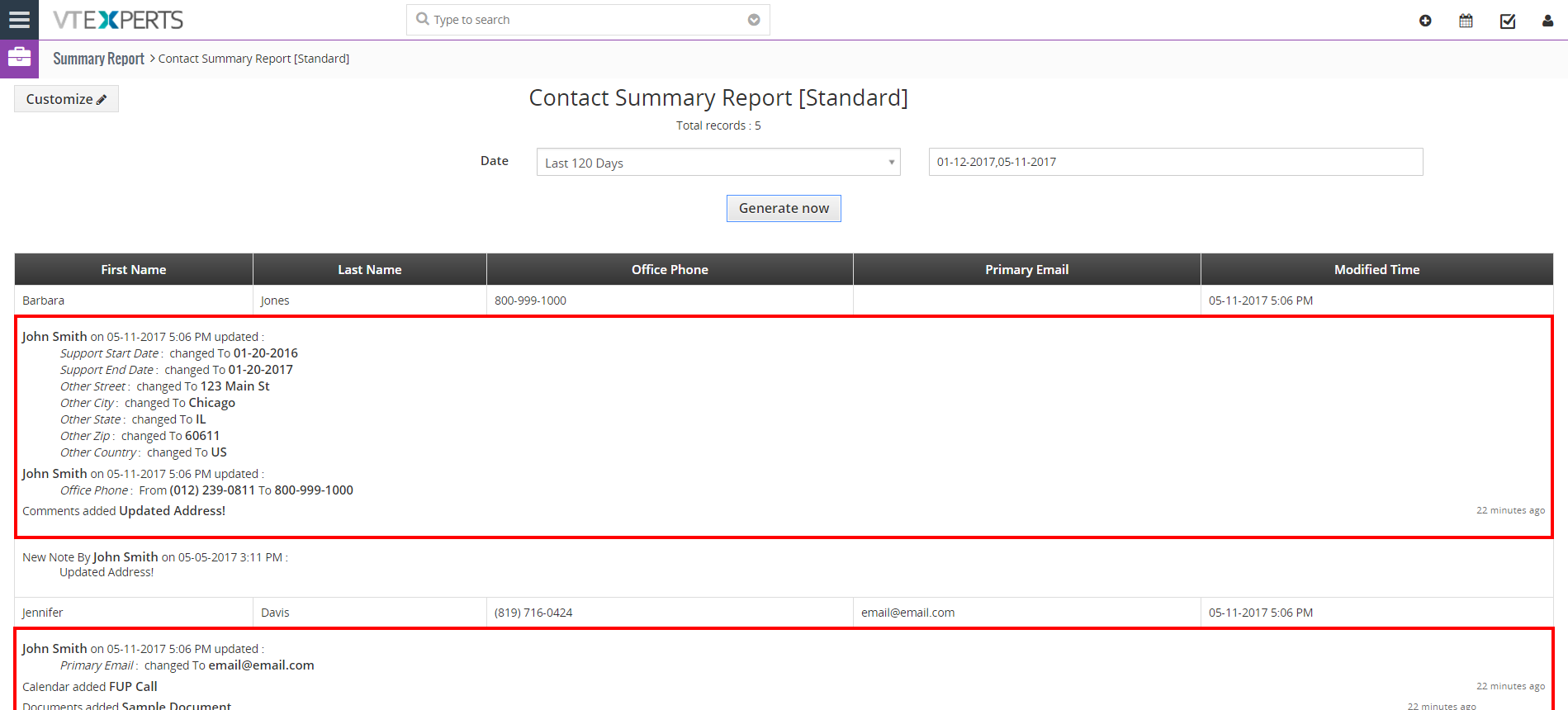
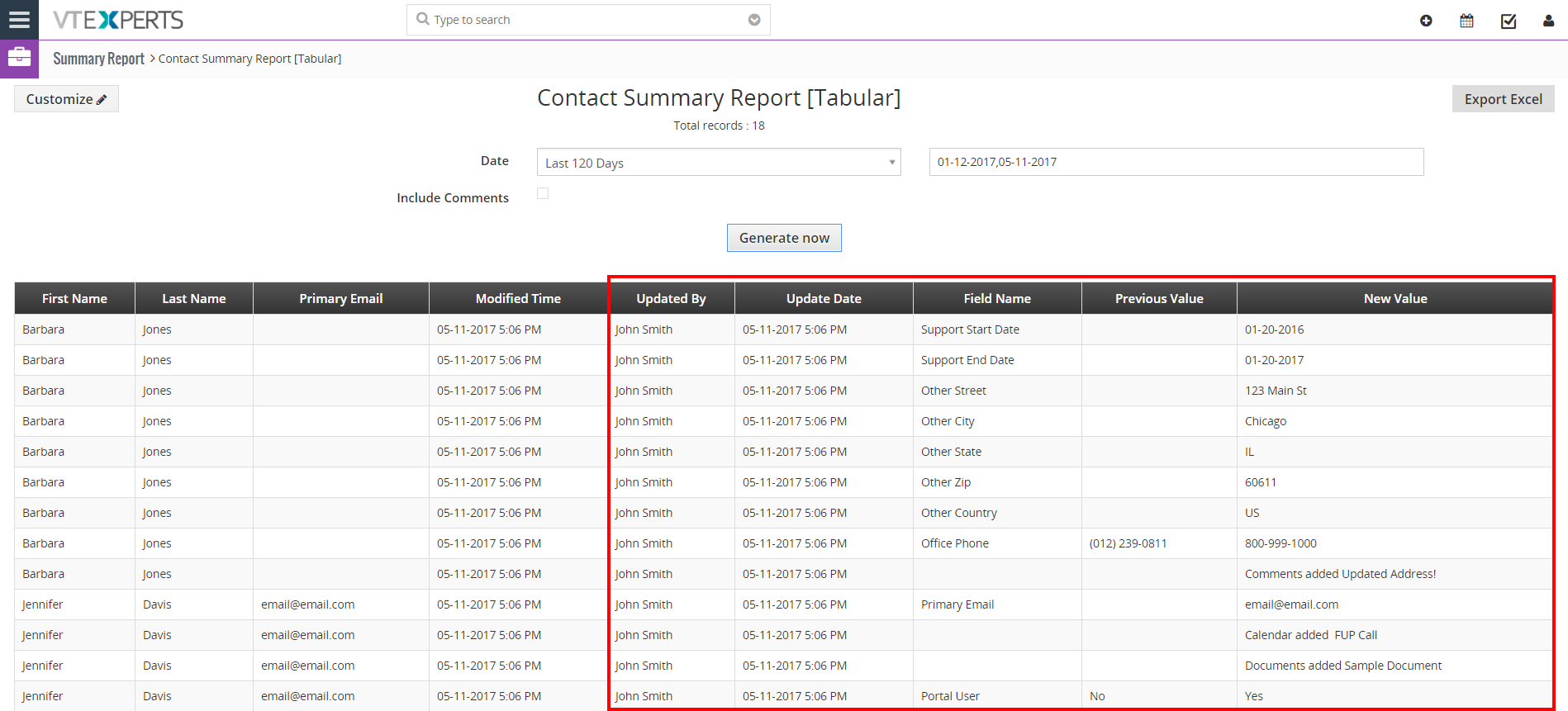
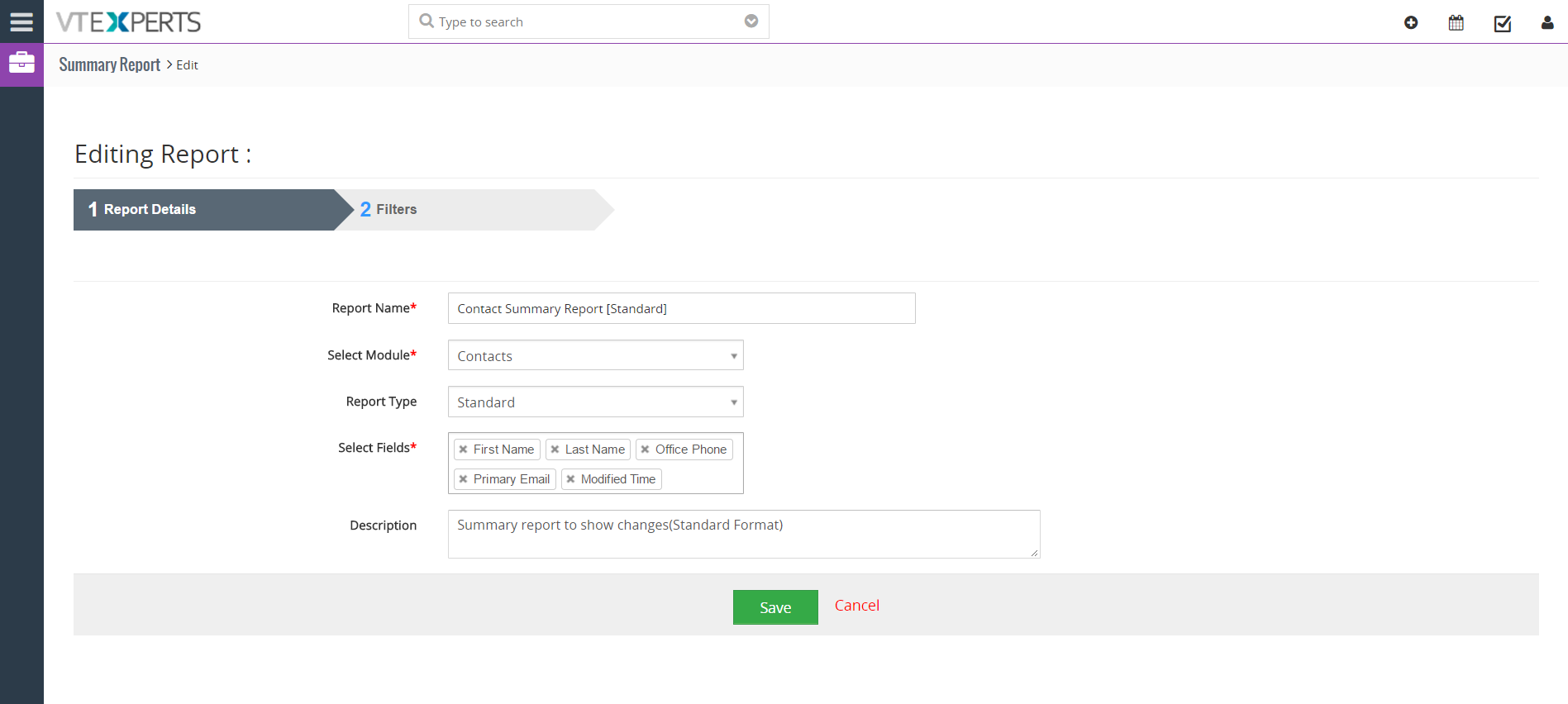
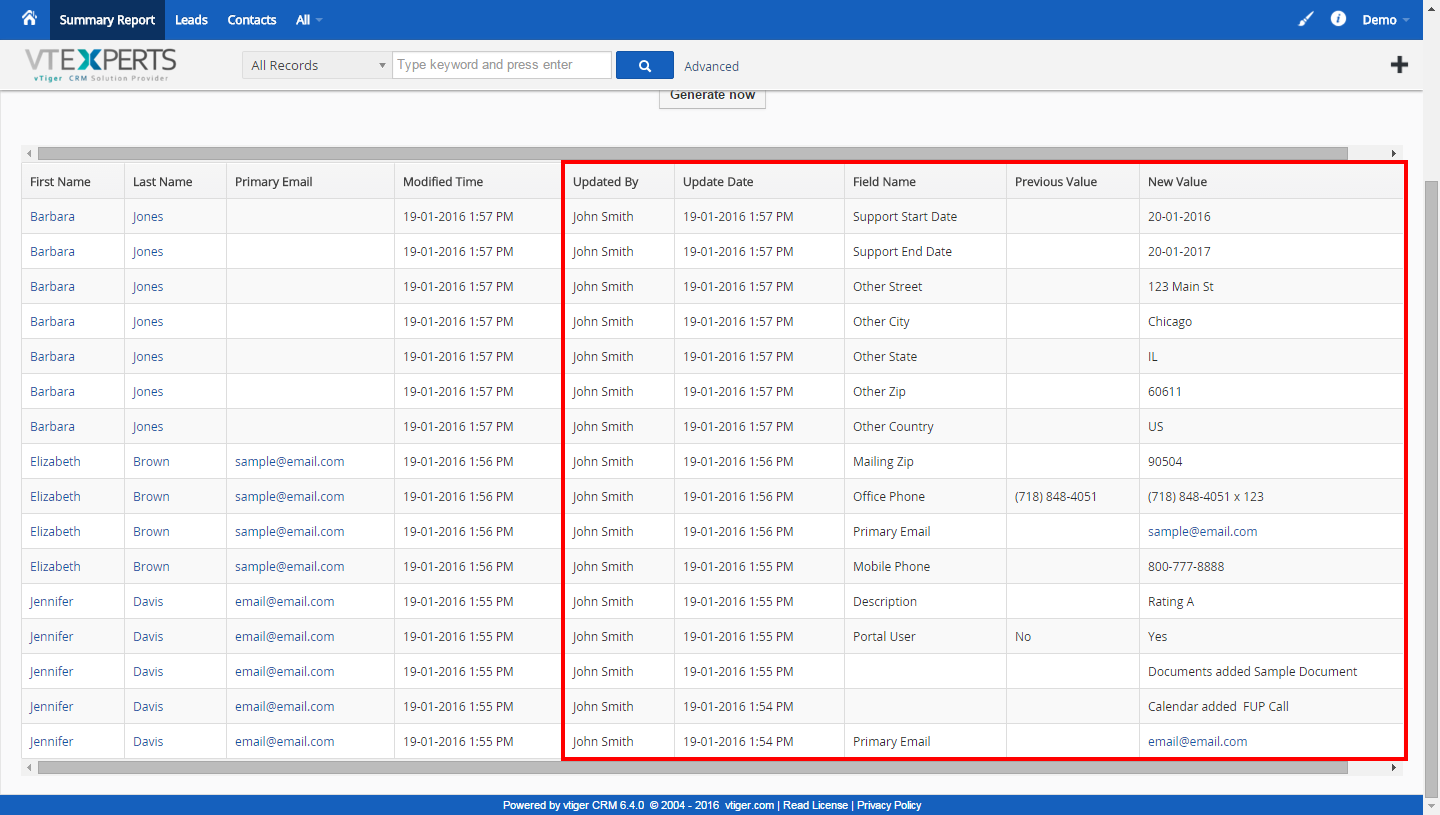
Report produces 2 formats: Standard (displays changes/updates made (as a summary) underneath the record -[easier to view]) and Tabular (displays each change/update in a new row allowing to export and manipulate the data).


Here are some of the key features that make our extension unique.
- Enables Managers to run reports on users’ daily activities
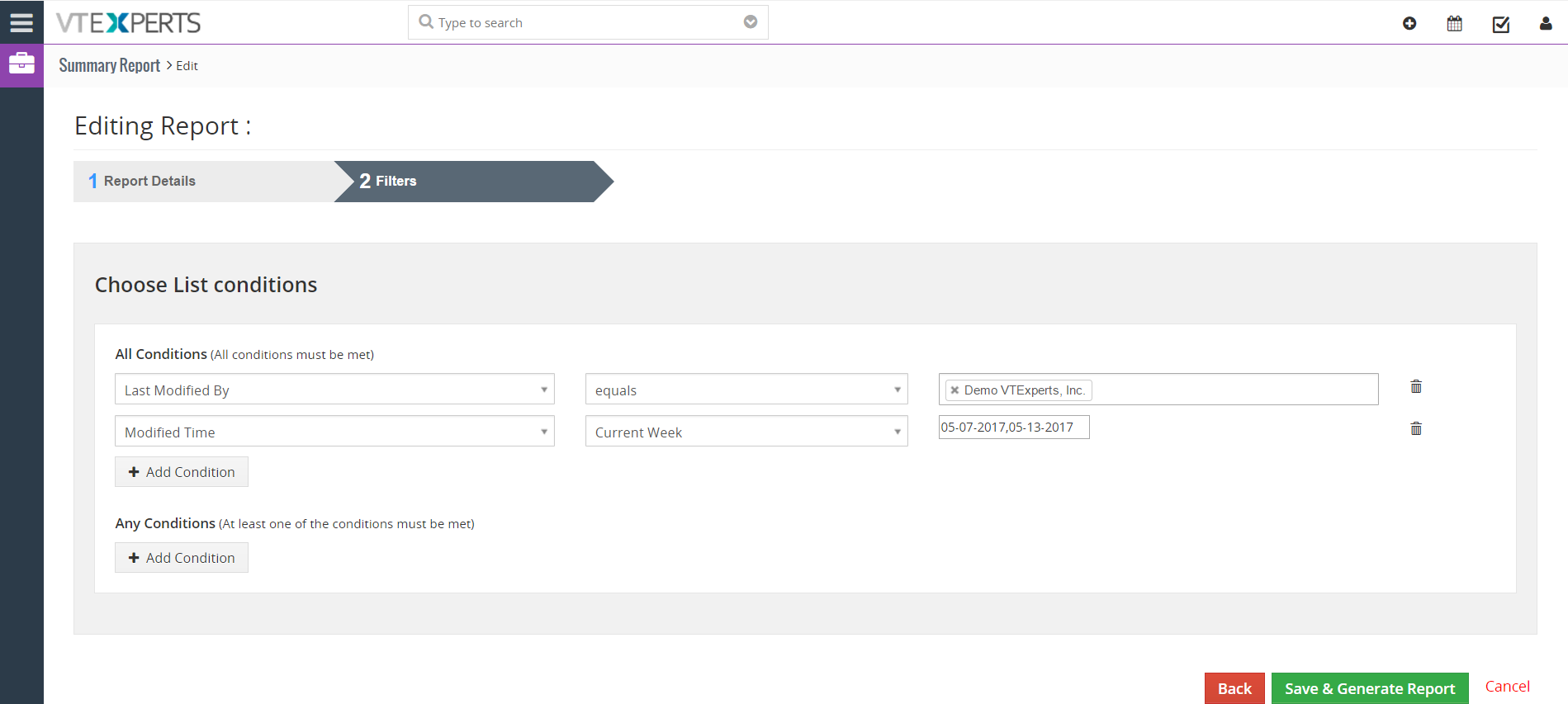
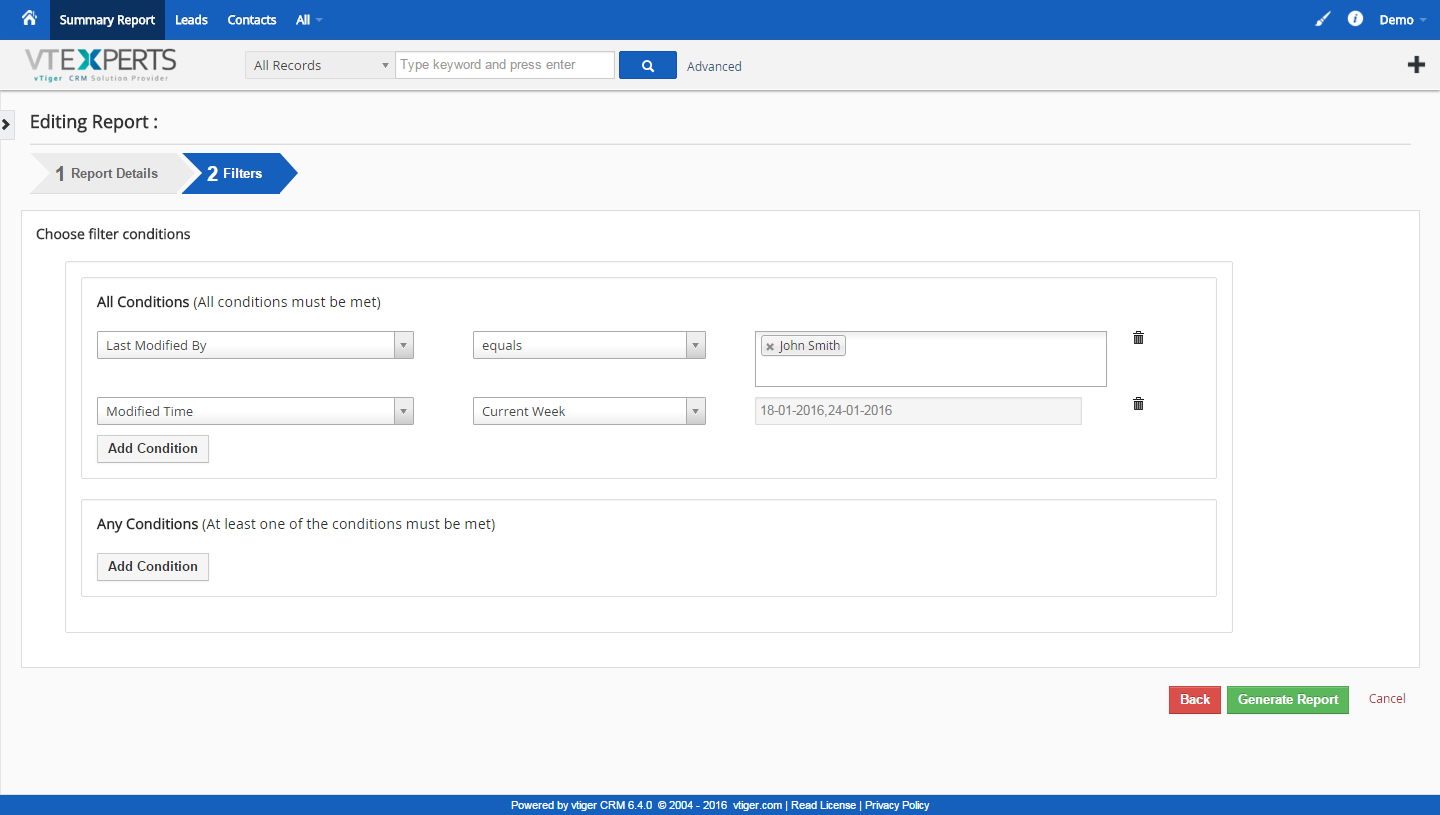
- Supports 2 layers of filters (record & change/update conditions)
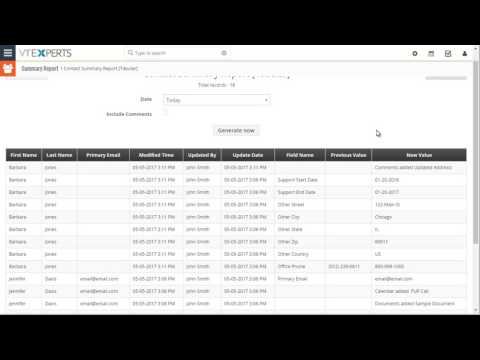
- Supports Tabular format (each change/update listed as a row)
- Supports Standard format (changes listed below the record (easier to view))
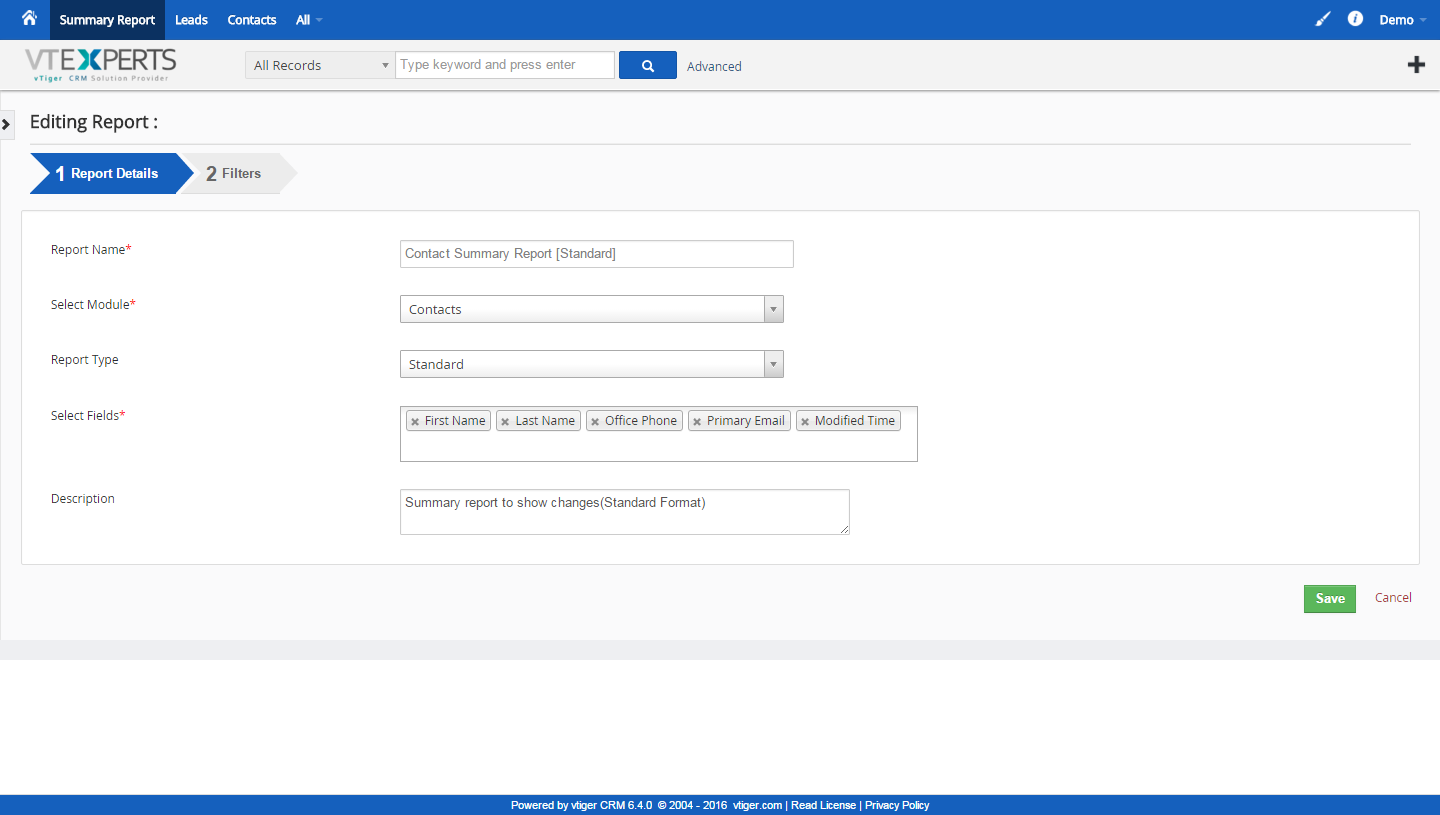
- Supports Reporting on added Comments, Activities, Invoices, Documents, etc..
- Supports Exporting Report
- Integrates with Standard VTiger Permissions (for access restriction to the report)
- Module Manager Compatible
- Available on VTiger Marketplace
We provide a unique demo instance for all our extensions. Each demo instance is pre-configured to only show features available for the specific extension. It is likely that some of the standard vTiger modules have been disabled to make the demo more user friendly.
VTiger 7 Demo
Please use credentials below to access the demo.
- Link: https://demo7.vtexperts.com/summaryreports/index.php (Will open in new window)
- User: demo
- Pass: demo
VTiger 6 Demo
Please use credentials below to access the demo.
- Link: https://demo.vtexperts.com/summaryreports/index.php (Will open in new window)
- User: demo
- Pass: demo
If you are not able to access the demo or find an issue - please send us an email at support@vtexperts.com or via contact form.
All extensions come with an extensive user guide, which includes setup instructions, suggestions as well as usability tips. Please click the link below to access user guide for this extension.
User Guide: https://www.vtexperts.com/helpdesk/summary-reports (Will open in new window)
For assistance or any questions - please contact us via help@vtexperts.com.
3 reviews for Summary Report (Changes/Updates)
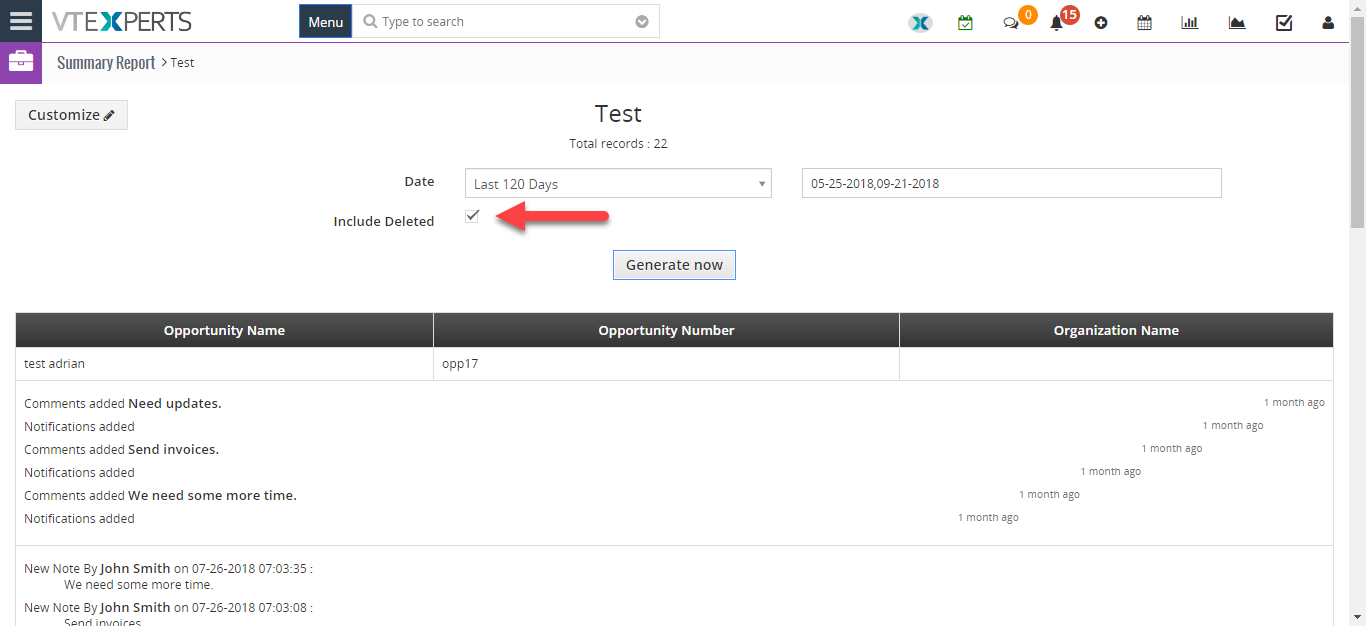 See Deleted Record Logs By User Date In VTiger 7 September 21, 2018 - User Summary Report extension is designed to allow the system admin to see activity on certain records or list of records. It allows to monitor every created or updated record. How to See Deleted Record Logs Go to the Menu > Projects > Summary Reports. And click on the "Add Report" button. Add report name. Select Module. Select report type. Add fields form the module. Add report description. Add conditions for the report. Check the box "Include Deleted" to see deleted records. Click "Generate Now". For further help, contact us on help@vtexperts.com. We’ll be glad to be of service. Read More
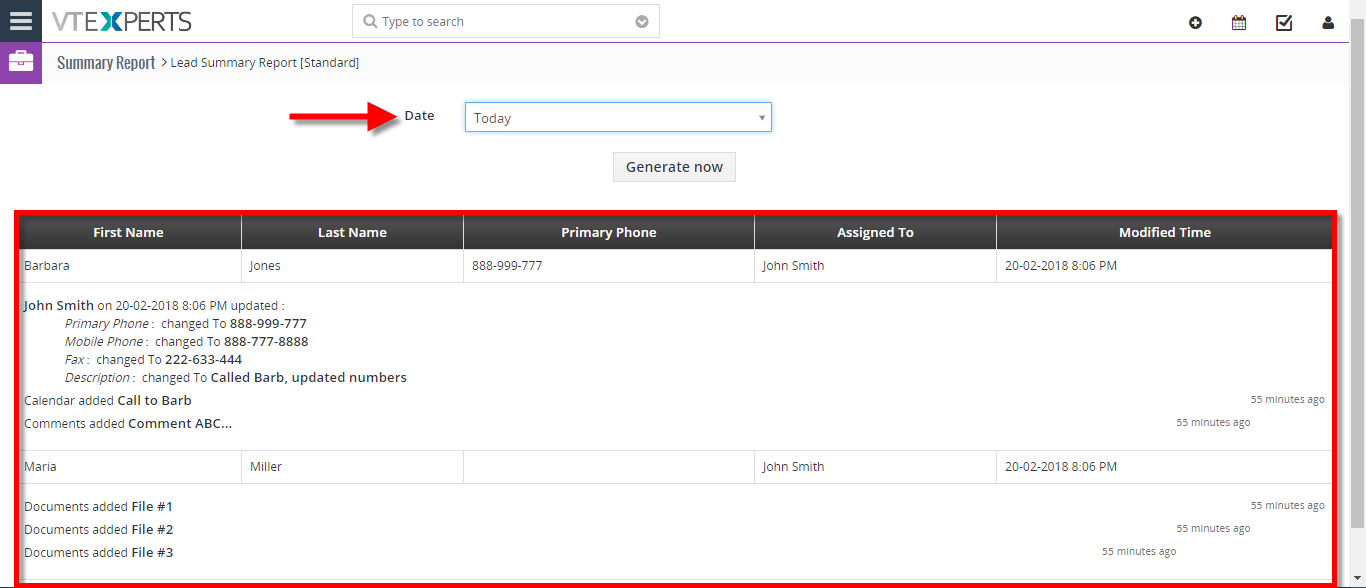 View User Activity (New/Updated Records, Comments) For The Day In VTiger 7 February 21, 2018 - User Summary Report extension is designed to allow the system admin to see activity on certain records or list of records. It allows to monitor every created or updated record. How to View User Activity for the Day Go to the "Menu". Click on the "Projects" and select "Summary Reports". Click on a "Summary Report". Here We can see the information such and First name, Last name, Address etc. Down below we can see the Updates made today. For further help, contact us on help@vtexperts.com. We'll be glad to be of service. Read More
Related products
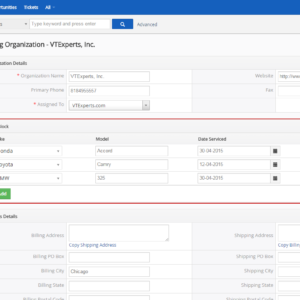
The extension “User Summary Report for VTiger” allows managers to monitor every created or updated record. It integrates with ModTracker (a.k.a “Updates” Widget on Summary View) and displays field updates, linked records (Documents, Invoices, Activities, etc..) as well as shows Comments added on the date specified.
Report produces 2 formats: Standard (displays changes/updates made (as a summary) underneath the record -[easier to view]) and Tabular (displays each change/update in a new row allowing to export and manipulate the data).
Here are some of the key features that make our extension unique.
- Enables Managers to run reports on users’ daily activities
- Supports 2 layers of filters (record & change/update conditions)
- Supports Tabular format (each change/update listed as a row)
- Supports Standard format (changes listed below the record (easier to view))
- Supports Reporting on added Comments, Activities, Invoices, Documents, etc..
- Supports Exporting Report
- Integrates with Standard VTiger Permissions (for access restriction to the report)
- Module Manager Compatible
- Available on VTiger Marketplace
We provide a unique demo instance for all our extensions. Each demo instance is pre-configured to only show features available for the specific extension. It is likely that some of the standard vTiger modules have been disabled to make the demo more user friendly.
VTiger 7 Demo
Please use credentials below to access the demo.
- Link: https://demo7.vtexperts.com/summaryreports/index.php (Will open in new window)
- User: demo
- Pass: demo
VTiger 6 Demo
Please use credentials below to access the demo.
- Link: https://demo.vtexperts.com/summaryreports/index.php (Will open in new window)
- User: demo
- Pass: demo
If you are not able to access the demo or find an issue - please send us an email at support@vtexperts.com or via contact form.
All extensions come with an extensive user guide, which includes setup instructions, suggestions as well as usability tips. Please click the link below to access user guide for this extension.
User Guide: https://www.vtexperts.com/helpdesk/summary-reports (Will open in new window)
For assistance or any questions - please contact us via help@vtexperts.com.
3 reviews for Summary Report (Changes/Updates)
-
Wonderful – no match
-
This is one finely thought work
-
works well for 2 modes standard and tabular both are extremely useful


 See Deleted Record Logs By User Date In VTiger 7 September 21, 2018 - User Summary Report extension is designed to allow the system admin to see activity on certain records or list of records. It allows to monitor every created or updated record. How to See Deleted Record Logs Go to the Menu > Projects > Summary Reports. And click on the "Add Report" button. Add report name. Select Module. Select report type. Add fields form the module. Add report description. Add conditions for the report. Check the box "Include Deleted" to see deleted records. Click "Generate Now". For further help, contact us on help@vtexperts.com. We’ll be glad to be of service. Read More View User Activity (New/Updated Records, Comments) For The Day In VTiger 7 February 21, 2018 - User Summary Report extension is designed to allow the system admin to see activity on certain records or list of records. It allows to monitor every created or updated record. How to View User Activity for the Day Go to the "Menu". Click on the "Projects" and select "Summary Reports". Click on a "Summary Report". Here We can see the information such and First name, Last name, Address etc. Down below we can see the Updates made today. For further help, contact us on help@vtexperts.com. We'll be glad to be of service. Read More
Information
- Vtiger 8.x
- Vtiger 7.x
- Vtiger 6.x
- Ioncube & PHP SOAP (hands-on)
- Install & Setup (hands-on)
- Meeting Server Requirements
- Assisting with any issues related to plugins
Brett (verified owner) –
Wonderful – no match
Perez (verified owner) –
This is one finely thought work
Duncan (verified owner) –
works well for 2 modes standard and tabular both are extremely useful