


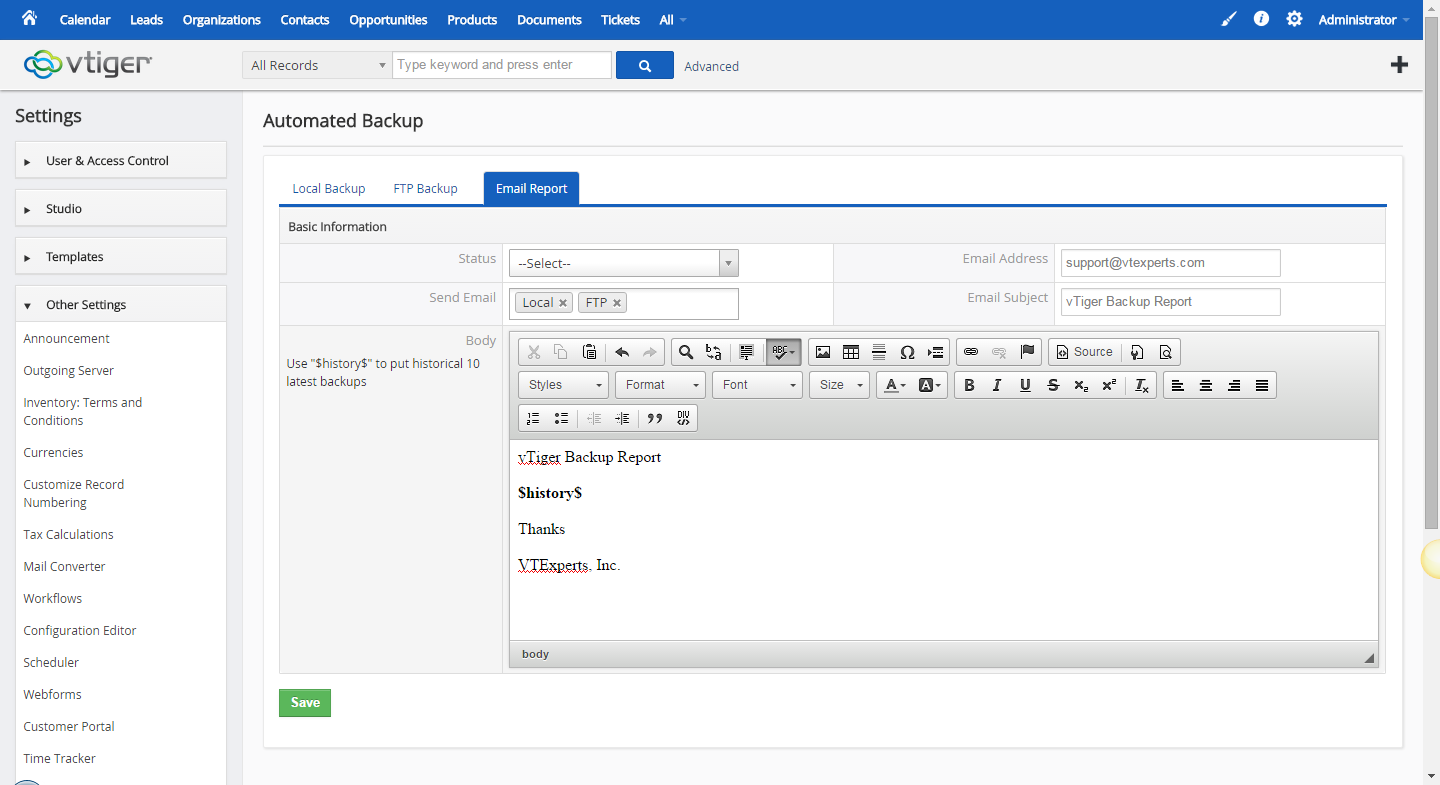
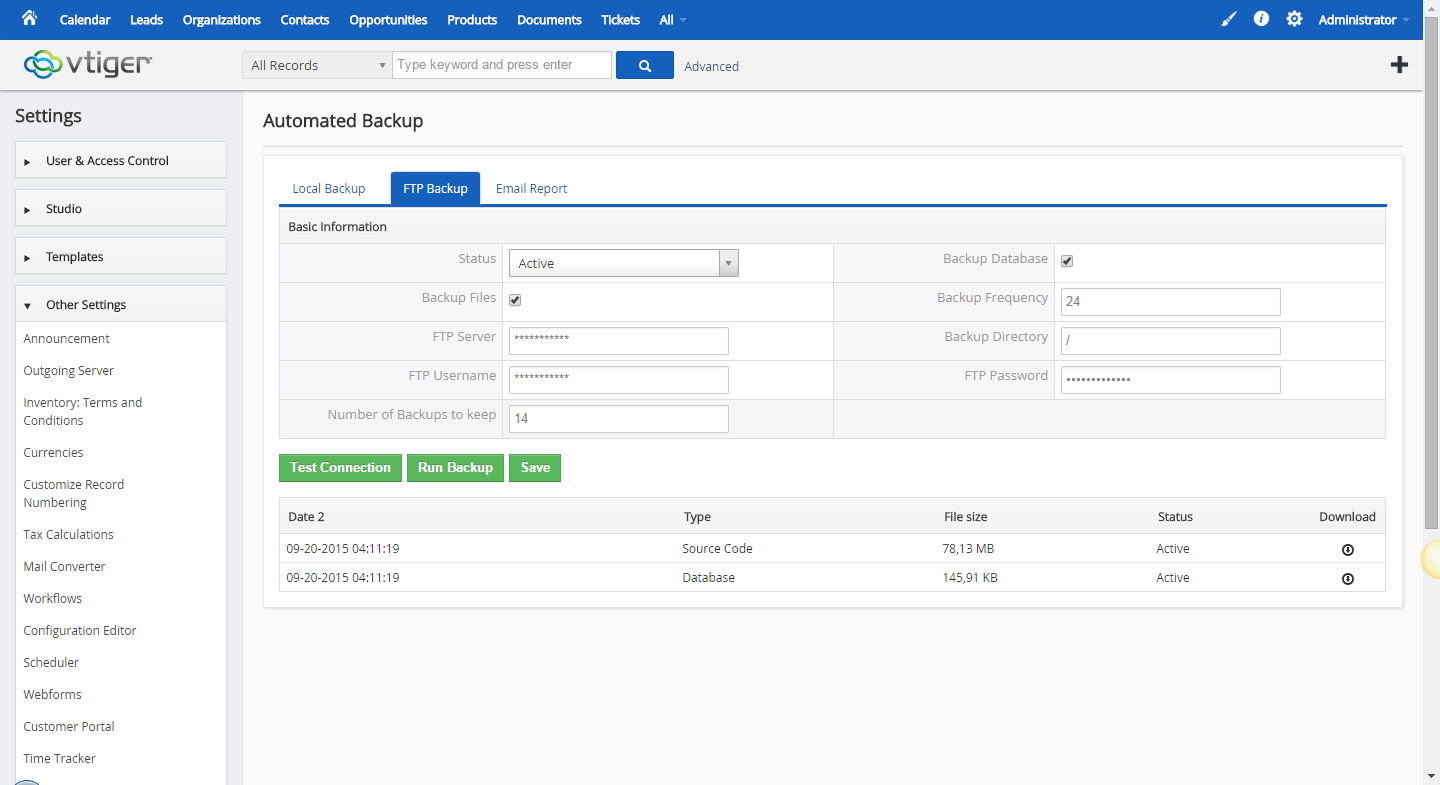
Automated Backups Extension for VTiger is designed to allow system administrators to easily backup VTiger Files & Database to a local folder or an off-site FTP.
The Automated Backups for VTiger module grants the facility to go through and schedule out your automated backups whenever it is most convenient for you. You can define the days to keep the backups, frequency, and email notifications. Should you need to retrieve your backup, it’s as simple as returning to the interface for Automated Backups for VTiger and they’ll be all available for download.

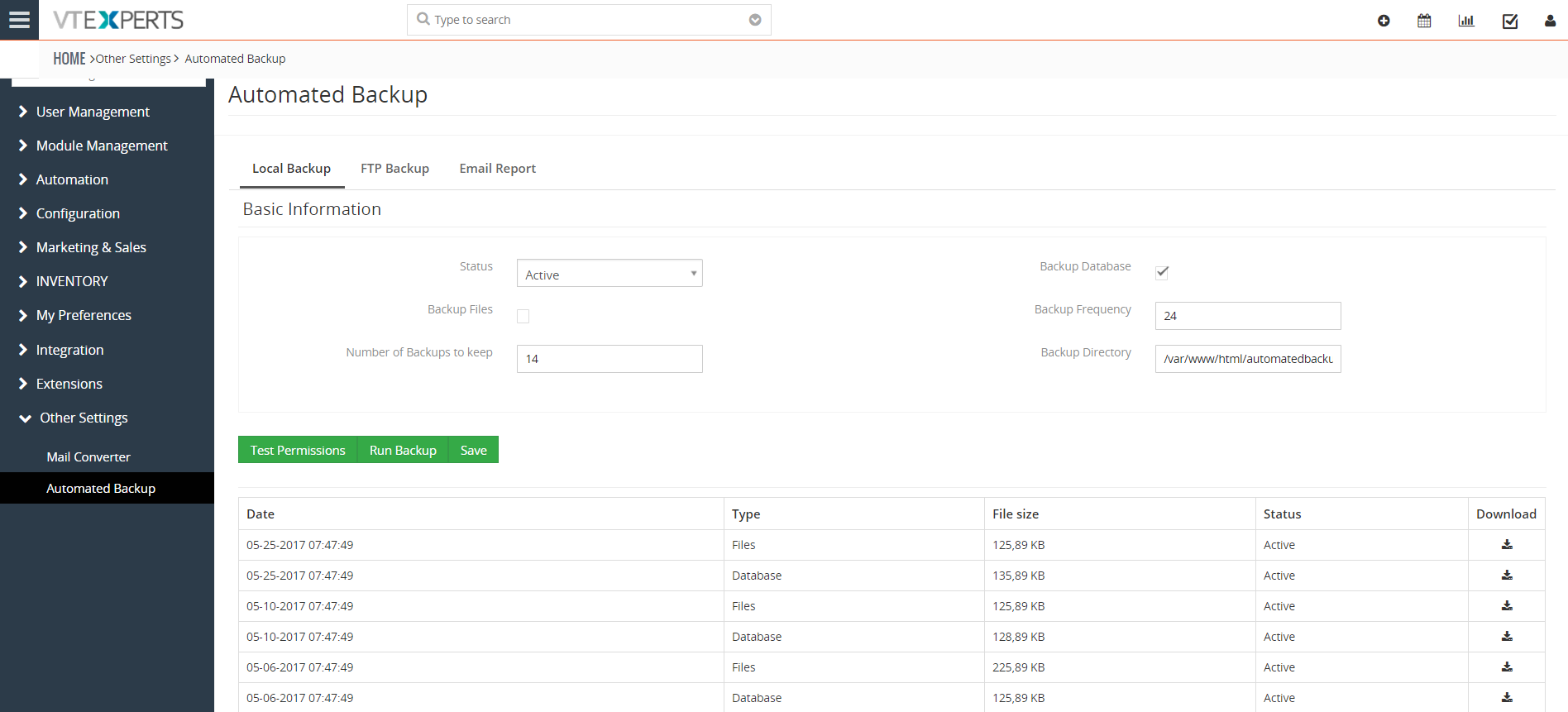
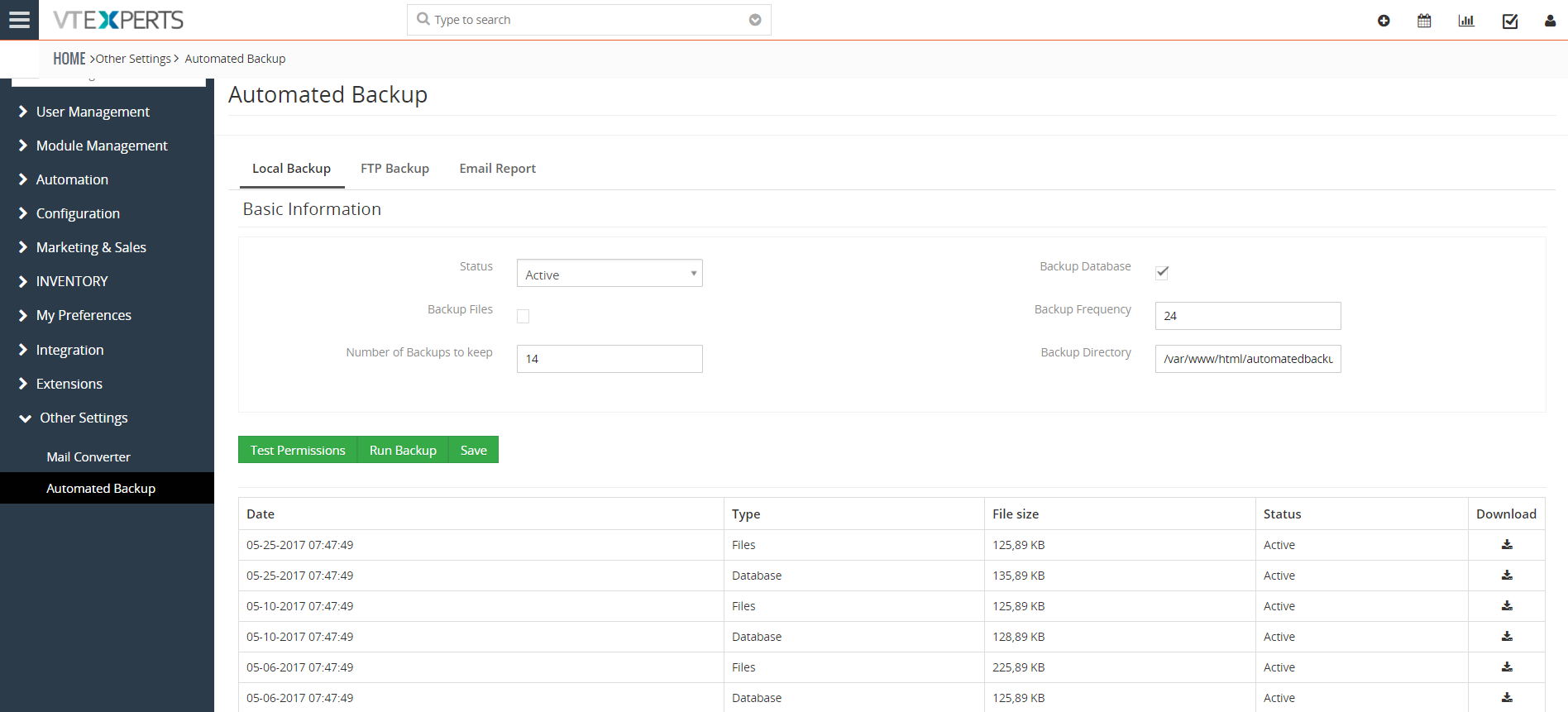
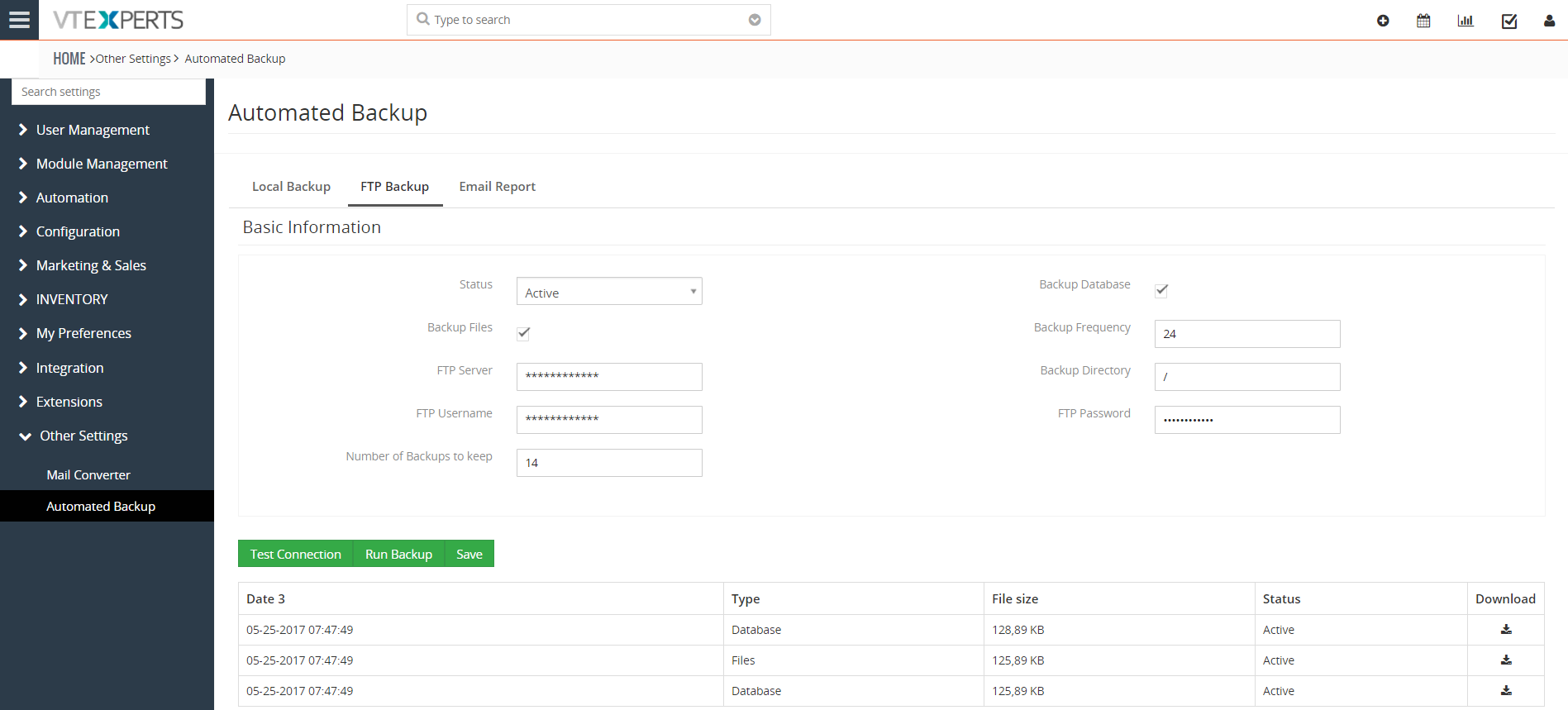
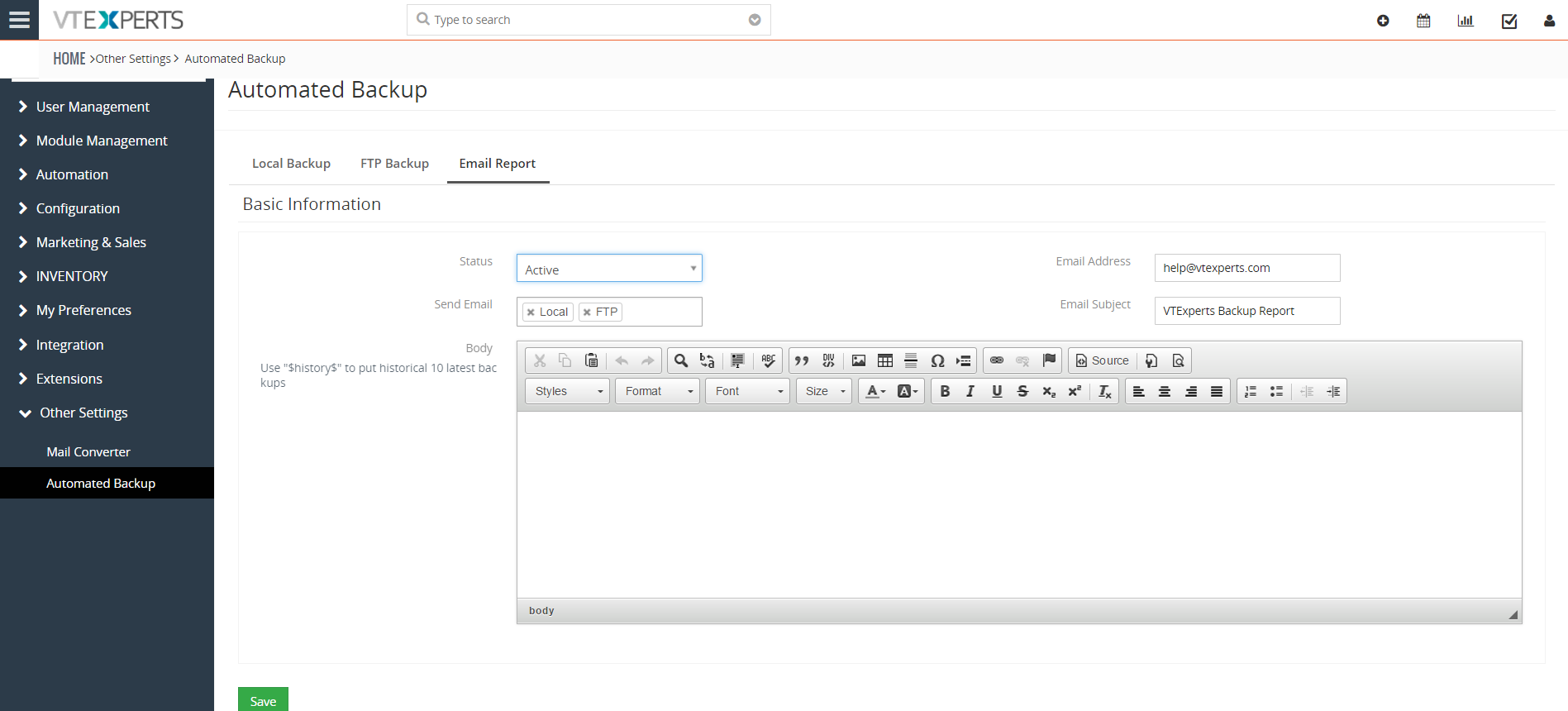


Here are some of the key features that make our extension unique:
- Scheduled Backups of Files & Database
- Local & FTP Backups Support
- Retrieve backups from Automated Backup for VTiger Interface
- Customized Backup Email Notifications
- Module Manager Compatible
- Available on VTiger Marketplace
We provide a unique demo instance for all our extensions. Each demo instance is pre-configured to only show features available for the specific extension. It is likely that some of the standard vTiger modules have been disabled to make the demo more user friendly.
Please use credentials below to access the demo.
- Link: https://demo7.vtexperts.com/automatedbackup/index.php (Will open in new window)
- User: demo
- Pass: demo
If you are not able to access the demo or find an issue - please send us an email at support@vtexperts.com or via contact form.
All extensions come with an extensive user guide, which includes setup instructions, suggestions as well as usability tips. Please click the link below to access user guide for this extension.
User Guide: https://www.vtexperts.com/helpdesk/automated-backups (Will open in new window)
For assistance or any questions - please contact us via help@vtexperts.com.
2 reviews for Automated Backup
 VTExperts tools to help admins better manage Vtiger CRM December 1, 2022 - The system administrator is one of the most in-demand roles in the IT world. He has access to all the records of the CRM system. The primary duty of the CRM administrator is to maintain the integrity of the CRM system and ensure that the system is up and running. Vtiger CRM system provides some basic instruments, to help system administrators to better perform their duties. In this article, we will look at some of VTExperts tools to help admins better manage Vtiger CRM. First of all, we will go through some major responsibilities of a system administrator Responsibilities of the System administrator Make the system secure: On the prominent responsibility of a system admin is to make the system secure from any type of data breaches and hacking attempts. Setting up firewalls is also a part of making the system secure Preparing a contingency plan in case of system… Read More
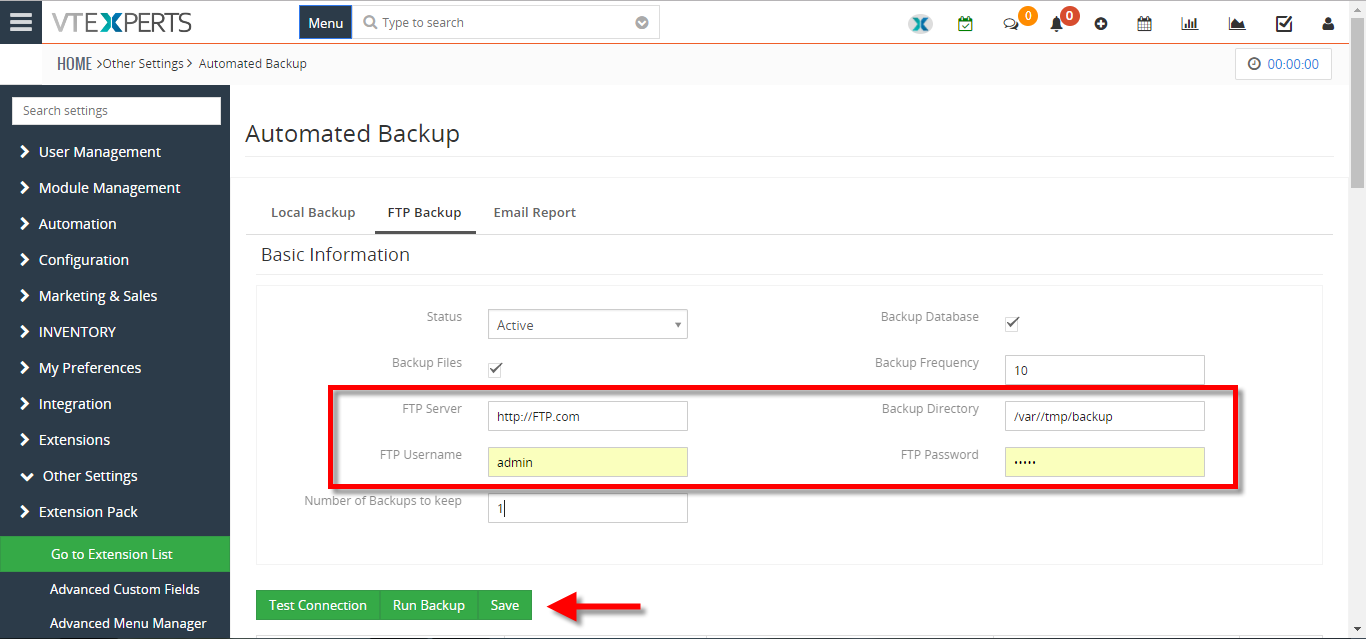 Backup VTiger Database To A FTP Server May 2, 2018 - Automated Backups Extension for VTiger is designed to allow system administrators to easily backup VTiger Files & Database to a local folder or an off-site FTP. How to backup vtiger database to a FTP server Go to Menu >> Settings >> CRM Settings >> Extension Pack >> Automated Backup. Click on the "FTP Backup" tab. Add the FTP access details and click on the "Save" button. For further help, contact us on help@vtexperts.com. We'll be glad to be of service. Read More
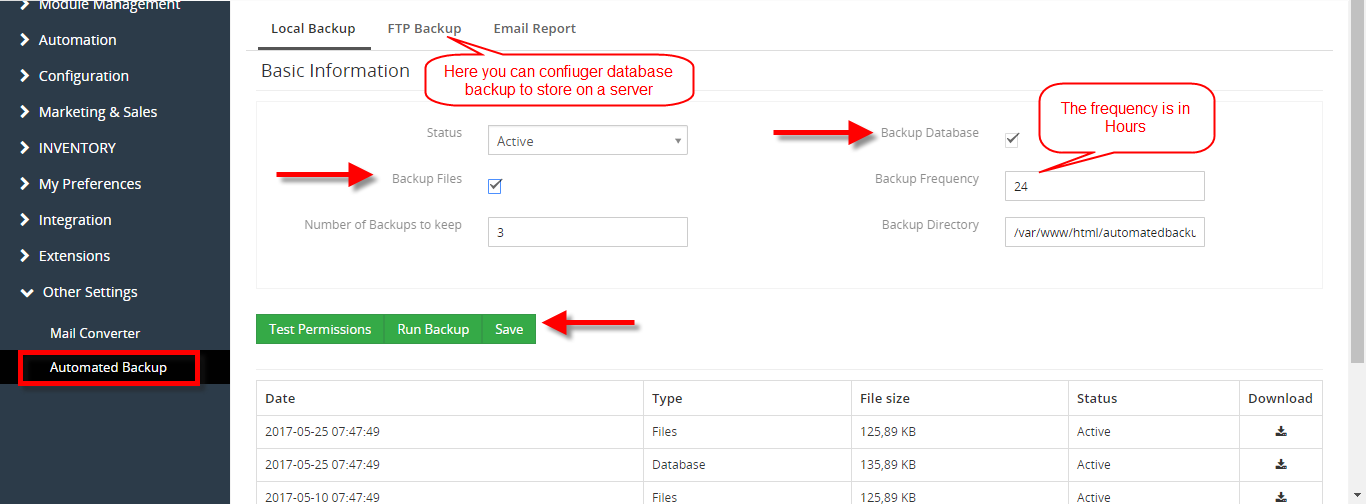 Properly Backup In VTiger 7 November 30, 2017 - Current options to backup VTiger are very limited. We, at VTExperts.com, addressed this issue and came up with a very advanced yet easy to apply solution. We developed an extension Automated Backup that allows system administrators to setup their backups and forget about them. This extension allow system administrators to easily backup VTiger Files & Database to a local folder or an off-site FTP. How to Properly Backup VTiger Go to the "Menu" and click on the "Settings" button and select "CRM Settings". Under the "Other Settings" drop down menu select "Automated Backup". From here you can configure the automated backups You can Backup Database and Backup Files. Click on the "Save" button to schedule the automated backup according to your configured Backup Frequency. For further help contact us on help@vtexperts.com. We'll be glad to be of service. Read More
Related products
Automated Backups Extension for VTiger is designed to allow system administrators to easily backup VTiger Files & Database to a local folder or an off-site FTP.
The Automated Backups for VTiger module grants the facility to go through and schedule out your automated backups whenever it is most convenient for you. You can define the days to keep the backups, frequency, and email notifications. Should you need to retrieve your backup, it’s as simple as returning to the interface for Automated Backups for VTiger and they’ll be all available for download.
Here are some of the key features that make our extension unique:
- Scheduled Backups of Files & Database
- Local & FTP Backups Support
- Retrieve backups from Automated Backup for VTiger Interface
- Customized Backup Email Notifications
- Module Manager Compatible
- Available on VTiger Marketplace
We provide a unique demo instance for all our extensions. Each demo instance is pre-configured to only show features available for the specific extension. It is likely that some of the standard vTiger modules have been disabled to make the demo more user friendly.
Please use credentials below to access the demo.
- Link: https://demo7.vtexperts.com/automatedbackup/index.php (Will open in new window)
- User: demo
- Pass: demo
If you are not able to access the demo or find an issue - please send us an email at support@vtexperts.com or via contact form.
All extensions come with an extensive user guide, which includes setup instructions, suggestions as well as usability tips. Please click the link below to access user guide for this extension.
User Guide: https://www.vtexperts.com/helpdesk/automated-backups (Will open in new window)
For assistance or any questions - please contact us via help@vtexperts.com.
2 reviews for Automated Backup
-
Cute, easy to use, cheap 😀
-
Such a convenient app. Just schedule backups and forget

 VTExperts tools to help admins better manage Vtiger CRM December 1, 2022 - The system administrator is one of the most in-demand roles in the IT world. He has access to all the records of the CRM system. The primary duty of the CRM administrator is to maintain the integrity of the CRM system and ensure that the system is up and running. Vtiger CRM system provides some basic instruments, to help system administrators to better perform their duties. In this article, we will look at some of VTExperts tools to help admins better manage Vtiger CRM. First of all, we will go through some major responsibilities of a system administrator Responsibilities of the System administrator Make the system secure: On the prominent responsibility of a system admin is to make the system secure from any type of data breaches and hacking attempts. Setting up firewalls is also a part of making the system secure Preparing a contingency plan in case of system… Read More Backup VTiger Database To A FTP Server May 2, 2018 - Automated Backups Extension for VTiger is designed to allow system administrators to easily backup VTiger Files & Database to a local folder or an off-site FTP. How to backup vtiger database to a FTP server Go to Menu >> Settings >> CRM Settings >> Extension Pack >> Automated Backup. Click on the "FTP Backup" tab. Add the FTP access details and click on the "Save" button. For further help, contact us on help@vtexperts.com. We'll be glad to be of service. Read More Properly Backup In VTiger 7 November 30, 2017 - Current options to backup VTiger are very limited. We, at VTExperts.com, addressed this issue and came up with a very advanced yet easy to apply solution. We developed an extension Automated Backup that allows system administrators to setup their backups and forget about them. This extension allow system administrators to easily backup VTiger Files & Database to a local folder or an off-site FTP. How to Properly Backup VTiger Go to the "Menu" and click on the "Settings" button and select "CRM Settings". Under the "Other Settings" drop down menu select "Automated Backup". From here you can configure the automated backups You can Backup Database and Backup Files. Click on the "Save" button to schedule the automated backup according to your configured Backup Frequency. For further help contact us on help@vtexperts.com. We'll be glad to be of service. Read More
Information
- Ioncube & PHP SOAP (hands-on)
- Install & Setup (hands-on)
- Meeting Server Requirements
- Assisting with any issues related to plugins
Mansoor (verified owner) –
Cute, easy to use, cheap 😀
Arne (verified owner) –
Such a convenient app. Just schedule backups and forget