Quick Book
Synchronize My QuickBooks Customers To/From VTiger 7
November 4, 2018
Article
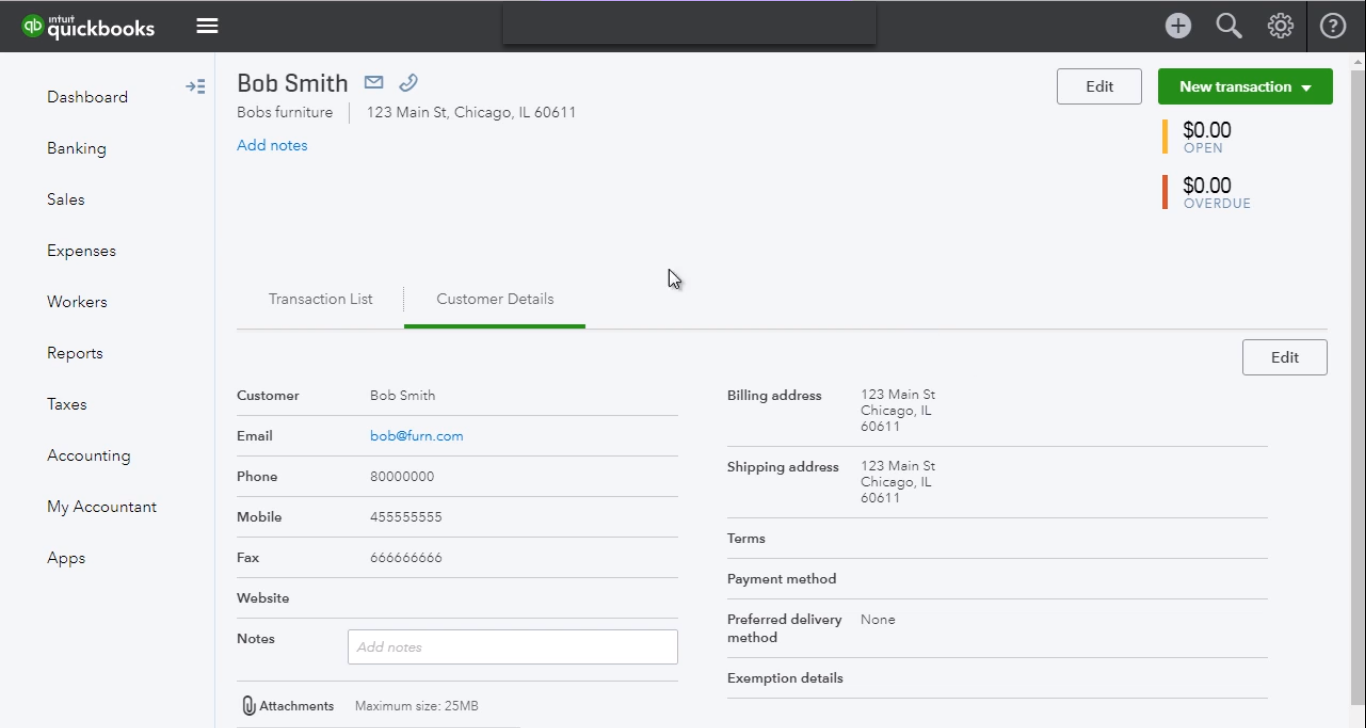
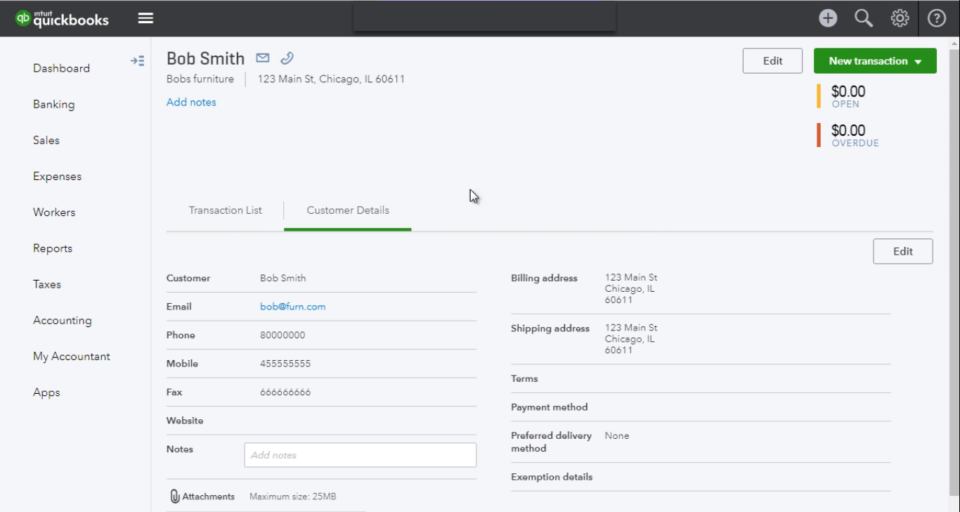
Quickbooks Online Integration with VTiger is an extension connecting VTiger to QuickBooks and enabling bidirectional synchronization of Customers (Organizations/Contacts), Invoices, Payments, Quotes (Estimates), Sales Orders (Sales Receipts), Purchase Orders, Vendors as well as Items (Services & Products). An easy to trigger option to synchronize data manually or on the schedule. It supports custom fields on the invoice as well as customer (flexible mapping). How to Synchronize Contacts Go to Menu > Settings > CRM Settings > Extension Pack > Quickbooks Online. In Customer Tab you can map fields into Quickbooks. Create a contact. You need to check box “Sync to Quickbooks” and that will automatically add this record to the queue to be synced with Quickbooks. Here is the synced Contact/Customer from the VTiger. For further help, contact us on [email protected]. We’ll be glad to be of service.
Synchronize My QuickBooks Items (Products/Services) To/From VTiger 7
November 4, 2018
Article
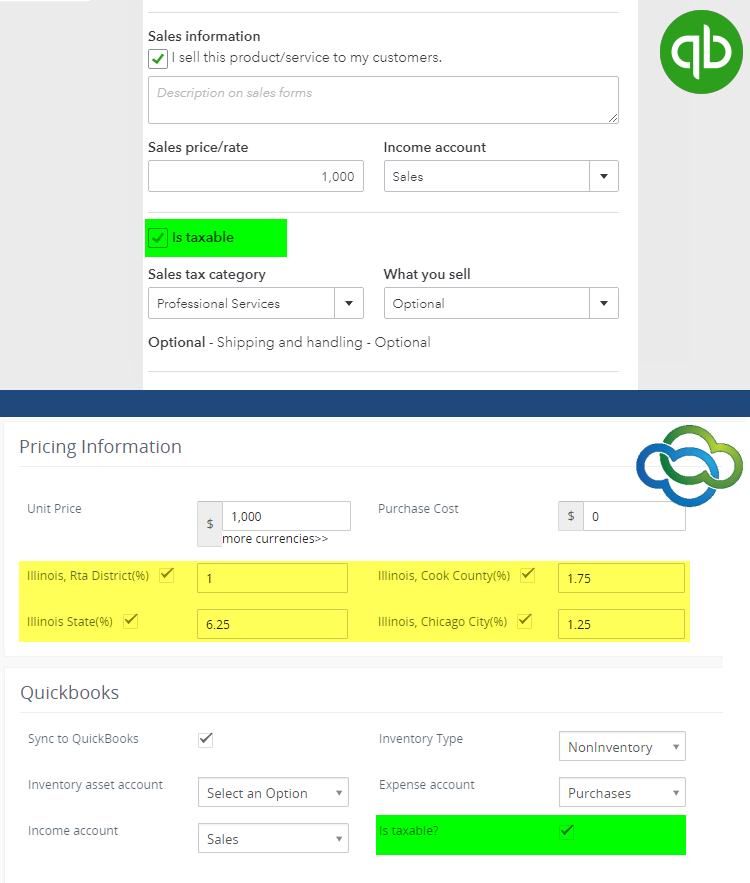
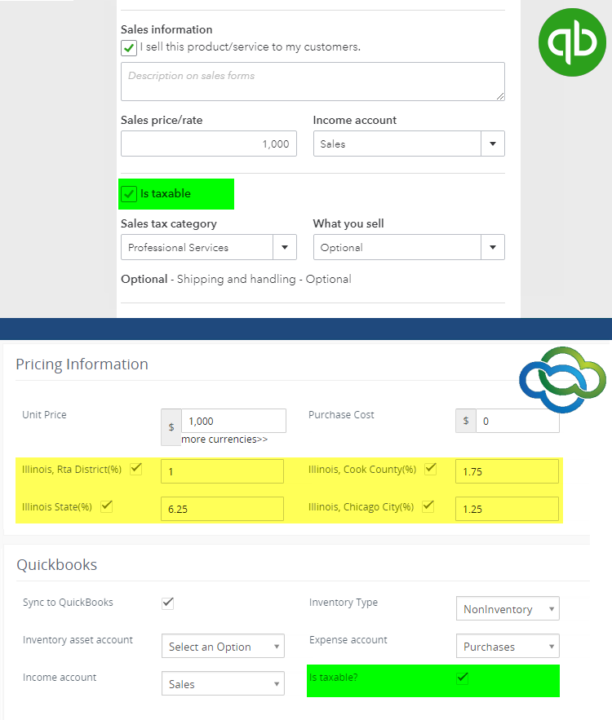
Quickbooks Online Integration with VTiger is an extension connecting VTiger to QuickBooks and enabling bidirectional synchronization of Customers (Organizations/Contacts), Invoices, Payments, Quotes (Estimates), Sales Orders (Sales Receipts), Purchase Orders, Vendors as well as Items (Services & Products). An easy to trigger option to synchronize data manually or on the schedule. It supports custom fields on the invoice as well as customer (flexible mapping). How to Synchronize My Items Go to Menu > Settings > CRM Settings > Extension Pack > Quickbooks Online. In Product & Service Tab you can map fields into Quickbooks. Create a Product. You need to check box “Sync to Quickbooks” and that will automatically add this record to the queue to be synced with Quickbooks. The integration supports tax sync. Here is the synced Items from the VTiger. For further help, contact us on [email protected]. We’ll be glad to be of service.
Synchronize My QuickBooks Payments To/From VTiger 7
November 4, 2018
Article
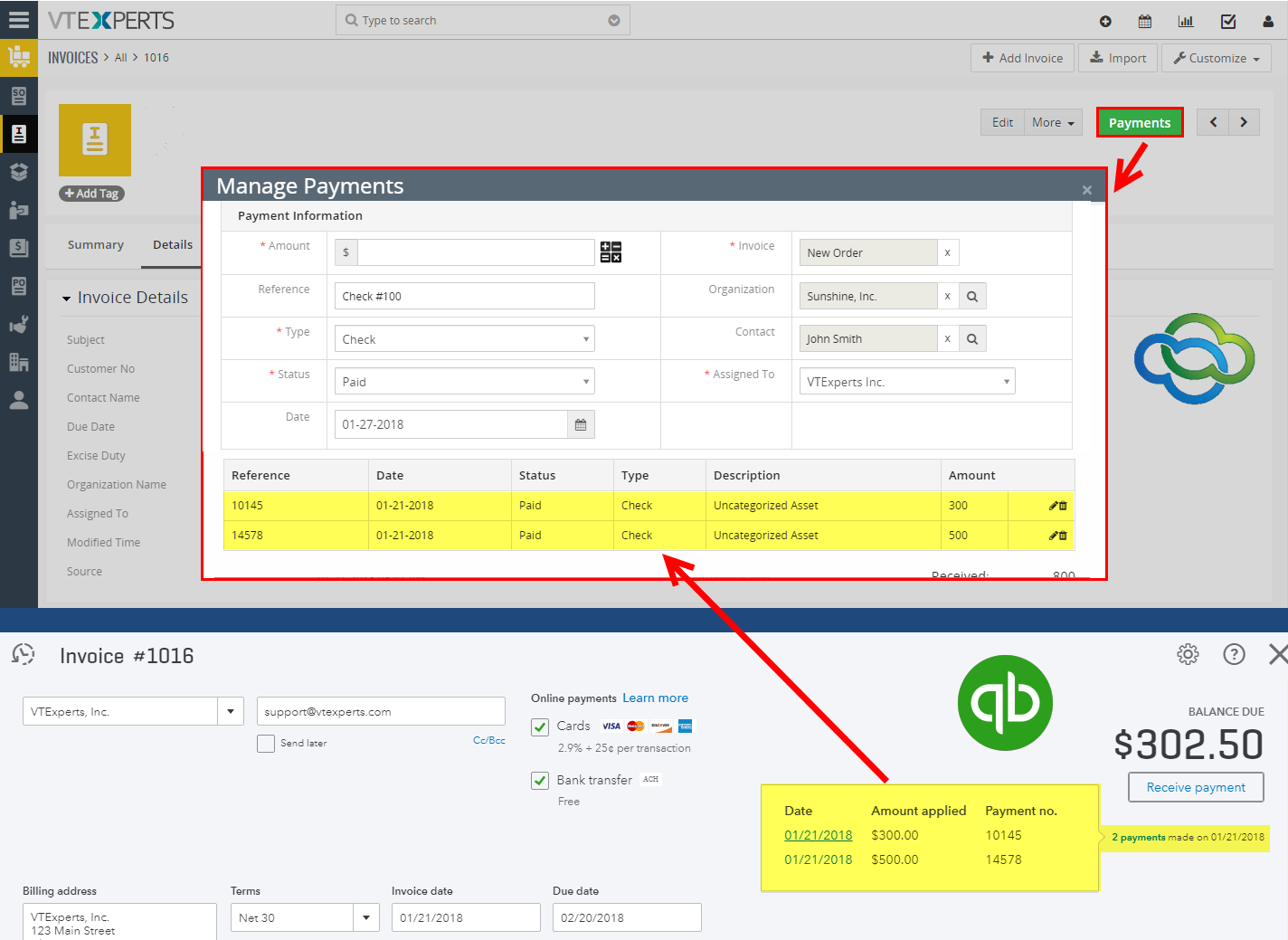
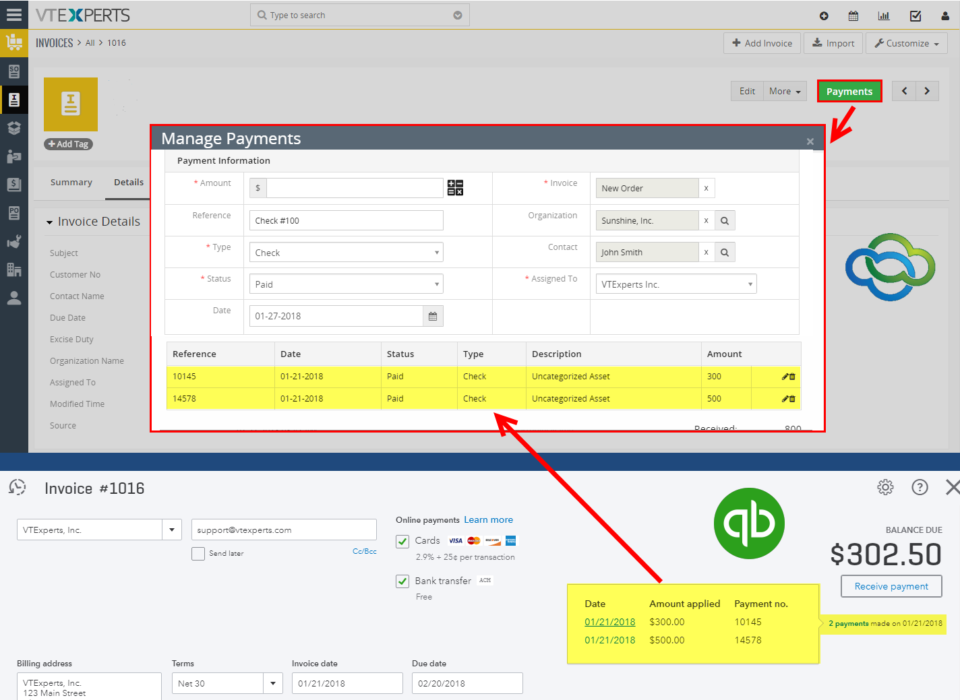
Quickbooks Online Integration with VTiger is an extension connecting VTiger to QuickBooks and enabling bidirectional synchronization of Customers (Organizations/Contacts), Invoices, Payments, Quotes (Estimates), Sales Orders (Sales Receipts), Purchase Orders, Vendors as well as Items (Services & Products). An easy to trigger option to synchronize data manually or on the schedule. It supports custom fields on the invoice as well as customer (flexible mapping). How to Synchronize Payments Go to Menu > Settings > CRM Settings > Extension Pack > Quickbooks Online. In Payments Tab these predefined fields are not editable. Create an Invoice and add a product and service. You need to check box “Sync to Quickbooks” and that will automatically add this record to the queue to be synced with Quickbooks. In invoice records. Click on the payments and “Record a Payment” The payment automatically will be synced with Quickbooks. For further help, contact us on [email protected]. We’ll be glad to be of service.
Synchronize My QuickBooks Invoices To/From VTiger 7
November 4, 2018
Article
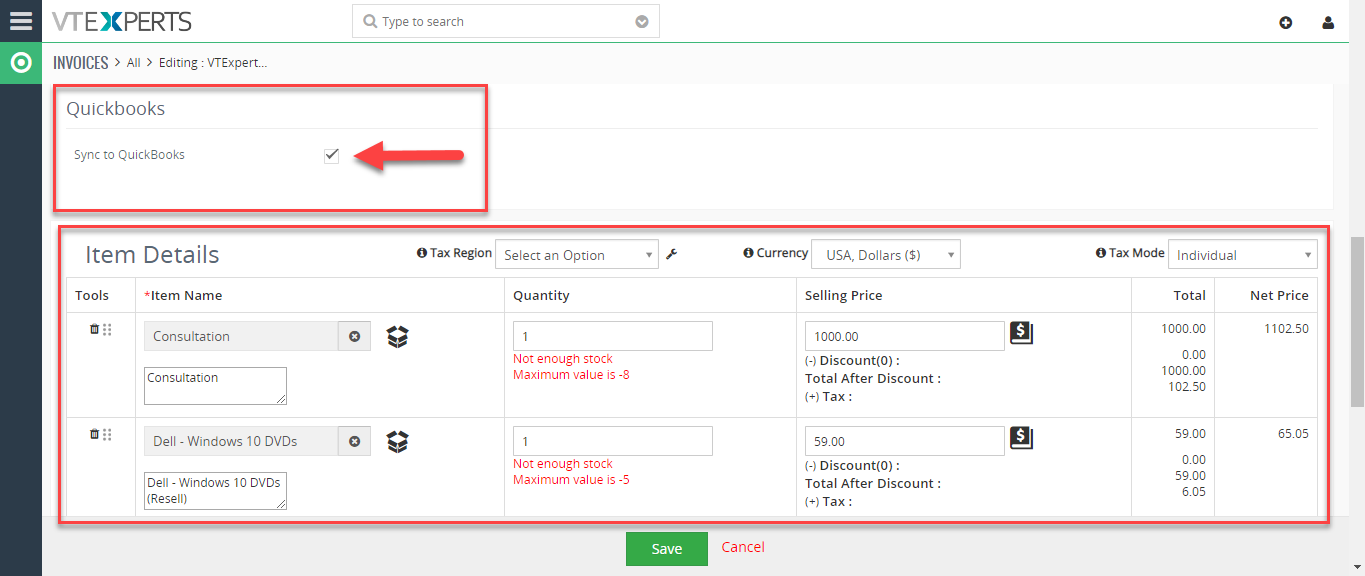
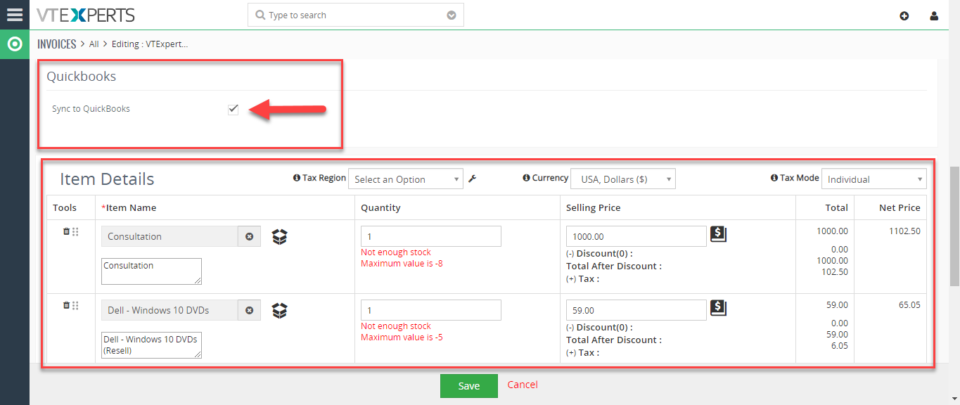
Quickbooks Online Integration with VTiger is an extension connecting VTiger to QuickBooks and enabling bidirectional synchronization of Customers (Organizations/Contacts), Invoices, Payments, Quotes (Estimates), Sales Orders (Sales Receipts), Purchase Orders, Vendors as well as Items (Services & Products). An easy to trigger option to synchronize data manually or on the schedule. It supports custom fields on the invoice as well as customer (flexible mapping). How to Synchronize Invoices Go to Menu > Settings > CRM Settings > Extension Pack > Quickbooks Online. In Invoice Tab you can map invoice fields into Quickbooks. It also supports custom fields. Create an Invoice and add a product and service. You need to check box “Sync to Quickbooks” and that will automatically add this record to the queue to be synced with Quickbooks. Here is the synced invoice from the VTiger. For further help, contact us on [email protected]. We’ll be glad to be of service.