


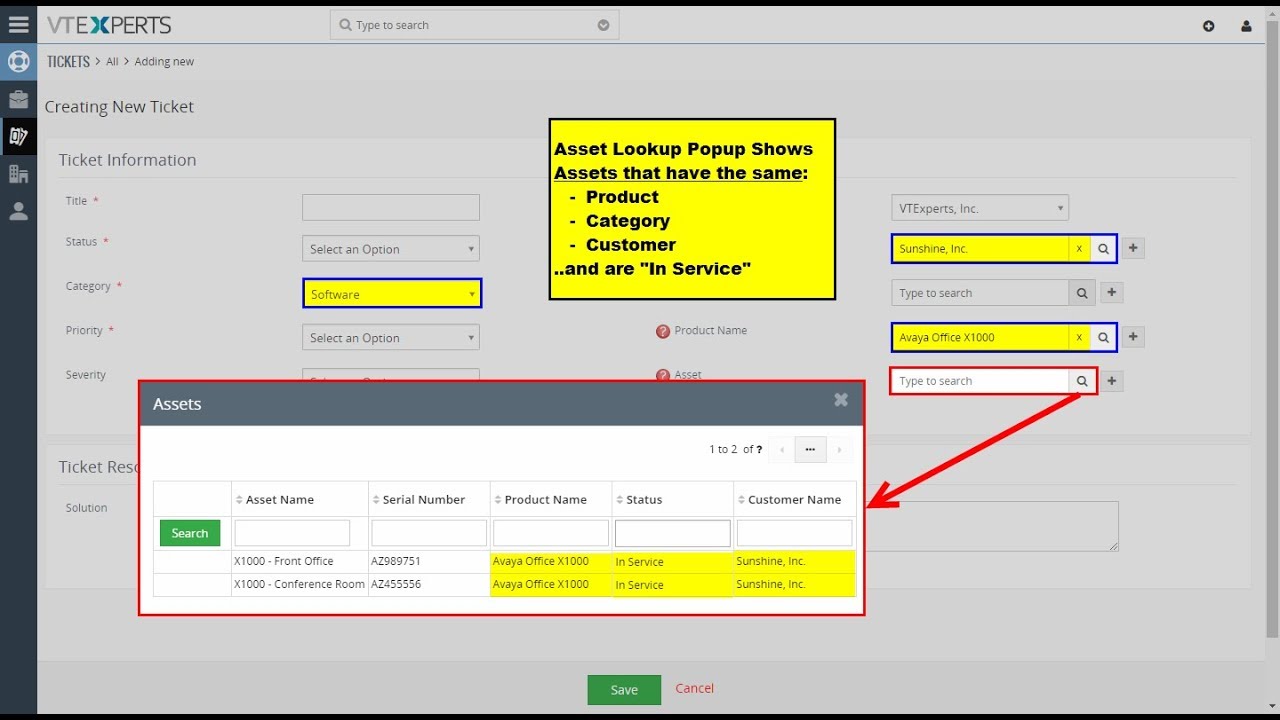
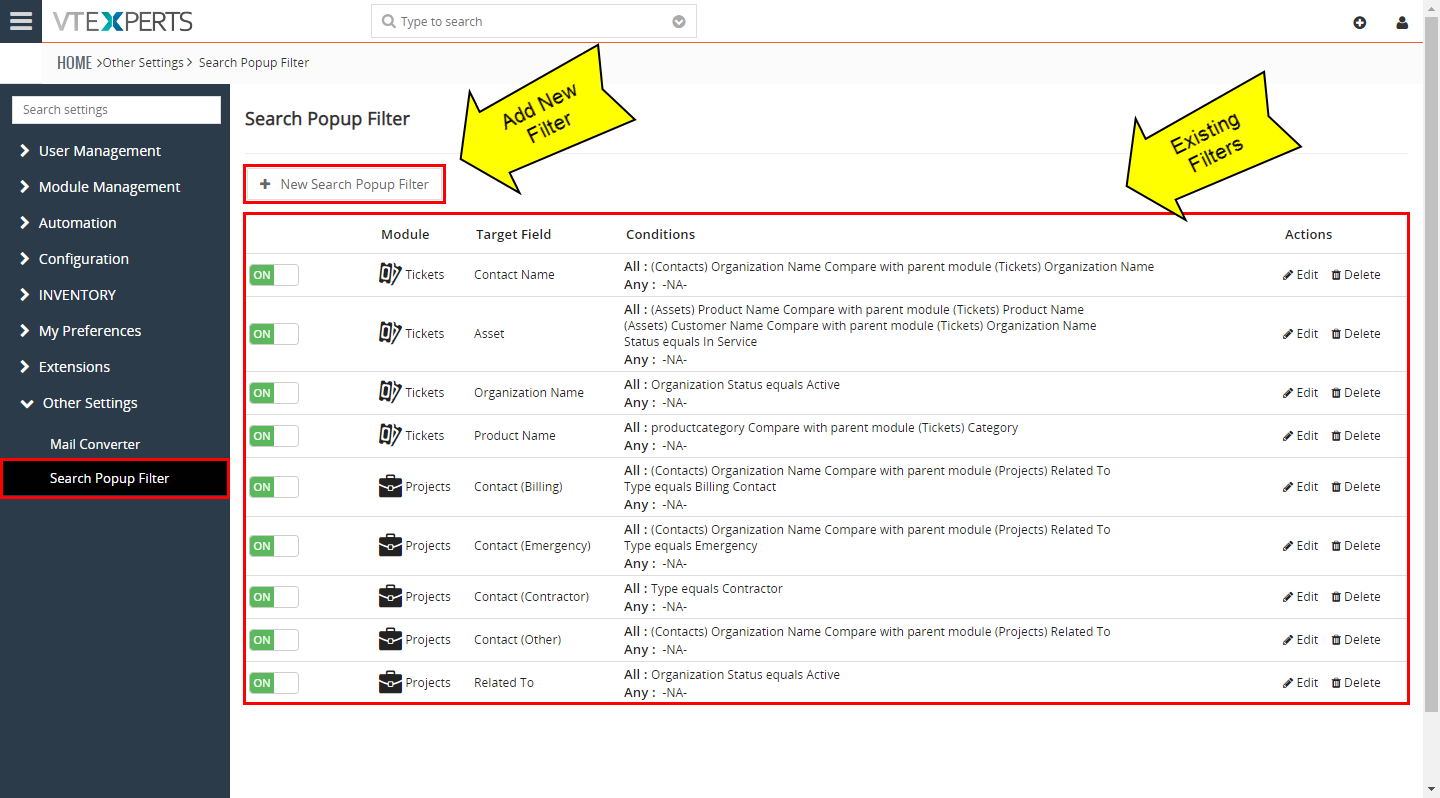
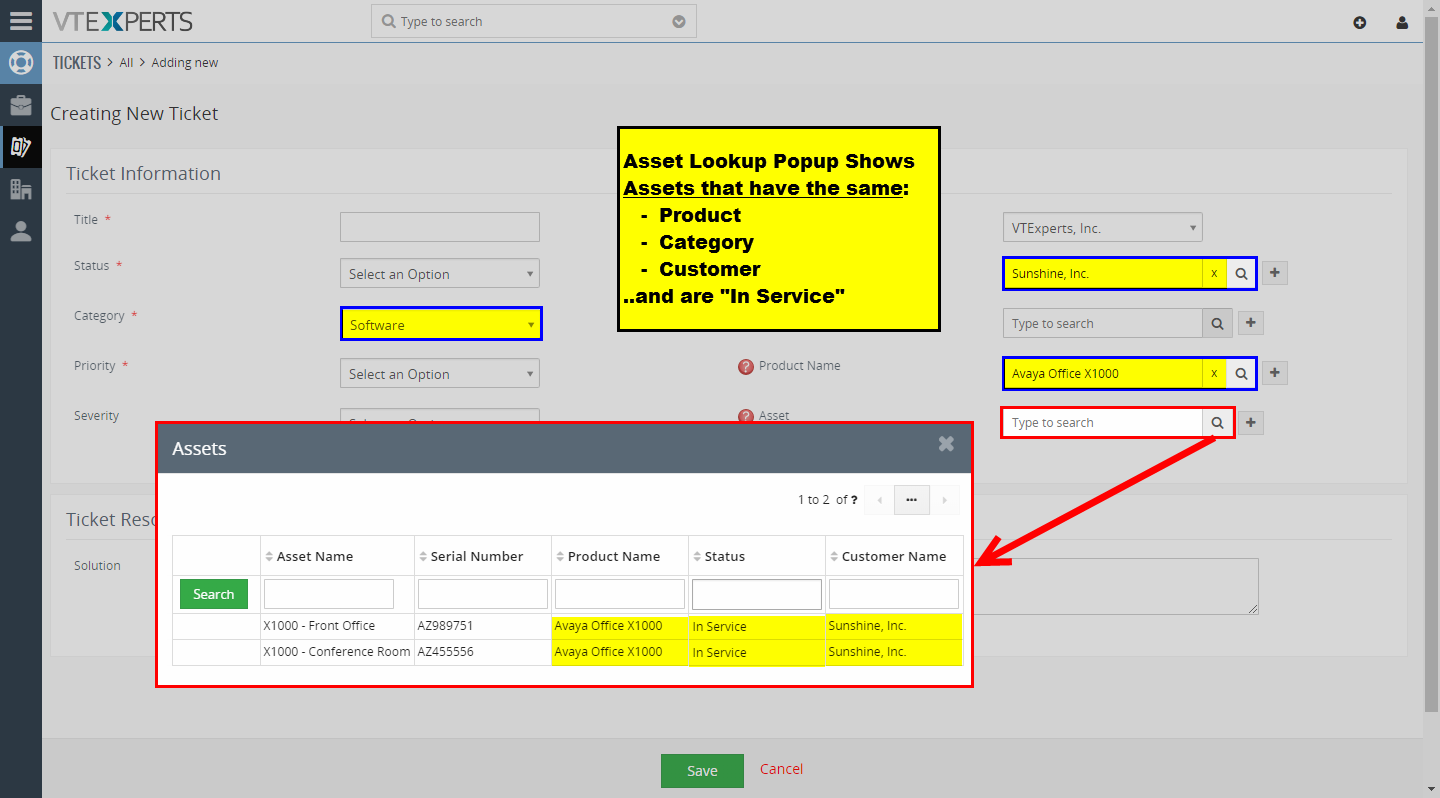
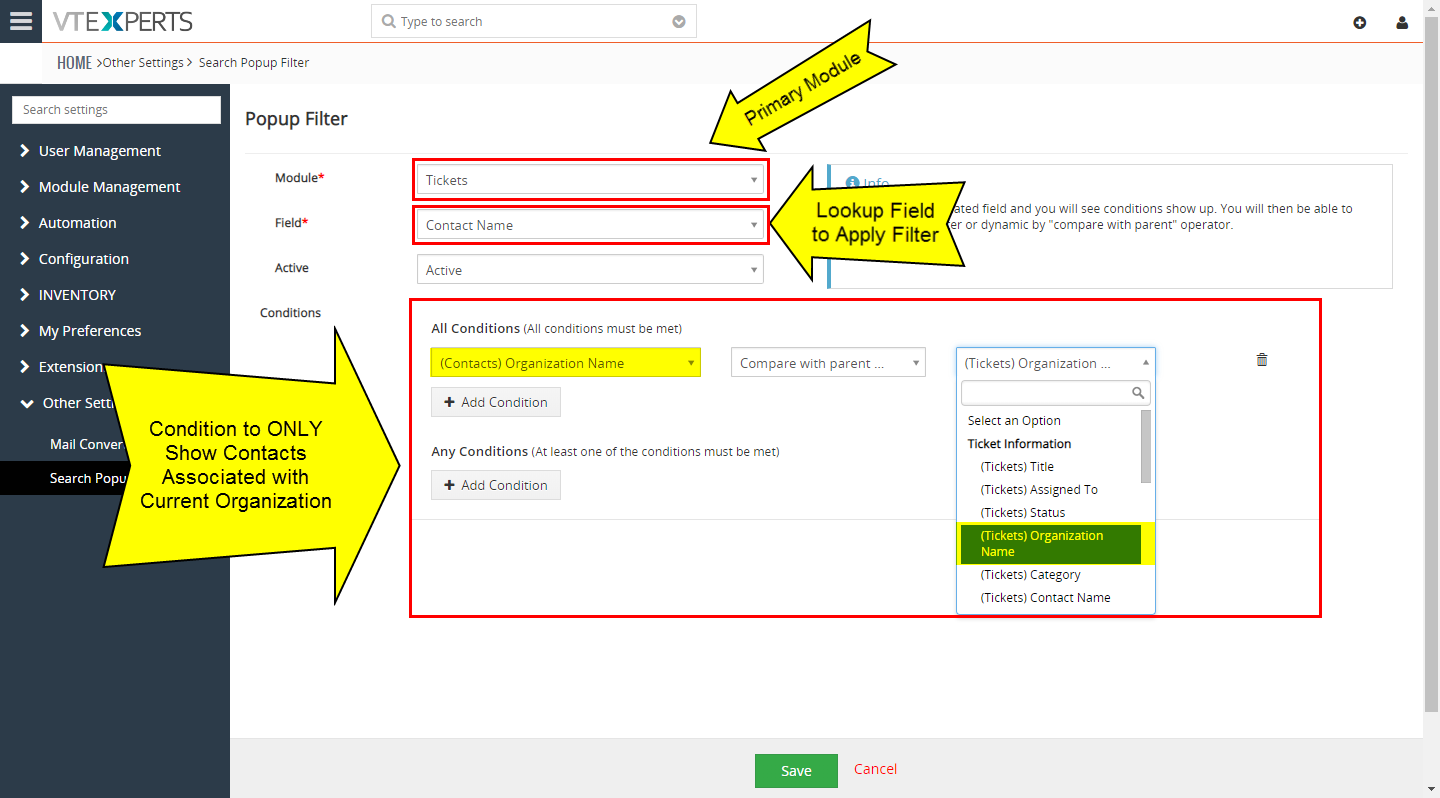
This extension was designed to apply filter (or condition) that will limit the results user will see when selecting a record (any) from a lookup/select/search popup in VTiger. For example, say you are creating a new ticket – you select your organization and then search for the contact to be associated with the ticket, by default – you will see all contacts in the system, however with this extension, you can configure contact lookup popup to only show contacts related to the organization you already selected on the ticket.
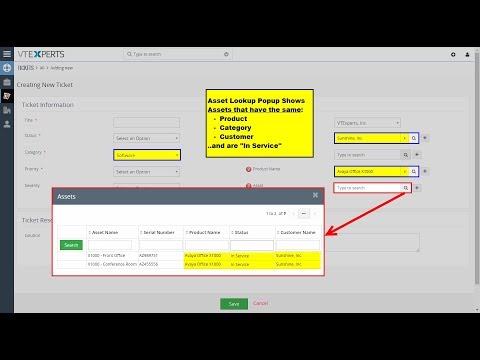


This method can be applied to many different scenarios, here are few examples:
- When creating ticket, only show organizations that are active
- When creating ticket, only show contacts that are technical contacts
- When selecting assets, only show assets associated with current customer
- When selecting opportunities, only show opportunities that are not closed
- When selecting contacts (on invoice), only show “billing” contacts
The extension has a “Compare with parent” operator, meaning that you can apply a filter which will check field value on the record you are on and compare it with the related record. For example, if you are creating ticket with type “Hardware” – you can restrict product/asset lookup popup to only show products/assets with type “Hardware”.
Here are some of the key features that make our extension unique.
- Supports Edit, Quick Create and Detail view lookups
- Built-in “Compare with Parent” operator (for dynamic filtering)
- Supports all uitype10 lookup fields (organization, product, contact, etc..)
- Supports all standard and custom VTiger modules (including Activity popup)
- Module Manager Compatible
- Available on VTiger Marketplace
We provide a unique demo instance for all our extensions. Each demo instance is pre-configured to only show features available for the specific extension. It is likely that some of the standard vTiger modules have been disabled to make the demo more user friendly.
VTiger 7 Demo
Please use credentials below to access the demo.
- Link: https://demo7.vtexperts.com/searchpopupfilter/index.php (Will open in new window)
- User: demo
- Pass: demo
If you are not able to access the demo or find an issue - please send us an email at support@vtexperts.com or via contact form.
All extensions come with an extensive user guide, which includes setup instructions, suggestions as well as usability tips. Please click the link below to access user guide for this extension.
User Guide: https://www.vtexperts.com/helpdesk/search-popup-filter (Will open in new window)
For assistance or any questions - please contact us via help@vtexperts.com.
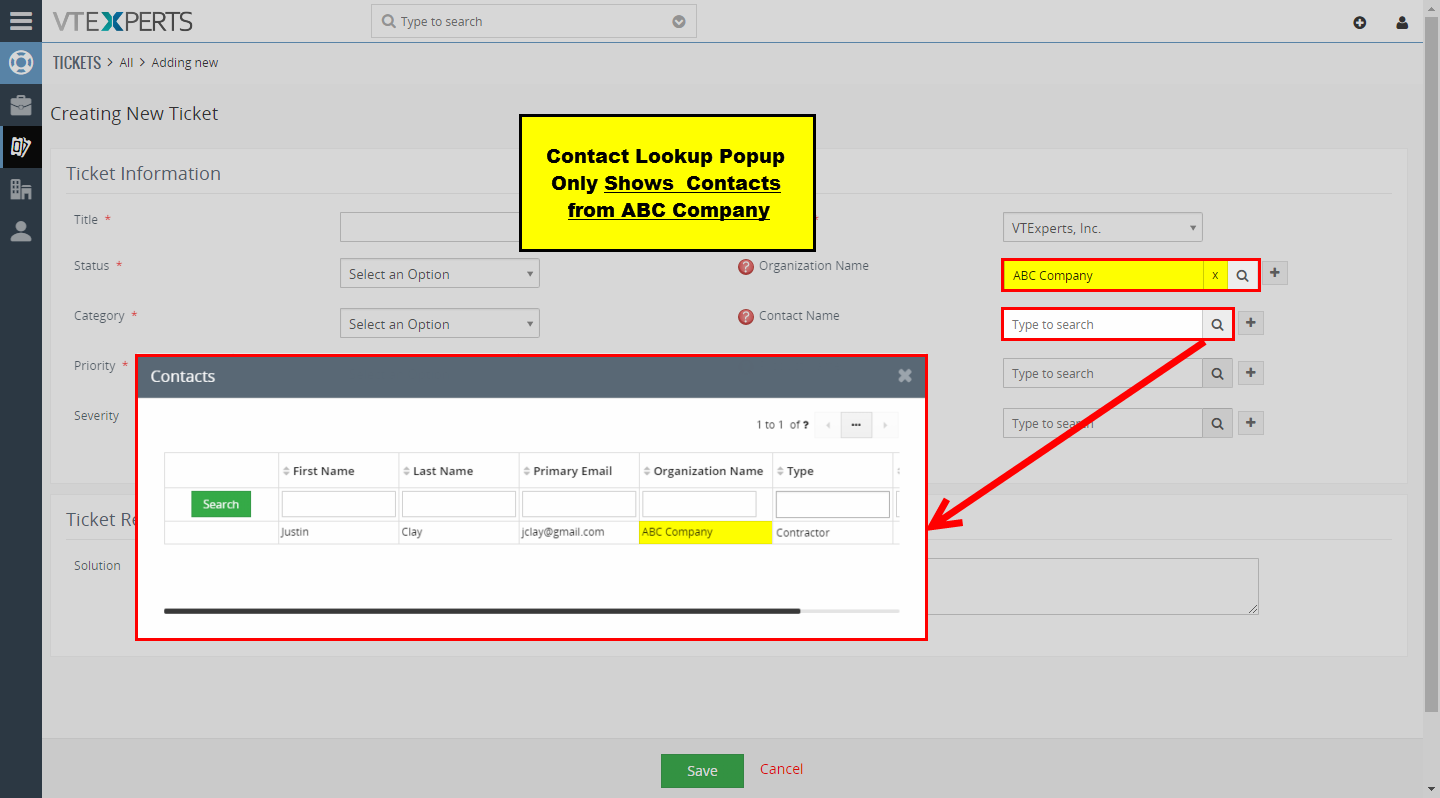 Search Popup Filter For VTiger – New Release November 27, 2018 - There’s no doubt about searching related records in VTiger via popup search is not as they are supposed to be. Once you try to create a new record, and select one related record, going through a list of even more related records for a secondary module does not make any sense. To cope with the problem, we came up with this idea to add Search Popup Filters, and we did. Search Popup Filter extension for VTiger 7 allows to apply filters (or condition) that will strain the results the user will get when selecting any record from a lookup/select/search popup in VTiger. For example, if you are creating a new ticket - you select an organization and then search for the contact to be associated with the ticket, by default – you will see all contacts in the system. However with this extension, you can configure contact lookup popup to only… Read More
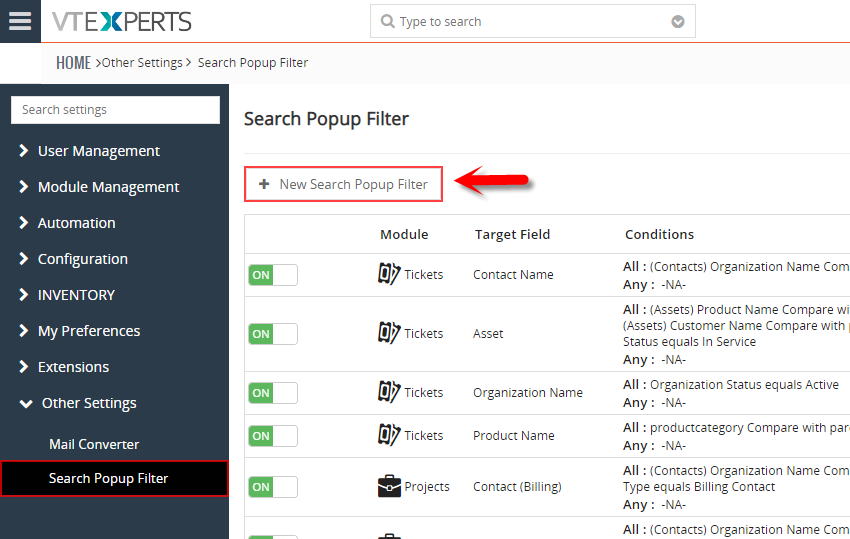 When Creating A Ticket Only Show Contacts Associated With Ticket’s Organization In VTiger 7 November 23, 2018 - Search Popup Filter This extension was designed to apply filter (or condition) that will limit the results user will see when selecting a record (any) from a lookup/select/search popup in VTiger. It is fully customizable, meaning that you can set any condition which makes most sense to your business. One of the more common examples is "only show me Organizations that are Active (exclude Inactive)". In addition to simple filters, you can also use “Compare with parent” operator, meaning that you can apply a filter which will check field value on the record you are on and compare it with the related record, for example if you are attaching asset to the ticket, by default you would see all available assets in the system, however you could configure it to only show assets related to an organization/customer that you are creating ticket for. In this article we will go over a simple use case on how… Read More
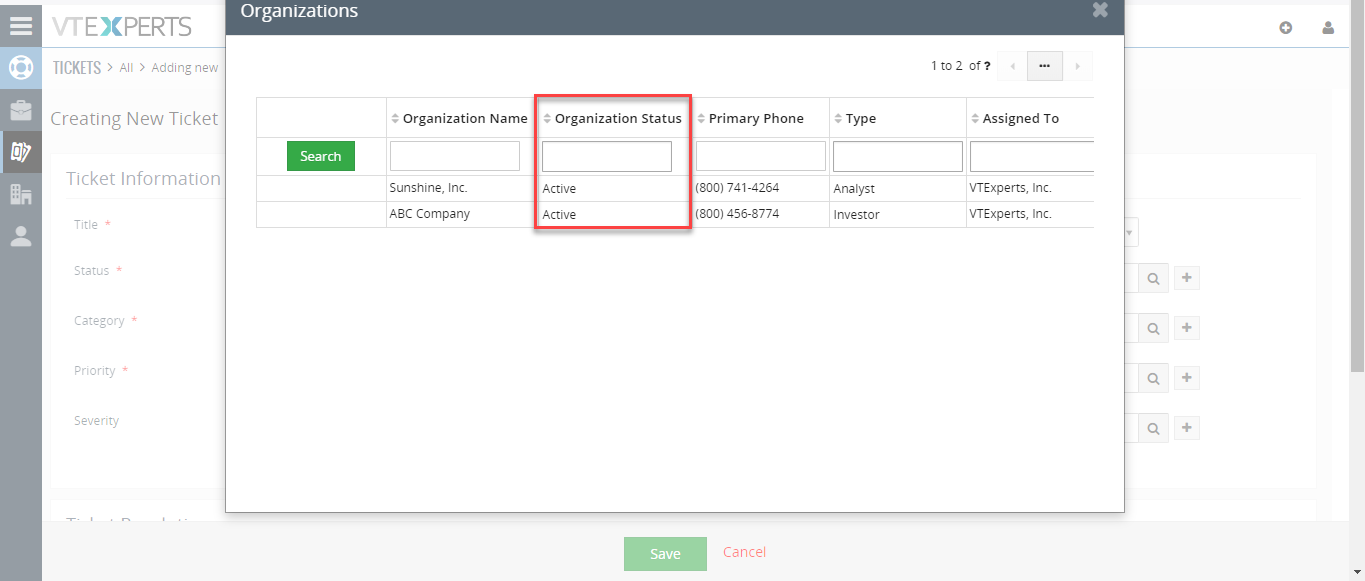 Only Show Active Organizations When Creating A Ticket In VTiger 7 November 21, 2018 - This extension was designed to apply filter (or condition) that will limit the results user will see when selecting a record (any) from a lookup/select/search popup in VTiger. How to Show Active Organizations Go to Menu > Settings > CRM Settings > Extension Pack > Search Popup Filter. Click on "New Search Popup Filter". Add module. Select the related field. Add a condition according to your requirement. While creating a new ticket it will only search for Active Organizations. For further help, contact us on help@vtexperts.com. We'll be glad to be of service. Read More
Related products
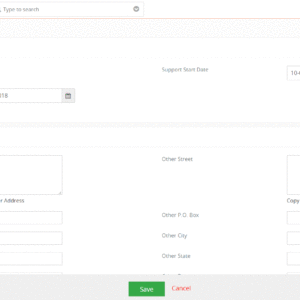
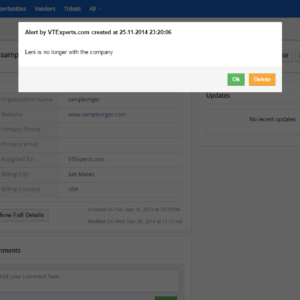
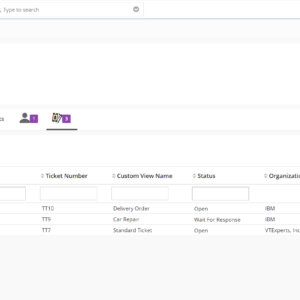
This extension was designed to apply filter (or condition) that will limit the results user will see when selecting a record (any) from a lookup/select/search popup in VTiger. For example, say you are creating a new ticket – you select your organization and then search for the contact to be associated with the ticket, by default – you will see all contacts in the system, however with this extension, you can configure contact lookup popup to only show contacts related to the organization you already selected on the ticket.
This method can be applied to many different scenarios, here are few examples:
- When creating ticket, only show organizations that are active
- When creating ticket, only show contacts that are technical contacts
- When selecting assets, only show assets associated with current customer
- When selecting opportunities, only show opportunities that are not closed
- When selecting contacts (on invoice), only show “billing” contacts
The extension has a “Compare with parent” operator, meaning that you can apply a filter which will check field value on the record you are on and compare it with the related record. For example, if you are creating ticket with type “Hardware” – you can restrict product/asset lookup popup to only show products/assets with type “Hardware”.
Here are some of the key features that make our extension unique.
- Supports Edit, Quick Create and Detail view lookups
- Built-in “Compare with Parent” operator (for dynamic filtering)
- Supports all uitype10 lookup fields (organization, product, contact, etc..)
- Supports all standard and custom VTiger modules (including Activity popup)
- Module Manager Compatible
- Available on VTiger Marketplace
We provide a unique demo instance for all our extensions. Each demo instance is pre-configured to only show features available for the specific extension. It is likely that some of the standard vTiger modules have been disabled to make the demo more user friendly.
VTiger 7 Demo
Please use credentials below to access the demo.
- Link: https://demo7.vtexperts.com/searchpopupfilter/index.php (Will open in new window)
- User: demo
- Pass: demo
If you are not able to access the demo or find an issue - please send us an email at support@vtexperts.com or via contact form.
All extensions come with an extensive user guide, which includes setup instructions, suggestions as well as usability tips. Please click the link below to access user guide for this extension.
User Guide: https://www.vtexperts.com/helpdesk/search-popup-filter (Will open in new window)
For assistance or any questions - please contact us via help@vtexperts.com.
Reviews
There are no reviews yet.
Search Popup Filter For VTiger – New Release November 27, 2018 - There’s no doubt about searching related records in VTiger via popup search is not as they are supposed to be. Once you try to create a new record, and select one related record, going through a list of even more related records for a secondary module does not make any sense. To cope with the problem, we came up with this idea to add Search Popup Filters, and we did. Search Popup Filter extension for VTiger 7 allows to apply filters (or condition) that will strain the results the user will get when selecting any record from a lookup/select/search popup in VTiger. For example, if you are creating a new ticket - you select an organization and then search for the contact to be associated with the ticket, by default – you will see all contacts in the system. However with this extension, you can configure contact lookup popup to only… Read More When Creating A Ticket Only Show Contacts Associated With Ticket’s Organization In VTiger 7 November 23, 2018 - Search Popup Filter This extension was designed to apply filter (or condition) that will limit the results user will see when selecting a record (any) from a lookup/select/search popup in VTiger. It is fully customizable, meaning that you can set any condition which makes most sense to your business. One of the more common examples is "only show me Organizations that are Active (exclude Inactive)". In addition to simple filters, you can also use “Compare with parent” operator, meaning that you can apply a filter which will check field value on the record you are on and compare it with the related record, for example if you are attaching asset to the ticket, by default you would see all available assets in the system, however you could configure it to only show assets related to an organization/customer that you are creating ticket for. In this article we will go over a simple use case on how… Read More Only Show Active Organizations When Creating A Ticket In VTiger 7 November 21, 2018 - This extension was designed to apply filter (or condition) that will limit the results user will see when selecting a record (any) from a lookup/select/search popup in VTiger. How to Show Active Organizations Go to Menu > Settings > CRM Settings > Extension Pack > Search Popup Filter. Click on "New Search Popup Filter". Add module. Select the related field. Add a condition according to your requirement. While creating a new ticket it will only search for Active Organizations. For further help, contact us on help@vtexperts.com. We'll be glad to be of service. Read MoreInformation
- Ioncube & PHP SOAP (hands-on)
- Install & Setup (hands-on)
- Meeting Server Requirements
- Assisting with any issues related to plugins
Reviews
There are no reviews yet.