Hide Completed Activities/Events From Calendar View In VTiger 7
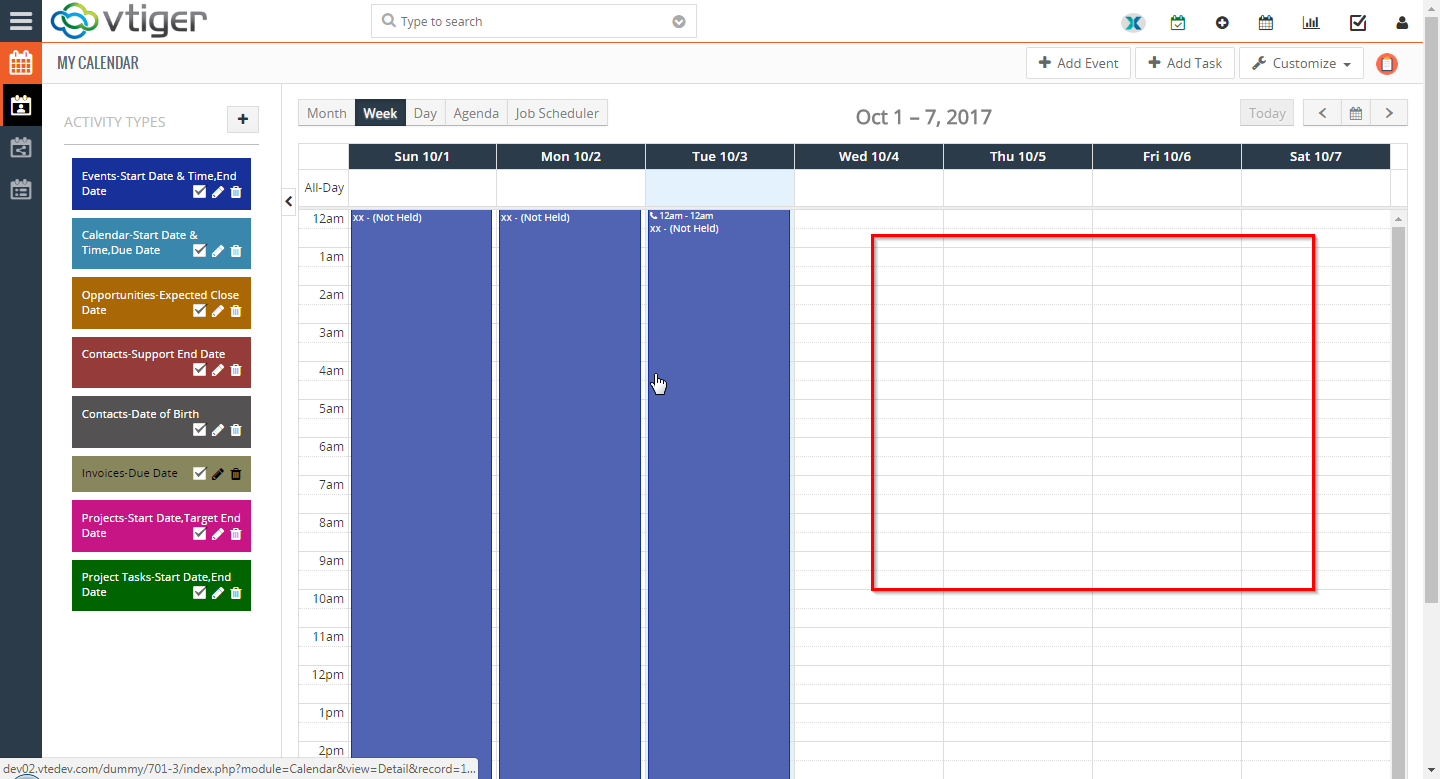
In VTiger 7 user can hide the completed activities/events in the calendar view. This Feature help the user to manage the events in a very efficient way and focus on the upcoming events.
How to Hide Completed Activities/Events
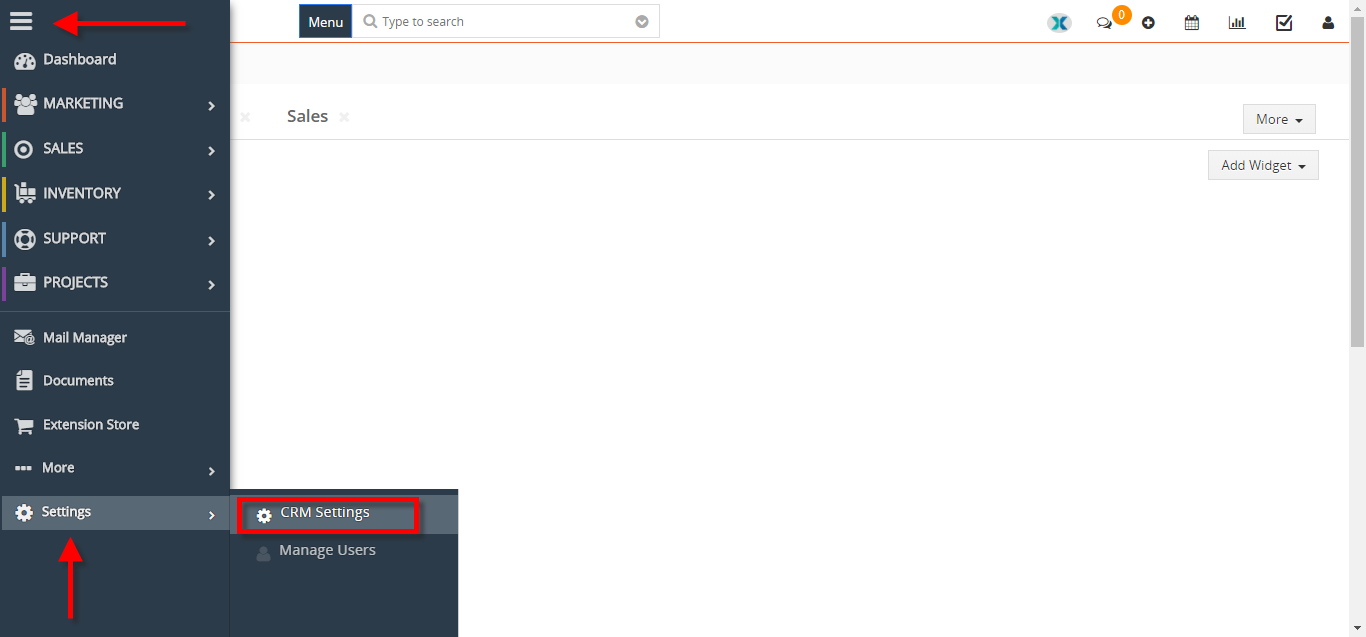
- Go to the “Menu” and click on the “Settings” button and select “CRM Settings“.
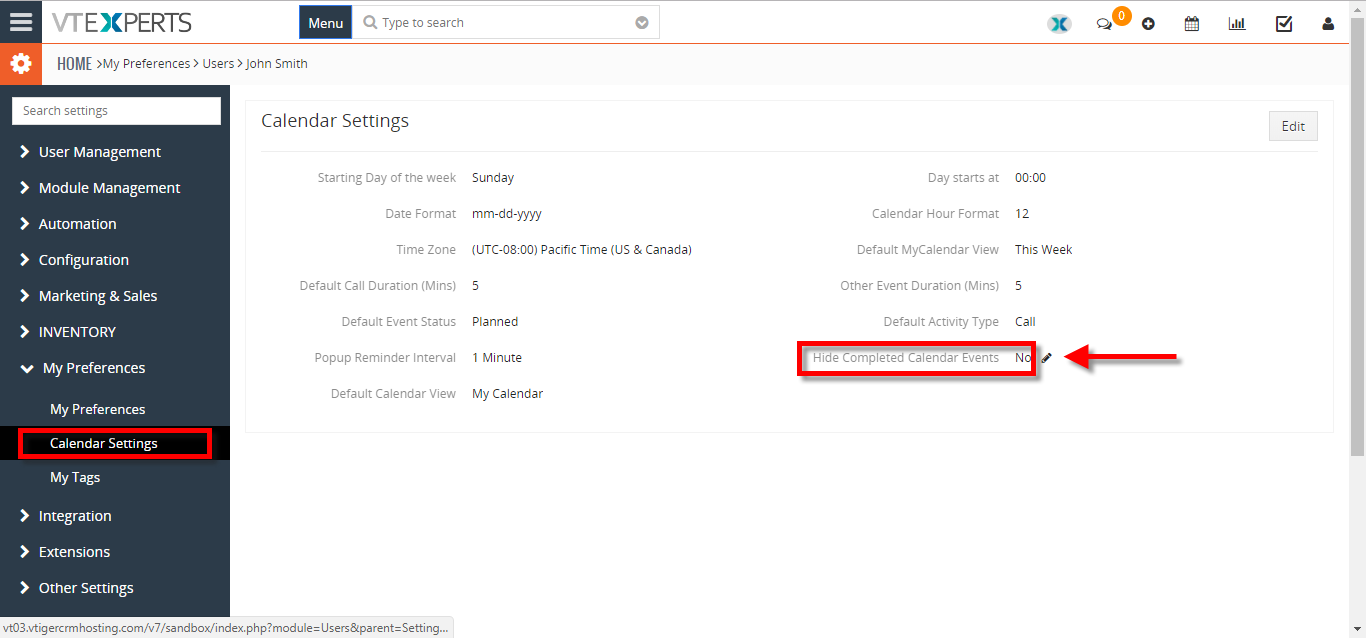
- Under the “My Preference” drop down menu Select “Calendar Settings“. From here click on the “Edit Icon” next to the “Hide Complete Calendar Events“.
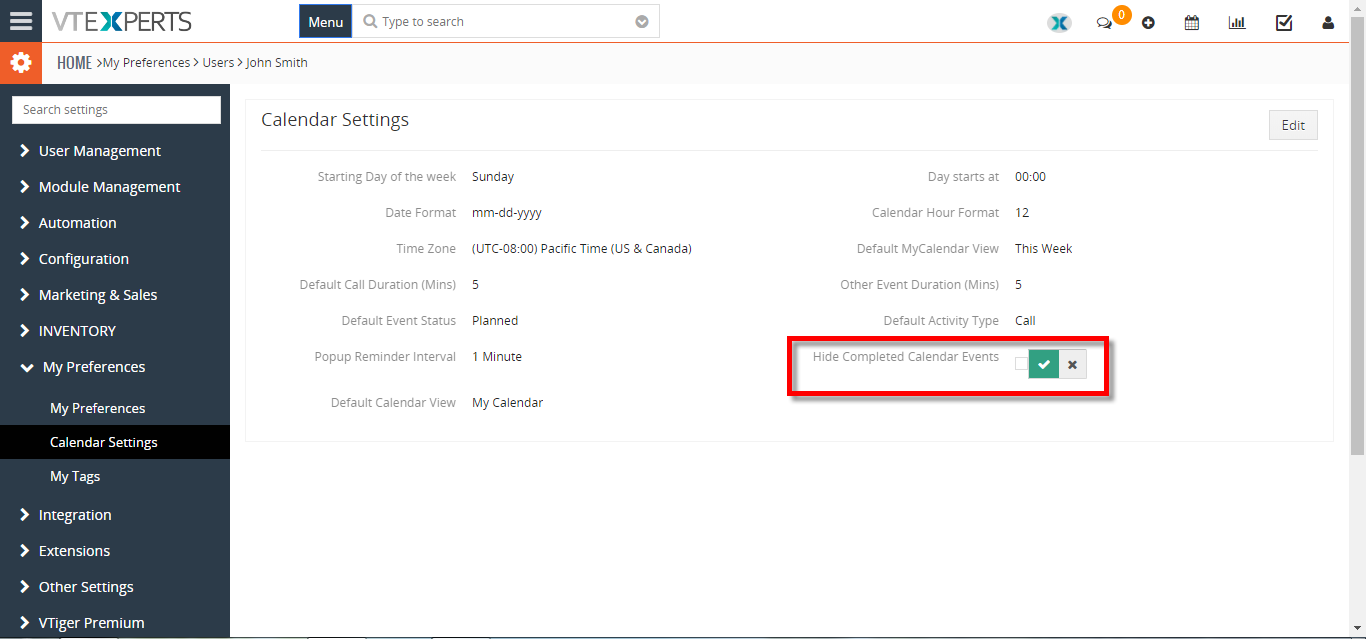
- To hide the the completed events in calendar view “Check The Box” and click on the “Check Mark” button to save the change’s.