

filter
VTiger Filters To Organize Data
October 23, 2016
Article
The world we live in is the world of data, only those can prosper in current era who possess accurate data. In fact, data is emerging to be a stronger tool as compare to any other lethal weapon, people who underestimated the power of precise data in the current business environment faced serious challenges while carrying out business operations. So we should admire the power of correct data and make efficient use of it so that good profits for the business can be yielded. So embrace the power of data and make operations of your business more precise and to the point. Following is a famous saying by Carly Fiorina “The goal is to turn data into information, and information into insight.” This shows how data can change the perspective of the whole business VTiger 7 Filters Empowered by Custom Filter Designing We are bombarded with data in routine life,
Organize Data In VTiger By Fashioning Filters Of Your Choice
March 10, 2016
Article
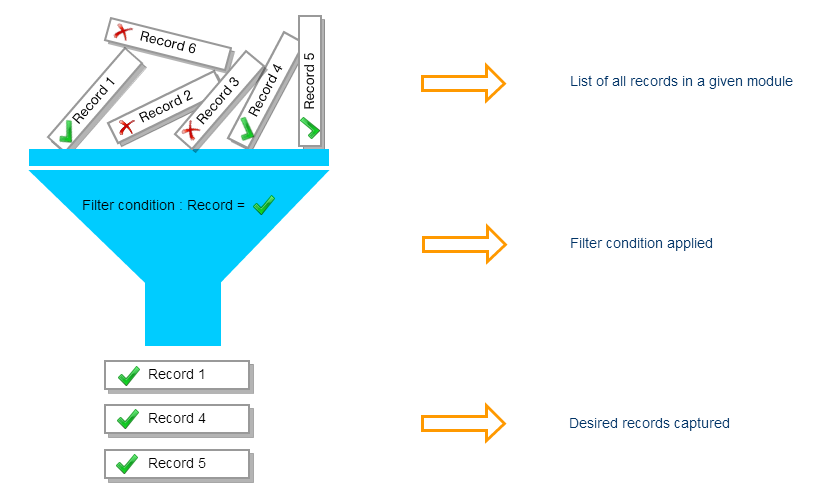
When working on a project, you may get overloaded by tons of data. Data handling is being enhanced day by day using hundreds of techniques depending on the quality of output. While working with a CRM, filters play a vital role in keeping track of your records. Vtiger 7, yet again, takes another step in reforming the modern techniques by introducing “Custom Filter” tool. It’s simple that using filters, locating the desired record gets easier. It also let you take bulk actions on the selected data. Utilizing Vtiger 7, Custom Filters can be designed according to your own requirements, and type of record. Getting started by developing a Custom Filter of your choice The following protocol works for every module. Let’s say we are in “Opportunities” module. Mirror these simple steps: 1. Press the Opportunities Tab 2. There will be a drop-down menu with Opportunities title 3. Click on the
VTExperts Advanced Custom Fields: Second Assigned To Field Filter in vTiger